
PyEmotion
PyEmotion-Version 1.0.0 - A Python package for Facial Emotion Recognition using PyTorch. PyEmotion is a python package which is helping to get the emotion of the person.




Author: Karthick Nagarajan
Email: karthick965938@gmail.com
Installation
We can install PyEmotion package using this command
pip install PyEmotion
How to test?
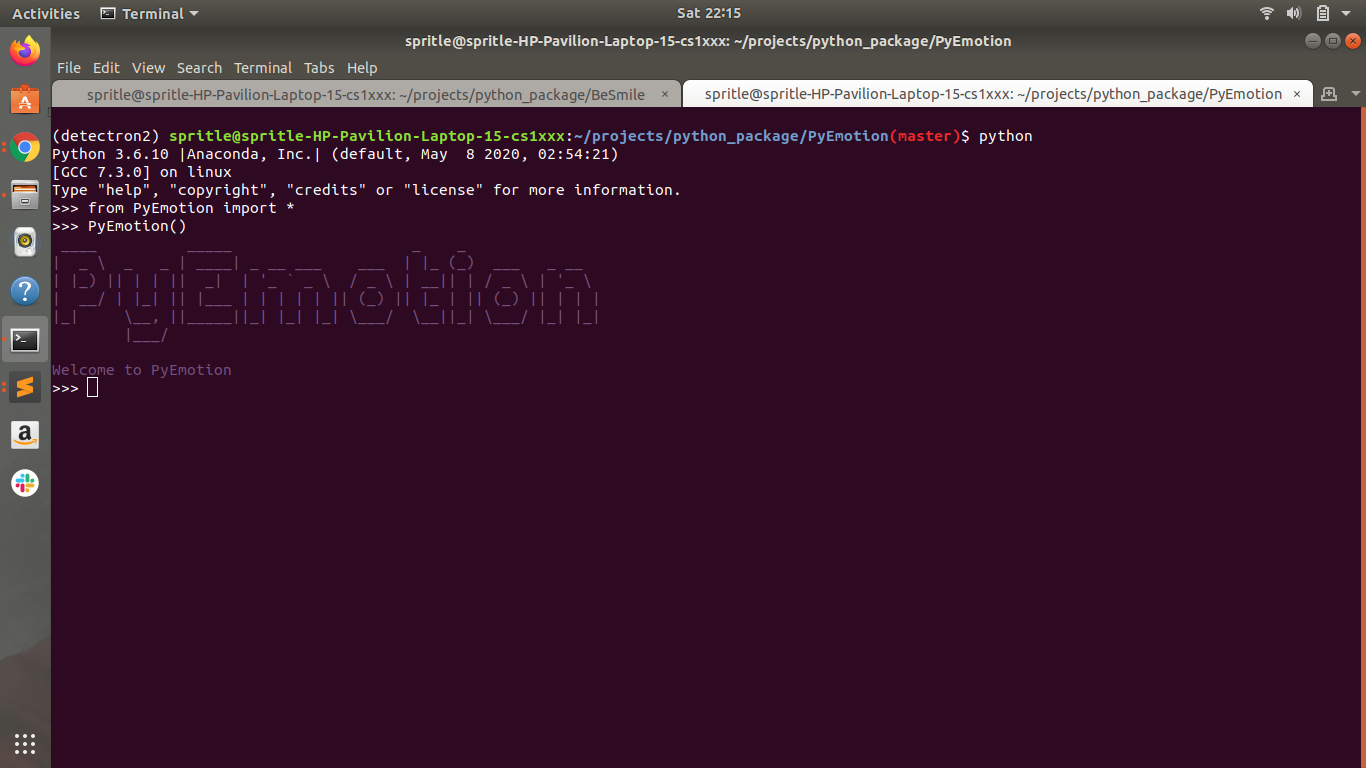
When you run python3 in the terminal, it will produce output like this:
Python 3.6.10 |Anaconda, Inc.| (default, May  8 2020, 02:54:21)
[GCC 7.3.0] on linux
Type "help", "copyright", "credits" or "license" for more information.
>>>
Run the following code to you can get the Initialize process output for the PyEmotion package.
>>> from PyEmotion import *
>>> PyEmotion()
Requirements
pytorch >= 1.5.1
torchvision >= 0.6.1
Available Operations
- Webcam — Result as a video
from PyEmotion import *
import cv2 as cv

PyEmotion()
er = DetectFace(device='cpu', gpu_id=0)

# Open you default camera
cap = cv.VideoCapture(0)

while(True):
  ret, frame = cap.read()
  frame, emotion = er.predict_emotion(frame)
  cv.imshow('frame', frame)
  if cv.waitKey(1) & 0xFF == ord('q'):
    break
cap.release()
cv.destroyAllWindows()
- Image — Result as a image
from PyEmotion import *
import cv2 as cv

PyEmotion()
er = DetectFace(device='cpu', gpu_id=0)

# Open you default camera
cap = cv.VideoCapture(0)
ret, frame = cap.read()
frame, emotion = er.predict_emotion(frame)
cv.imshow('frame', frame)
cv.waitKey(0)
Arguments
er = DetectFace(device='cpu', gpu_id=0)

device = 'gpu' or cpu'

gpu_id will be effective only when more than two GPUs are detected or it will through error.
Contributing
All issues and pull requests are welcome! To run the code locally, first, fork the repository and then run the following commands on your computer:
git clone https://github.com/<your-username>/PyEmotion.git
cd PyEmotion
# Recommended creating a virtual environment before the next step
pip3 install -r requirements.txt
When adding code, be sure to write unit tests where necessary.
Contact
PyEmotion was created by Karthick Nagarajan. Feel free to reach out on Twitter or through Email!
1 maintainer

Metadata
1 maintainer
Release files for PyEmotion 1.0.0
For a detailed explanation of source distributions (sdists) and built distributions (wheels), please see the package formats documentation.
Source distribution (sdist)
| File | Size | Uploaded | |
|---|---|---|---|
| PyEmotion-1.0.0.tar.gz | 4.4 kB | Details |
Built distribution (wheel)
| File | Interpreter | ABI | Platform | Reset |
|---|---|---|---|---|
| PyEmotion-1.0.0-py3-none-any.whl | Python 3 | none | any | Details |
Total release size: 27.1 MB
Release files / PyEmotion-1.0.0.tar.gz
| Download URL | PyEmotion-1.0.0.tar.gz |
|---|---|
| Size | 4.4 kB |
| Tags | Source |
|
SHA-256 checksum How to use checksums |
bc93a21b3994fcda78ba15c6ecb56c6090efccae220e35b8d2181fe1313cfd4f
|
|
BLAKE2b-256 checksum How to use checksums |
2e0efb84a758beb3bab02e3a3418800a9eb583f1d0f5f8c6031ea998f2d58b29
|
| Upload date | |
|
Uploaded using Trusted Publishing? What is trusted publishing? |
No |
| Uploaded via |
twine/3.2.0 pkginfo/1.5.0.1 requests/2.23.0 setuptools/49.2.0 requests-toolbelt/0.9.1 tqdm/4.47.0 CPython/3.6.9
|
Release files / PyEmotion-1.0.0-py3-none-any.whl
| Download URL | PyEmotion-1.0.0-py3-none-any.whl |
|---|---|
| Size | 27.1 MB |
| Tags | Python 3 |
|
SHA-256 checksum How to use checksums |
a916d66b40d95e63ad898bac290818b15d8da8ba521f80131d35e6c2aa2fa2a0
|
|
BLAKE2b-256 checksum How to use checksums |
3e3230352625e388af9da9ee800e6ee204f0dad2c93b51e48c79495966a9b13c
|
| Upload date | |
|
Uploaded using Trusted Publishing? What is trusted publishing? |
No |
| Uploaded via |
twine/3.2.0 pkginfo/1.5.0.1 requests/2.23.0 setuptools/49.2.0 requests-toolbelt/0.9.1 tqdm/4.47.0 CPython/3.6.9
|














