
Web based management to catalog things including state and location etc. using Python/Django.

Project description
PyInventory
Web based management to catalog things including state and location etc. using Python/Django. Store information in WYSIWYG-HTML-Editor field and tag them and add Files, Images and Links to them.






pyinventory_ynh allows you to install PyInventory quickly and simply on a YunoHost server. If you don't have YunoHost, please consult the guide to learn how to install it.
Pull requests welcome!
about
The focus of this project is on the management of retro computing hardware.
Current features:
- Web-based
- Multiuser ready (Every user see and manage only his own entries)
- Chaotic warehousing
- Grouped "Items" e.g.: Graphics card Foo is in computer Bar
- Data structure kept as general as possible
- Manage information to every item:
- Description: free WYSIWYG-HTML-Editor field
- Storage location
- State
- Images, Files and Web-Links
- receiving and delivering (when, from whom, at what price, etc.)
- Manage "Memos" (Information independent of item/location):
- A free WYSIWYG-HTML-Editor field
- Tags
- Images, Files and Web-Links
Future ideas:
- Information: Publicly visible yes/no
- A public list of existing items (think about it, you can set in your profile if you want to)
- administration a wish & exchange list
any many more... ;)
Screenshots
More screenshots are here: jedie.github.io/tree/master/screenshots/PyInventory
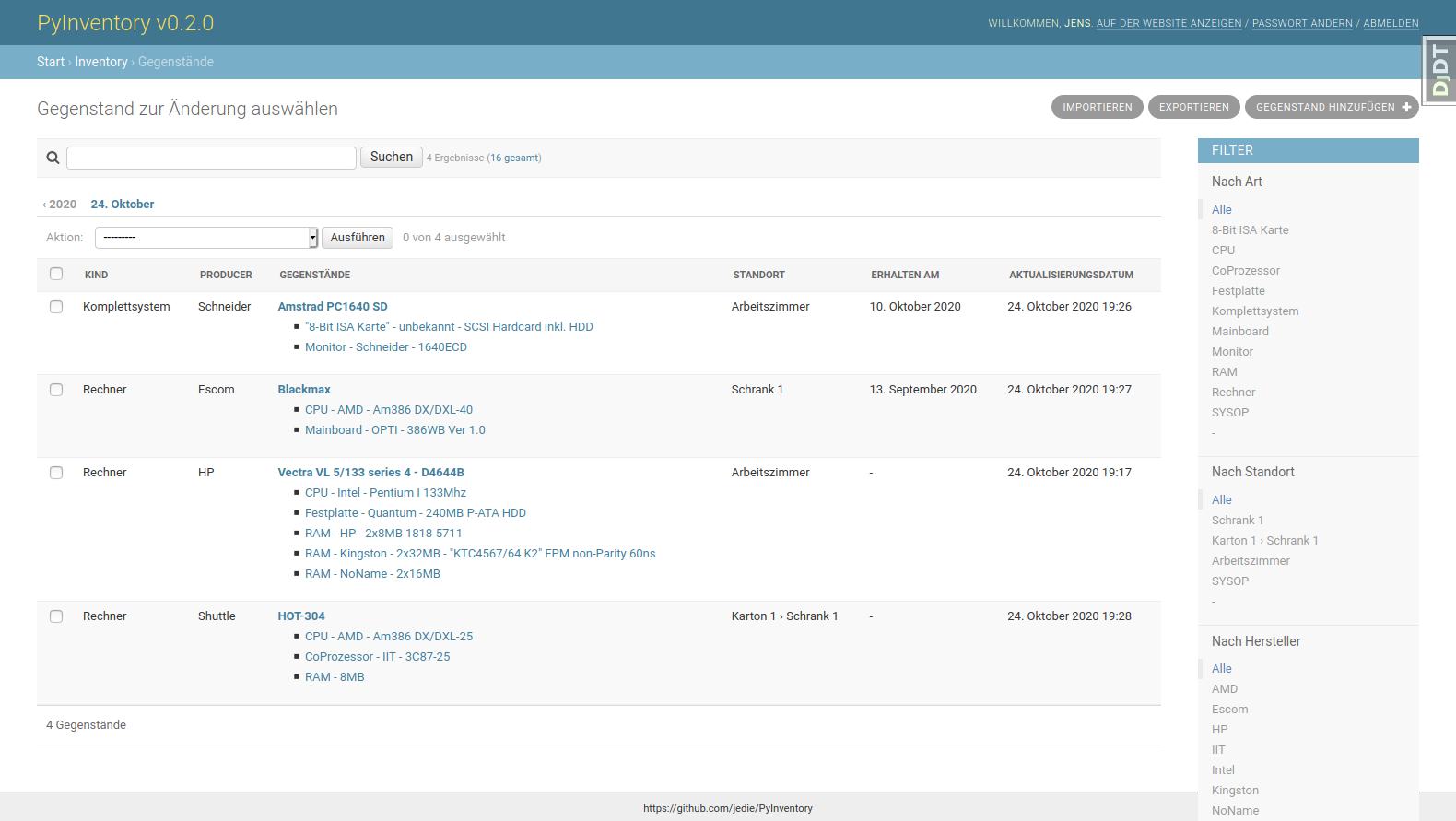
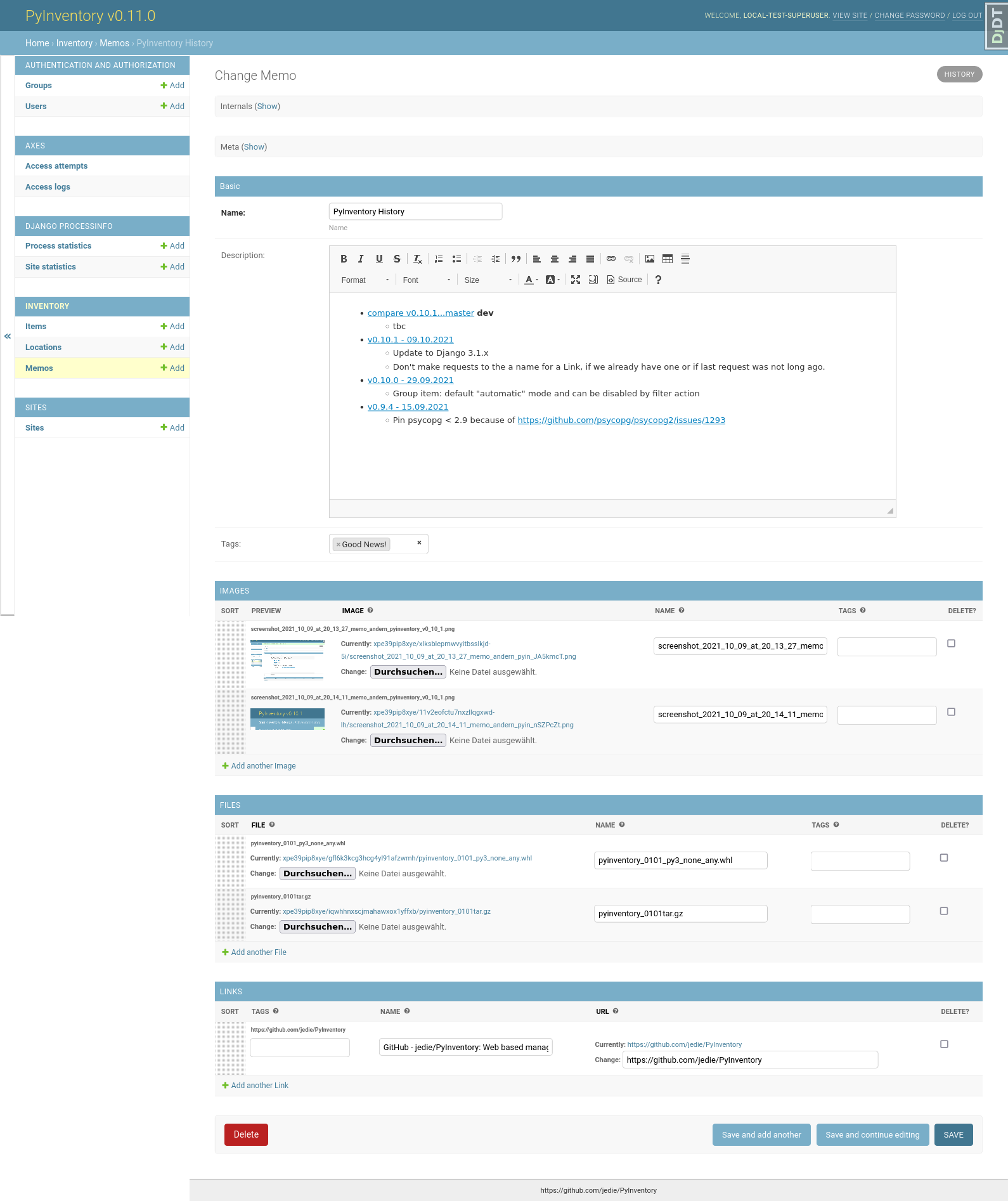
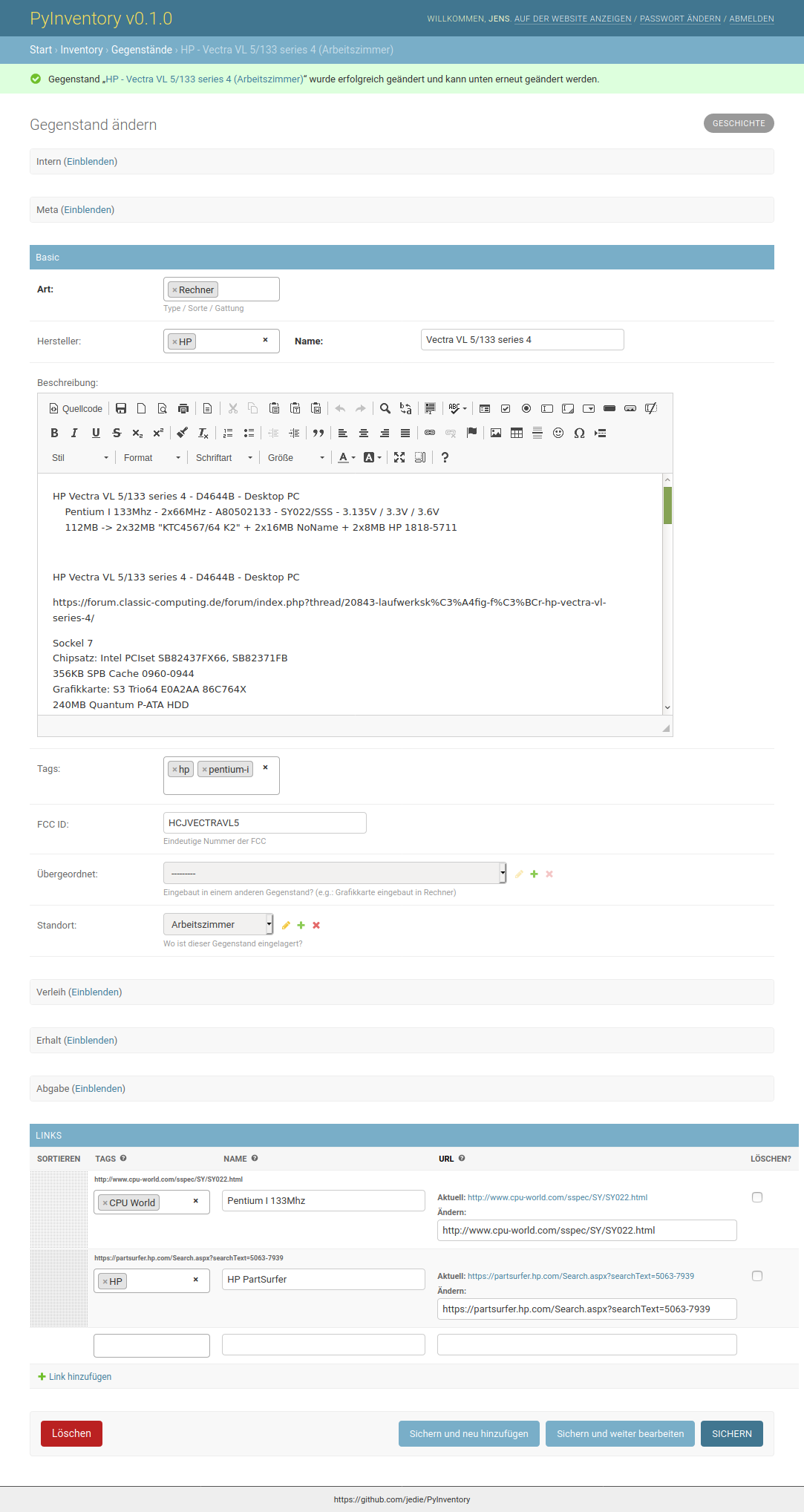
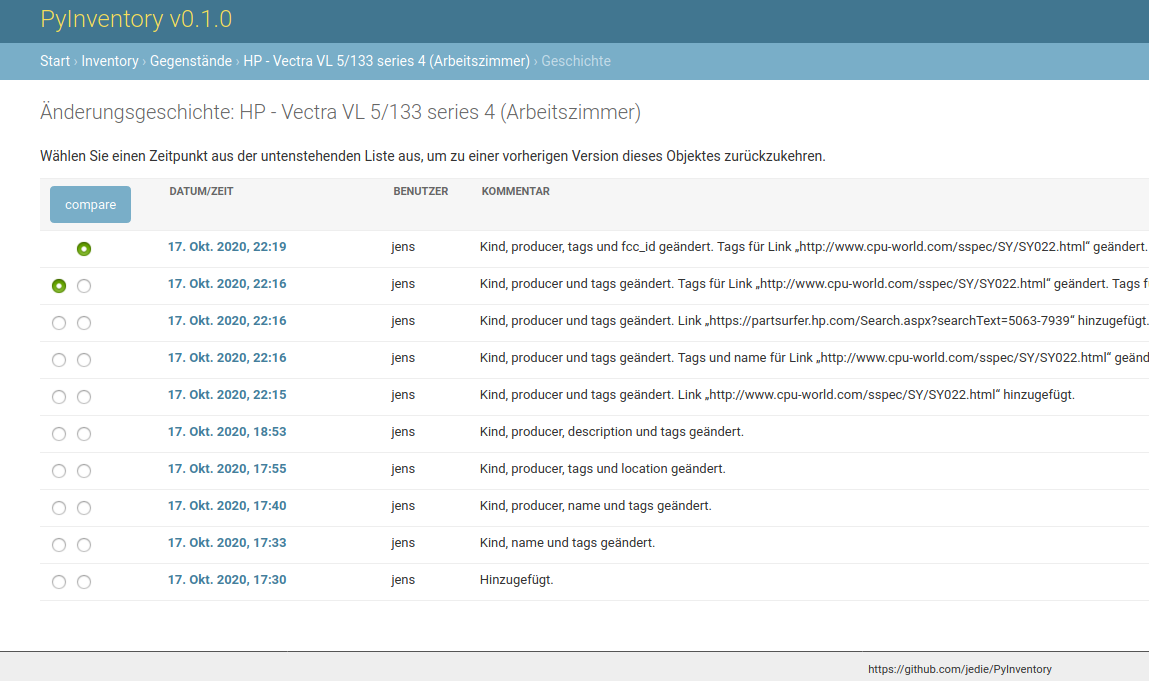
Multi user support
PyInventory supports multiple users. The idea:
- Every normal user sees only his own created database entries
- All users used the Django admin
Note: All created Tags are shared for all existing users!
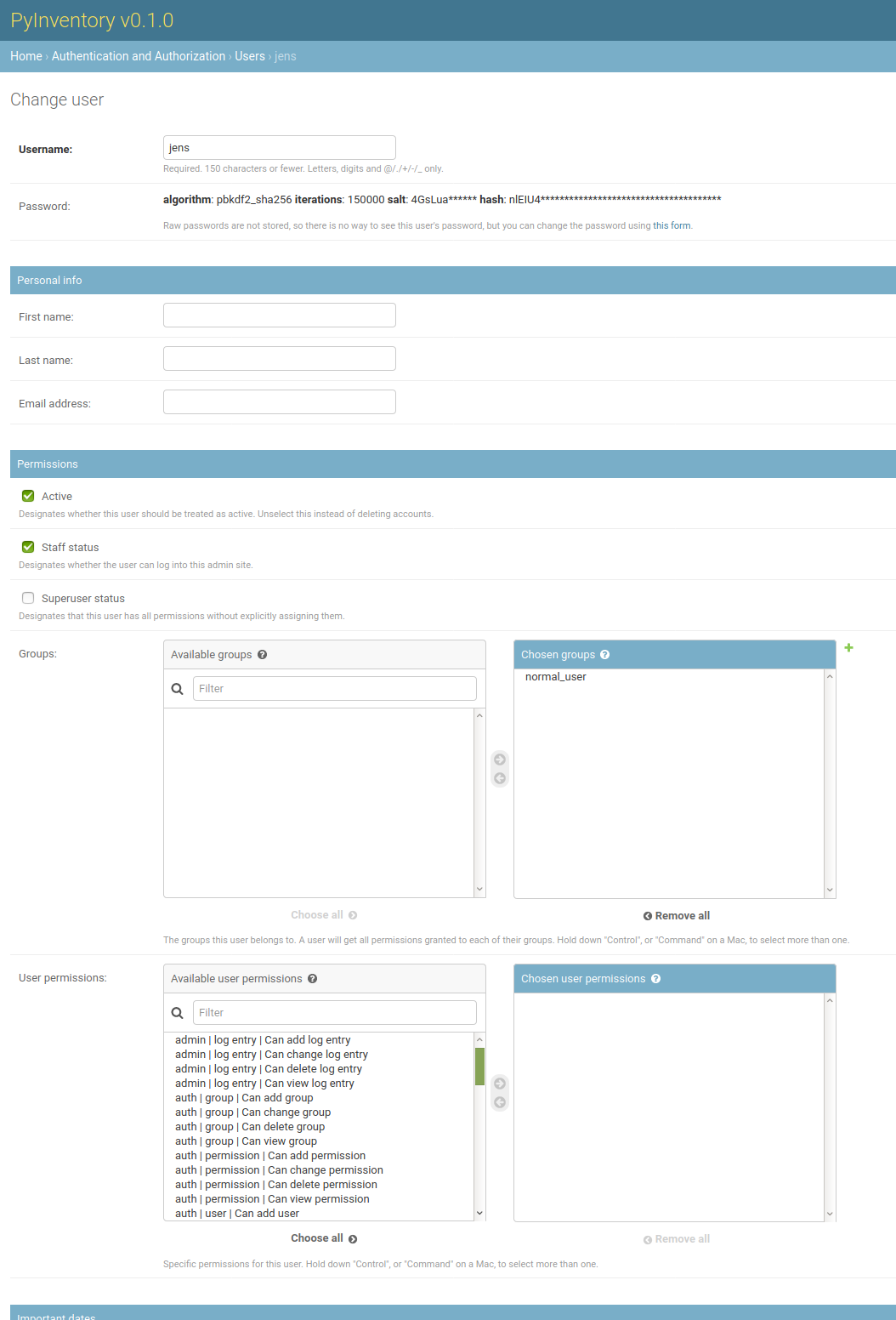
So setup a normal user:
- Set "Staff status"
- Unset "Superuser status"
- Add user to "normal_user" group
- Don't add any additional permissions
e.g.:
More screenshots are here: jedie.github.io/tree/master/screenshots/PyInventory
local development installation
e.g.:
# Clone project (Use your fork SSH url!):
~$ git clone https://github.com/jedie/PyInventory.git
~$ cd PyInventory
~/PyInventory$ ./devshell.py
Helpful for writing and debugging unittests is to run a local test server. e.g.:
~/PyInventory$ ./devshell.py run_testserver
The web page is available via: http://127.0.0.1:8000/
You can also pass a other port number or ipaddr:port combination. See: ./devshell.py run_testserver --help
Run tests, e.g.:
~/PyInventory$ ./devshell.py pytest
Call manage commands from test project, e.g.:
~/PyInventory$ ./devshell.py manage --help
Backwards-incompatible changes
v0.7.0
Docker-Compose usage: The MEDIA files was not stored on a docker volumes.
You should backup rhe media files before update the containers!
e.g.:
~/PyInventory/deployment$ make shell_inventory
root@inventory:/django# cp -Rfv /media/ /django_volumes/media/
The files are stored locally here:
~/PyInventory/deployment$ ls -la volumes/django/media/
Now, update the containers and copy the files back.
v0.5.0
Git branches "main" and "deployment" was merged into one. Files are separated into: "/src/" and "/development/"
history
- dev
- tbc
- v0.18.1 - 15.06.2023
- Update requirements
- v0.18.0 - 04.04.2023
- Bugfix missing static files by tagulous bug
- Update requirements and project setup
- v0.17.0 - 03.10.2022
- NEW: List all related objects on
itemchange page with edit links. - Change
parentandlocationfields onitemchange page to a autocompele field. - Add search to
location - NEW: List number of item on
locationchange list
- NEW: List all related objects on
- v0.16.0 - 14.09.2022
- Update requirements
- Bugfix missing CK-Editor
- Replace Creole base README with markdown
- Remove Docker stuff from README
- v0.15.0 - 19.08.2022
- Speedup item change list by prefetch "location"
- Better changelists for super users
- Add
./devsetup.py manage seed_datacommand to fill the database for development - Update requirements
- Update project setup
- v0.14.0 - 24.07.2022
- Fix #102 by remove limitation of item parents.
- Remove "Group Items" functionality
- Replace "Group Items" change list filter by "Limit tree depth" for Item and Location.
- Display Item and Location as a tree.
- v0.13.1 - 21.07.2022
- Rename git "master" branch into "main"
- Update CI/Test setup:
- Use darker and pytest-darker as code formatter
- Run tests with Python 3.10, too and update requirements
- Replace Selenium tests with Playwright
- v0.13.0 - 01.01.2022
- v0.12.0 - 22.11.2021
- NEW: Protect user to overwrite newer Item/Memo/Location with a older one (e.g.: in other browser TAB)
- update requirements
- v0.11.0 - 09.10.2021
- NEW: Memo model/admin: Store Information (incl. images/files/links) independent of items/locations
- Bugfix CKEditor sizes and fix toolbar (e.g.: remove useless pdf generator button and add sourcecode function)
- v0.10.1 - 09.10.2021
- Update to Django 3.1.x
- Don't make requests to the a name for a Link, if we already have one or if last request was not long ago.
- v0.10.0 - 29.09.2021
- Group item: default "automatic" mode and can be disabled by filter action
- v0.9.4 - 15.09.2021
- Pin
psycopg < 2.9because of https://github.com/psycopg/psycopg2/issues/1293
- Pin
- v0.9.3 - 15.09.2021
- Optimize "items" changelist queries
- Update requirements
- Expand
run_testservercommand and recognize address and port argument
- v0.9.2 - 11.05.2021
- Update requirements
- Fix error handling if item link is broken
- v0.9.1 - 28.04.2021
- NEW: Besides images, it's now possible to add file(s) to items, too.
- Add a auto login if Django dev. server is used.
- v0.9.0 - 11.04.2021
- Use https://github.com/jedie/dev-shell for development
- v0.8.4 - 19.01.2021
- Search items in change list by "kind" and "tags", too
- update requirements
- v0.8.3 - 29.12.2020
- update requirements
- remove colorama from direct dependencies
- Small project setup changes
- v0.8.2 - 20.12.2020
- Bugfix #33: Upload images to new created Items
- v0.8.1 - 09.12.2020
- Fix migration: Don't create "/media/migrate.log" if there is nothing to migrate
- Fix admin redirect by using the url pattern name
- YunoHost app package created
- update requirements
- v0.8.0 - 06.12.2020
- Outsource the "MEDIA file serve" part into django.tools.serve_media_app
- v0.7.0 - 23.11.2020
- Change deployment setup:
- Replace uwsgi with gunicorn
- make deploy setup more generic by renaming "inventory" to "django"
- Bugfix MEDIA path: store the files on a docker volumes
- run app server as normal user and not root
- pull all docker images before build
- Change deployment setup:
- v0.6.0 - 15.11.2020
- User can store images to every item: The image can only be accessed by the same user.
- v0.5.0 - 14.11.2020
- Merge separate git branches into one: "/src/" and "/development/" #19
- v0.4.2 - 13.11.2020
- Serve static files by Caddy
- Setup CKEditor file uploads: Store files into random sub directory
- reduce CKEditor plugins
- v0.4.1 - 2.11.2020
- Small bugfixes
- v0.4.0 - 1.11.2020
- Move docker stuff and production use information into separate git branch
- Add django-axes: keeping track of suspicious logins and brute-force attack blocking
- Add django-processinfo: collect information about the running server processes
- v0.3.2 - 26.10.2020
- Bugfix missing translations
- v0.3.0 - 26.10.2020
- setup production usage:
- Use caddy server as reverse proxy
- Use uWSGI as application server
- autogenerate
secret.txtfile forsettings.SECRET_KEY - Fix settings
- split settings for local development and production use
- Bugfix init: move "setup user group" from checks into "post migrate" signal handler
- Bugfix for using manage commands
dumpdataandloaddata
- setup production usage:
- v0.2.0 - 24.10.2020
- Simplify item change list by nested item
- Activate Django-Import/Export
- Implement multi user usage
- Add Django-dbbackup
- Add docker-compose usage
- v0.1.0 - 17.10.2020
- Enhance models, admin and finish project setup
- v0.0.1 - 14.10.2020
- Just create a pre-alpha release to save the PyPi package name ;)
links
| Homepage | http://github.com/jedie/PyInventory |
| PyPi | https://pypi.org/project/PyInventory/ |
Discuss here:
- vogons.org Forum Thread (en)
- Python-Forum (de)
- VzEkC e. V. Forum Thread (de)
- dosreloaded.de Forum Thread (de)
donation
Release history Release notifications | RSS feed


Download files
Download the file for your platform. If you're not sure which to choose, learn more about installing packages.
Source Distribution
Built Distribution
Filter files by name, interpreter, ABI, and platform.
If you're not sure about the file name format, learn more about wheel file names.
Copy a direct link to the current filters
File details
Details for the file pyinventory-0.18.1.tar.gz.
File metadata
- Download URL: pyinventory-0.18.1.tar.gz
- Upload date:
- Size: 87.0 kB
- Tags: Source
- Uploaded using Trusted Publishing? No
- Uploaded via: twine/4.0.2 CPython/3.10.6
File hashes
| Algorithm | Hash digest | |
|---|---|---|
| SHA256 |
af33d246f84d8bfeb293659dd419a034a545b736db0919868a24e5175b734c08
|
|
| MD5 |
38d416f423002605ee29774e0b568fbf
|
|
| BLAKE2b-256 |
c638087b5f1e73941e7612c781f902f888ebf2a3eef0c23a3af367e3ffd3b305
|
File details
Details for the file pyinventory-0.18.1-py3-none-any.whl.
File metadata
- Download URL: pyinventory-0.18.1-py3-none-any.whl
- Upload date:
- Size: 132.8 kB
- Tags: Python 3
- Uploaded using Trusted Publishing? No
- Uploaded via: twine/4.0.2 CPython/3.10.6
File hashes
| Algorithm | Hash digest | |
|---|---|---|
| SHA256 |
81f2ef61f436a1e1476c877c2d74d8973b844aaccefdd9047bacb19bda439d55
|
|
| MD5 |
26d0fed3b3f1c8e63a21e893b291b497
|
|
| BLAKE2b-256 |
34c49561f5139ab6bcedc7b0c024caa6416bd15731dbe8bd378e4f04b0703a45
|






