pip install PyOfficeRobot


Project description

👉 项目官网 👈
👉 本开源项目的交流群 👈




又一个微信聊天机器人横空出世了,人人可用!
之前给大家分享过一个微信机器人:一个15分钟的视频,教你用Python创建自己的微信聊天机器人!
但是之前这个机器人,需要基于网页版才能用;然而很多朋友的微信,是不能登录网页版微信的。
有没有一种微信机器人,任何人的微信都可以用,不需要网页微信功能呢?
在经过技术检索和开发以后,支持所有微信使用的:PyOfficeRobot来啦~
1、安装PyOfficeRobot
1行命令,安装PyOfficeRobot这个库
pip install -i https://pypi.tuna.tsinghua.edu.cn/simple PyOfficeRobot -U
2、视频教程
3、功能Demo
我最近开源了这个库的全部源代码,功能正在开发中,欢迎大家参与开发~

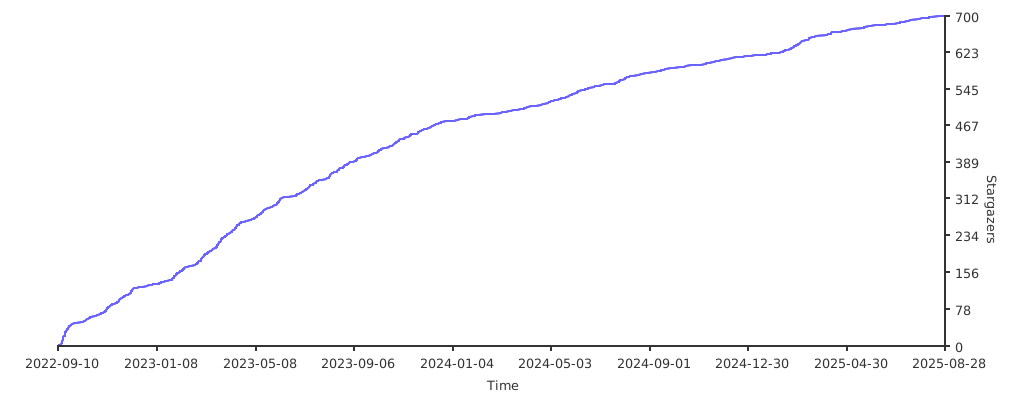
⭐Star
📕拓展资料






Release history Release notifications | RSS feed


Download files
Download the file for your platform. If you're not sure which to choose, learn more about installing packages.
Source Distribution
Built Distribution
Filter files by name, interpreter, ABI, and platform.
If you're not sure about the file name format, learn more about wheel file names.
Copy a direct link to the current filters
File details
Details for the file PyOfficeRobot-0.0.17.tar.gz.
File metadata
- Download URL: PyOfficeRobot-0.0.17.tar.gz
- Upload date:
- Size: 12.3 kB
- Tags: Source
- Uploaded using Trusted Publishing? No
- Uploaded via: twine/4.0.1 CPython/3.10.8
File hashes
| Algorithm | Hash digest | |
|---|---|---|
| SHA256 |
c3e708e1d04f4d58b9b14d6d13a008136f4e15e159d2d7d6f97e0efde7136f55
|
|
| MD5 |
af61279e13ca5d36210806d2f687ca9f
|
|
| BLAKE2b-256 |
4c569e11e407262df140541407c614920fd311a13af4b2fa84153936a23ca9c8
|
File details
Details for the file PyOfficeRobot-0.0.17-py3-none-any.whl.
File metadata
- Download URL: PyOfficeRobot-0.0.17-py3-none-any.whl
- Upload date:
- Size: 12.0 kB
- Tags: Python 3
- Uploaded using Trusted Publishing? No
- Uploaded via: twine/4.0.1 CPython/3.10.8
File hashes
| Algorithm | Hash digest | |
|---|---|---|
| SHA256 |
348b014efd45f55085f6da249d7b9642cf8bbc6656c41219c1082895df47df5e
|
|
| MD5 |
6aba513dd8803dfc2985bb27e77aff89
|
|
| BLAKE2b-256 |
4d45c2cdcdd6acf20a3d7ad7c24153eaa8717d5257e1ff36ac364e34314a43f6
|