
The Python library & CLI for PDF forms.
Verified details
These details have been verified by PyPIProject links
GitHub Statistics
Maintainers

Project description
PDF Form Automation Simplified - Create, Inspect, Style, and Fill Forms in Python or from the Command Line.






Introduction
PyPDFForm is a Python library and command line tool for working with PDF forms. It provides Python APIs and CLI commands for creating, inspecting, updating, and filling forms, plus common PDF utilities.
With PyPDFForm, you can:
- Create PDF forms, form fields, and raw elements.
- Inspect form fields, metadata, and values.
- Update field styling, behavior, and scripts.
- Fill PDF forms.
- Extract pages and merge PDFs.
The goal is to make PDF form work straightforward, whether you are handling one document or building a larger workflow.
Installing
To use PyPDFForm as a Python library, install the base package with pip:
pip install PyPDFForm
To use the CLI, install PyPDFForm with the cli extra using pipx:
pipx install "PyPDFForm[cli]"
Quick Example
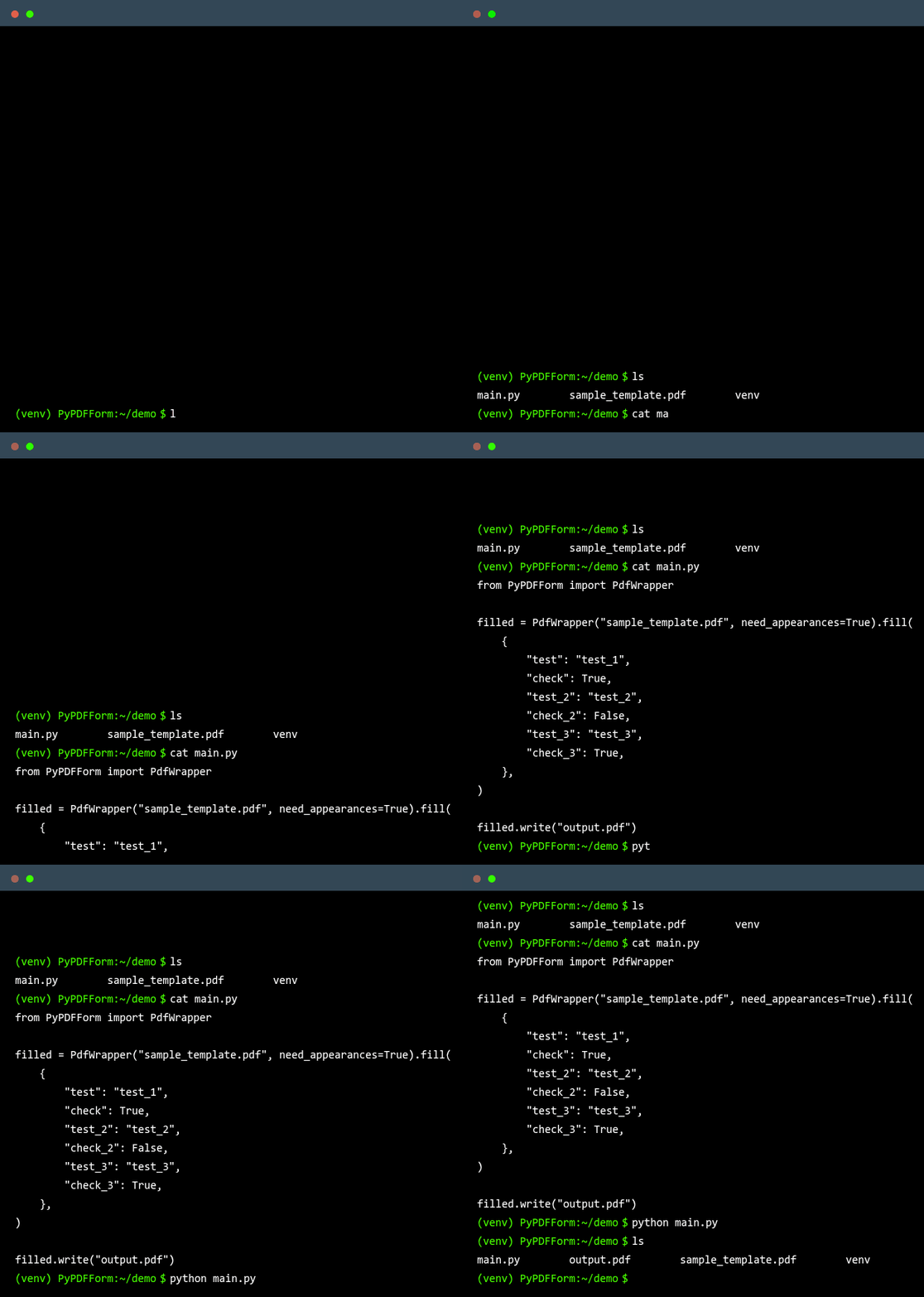
The GIF above shows the CLI filling a PDF form. To try the same workflow with the Python library, download the sample PDF form and run:
from PyPDFForm import PdfWrapper

filled = PdfWrapper("sample_template.pdf", need_appearances=True).fill(
    {
        "test": "test_1",
        "check": True,
        "test_2": "test_2",
        "check_2": False,
        "test_3": "test_3",
        "check_3": True,
    },
)

filled.write("output.pdf")
After running this snippet, output.pdf will be written to the location you specified and should look like this.
Documentation
The official documentation can be found on the GitHub page of this repository.
Other Resources
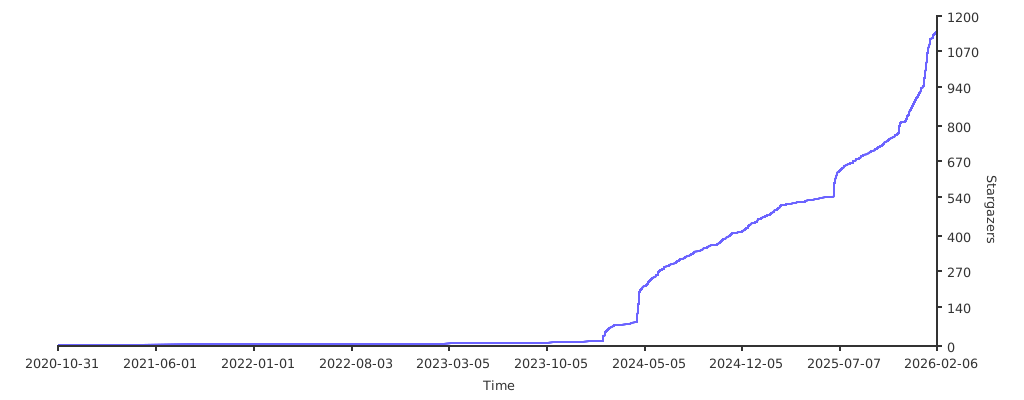
Star History
This project is maintained entirely in my spare time. If you like the project please consider starring the GitHub repository. It is the best way to keep me motivated and continue making the project better.
Project details
Verified details
These details have been verified by PyPIProject links
GitHub Statistics
Maintainers
Release history Release notifications | RSS feed


Download files
Download the file for your platform. If you're not sure which to choose, learn more about installing packages.
Source Distribution
Built Distribution
Filter files by name, interpreter, ABI, and platform.
If you're not sure about the file name format, learn more about wheel file names.
Copy a direct link to the current filters
File details
Details for the file pypdfform-5.1.0.tar.gz.
File metadata
- Download URL: pypdfform-5.1.0.tar.gz
- Upload date:
- Size: 142.6 kB
- Tags: Source
- Uploaded using Trusted Publishing? Yes
- Uploaded via: uv/0.11.16 {"installer":{"name":"uv","version":"0.11.16","subcommand":["publish"]},"python":null,"implementation":{"name":null,"version":null},"distro":{"name":"Ubuntu","version":"24.04","id":"noble","libc":null},"system":{"name":null,"release":null},"cpu":null,"openssl_version":null,"setuptools_version":null,"rustc_version":null,"ci":true}
File hashes
| Algorithm | Hash digest | |
|---|---|---|
| SHA256 |
8930e0ca3bc71251f0c830ba675f8174decdc5bb2a9a951e89f1375363fced70
|
|
| MD5 |
a90bce2664a57d1191aa10ffcdd7907f
|
|
| BLAKE2b-256 |
0ffd4ea8d261fa232af1a1bd713c7ea4da5c23a24cec3e91ed001f225a0d6d79
|
File details
Details for the file pypdfform-5.1.0-py3-none-any.whl.
File metadata
- Download URL: pypdfform-5.1.0-py3-none-any.whl
- Upload date:
- Size: 156.4 kB
- Tags: Python 3
- Uploaded using Trusted Publishing? Yes
- Uploaded via: uv/0.11.16 {"installer":{"name":"uv","version":"0.11.16","subcommand":["publish"]},"python":null,"implementation":{"name":null,"version":null},"distro":{"name":"Ubuntu","version":"24.04","id":"noble","libc":null},"system":{"name":null,"release":null},"cpu":null,"openssl_version":null,"setuptools_version":null,"rustc_version":null,"ci":true}
File hashes
| Algorithm | Hash digest | |
|---|---|---|
| SHA256 |
e737a5395761059a194a2e085c3b5d1e7855773e50e33a4f64306ea0c68e98d3
|
|
| MD5 |
bc2eb2793daf8b92342b639e2207a04f
|
|
| BLAKE2b-256 |
e646b9de9f04fe0e6bbfc8e4aa6f92a35ce045466ac603e77188420cdce55ae1
|






