
A cross-platform frameless window based on pyqt5, support Win32, X11, Wayland and macOS.

Project description

PyQt-Frameless-Window
A cross-platform frameless window based on PyQt5



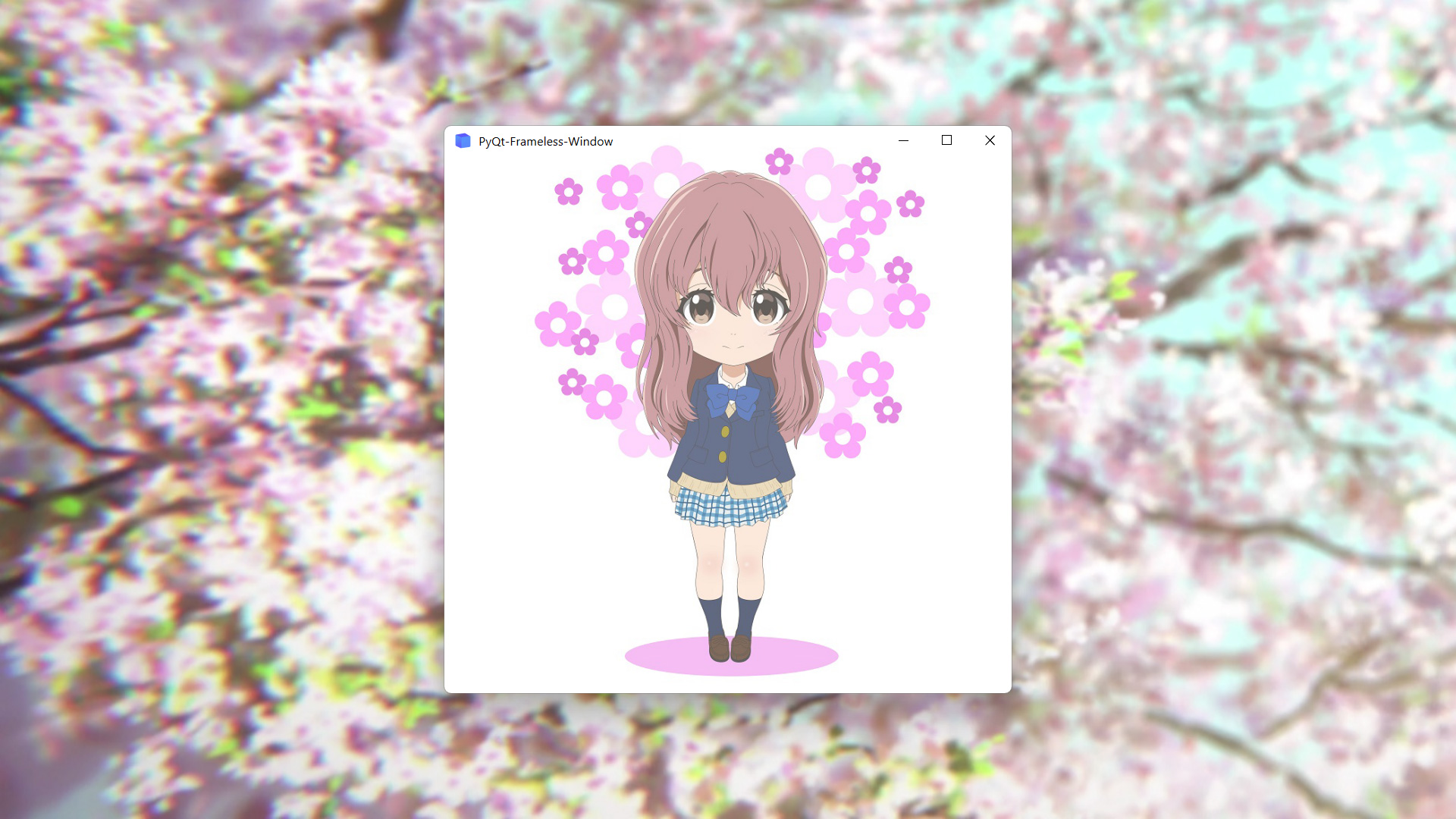
Features
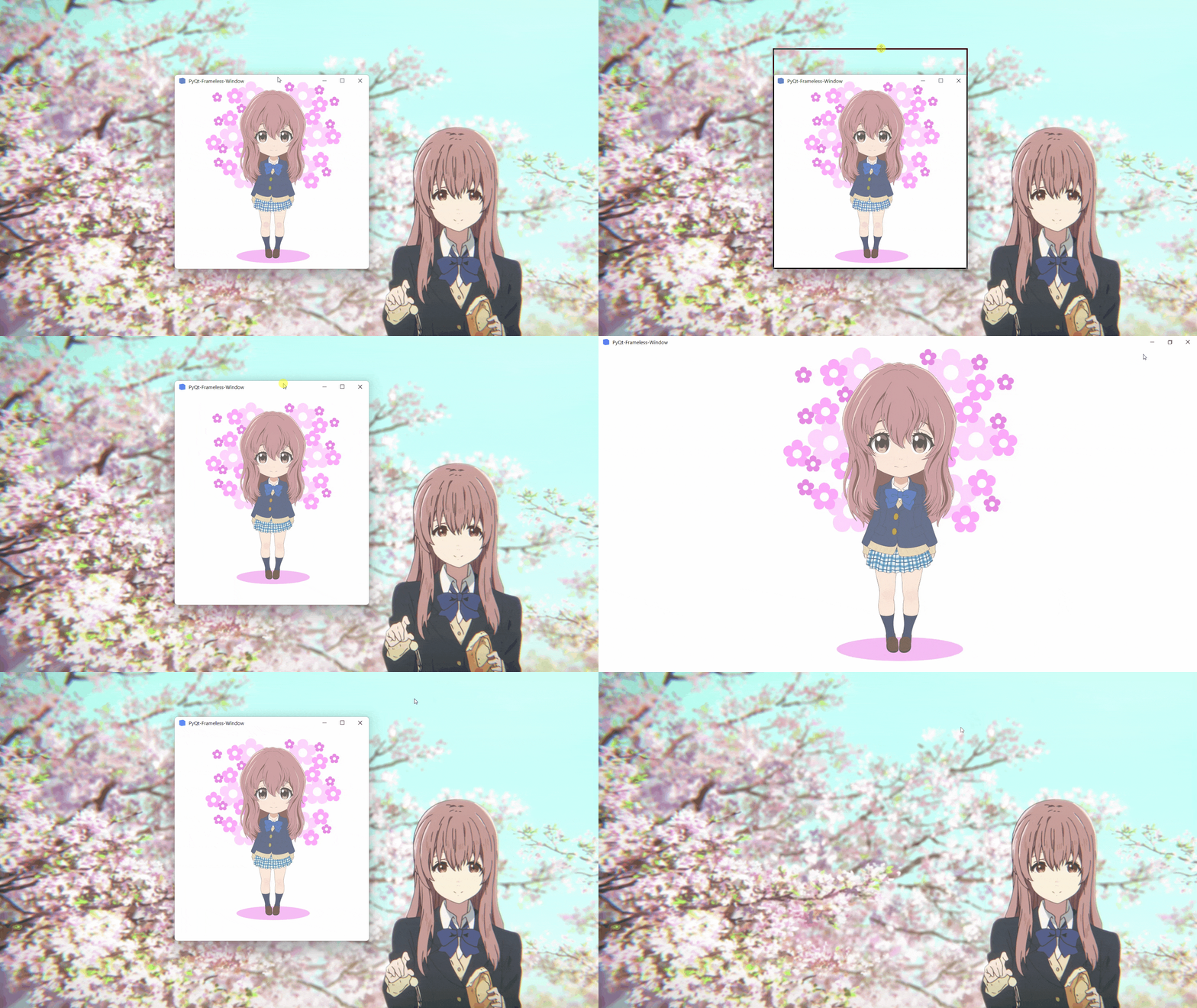
- Moving
- Stretching
- Window shadow
- Window animation
- Win11 snap layout
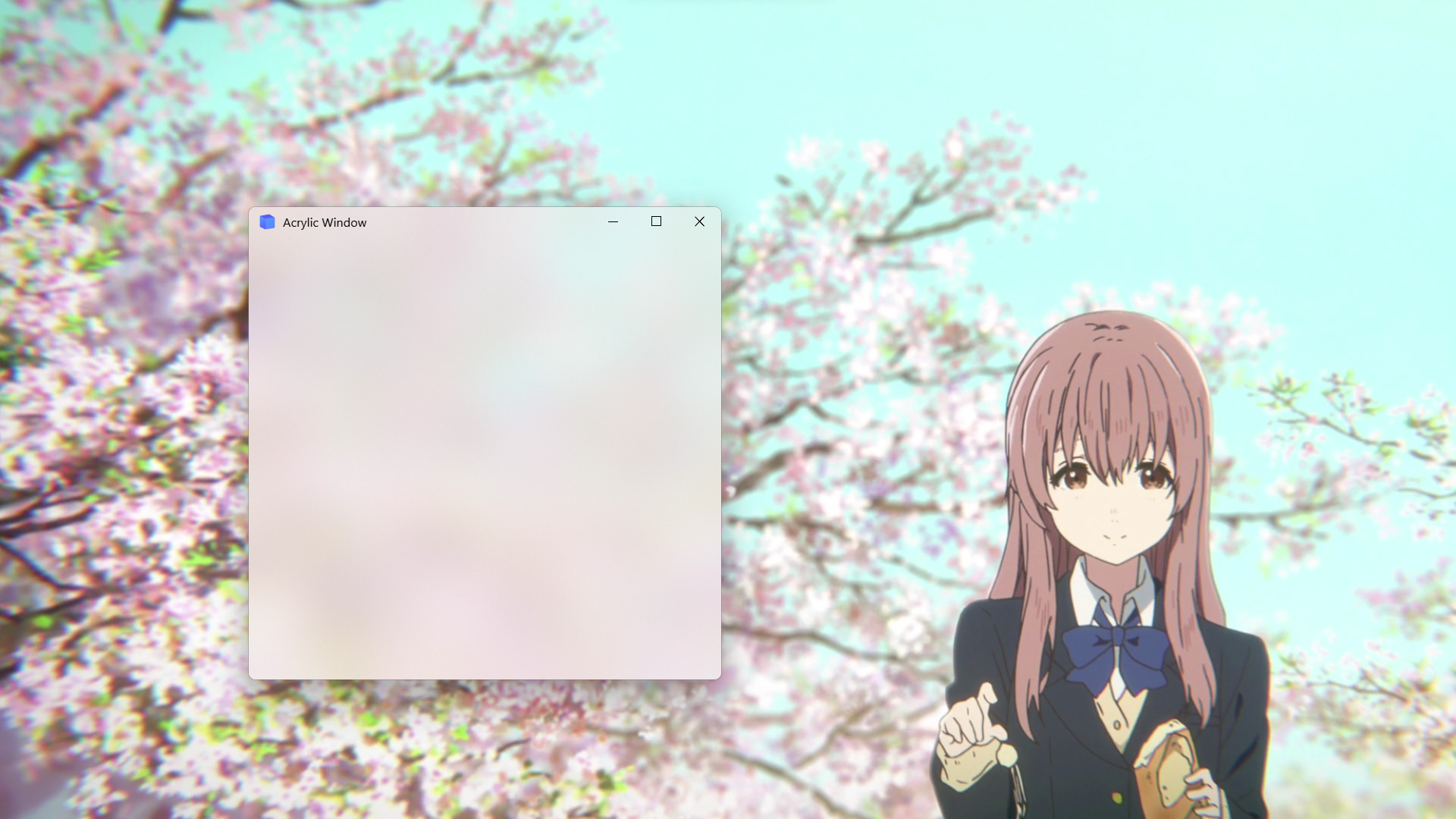
- Win10 acrylic blur
- Win11 mica blur
- Win7 Aero blur
- MacOS blur
- Disable screen capture
Install
To install use pip:
pip install PyQt5-Frameless-Window
Or clone the repo:
git clone https://github.com/zhiyiYo/PyQt-Frameless-Window.git
python setup.py install
Requirements
| Platform | Requirement |
|---|---|
| Win32 | pywin32 |
| Linux | xcffib |
| MacOS | pyobjc |
Usage
To use the frameless window, you only need to inherit FramelessWindow or FramelessMainWindow. Here is a minimal example:
import sys

from PyQt5.QtWidgets import QApplication
from qframelesswindow import FramelessWindow


class Window(FramelessWindow):

    def __init__(self, parent=None):
        super().__init__(parent=parent)
        self.setWindowTitle("PyQt-Frameless-Window")
        self.titleBar.raise_()


if __name__ == '__main__':
    app = QApplication(sys.argv)
    demo = Window()
    demo.show()
    sys.exit(app.exec_())
For more complex requirements, see demo.py and main_window.py.
Examples
- Normal frameless window
- Acrylic frameless window
Document
Want to know more about PyQt-Frameless-Window? Please read the help document 👈
Notes
-
FramelessWindowprovides a default custom title bar. If you don't like it, just rewrite it as demo.py does. -
Moving the acrylic window on Win10 may get stuck. At present, there is no good solution. Maybe you can disable the acrylic effect when moving the window, but I haven't done this in the source code.
-
Snap layout is not enabled by default. See #56 to learn how to enable it.
-
If you encounter this problem on Windows:
ImportError: DLL load failed while importing win32api
see my answer on stackoverflow or my blog for the solution.
-
If you are using PySide2, PySide6 or PyQt6, you can download the code in PySide2, PySide6 or PyQt6 branch.
Support
If this project helps you a lot and you want to support the development and maintenance of this project, feel free to sponsor me via 爱发电 or ko-fi. Your support is highly appreciated 🥰
See Also
Here are some projects that use PyQt-Frameless-Window:
- zhiyiYo/QFluentWidgets: A fluent design widgets library based on Qt
- zhiyiYo/Groove: A cross-platform music player based on PyQt5
- zhiyiYo/Alpha-Gobang-Zero: A gobang robot based on reinforcement learning
Reference
- wangwenx190/framelesshelper: Frameless windows for Qt Widgets and Qt Quick applications. Support Win32, X11, Wayland and macOS
- libxcb: Basic Graphics Programming With The XCB Library
License
PyQt-Frameless-Window is licensed under GPLv3.
Copyright © 2021 by zhiyiYo.
Release history Release notifications | RSS feed


Download files
Download the file for your platform. If you're not sure which to choose, learn more about installing packages.
Source Distribution
Built Distribution
Filter files by name, interpreter, ABI, and platform.
If you're not sure about the file name format, learn more about wheel file names.
Copy a direct link to the current filters
File details
Details for the file pyqt5_frameless_window-0.7.5.tar.gz.
File metadata
- Download URL: pyqt5_frameless_window-0.7.5.tar.gz
- Upload date:
- Size: 33.4 kB
- Tags: Source
- Uploaded using Trusted Publishing? No
- Uploaded via: twine/6.2.0 CPython/3.9.25
File hashes
| Algorithm | Hash digest | |
|---|---|---|
| SHA256 |
c22e607c4048209d0a2299c5599186a3998542e5d333c03f96524d5165c165b8
|
|
| MD5 |
d746f816644886ba46ebac2ed7838d28
|
|
| BLAKE2b-256 |
567e7cb6bf0922295f34ebab8bdaffad3e0d815c3b30c5a3e76dd3096569c34e
|
File details
Details for the file pyqt5_frameless_window-0.7.5-py3-none-any.whl.
File metadata
- Download URL: pyqt5_frameless_window-0.7.5-py3-none-any.whl
- Upload date:
- Size: 40.8 kB
- Tags: Python 3
- Uploaded using Trusted Publishing? No
- Uploaded via: twine/6.2.0 CPython/3.9.25
File hashes
| Algorithm | Hash digest | |
|---|---|---|
| SHA256 |
c96efdb0db76fbeaad3d767eaa815180be61aa20b0003d96f4f82e12c937979a
|
|
| MD5 |
ade5f4b948392e12c4551d44cb2fbe44
|
|
| BLAKE2b-256 |
3d22e6d7f41167c289415482f38483f74dd38226c8626240daa75ccc4c49e4ae
|






