
 PySharer
PySharer is a powerful and easy-to-use Python package for sharing and transferring data seamlessly between devices using LAN (Local Area Network).
Installation Guide
You have multiple options to install PySharer on your machine:
Option 1: Install via pip (Recommended)
The simplest way to install PySharer is by using pip. Open your terminal or command prompt and run:
pip install pysharer
Option 2: Install from Source by Cloning the Repository
If you prefer to work with the source code or need to modify the package, you can clone the repository and install it locally.
- First, clone the repository:
git clone https://github.com/Mr-Bilal-Ashraf/PySharer.git
- Navigate to the project root directory and install the package using pip:
pip install .
Option 3: Install from the Wheel Distribution
There is also wheel file in dist directory, you can also install the package using this .whl file.
- Navigate to the dist/ directory where the .whl file is located:
cd dist
- Install the .whl file with pip:
pip install PySharer-***.whl
This will install PySharer from the wheel file.
Run PySharer
The package can be run from anywhere on the system. Just open terminal, type pysharer and hit enter...
pysharer
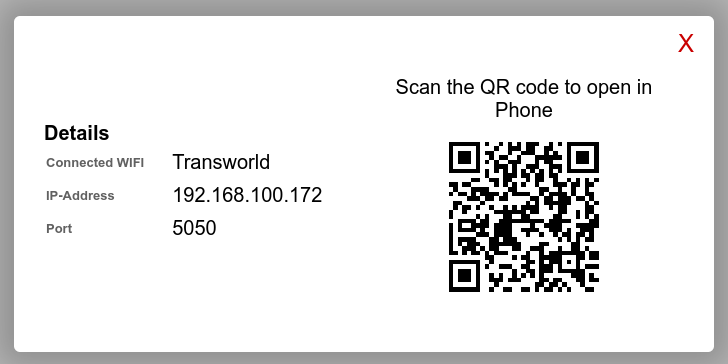
You can go to localhost:5050 on your browser to see your files. Your IPV4 address is also shown there! Anyone from LAN can download and upload files using this IPV4 address.

You can click on QR code, and scan the QR code from any mobile to get access.

Upload File
Open the IPV4 address from any mobile OR other machines in the LAN (Local Area Network). Now click on the upload button.
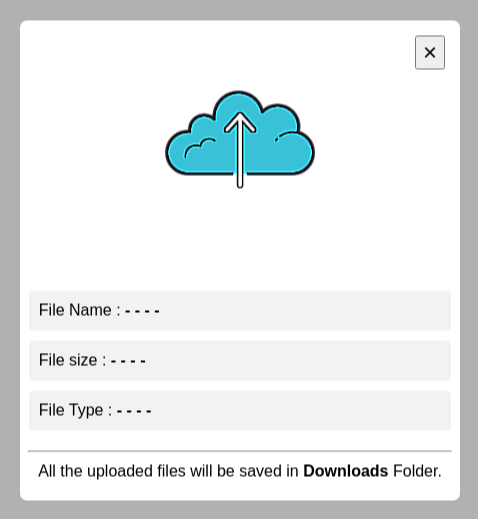
Now click on the cloud icon to select the desired files.
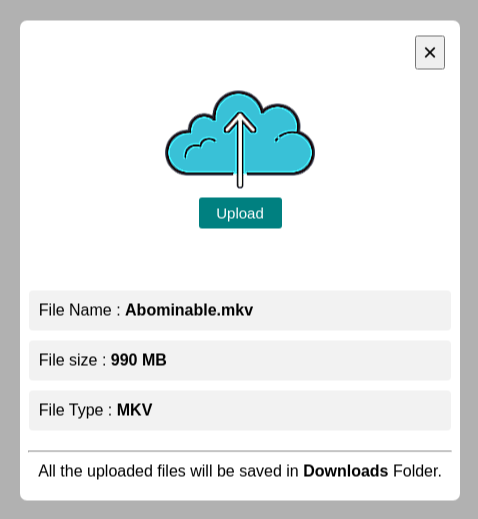
Now click on the upload button and it will start uploading the file to the system. You can also cancel the file uploading.
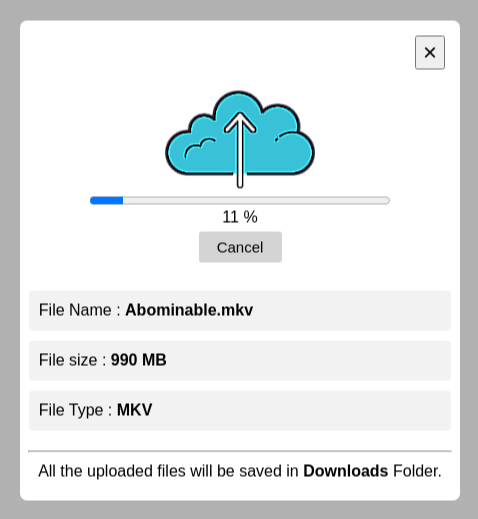
All the uploaded files will be saved in Downloads Folder.
Download File
To download any file, just click on the file and it will start downloading the file in your system. You can * hover over* the file to see the file full name and its size.
Flags
You can also use following flags while running the app.
| Flag | Default | Expected | Behavior |
|---|---|---|---|
| --port | 5050 |
Any Port (e.g., 5000) | app will run on the given port |
| --dot_files | 0 |
other than 0 (e.g., 1) | to see files starting with dot "." |
| --download | 1 |
0 | to disable file downloading |
| --upload | 1 |
0 | to disable file uploading |
| --help | to see app details |
pysharer --help
pysharer --port 8000
pysharer --dot_files 1
pysharer --download 0
pysharer --upload 0
pysharer --port 8080 --dot_files 2 --upload 0
FireWall Issue
If you are failing to access the site on machines using LAN, it may be due to your machine's firewall settings. You need to allow specified port (default 5050) in your firewall settings.
Windows
https://ec.europa.eu/digital-building-blocks/sites/display/CEKB/How+to+open+a+port+on+the+firewall
Ubuntu / Linux
https://ec.europa.eu/digital-building-blocks/sites/display/CEKB/How+to+open+a+port+on+the+firewall
MacOS
Dependencies
Python 3Flask
1 maintainer

Release files for PySharer 1.2.0
For a detailed explanation of source distributions (sdists) and built distributions (wheels), please see the package formats documentation.
Source distribution (sdist)
| File | Size | Uploaded | |
|---|---|---|---|
| pysharer-1.2.0.tar.gz | 489.1 kB | Details |
Built distribution (wheel)
| File | Interpreter | ABI | Platform | Reset |
|---|---|---|---|---|
| PySharer-1.2.0-py3-none-any.whl | Python 3 | none | any | Details |
Total release size: 978.5 kB














