
The QRtsy Project
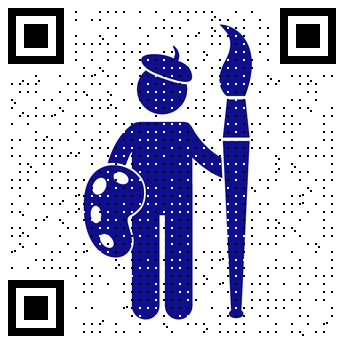
QRtsy (pronounced "cue-artsy") is an experimental Python toolkit for making pretty QR codes.
QRtsy combines a normal QR matrix with a source image, preserves the pixels that a scanner most needs to sample, and leaves the remaining pixels available for the image and optional texture effects. The result is a playground for exploring the tradeoff between visual appearance and scan reliability.
QRtsy is designed as a reusable, encoder-neutral Python library which includes integration with the Segno QR code encoder library, a command-line interface, and a local browser application for interactively trying different settings.
Artistic QR codes may be less robust than conventional QR codes. Always test generated codes with the actual phones, cameras, print sizes, display sizes, distances, angles, and lighting conditions in which you expect them to be used.
Installation
QRtsy requires Python 3.11 or newer.
It is a good idea to install QRtsy into a dedicated Python virtual environment rather than into your system Python. From the directory where you want to work:
python -m venv .venv
source .venv/bin/activate
python -m pip install --upgrade pip
The rest of the installation instructions below use the standard Python pip
command installed within this activated virtual environment. If it's not
activated, you'll probably install the library somewhere unexpected and that
will just be confusing and maybe even break things. Remember to activate.
Instead of using
pipdirectly (as documented below), most Python code jockeys these days instead tend to use various third-party project tools to manage project virtual environments like Poetry or UV. Alternatively, to just install qrtsy as a standalone command line tool (including the server app launcher) while hiding all the virtual environment management, you can just use some simpler tools for that purpose like Pipx or UV Tools. Pick your favorite tooling.
To install just the core QRtsy library with the encoder-neutral Pillow renderer:
pip install qrtsy
To install QRtsy with Segno support for the convenience API, command-line interface, and Segno converter plugin:
pip install 'qrtsy[segno]'
Or to install QRtsy with the local browser application, which also includes Segno:
pip install 'qrtsy[server]'
Quickstart: Browser UI
After QRtsy has been installed, the easiest way to explore its features is with the local web application:
qrtsy-server
Then open http://127.0.0.1:8000/ in your web browser.
Upload an image, enter the text or URL to encode, and experiment with the controls while QRtsy updates the preview.
The UI includes full-color, posterized, and monochrome image modes; QR version, mask, and error-correction controls; QR-optimized and image-optimized mask selection; all-eight-mask comparison; sampling-core sizing; adaptive module tinting; decorative canvas margins; function-pattern shrinking; several free-pixel texture algorithms; optional luminance compensation; built-in and custom presets; per-setting undo; and PNG download.
The How does this work? link opens the built-in manual at /what. The source
for that guide is also readable directly in the repository at
docs/what.md.
Quickstart: Python
For most Python applications, the Segno convenience API is the simplest place to start:
from qrtsy import RenderOptions
from qrtsy.integrations.segno import make_and_save_qr

make_and_save_qr(
    "https://example.com/",
    "portrait.jpg",
    "qrcode.png",
    RenderOptions(
        module_size=8,
        core_size=3,
        border=4,
    ),
    segno_options={"error": "H", "version": 6},
)
Segno is optional because QRtsy itself does not encode payloads. The core
renderer consumes an encoder-neutral semantic ModuleMatrix, so other QR
encoders can be adapted without coupling the renderer to Segno.
If you already have a Segno QR code, QRtsy can render that directly:
import segno

from qrtsy import RenderOptions
from qrtsy.integrations.segno import save_qr

segno_qr = segno.make_qr("https://example.com/", error="H")
options = RenderOptions(module_size=8, core_size=3, border=4)
save_qr(segno_qr, "portrait.jpg", "qrtsy_qr.png", options)
When QRtsy and Segno are installed together, QRtsy also registers a Segno
converter named to_qrtsy with the Segno library:
segno_qr.to_qrtsy(
    "qrcode.png",
    image="portrait.jpg",
    module_size=8,
    core_size=3,
    border=4,
)
For a direct example of the encoder-neutral ModuleMatrix API, see
examples/matrix.py.
Quickstart: Command line
The qrtsy command uses the optional Segno integration:
qrtsy \
  'https://example.com/' \
  portrait.jpg \
  qrcode.png \
  --error H \
  --version 6 \
  --mask auto \
  --module-size 8 \
  --core-size 3 \
  --border 4
The CLI defaults to QR version 6 and automatic mask selection. Use --version auto
to let Segno choose the smallest version that fits the payload, or --mask 0 through
--mask 7 to select a mask explicitly. After rendering, the CLI reports the resolved
version and mask and identifies values that Segno selected automatically.
For all available options:
qrtsy --help
How it works
QRtsy separates QR encoding from QR rendering.
An encoder adapter converts a QR symbol into a semantic matrix whose modules are classified as data, finder, separator, timing, alignment, format, version, fixed dark, and so on. This is more information than a simple dark/light matrix and lets the renderer treat different parts of the QR symbol differently.
For image-exposing modules, QRtsy can replace only a centered sampling core with the required black or white QR value instead of painting the entire module. The surrounding pixels remain available to show the source image. QR function patterns can remain fully rendered, or selected patterns can be shrunk explicitly for more aggressive experiments.
Adaptive module tinting can move those required dark/light core colors toward
the local source-image color while keeping dark modules dark and light modules
light. Python callers can also supply a custom ModuleStyle to change the core
geometry; the same style is used for image-exposing QR modules and synthetic
canvas modules.
An optional canvas margin can add decorative synthetic modules outside the quiet zone. The source image may remain confined to the QR region or extend through this outer canvas; either way, the quiet zone itself remains protected. Synthetic modules can participate in the same styling, tinting, texture, and monochrome-dither treatments as image-exposing QR modules.
In monochrome mode, dithering can operate either on individual raster pixels or on square cells the same size as the sampling core. Core-sized dithering can use Andrew Taylor's two-pass technique: first diffuse the error introduced by forced QR cores into their neighbors, then Floyd-Steinberg-dither only the remaining free cells.
Optional texture passes can make the regular sampling-core grid less visually obvious. Optional local compensation can then nudge free pixels within each module to recover some of the luminance changed by forced QR pixels and texture.
For a walkthrough of the rendering pipeline, every UI setting, QR anatomy,
texture modes, compensation, and scannability tradeoffs, see
docs/what.md.
Presets, Exports, and Imports
QRtsy currently ships with four built-in renderer presets:
default- The normalRenderOptionsdefaults.scan-priority- A more conservative starting point with a four-module quiet zone, large sampling cores, protected timing patterns, and no optional texture or compensation.small-core-textured- A more aggressive experimental style using one-pixel cores and randomized error-diffusion texture.andrew-taylor- Reproduces Andrew Taylor's 3×3 monochrome dither treatment with core-sized two-pass diffusion, green-channel/gamma preprocessing, full finder/timing/alignment patterns, and independently shrunk separators.
For example:
from qrtsy import get_builtin_preset
from qrtsy.integrations.segno import make_and_save_qr

options = get_builtin_preset("scan-priority").options
make_and_save_qr("https://example.com/", "portrait.jpg", "qrcode.png", options)
The built-in presets are always present. Custom presets are application-owned state which, in the qrtsy server implementation, is delegated to the web browser. The browser UI stores custom presets in the browser's local storage. For long-term persistance, these render settings can also be exported/imported as JSON files.
And finally, the command-line and Python code equivalents for reproducing the result from the current settings can also be exported as a text file.
Scannability
QR error correction helps recover damaged codewords, but it does not make arbitrary artistic changes safe. QRtsy intentionally exposes controls that can make a symbol less robust.
A few practical rules of thumb:
- Larger sampling cores are generally more scannable than smaller ones.
- Leaving finder, alignment, and timing structures intact is generally more scannable than shrinking them.
- Keep the default four-module quiet zone unless you have a reason to reduce it.
- Decorative canvas margins are added outside the quiet zone and do not replace it.
- The image-difference score used for image-optimized mask selection measures visual similarity to the source image, not scan reliability.
- Texture and compensation are aesthetic tools; they can't increase scanning robustness.
- Test the final physical or displayed result, not just a large desktop preview
The built-in scan-priority preset is a useful conservative starting point, but
it is still not a guarantee.
See the scannability discussion
for more detail.
Development
The project uses Poetry and Poe the Poet:
poetry install --all-extras
poetry run poe check
Useful development tasks include:
poetry run poe lint
poetry run poe format
poetry run poe format-check
poetry run poe typecheck
poetry run poe test
poetry run poe coverage
poetry run poe server
poe check runs project validation, linting, format checking, type checking,
tests, and a documentation-generation consistency check.
The server manual is generated from docs/what.md by docs/build_docs.py.
Acknowledgements
QRtsy owes its biggest debt to Andrew Taylor's
Dithered QR Code Generator and his
excellent explanation of
how the technique works.
His use of small forced QR samples and error diffusion was the starting point for
much of this experimentation. The built-in andrew-taylor preset now reproduces
that core 3×3/two-pass rendering treatment.
QRtsy does not try to reinvent QR encoding itself. The first supplied integration uses Segno, whose encoder, semantic module output, and plugin architecture make it a particularly useful match for the project.
The built-in manual contains additional links to QR standards, tutorials, research papers, and other aesthetic QR-code projects.
The QRtsy project icon was generated by the QRtsy server app using Painter Artist by Gan Khoon Lay from Noun Project (licensed under CC BY 3.0) as the background image.
License
QRtsy is released under the MIT License.
"QR Code" is a registered trademark of DENSO WAVE INCORPORATED.
1 maintainer

Metadata
1 maintainer
Release files for QRtsy 1.1.0
For a detailed explanation of source distributions (sdists) and built distributions (wheels), please see the package formats documentation.
Source distribution (sdist)
| File | Size | Uploaded | |
|---|---|---|---|
| qrtsy-1.1.0.tar.gz | 115.7 kB | Details |
Built distribution (wheel)
| File | Interpreter | ABI | Platform | Reset |
|---|---|---|---|---|
| qrtsy-1.1.0-py3-none-any.whl | Python 3 | none | any | Details |
Total release size: 240.4 kB
Release files / qrtsy-1.1.0.tar.gz
| Download URL | qrtsy-1.1.0.tar.gz |
|---|---|
| Size | 115.7 kB |
| Tags | Source |
|
SHA-256 checksum How to use checksums |
2e0fcf2c3d9f713b664dcef38a38091c69be2535536c6c9c5749483700443f81
|
|
BLAKE2b-256 checksum How to use checksums |
5fde2b05a355aa31bde56040eae57bc5ba77e9c645b9293680933b013ed0ae69
|
| Upload date | |
|
Uploaded using Trusted Publishing? What is trusted publishing? |
No |
| Uploaded via |
poetry/2.4.1 CPython/3.14.7 Darwin/24.6.0
|
Release files / qrtsy-1.1.0-py3-none-any.whl
| Download URL | qrtsy-1.1.0-py3-none-any.whl |
|---|---|
| Size | 124.7 kB |
| Tags | Python 3 |
|
SHA-256 checksum How to use checksums |
d521d56b25718ad092a38251154bc265786150db6a73245454ccf877054eba51
|
|
BLAKE2b-256 checksum How to use checksums |
f43c95f607ca032c633e82d2e3eb1ba8bb84986be4de648c7091a2e65eb6cc4a
|
| Upload date | |
|
Uploaded using Trusted Publishing? What is trusted publishing? |
No |
| Uploaded via |
poetry/2.4.1 CPython/3.14.7 Darwin/24.6.0
|














