
Custom widgets and widget animations made for QT applications

Project description




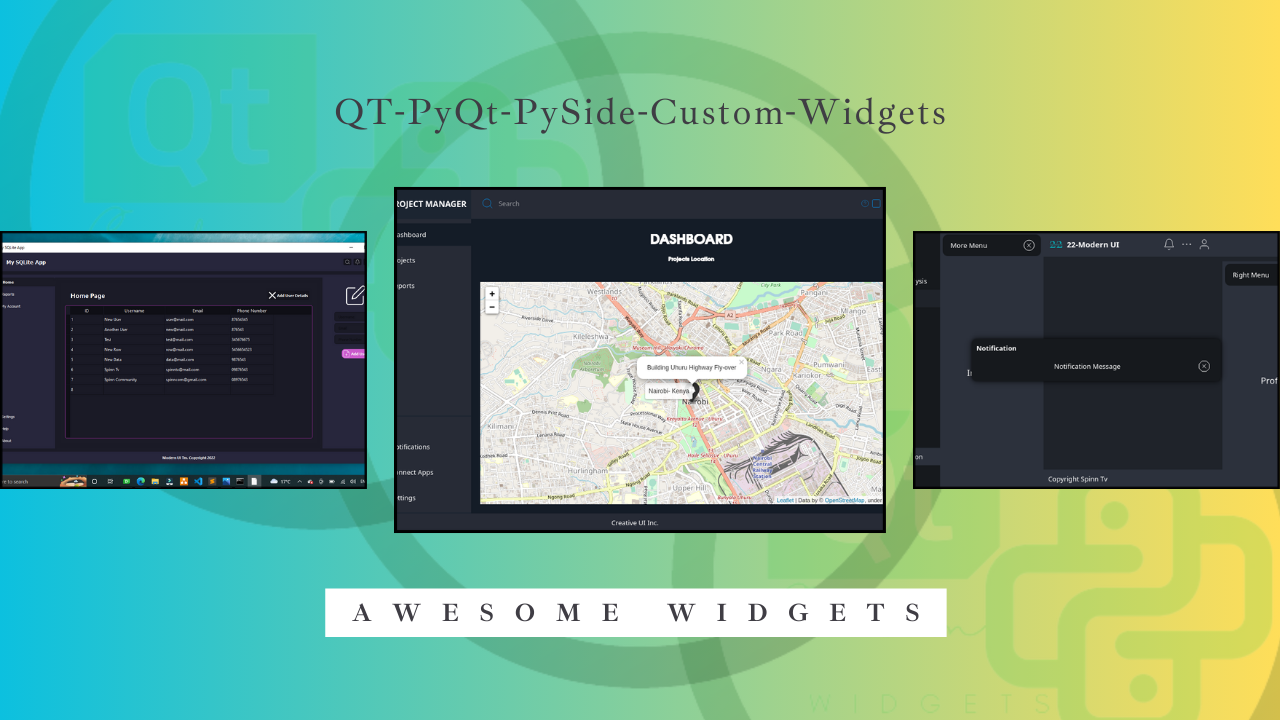
QT-PyQt-PySide-Custom-Widgets
Awesome custom widgets made for QT Desktop Applications. Simplify your UI development process. These widgets can be used in QT Designer then imported to PySide code.
Installation
First time installer:
pip install QT-PyQt-PySide-Custom-Widgets
Upgrade/install the latest version:
pip install --upgrade QT-PyQt-PySide-Custom-Widgets
Quick CMD/Terminal commands:
- To launch
ProjectMaker / project wizard, run
Custom_Widgets --create-project
This will create a Qt-python project inside your empty folder, ready to run.
- Easy to convert UI files to py. The cutom widgets
Theme Engineeliminated the need forQRCtopythonfile conversion, therefore to generateUI-Pythonfiles without any errors, use
Custom_Widgets --convert-ui ui-path --qt-library your-lib
- Monitor changes made to UI file and generate new .py file and other necessary files for the custom widgets
Custom_Widgets --monitor-ui ui-path --qt-library your-lib
Where: ui-path is the UI file path or folder containing UI files.
your-lib is PySide6, PySide2, PyQt5 or PyQt6
Updating old GUI app to work with the current Custom Widgets module update
Testing
The examples folder in this repository contains a few code examples you can use to test and learn about the custom widgets.
How to use it.
Please read the required project structure and other important updates here before proceeding.
Documentation:
-
Available custom widgets:
AnalogGaugeWidget- A digital analog widget using just a singleQWidget. Read moreQCustomCheckBox- Customize and animateQCheckBox. Read moreQCustomProgressIndicator- Create a beautiful modern progress indicator for multiple tasks. Read moreQCustomQPushButton- Customize and animateQPushButtonwith preset themes and useiconifyto animate the icons. Read moreQCustomQSlider- Easily move the slider to the current clicked position of aQSlider. Read moreQCustomQStackedWidget- Add beautiful transition animations and navigate throughQStackedWidget. Read moreQCustomSlideMenu- Expand and collapse the size of yourQWidgetsi.e side menu, popup notifications, floating widgets etc. Read moreQMainWindow- Apply custom window title bar and navigation. Read moreQCustomModals- Provides custom modal dialogs for PySide/PyQt applications. It includes various types of modal dialogs such asInformation,Success,Warning,Error, andCustom modals. Read moreQDraggableWidget- Provides custom draggable widget functionality for PyQt/PySide applications. It includes two main classes:QDragItemandQDragWidget. Read more
-
Other extra functions:
ProjectMaker / project wizard- Used for creating aQt-Pythonproject on an empty folder. Read moreQCards- Apply the same syle iedrop-shadow effectto a group ofQFrame,QWidgetetc. Best for creating dashboard cards. Read moreQCustomQPushButtonGroup- Create a group ofQPushButtons with differentstylesheets for the currentactiveorclickedbutton and other innactive buttons. Read moreQt Theme Engine- Beautify your app. This feature will create multiple themes for QT for Python apps. Read moreQSettings- Easily save your app configurations that will be remembered even after restarting the app ie app theme from Qt Theme Engine`. Watch the tutorialJSON Stylesheet Cheatsheet- JSON stylesheet is used to customize the appearance and behavior of PyQt/PySide custom widgets in the QT-PyQt-PySide-Custom-Widgets module. Read more
-
Or watch the tutorial videos here
Credits
Support 💖
Thanks to all supporters on YouTube, Patreon and other platforms.
If you find this project valuable and would like to contribute to its development and maintenance, you can support us on Patreon. Your sponsorship means a lot and is greatly appreciated!💖
Contributors
Thanks to all the contributors involved in the development of the project!

Made with contrib.rocks.
App gallery
A list of modern GUI's made using the custom widgets module. View
Release history Release notifications | RSS feed


Download files
Download the file for your platform. If you're not sure which to choose, learn more about installing packages.
Source Distribution
Built Distribution
Filter files by name, interpreter, ABI, and platform.
If you're not sure about the file name format, learn more about wheel file names.
Copy a direct link to the current filters
File details
Details for the file QT-PyQt-PySide-Custom-Widgets-0.8.0.tar.gz.
File metadata
- Download URL: QT-PyQt-PySide-Custom-Widgets-0.8.0.tar.gz
- Upload date:
- Size: 1.1 MB
- Tags: Source
- Uploaded using Trusted Publishing? No
- Uploaded via: twine/3.4.1 importlib_metadata/6.6.0 pkginfo/1.6.1 requests/2.27.1 requests-toolbelt/0.9.1 tqdm/4.50.2 CPython/3.8.5
File hashes
| Algorithm | Hash digest | |
|---|---|---|
| SHA256 |
2b8093bb56b9488c552f29ce4e72d284856cebd2e9d2fdf2bd5554458458fc2f
|
|
| MD5 |
2b245523c878de14755b5ea166941c8a
|
|
| BLAKE2b-256 |
17ef78e26f1196591144612a3d26fbd53d0346dd16ce17b1c418167ee5880a9f
|
File details
Details for the file QT_PyQt_PySide_Custom_Widgets-0.8.0-py3-none-any.whl.
File metadata
- Download URL: QT_PyQt_PySide_Custom_Widgets-0.8.0-py3-none-any.whl
- Upload date:
- Size: 3.0 MB
- Tags: Python 3
- Uploaded using Trusted Publishing? No
- Uploaded via: twine/3.4.1 importlib_metadata/6.6.0 pkginfo/1.6.1 requests/2.27.1 requests-toolbelt/0.9.1 tqdm/4.50.2 CPython/3.8.5
File hashes
| Algorithm | Hash digest | |
|---|---|---|
| SHA256 |
9788b95c13e9c81e5186b5307262684b1bc569a297a4908666a9fc7524f68271
|
|
| MD5 |
9467ab7fd3bf0d9131407b9e2fe4ca3c
|
|
| BLAKE2b-256 |
b6f8d557c843a6fed6e937acdc1641dbcd8805177536ca2185c3388017aa4ae4
|






