
QrScan



QR Code & Barcode scanner cross-platform application
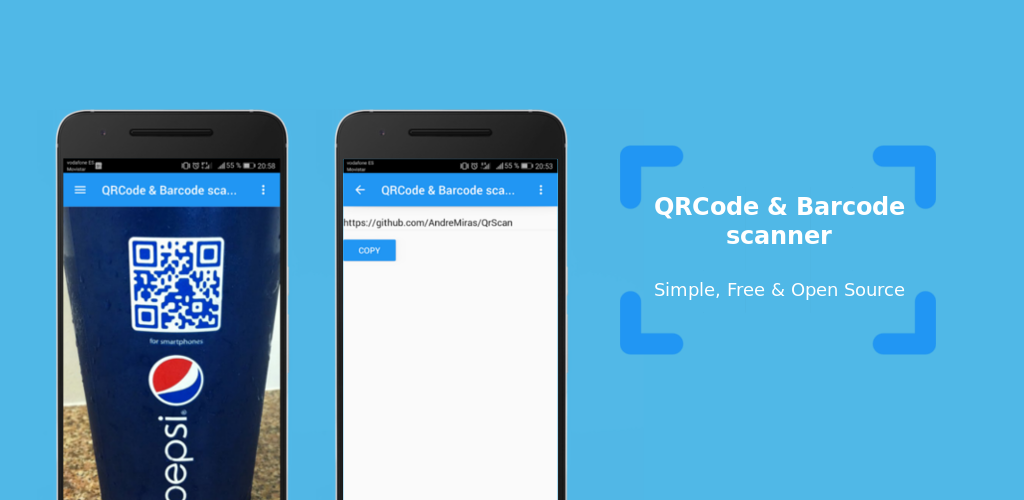
Key features
- All QR Code and Barcode supported
- Cross-platform (Windows, Linux, macOS, Android, iOS)
Install & Usage
QrScan is available on PyPI.
Therefore it can be installed via pip.
pip3 install --user QrScan
Once installed, it should be available in your PATH and can be ran from the command line.
qrscan
Develop & Contribute
If you want to experiment with the project or contribute, you can clone it and install dependencies.
make
Later run the code on desktop via the run target.
make run
Unit tests are also available.
make test
On Android you can build, deploy and run using Buildozer.
buildozer android debug deploy run logcat
And debug with logcat.
buildozer android adb -- logcat
Credits
Icon made by Pixel perfect from Flaticon.com and licensed by Creative Commons 3.0.
1 maintainer

Release files for QrScan 2020.528
For a detailed explanation of source distributions (sdists) and built distributions (wheels), please see the package formats documentation.
Source distribution (sdist)
| File | Size | Uploaded | |
|---|---|---|---|
| QrScan-2020.528.tar.gz | 6.0 kB | Details |
Built distribution (wheel)
| File | Interpreter | ABI | Platform | Reset |
|---|---|---|---|---|
| QrScan-2020.528-py3-none-any.whl | Python 3 | none | any | Details |
Total release size: 13.2 kB
Release files / QrScan-2020.528.tar.gz
| Download URL | QrScan-2020.528.tar.gz |
|---|---|
| Size | 6.0 kB |
| Tags | Source |
|
SHA-256 checksum How to use checksums |
56a7e30b96873fe6ab9c1dc55e89f95d45f8220ba1136862b98bfc546e77a761
|
|
BLAKE2b-256 checksum How to use checksums |
0ee5bf9c719725716c3a2e0eb84dee628e5983b33ddba7333392dfc86a0132e3
|
| Upload date | |
|
Uploaded using Trusted Publishing? What is trusted publishing? |
No |
| Uploaded via |
twine/3.1.1 pkginfo/1.5.0.1 requests/2.23.0 setuptools/41.2.0 requests-toolbelt/0.9.1 tqdm/4.46.0 CPython/3.8.3
|
Release files / QrScan-2020.528-py3-none-any.whl
| Download URL | QrScan-2020.528-py3-none-any.whl |
|---|---|
| Size | 7.2 kB |
| Tags | Python 3 |
|
SHA-256 checksum How to use checksums |
7db5961697bf6b7b4e3952ad1f6664a3a3a031ac487c749ada4c9c0e8d02007d
|
|
BLAKE2b-256 checksum How to use checksums |
850b46bc042cc65898f2983c8211eebc011a240d106d291d2814ed8c25afee41
|
| Upload date | |
|
Uploaded using Trusted Publishing? What is trusted publishing? |
No |
| Uploaded via |
twine/3.1.1 pkginfo/1.5.0.1 requests/2.23.0 setuptools/41.2.0 requests-toolbelt/0.9.1 tqdm/4.46.0 CPython/3.8.3
|














