
Questions Parser


This is a simple parser for questions about Java and OOP from PDF files.
Usage
- Install the package with
pip install QuestionsParser
or using GitHub installation:
pip install git+https://github.com/andylvua/QuestionsParser
- Parser usage example:
from QuestionsParser import QuestionsParser # import the parser class

parser = QuestionsParser("Questions.pdf") # create an instance of the parser and pass the PDF file with questions
answers = parser.parse_google() # parse the questions and get the answers from Google
answers.write_to_file("Answers.docx") # write the answers to a .docx file
Note
The parser uses Google to get the answers, so you need to have an active internet connection. The process of getting the answers can take a while, so be patient.
Options
The parser has several options that can be passed to the constructor and it's methods:
remainder_modandquestions_rangeparameters ofQuestionsParser.
remainder_mod is a tuple of two integers, the remainder and the divisor respectively.
For example, if remainder_mod = (2, 5), then the parser will parse only the questions
with the remainder of 2 when divided by 5. Default value is (0, 1), which means that all questions will be parsed.
questions_range is a tuple of two integers, the first and the last questions respectively.
QuestionsParser(
    file_path: str,
    remainder_mod: tuple = (0, 1),
    questions_range: tuple = None,
)
parse_googlemethod ofQuestionsParser-autoparse_answersparameter. If set toFalse, parser will not parse the answers from Google, but will still provide the useful links instead. Default value isTrue.
QuestionsParser.parse_google(
    autoparse_answers: bool = True,
)
write_to_filemethod ofQuestionsParser-path_to_fileandheaderparameters.path_to_fileis the path to the file where the answers will be written.headeris the header of the file. Default value isAnswers. This method couldn't be used before callingparse_googlemethod.
QuestionsParser.write_to_file(
    path_to_file: str,
    header: str = "Answers",
)
Note
It's recommended to write the answers to a .docx file, as it provides better readability and is more convenient than a .pdf file. However, .pdf files are also supported.
Example
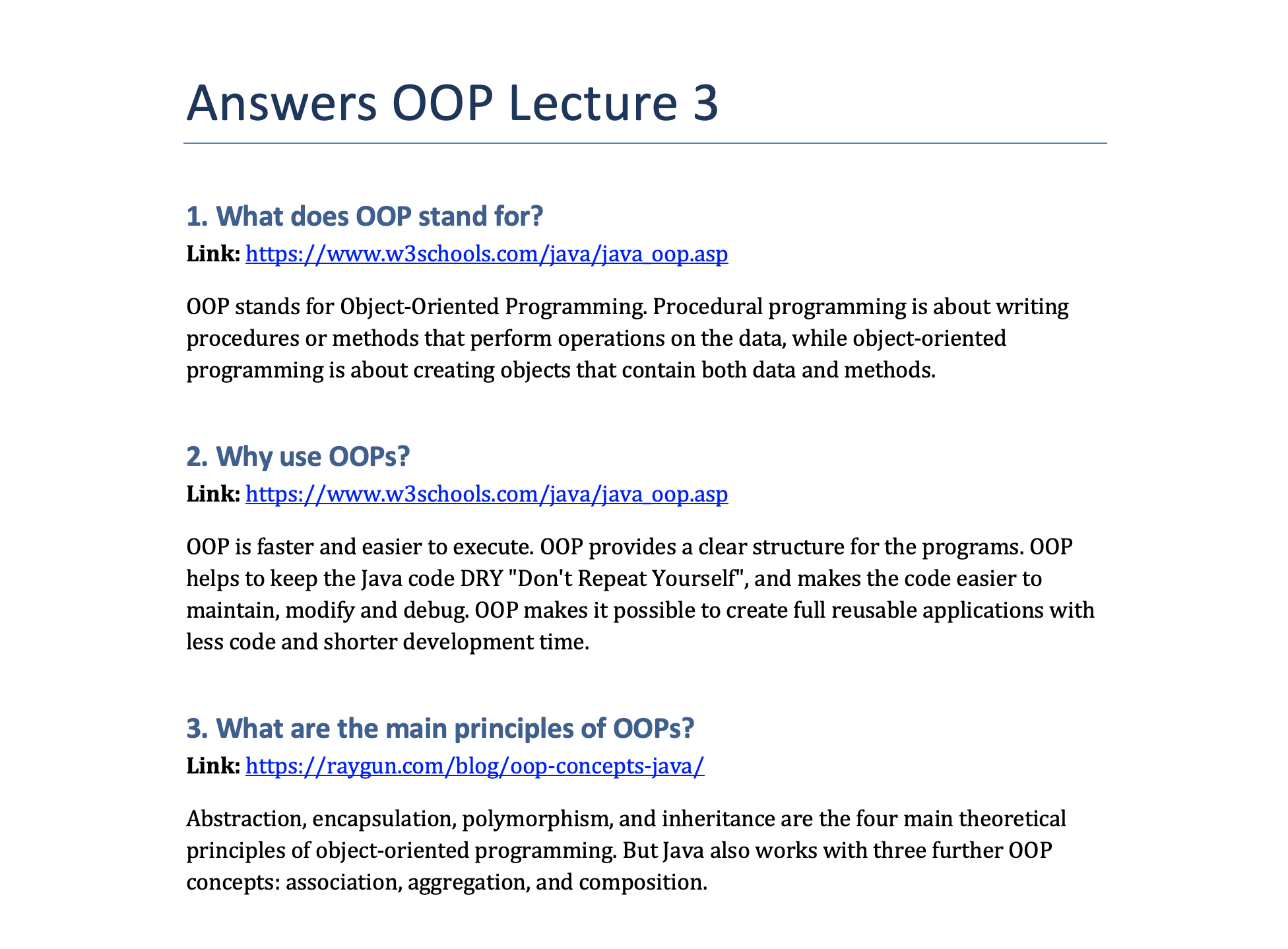
Here is an example of the output document:
License
The MIT License (MIT)
Copyright © 2022, Andrew Yaroshevych
1 maintainer

Metadata
1 maintainer
Release files for QuestionsParser 1.0.1
For a detailed explanation of source distributions (sdists) and built distributions (wheels), please see the package formats documentation.
Source distribution (sdist)
| File | Size | Uploaded | Provenance | |
|---|---|---|---|---|
| QuestionsParser-1.0.1.tar.gz | 7.5 kB | Without provenance | Details |
Release files / QuestionsParser-1.0.1.tar.gz
| Download URL | QuestionsParser-1.0.1.tar.gz |
|---|---|
| Size | 7.5 kB |
| Tags | Source |
|
SHA-256 checksum How to use checksums |
21ba352af6951f609d037249264b15b6642badb5f2a0687ecc5af8c532ac8f0b
|
|
BLAKE2b-256 checksum How to use checksums |
af5c6352f633658e00ad69f44d36aa47a9db411f01eaad75473181cf96ba4a99
|
| Upload date | |
|
Uploaded using Trusted Publishing? What is trusted publishing? |
No |
| Uploaded via |
twine/4.0.1 CPython/3.10.2
|
Security for QuestionsParser 1.0.1
Provenance
Provenance describes where a file came from. On PyPI, provenance is shared via attestations, which provide a verifiable record of the build or publishing details. View details, limitations and caveats.
No provenance found
None of the files in this release were uploaded with provenance metadata.
A note on package security
PyPI is a repository for distributing packages, not a service for auditing them. While third-party security researchers and our staff do their best to detect and remove malicious packages, PyPI cannot guarantee the quality, security or suitability of any given package.
To learn more about protecting yourself from malicious actors, visit our package security documentation.














