
RPLCD





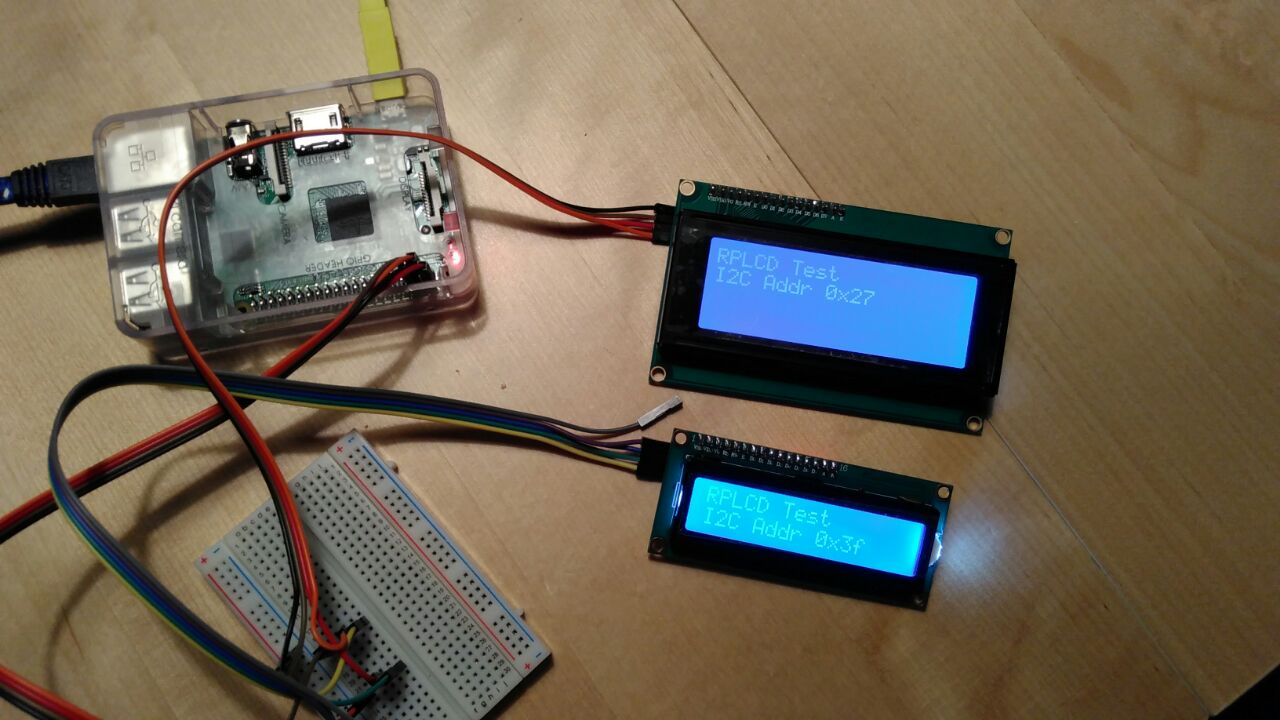
A Python 3 Raspberry PI Character LCD library for the Hitachi HD44780 controller. It supports both GPIO (parallel) mode as well as boards with an I²C port expander (e.g. the PCF8574 or the MCP23008).
This library is inspired by Adafruit Industries’ CharLCD library as well as by Arduino’s LiquidCrystal library.
For GPIO mode, no external dependencies (except the RPi.GPIO library, which comes preinstalled on Raspbian) are needed to use this library. If you want to control LCDs via I²C, then you also need the python-smbus or smbus2 library. If you want to control the LCD with pigpio, you have to install the pigpio library.
If you’re trying to get started with RPLCD, you should probably read the docs :)
Setup
You can install RPLCD directly from PyPI using pip:
$ sudo pip install RPLCD
If you want to use I²C, you also need either the smbus or smbus2 library:
$ sudo apt install python-smbus
or
$ sudo pip install smbus2
RPLCD will first try to use smbus if available and if not, fall back to smbus2.
You can also install the library manually without pip. Either just copy the scripts to your working directory and import them, or download the repository and run python setup.py install to install it into your Python package directory.
Features
Implemented
Simple to use API
Support for both 4 bit and 8 bit modes
Support for both parallel (GPIO) and I²C connection
Support for custom characters
Support for backlight control circuits
Built-in support for A00, A02 (standard HD44780) or ST0B (see ST7066, page 11) character tables
Caching: Only write characters if they changed
No external dependencies (except RPi.GPIO, and python-smbus or smbus2 if you need I²C support)
Wishlist
These things may get implemented in the future, depending on my free time and motivation:
MicroPython port
Supported I²C Port Expanders
PCF8574 (used by a lot of I²C LCD adapters on Ali Express)
MCP23008 (used in Adafruit I²C LCD backpack)
MCP23017
Documentation
Stable (released on PyPI): http://rplcd.readthedocs.io/en/stable/
Latest (current master): http://rplcd.readthedocs.io/en/latest/
Testing
Interactive Test Script
To test your LCD, please run the rplcd-tests script with the testsuite target.
Unit Tests
There are also unit tests. First, install dependencies:
pip install -U -r requirements-dev.txt
Then run the tests:
py.test -v
Coding Guidelines
Please reformat your code using ruff format:
ruff format
About HD44780
The HD44780 LCD controller is a controller chip for driving alphanumeric LCD displays. Though it’s not manufactured anymore there are a lot of compatible chips / clones of it e.g. the ST7066 or the KS0066. Displays sold with ‘HD44780’ in its name today typically are built with one of those clones, though they all look the same from the outside most of the time (like in the image at the start of this README).
Resources
TC2004A-01 Data Sheet: http://www.adafruit.com/datasheets/TC2004A-01.pdf
HD44780U Data Sheet: http://www.adafruit.com/datasheets/HD44780.pdf
ST7066 Data Sheet: https://www.sparkfun.com/datasheets/LCD/st7066.pdf
License
This code is licensed under the MIT license, see the LICENSE file or tldrlegal for more information.
1 maintainer

Metadata
1 maintainer
Release files for RPLCD 1.4.0
For a detailed explanation of source distributions (sdists) and built distributions (wheels), please see the package formats documentation.
Source distribution (sdist)
| File | Size | Uploaded | |
|---|---|---|---|
| rplcd-1.4.0.tar.gz | 36.5 kB | Details |
Built distribution (wheel)
| File | Interpreter | ABI | Platform | Reset |
|---|---|---|---|---|
| rplcd-1.4.0-py3-none-any.whl | Python 3 | none | any | Details |
Total release size: 84.7 kB
Release files / rplcd-1.4.0.tar.gz
| Download URL | rplcd-1.4.0.tar.gz |
|---|---|
| Size | 36.5 kB |
| Tags | Source |
|
SHA-256 checksum How to use checksums |
265d6a54e4ed8b1615dbd6b33c6f20ff671c656148cab311ae1b6fa37080095a
|
|
BLAKE2b-256 checksum How to use checksums |
af64178ba17c8c44fa7816bab0a9c2172174a21574fee860e5b53a4939c9bd44
|
| Upload date | |
|
Uploaded using Trusted Publishing? What is trusted publishing? |
No |
| Uploaded via |
twine/6.0.1 CPython/3.13.1
|
Release files / rplcd-1.4.0-py3-none-any.whl
| Download URL | rplcd-1.4.0-py3-none-any.whl |
|---|---|
| Size | 48.2 kB |
| Tags | Python 3 |
|
SHA-256 checksum How to use checksums |
cea57fa96130bced88f6001acdb6169538c29409b2e3bb344c2c30cbb1cb192c
|
|
BLAKE2b-256 checksum How to use checksums |
83f5f3bc1ed33b44c360ca2aceccec4513ee3e2620d23eab32ccb04ab5f51cb9
|
| Upload date | |
|
Uploaded using Trusted Publishing? What is trusted publishing? |
No |
| Uploaded via |
twine/6.0.1 CPython/3.13.1
|














