
Reduino transpiles Python scripts into efficient Arduino C++ and uploads automatically. A simple, intuitive way to control sensors, LEDs, and actuators without touching C++.

Project description

Reduino
Write friendly Python. Get Arduino-ready C++. Upload Easily to MCUs.










Table of contents
- Overview
- Quick start
- The
target()function (Required) - API reference
- Supported Python features
- License
Overview
Reduino lets you write high-level Python that compiles into clean Arduino C++, then optionally uploads it to your board via PlatformIO.
Quick start
pip install Reduino
pip install platformio  # required for automatic uploads
[!NOTE] PlatformIO is only required for automatic build & upload. You can still transpile without it.
The target() function (Required)
Place target() at the very top of your script, immediately after imports. This is the entry point that tells Reduino to parse your entire file, transpile it to Arduino C++, and (optionally) upload it.
| Parameter | Type | Default | Description |
|---|---|---|---|
port |
str |
— | Serial port, e.g. "COM3" or "/dev/ttyACM0". |
upload |
bool |
True |
If True, compile & upload via PlatformIO. If False, only transpile. |
Returns: str of the generated Arduino C++ source.
Minimal example (top-of-file target)
from Reduino import target
target("COM3")  # upload=True by default

# Your Reduino code below...
Example: Reduino structure explained
Reduino automatically splits your Python code into Arduino sections.
from Reduino import target
target("COM3")

from Reduino.Actuators import Led
led = Led(13)

while True:
    led.toggle()          # repeated code -> goes into void loop()
Generated Arduino structure (conceptually):
void setup() {
  pinMode(13, OUTPUT);
}

void loop() {
  digitalWrite(13, !digitalRead(13));
  delay(500);
}
Everything before while True: (declarations, prints, sensor setup, etc.) is placed inside setup(), and everything inside the while True loop is placed in loop().
Transpile only (no upload)
from Reduino import target
cpp = target("COM3", upload=False)
print(cpp)

# Your Reduino code below...
[!IMPORTANT]
target()reads the whole file text and generates code for everything below it. Ifupload=True, it also builds and flashes using a temporary PlatformIO project.
API reference
Actuators
LED
| Method | Description |
|---|---|
Led(pin=13) |
Bind an LED to a digital/PWM pin. |
on() / off() |
Turn fully on/off. |
toggle() |
Flip state. |
get_state() |
True if on. |
get_brightness() / set_brightness(v) |
PWM 0–255. |
blink(duration_ms, times=1) |
Blink helper. |
fade_in(step=5, delay_ms=10) / fade_out(step=5, delay_ms=10) |
Smooth ramp. |
flash_pattern(pattern, delay_ms=200) |
Run pattern of 0 & 1s eg: [1,0,0,1,1,1]. |
Example
from Reduino import target
target("COM3")

from Reduino.Actuators import Led
from Reduino.Utils import sleep

led = Led(9)
led.set_brightness(128)
led.blink(200, times=3)
sleep(500)
led.off()
RGB LED
| Method | Description |
|---|---|
RGBLed(r_pin, g_pin, b_pin) |
Bind RGB to three PWM pins. |
set_color(r,g,b) |
Set color (0–255 each). |
on(r=255,g=255,b=255) / off() |
White / off. |
fade(r,g,b,duration_ms=1000,steps=50) |
Transition to target color. |
blink(r,g,b,times=1,delay_ms=200) |
Blink with color. |
Example
from Reduino import target
target("COM3")

from Reduino.Actuators import RGBLed
from Reduino.Utils import sleep

rgb = RGBLed(9, 10, 11)
rgb.set_color(0, 128, 255)
rgb.fade(255, 0, 0, duration_ms=1500)
sleep(300)
rgb.off()
Buzzer
| Method | Description |
|---|---|
Buzzer(pin=8, default_frequency=440.0) |
Create buzzer. |
play_tone(frequency, duration_ms=None) |
Play tone. |
stop() |
Stop sound. |
beep(frequency=None, on_ms=100, off_ms=100, times=1) |
Repeated tone. |
sweep(start_hz, end_hz, duration_ms, steps=10) |
Sweep frequencies. |
melody(name, tempo=None) |
Play built-in melody. |
Built-in melodies: success, error, startup, notify, alarm, scale_c, siren
Example
from Reduino import target
target("COM3")

from Reduino.Actuators import Buzzer
from Reduino.Utils import sleep

bz = Buzzer(8)
bz.melody("startup")
sleep(500)
bz.beep(frequency=880, on_ms=100, off_ms=100, times=3)
bz.stop()
Servo
| Method | Description |
|---|---|
Servo(pin=9, min_angle=0, max_angle=180, min_pulse_us=544, max_pulse_us=2400) |
Create servo. |
write(angle) |
Move to degrees (clamped). |
write_us(pulse) |
Move by pulse width (clamped). |
Example
from Reduino import target
target("COM3")

from Reduino.Actuators import Servo
from Reduino.Utils import sleep

s = Servo(9)
s.write(90)
sleep(500)
s.write(0)
Displays
LCD
| Method | Description |
|---|---|
LCD(rs, en, d4, d5, d6, d7, cols=16, rows=2, rw=None, backlight_pin=None) |
4-bit parallel wiring with optional RW and PWM backlight pin. Constructor automatically calls begin() and clears the display. |
LCD(i2c_addr, cols=16, rows=2) |
PCF8574-style I²C backpack wiring. Constructor calls init()/backlight() for you. |
write(col, row, text, clear_row=True, align="left") |
Position text anywhere; optional row clearing and alignment ("left", "center", "right"). |
line(row, text, align="left", clear_row=True) |
Replace an entire row with aligned text. |
message(top=None, bottom=None, top_align="left", bottom_align="left", clear_rows=True) |
Convenience helper for two-line messages. |
clear() / display(on) / backlight(on) |
Clear the screen and toggle the LCD/backlight power. |
brightness(level) |
Set PWM backlight brightness (parallel mode with backlight_pin). |
glyph(slot, bitmap) |
Upload a custom 5×8 glyph (bitmap = 8 integers). |
progress(row, value, max_value=100, width=None, label=None, style="block") |
Render a progress bar (style = "block", "hash", "pipe", or "dot"). |
animate(style, row, text, speed_ms=200, loop=False) |
Start a non-blocking animation (style = "scroll", "blink", "typewriter", or "bounce"); the transpiler injects the required loop tick(). |
[!NOTE]
brightness()is available only when a parallel display is created withbacklight_pin. All alignment parameters accept"left","center", or"right"(case-insensitive).
Available animation styles:
scroll– marquee-style horizontal scrolling.blink– toggles the text on and off without blocking.typewriter– reveals the message one character at a time.bounce– slides the text from edge to edge before reversing.
Parallel wiring example (PWM backlight + progress bar)
from Reduino import target
target("COM3")

from Reduino.Displays import LCD

lcd = LCD(rs=12, en=11, d4=5, d5=4, d6=3, d7=2, backlight_pin=9)
lcd.message("Setup complete", bottom="Waiting…", top_align="center")
lcd.progress(1, 30, max_value=100, width=12, label="Load")
lcd.brightness(200)
I²C backpack example (custom glyph + marquee animation)
from Reduino.Displays import LCD

panel = LCD(i2c_addr=0x27, cols=20, rows=4)
panel.glyph(0, [0, 2, 5, 8, 8, 5, 2, 0])
panel.line(0, "Ready to scroll", align="center")
panel.animate("scroll", 2, "This text scrolls without blocking!", speed_ms=150, loop=True)
Sensors
Button
| Method | Description |
|---|---|
Button(pin, on_click=None, state_provider=None) |
Digital input w/ optional callback/provider. |
is_pressed() |
1 if pressed else 0. |
Example
from Reduino import target
from Reduino.Actuators import Led
from Reduino.Sensors import Button

target("COM3")

led = Led(6)
btn = Button(7)
if btn.is_pressed():
    led.toggle()
Potentiometer
| Method | Description |
|---|---|
Potentiometer(pin="A0", value_provider=None) |
Analog helper. |
read() |
0–1023 integer. |
Example
from Reduino import target
from Reduino.Communication import SerialMonitor
target("COM3")

from Reduino.Sensors import Potentiometer

mon = SerialMonitor(9600 , "COM3")
pot = Potentiometer("A0")

while True:
    value = pot.read()
    mon.write(value)
Ultrasonic
| Method | Description |
|---|---|
Ultrasonic(trig, echo, sensor="HC-SR04", distance_provider=None, default_distance=0.0) |
HC-SR04 factory. |
measure_distance() |
Distance in cm (handles timeouts/backoff). |
Example
from Reduino import target
target("COM3")

from Reduino.Sensors import Ultrasonic
from Reduino.Utils import sleep

u = Ultrasonic(trig=9, echo=10)
d = u.measure_distance()
print(d)
sleep(60)
Communication
SerialMonitor
| Method | Description |
|---|---|
SerialMonitor(baud_rate=9600, port=None, timeout=1.0) |
Host-side serial console. |
connect(port) |
Open serial (requires pyserial). |
close() |
Close port. |
write(value) |
Send text. |
read() |
Read text. |
Example (host-side)
from Reduino import target
target("COM3")

from Reduino.Communication import SerialMonitor

mon = SerialMonitor(baud_rate=115200, port="COM4")

while True:
    mon.write("hello")
    mon.read()
    mon.close()
[!NOTE]
pyserialis optional; only needed if you callconnect().
Utilities
sleep
from Reduino import target
target("COM3")

from Reduino.Utils import sleep
sleep(250)  # ms
map
from Reduino import target
target("COM3")

from Reduino.Utils import map
mapped = map(512, 0, 1023, 0.0, 5.0)  # 2.5-ish
print(mapped)
Supported Python features
Reduino implements a pragmatic subset of Python that cleanly lowers to Arduino C++.
Control flow
while True:➜ Arduinoloop()for x in range(...), includingrange(start, stop, step)if / elif / else,break,continue,try/except(mapped to C++ try/catch where used)
Variables & assignment
-
Standard assignment and pythonic swap:
a, b = b, a
-
Multiple assignment & tuple unpacking
-
Augmented ops (
+=,-=,*=, etc.)
Collections
-
Lists (
[]), tuples (()), and membership checks (x in items) -
List comprehensions:
squares = [i for i in range(10)]
-
len()on strings, lists, and internal list type
Built-ins
len(),abs(),max(),min()print()maps to serial printing in emitted code when serial is configured
[!TIP] Many constant expressions are folded at transpile time for smaller, faster C++.
License
Reduino is distributed under the GNU General Public License v3.0 (GPLv3).
You are free to use, modify, and distribute this software for personal or educational purposes,
as long as derivative works remain open-source and licensed under the same terms.
For commercial usage, redistribution, or integration into closed-source systems,
please contact me at arnavbajaj9@gmail.com for alternative licensing options.
See LICENSE for full details.
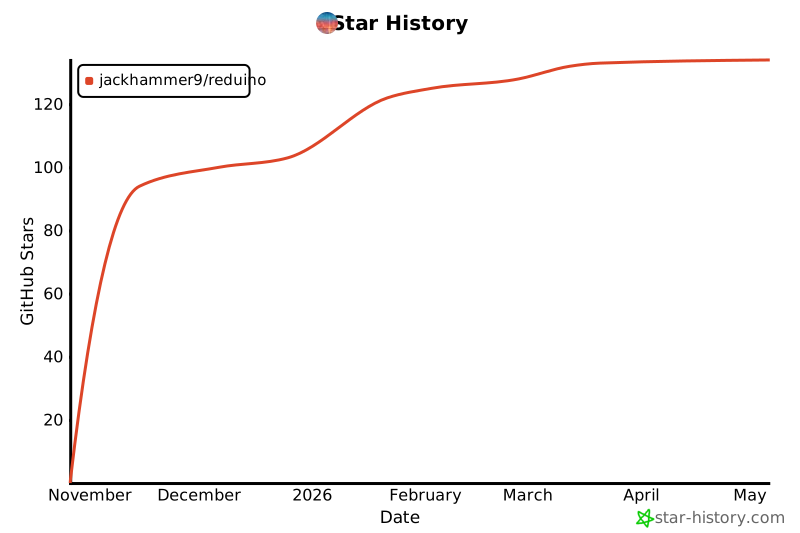
Star History


Download files
Download the file for your platform. If you're not sure which to choose, learn more about installing packages.
Source Distribution
Built Distribution
Filter files by name, interpreter, ABI, and platform.
If you're not sure about the file name format, learn more about wheel file names.
Copy a direct link to the current filters
File details
Details for the file reduino-1.1.0.tar.gz.
File metadata
- Download URL: reduino-1.1.0.tar.gz
- Upload date:
- Size: 92.2 kB
- Tags: Source
- Uploaded using Trusted Publishing? No
- Uploaded via: twine/6.2.0 CPython/3.12.9
File hashes
| Algorithm | Hash digest | |
|---|---|---|
| SHA256 |
d8f77abc442f9b91379b830d8cad7cc0a666f285db8454f712e1129ca4dca415
|
|
| MD5 |
601143250d4177f187d2ff88bfff37fa
|
|
| BLAKE2b-256 |
23a490508d0fe2f8d2539c39ec310f8253971b7cebb476a75446bd2101ca376b
|
File details
Details for the file reduino-1.1.0-py3-none-any.whl.
File metadata
- Download URL: reduino-1.1.0-py3-none-any.whl
- Upload date:
- Size: 81.7 kB
- Tags: Python 3
- Uploaded using Trusted Publishing? No
- Uploaded via: twine/6.2.0 CPython/3.12.9
File hashes
| Algorithm | Hash digest | |
|---|---|---|
| SHA256 |
7d20e18221aff26fa258ebb79e44b633d57dc03f0c5653596a37eca27302133c
|
|
| MD5 |
b1cc6f7212e24751d8dd17ce22dbe9d0
|
|
| BLAKE2b-256 |
ab10f58e76cc3907e774cef2138e4b79c1fbfdd439db9f5ed2f1268d93e79278
|






