
RetroFont: TrueType font generator









This package provides a programming library and a command line interface for conversion, creation and manipulation of TrueType retro fonts.

Quick start
Convert from ROM
Download a character ROM (e.g., one from the MSX) and run the following command.
retrofont rom2ttf -d ~/.local/share/fonts/ MSX charset_international.raw
fc-cache -f
Open a new terminal that uses the newly created font. In Wayland we can use foot as follows.
foot -f MSXIn X, we can use xterm.
xterm -fa MSX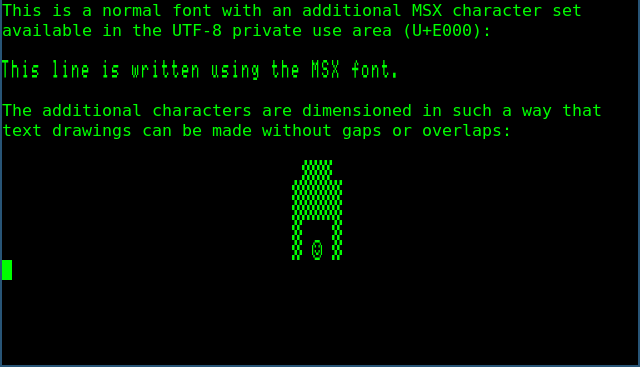
Plain text mixed with MSX characters.
The -p option additionally uses the converted font as the primary font. It will also make the characters square and it will remove line spacing.
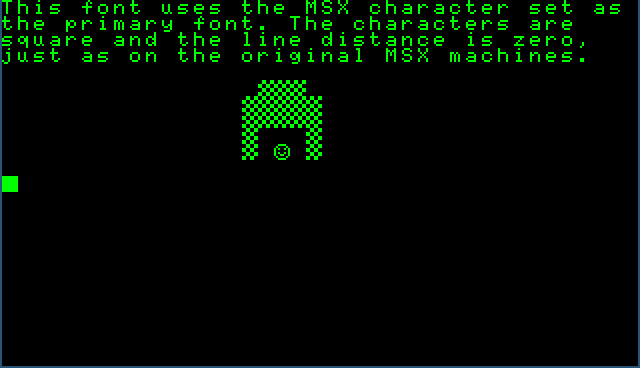
Primary font using the MSX character set.
Adjusting the terminal foreground and background colours can have quite a convincing effect.
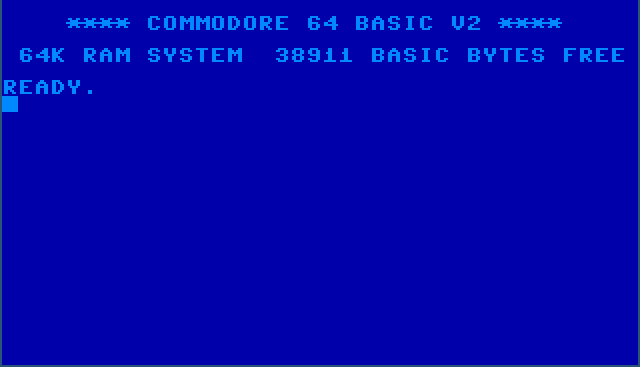
Not a screenshot of a Commodore 64 emulator.
Creation
Glyphs can be drawn by hand and put in a YAML file.
- # ...
- - data:
    - ' #    # '
    - '  #  #  '
    - ' ###### '
    - '## ## ##'
    - '########'
    - ' ###### '
    - '#      #'
    - '###  ###'
    offset: 0
  # ...
This file can be converted into a character ROM file, which in turn can be used to create a TrueType font.
retrofont yml2rom test_font.yaml test_font.rom
retrofont rom2ttf -d ~/.local/share/fonts/ test_font test_font.rom
fc-cache -f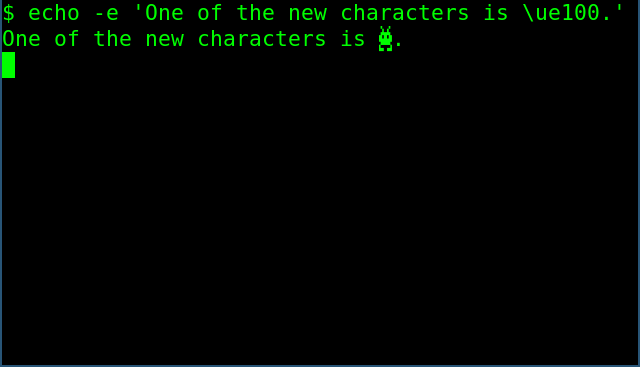
Newly created glyph in the UTF-8 Private Use Area.
Please see ReadTheDocs for the latest documentation.
1 maintainer

Metadata
1 maintainer
Release files for RetroFont 1.0.1
For a detailed explanation of source distributions (sdists) and built distributions (wheels), please see the package formats documentation.
Source distribution (sdist)
| File | Size | Uploaded | |
|---|---|---|---|
| retrofont-1.0.1.tar.gz | 754.6 kB | Details |
Built distribution (wheel)
| File | Interpreter | ABI | Platform | Reset |
|---|---|---|---|---|
| retrofont-1.0.1-py2.py3-none-any.whl | Python 3, Python 2 | none | any | Details |
Total release size: 766.4 kB
Release files / retrofont-1.0.1.tar.gz
| Download URL | retrofont-1.0.1.tar.gz |
|---|---|
| Size | 754.6 kB |
| Tags | Source |
|
SHA-256 checksum How to use checksums |
a0a0f4ea113ba7aca566cbe61ee957cde5b5c951dfb32f99e946c1fc002833d3
|
|
BLAKE2b-256 checksum How to use checksums |
48ed0ef8bd8e8fe20a2ae0d501da45ded6c8727f39e5fc8136b1573c1fdd2701
|
| Upload date | |
|
Uploaded using Trusted Publishing? What is trusted publishing? |
Yes |
| Uploaded via |
twine/7.0.0 CPython/3.13.14
|
Provenance
Provenance describes where a file came from. On PyPI, provenance is shared via attestations, which provide a verifiable record of the build or publishing details. View details, limitations and caveats.


PyPI Publish Attestation
PyPI verified that this artifact, at this checksum, originated from the publisher listed below.
Signed by GitHub Actions, verified by PyPI on Oct 3, 2026.
Transparency logRelease files / retrofont-1.0.1-py2.py3-none-any.whl
| Download URL | retrofont-1.0.1-py2.py3-none-any.whl |
|---|---|
| Size | 11.7 kB |
| Tags | Python 2 Python 3 |
|
SHA-256 checksum How to use checksums |
b55a7a8c9174ee74f0c32fe91d1c9cda409c789a049baac3af5944c1285a0b9f
|
|
BLAKE2b-256 checksum How to use checksums |
1c5008980567978ceb2081bdcb37c4ca7339a8278c91699b4ca62c566dcefd91
|
| Upload date | |
|
Uploaded using Trusted Publishing? What is trusted publishing? |
Yes |
| Uploaded via |
twine/7.0.0 CPython/3.13.14
|
Provenance
Provenance describes where a file came from. On PyPI, provenance is shared via attestations, which provide a verifiable record of the build or publishing details. View details, limitations and caveats.
PyPI Publish Attestation
PyPI verified that this artifact, at this checksum, originated from the publisher listed below.
Signed by GitHub Actions, verified by PyPI on Oct 3, 2026.
Transparency log













