
A package to make kokoro simpler to work with

Project description

SimplerKokoro
Effortless speech synthesis with Kokoro, with subtitle support, in Python.





📚 Table of Contents
- Features
- Requirements
- Installation
- Examples
- Usage
- Command Line Interface (CLI)
- Example Output Files
- Build from Source
- API
- License
✨ Features
- Simple interface for generating speech audio and subtitles
- Supports all Kokoro voices
- Outputs valid SRT subtitles
- Automatic Model Management
📦 Requirements
- Python 3.10+
- torch
- kokoro
- soundfile
All dependencies except Python are installed automatically.
🚀 Installation
From PyPI:
pip install Simpler-Kokoro
Or clone the repo and install locally:
git clone https://github.com/WilleIshere/SimplerKokoro.git
cd SimplerKokoro
pip install .
🧑💻 Examples
You can find runnable example scripts in the examples/ folder:
basic_example.py: Basic usage, generate speech from text.subtitles_example.py: Generate speech with SRT subtitles.custom_speed_example.py: Generate speech with custom speed.custom_models_dir_example.py: Specify a custom directory for model downloads.
🛠️ Usage
Basic Example
from Simpler_Kokoro import SimplerKokoro

# Create an instance
sk = SimplerKokoro()

# Load the available voices
voices = sk.list_voices()

# (optional) Print out the voices
for voice in voices:
    print(voice) # Print out the voice object

# Use the first voice as example
selected_voice = voices[0]

# Generate speech
sk.generate(
    text='Hello, this is a test of the Simpler Kokoro voice synthesis.', # Text to generate
    voice=selected_voice.name, # Grab the name from the selected voice
    output_path='output.wav' # Select the output path.
)
Generate Speech with Subtitles
from Simpler_Kokoro import SimplerKokoro

# Create an instance
sk = SimplerKokoro()

# Load the available voices
voices = sk.list_voices()

# Use the first voice as example
selected_voice = voices[0]

# Generate speech
sk.generate(
    text='Hello, this will generate a subtitles.srt file along with output.wav', # Text to generate
    voice=selected_voice.name, # Grab the name from the selected voice
    output_path='output.wav', # Select the output path
    write_subtitles=True, # Enable subtitle generation
    subtitles_path='subtitles.srt', # (optional) Specify the subtitle .srt filename
    subtitles_word_level=True # (optional) Enable word level timestamps
)
Generate Speech with Custom Speed
from Simpler_Kokoro import SimplerKokoro

# Create an instance
sk = SimplerKokoro()

# Load the available voices
voices = sk.list_voices()

# Use the first voice as example
selected_voice = voices[0]

# Generate speech
sk.generate(
    text='Hello, this is a test of the Simpler Kokoro voice synthesis.', # Text to generate
    voice=selected_voice.name, # Grab the name from the selected voice
    output_path='output.wav', # Select the output path
    speed=1.5 # This represents 150% Speed. 1 means 100% and 0.5 means 50%
)
Specify a Path to Download Models
from Simpler_Kokoro import SimplerKokoro

# Create an instance
sk = SimplerKokoro(models_dir='<PATH TO PUT MODELS>') # Put in the path where you want the models to be saved here

# Load the available voices
voices = sk.list_voices()

# Use the first voice as example
selected_voice = voices[0]

# Generate speech
sk.generate(
    text='Select a custom directory for the models!', # Text to generate
    voice=selected_voice.name, # Grab the name from the selected voice
    output_path='output.wav' # Select the output path.
)
🖥️ Command Line Interface (CLI)
You can use the library in the command line too.
Example:
python -m Simpler_Kokoro <command> [options]
Commands and Options
| Command | Description | Options |
|---|---|---|
| list-voices | List available Kokoro voices | --repo, --models_dir, --log_level |
| generate | Generate speech audio from text | --text (required), --voice (required), --output (required), --speed, --write_subtitles, --subtitles_path, --subtitles_word_level, --repo, --models_dir, --log_level |
Global options:
| Option | Description | Default |
|---|---|---|
| --repo | HuggingFace repo to use for models | hexgrad/Kokoro-82M |
| --models_dir | Directory to store model files | models |
| --log_level | Logging level (DEBUG, INFO, WARNING, ERROR, CRITICAL) | INFO |
Generate command options:
| Option | Description | Default |
|---|---|---|
| --text | Text to synthesize (required) | |
| --voice | Voice name to use (required) | |
| --output | Output WAV file path (required) | |
| --speed | Speech speed multiplier | 1.0 |
| --write_subtitles | Write SRT subtitles | False |
| --subtitles_path | Path to save subtitles | subtitles.srt |
| --subtitles_word_level | Word-level subtitles | False |
📂 Example Output Files
output.wav: The synthesized speech audio file.output.srt: Subtitles in SRT format (ifwrite_subtitles=True).
Sample SRT output
1
00:00:00,000 --> 00:00:01,200
Hello,

2
00:00:01,200 --> 00:00:02,500
this is a test.

3
00:00:02,500 --> 00:00:04,000
This is another sentence.
🏗️ Build from Source
To build the package from source:
git clone https://github.com/WilleIshere/SimplerKokoro.git
cd SimplerKokoro
pip install build
python -m build
This will create distribution files in the dist/ directory:
.whl(wheel) file for pip installation.tar.gzsource archive
To install the built wheel locally:
pip install dist/Simpler_Kokoro-*.whl
You can now use the package as described in the usage section.
📖 API
SimplerKokoro
Methods
list_voices(): Returns a list of available voices with metadata.generate(text, voice, output_path, speed=1.0, write_subtitles=False, subtitles_path='subtitles.srt', subtititles_word_level=False): Generates speech audio and optional subtitles.
📄 License
This project is licensed under the GPL-3.0 license.
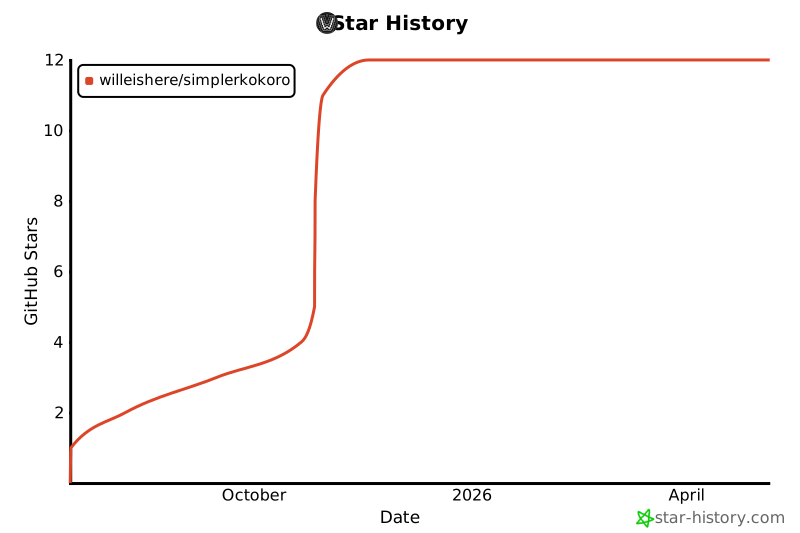
⭐ Star History
Release history Release notifications | RSS feed


Download files
Download the file for your platform. If you're not sure which to choose, learn more about installing packages.
Source Distribution
Built Distribution
Filter files by name, interpreter, ABI, and platform.
If you're not sure about the file name format, learn more about wheel file names.
Copy a direct link to the current filters
File details
Details for the file simpler_kokoro-1.3.0.tar.gz.
File metadata
- Download URL: simpler_kokoro-1.3.0.tar.gz
- Upload date:
- Size: 31.1 kB
- Tags: Source
- Uploaded using Trusted Publishing? No
- Uploaded via: twine/6.2.0 CPython/3.12.5
File hashes
| Algorithm | Hash digest | |
|---|---|---|
| SHA256 |
c2332d104bdc69383b94c8be3c93e4d924147bb856a77f0597b647816ede2c13
|
|
| MD5 |
23e3f76965f1edc7ea3bbd5f2316221a
|
|
| BLAKE2b-256 |
3eaa90178f896abc928af6a4973238efcda14e47ee6332aa57149f3a8e04c353
|
File details
Details for the file simpler_kokoro-1.3.0-py3-none-any.whl.
File metadata
- Download URL: simpler_kokoro-1.3.0-py3-none-any.whl
- Upload date:
- Size: 22.5 kB
- Tags: Python 3
- Uploaded using Trusted Publishing? No
- Uploaded via: twine/6.2.0 CPython/3.12.5
File hashes
| Algorithm | Hash digest | |
|---|---|---|
| SHA256 |
027dfe04ddcd98ac653e2377df5a3fa780e1830c6915738608727f13dbc85523
|
|
| MD5 |
367aa5f952088bc03814dffe29afac5b
|
|
| BLAKE2b-256 |
22566004e00f73770763c2b9837323d3de6339716fbc51503dc3279ce670067c
|






