
🌟 SteganoX: Hidden Messages in Images 🕵️♂️
SteganoX is a powerful steganography tool that lets you hide and extract secret messages from images effortlessly. Whether you're a cybersecurity enthusiast, privacy advocate, or just having fun with hidden messages, SteganoX has you covered! 🔒✨
🚀 Features
✅ Encode secret messages into images.
✅ Decode hidden messages from images.
✅ Command-line interface for seamless automation.
✅ Interactive mode for quick and easy usage.
✅ Lightweight & Efficient – No unnecessary bloat!
📥 Installation
Clone the repository and install dependencies:
git clone https://github.com/AdityaBhatt3010/SteganoX-Hidden-Messages-in-Images.git
cd SteganoX-Hidden-Messages-in-Images
python setup.py install
or simply run
git clone https://github.com/AdityaBhatt3010/SteganoX-Hidden-Messages-in-Images.git
cd SteganoX-Hidden-Messages-in-Images
pip install -r requirements.txt
🎯 Usage
🔹 Command-Line Mode
🔎 Help Menu:
python SteganoX.py -h
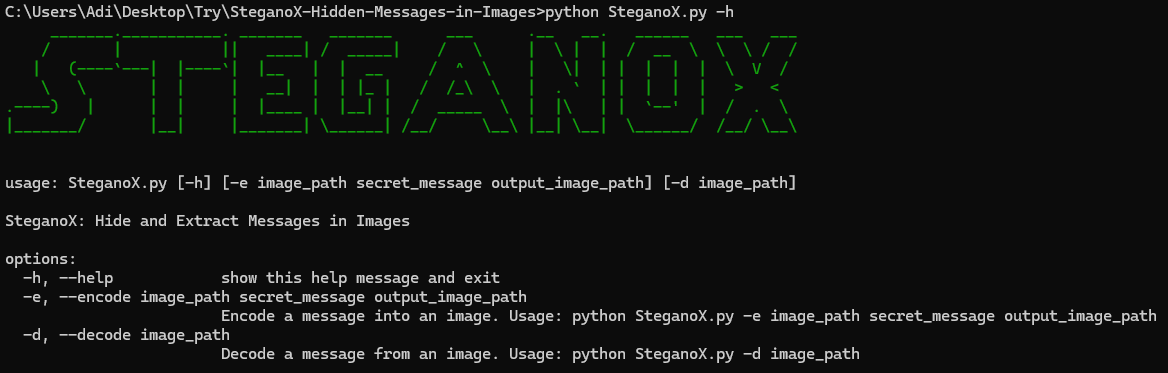
🔐 Encoding a Message:
python SteganoX.py -e <image_path> "<secret_message>" <output_image_path>
Example:
python SteganoX.py -e input.png "This is a secret!" output.png

🔎 Decoding a Message:
python SteganoX.py -d <image_path>
Example:
python SteganoX.py -d output.png
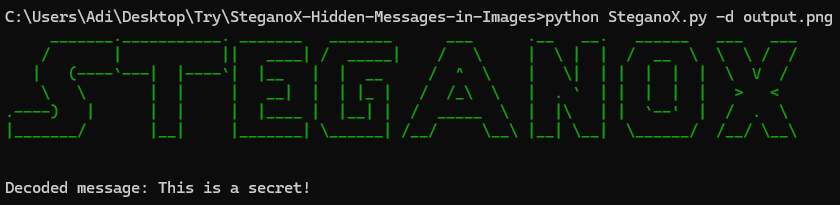
🖥️ Minimal Interactive Mode
If you prefer a guided experience, run the interactive mode:
python SteganoX_Minimal.py
You'll be prompted to enter an image path, your message (if encoding), and an output file.
📌 Dependencies
- Python 3.x 🐍
- Pillow 🖼️ (Image processing)
- pyfiglet 🎭 (Cool ASCII banners)
- termcolor 🎨 (Stylish CLI output)
Install all dependencies with:
pip install -r requirements.txt
🎯 Sample Images:
🔐 Imput Image:

🔎 Output Image:

Image Credit: needpix
Clker-Free-Vector-Images - pixabay.com, Copyright-Free PD CC0 Free Photo Available
👨💻 Author
Developed with ❤️ by Aditya Bhatt
1 maintainer

Release files for SteganoX-Hidden-Messages-in-Images 1.0.0
For a detailed explanation of source distributions (sdists) and built distributions (wheels), please see the package formats documentation.
Source distribution (sdist)
| File | Size | Uploaded | |
|---|---|---|---|
| steganox_hidden_messages_in_images-1.0.0.tar.gz | 15.4 kB |
Built distribution (wheel)
| File | Interpreter | ABI | Platform | Reset |
|---|---|---|---|---|
| steganox_hidden_messages_in_images-1.0.0-py3-none-any.whl | Python 3 | none | any |
Total release size: 31.1 kB













