
A python script that syncs user watchlist and ratings for Movies, TV Shows and Episodes both ways between Trakt and TMDB.

Project description
TMDB-Trakt-Syncer
This Python script syncs user watchlist and ratings for Movies, TV Shows, and Episodes both ways between Trakt and TMDB. Data already set will not be overwritten. Ratings and watchlist sync are both optional. The user will be prompted to enter their settings and api keys on first run.
The script is compatible on any operating system that supports Python v3.6 or later, including Windows, Linux, Mac, and ChromeOS. If you're interested in syncing ratings between Trakt, Plex, IMDB, and TMDB, I recommend the following projects: PlexTraktSync, IMDB-Trakt-Syncer, and TMDB-Trakt-Syncer. See below for my other recommended projects.
Installation Instructions:
- Install Python (v3.6 or later). During installation, tick the box for adding Python to your PATH variable.
- Install the script by running
python -m pip install TMDBTraktSyncerin command line. - Login to Trakt and create a new API application named
TMDbTraktSyncer. In the "Redirect uri" field, enterurn:ietf:wg:oauth:2.0:oob, then save the application. - Login to TMDB and create a new API application. Choose "Developer" and accept the terms. Fill out the application form as follows:
- Type of use:
Personal - Application name:
TMDB-Trakt-Sync - Application URL:
https://github.com/RileyXX/TMDB-Trakt-Syncer - Application summary:
Use TMDB API and Trakt API to sync user watchlists and ratings between platforms. - Fill in the rest of the fields as desired and submit the form. Your API keys will be generated instantly.
- Type of use:
- Run the script by running
TMDBTraktSyncerin the command line. - Follow the prompts during the first run. You will need to enter your Trakt
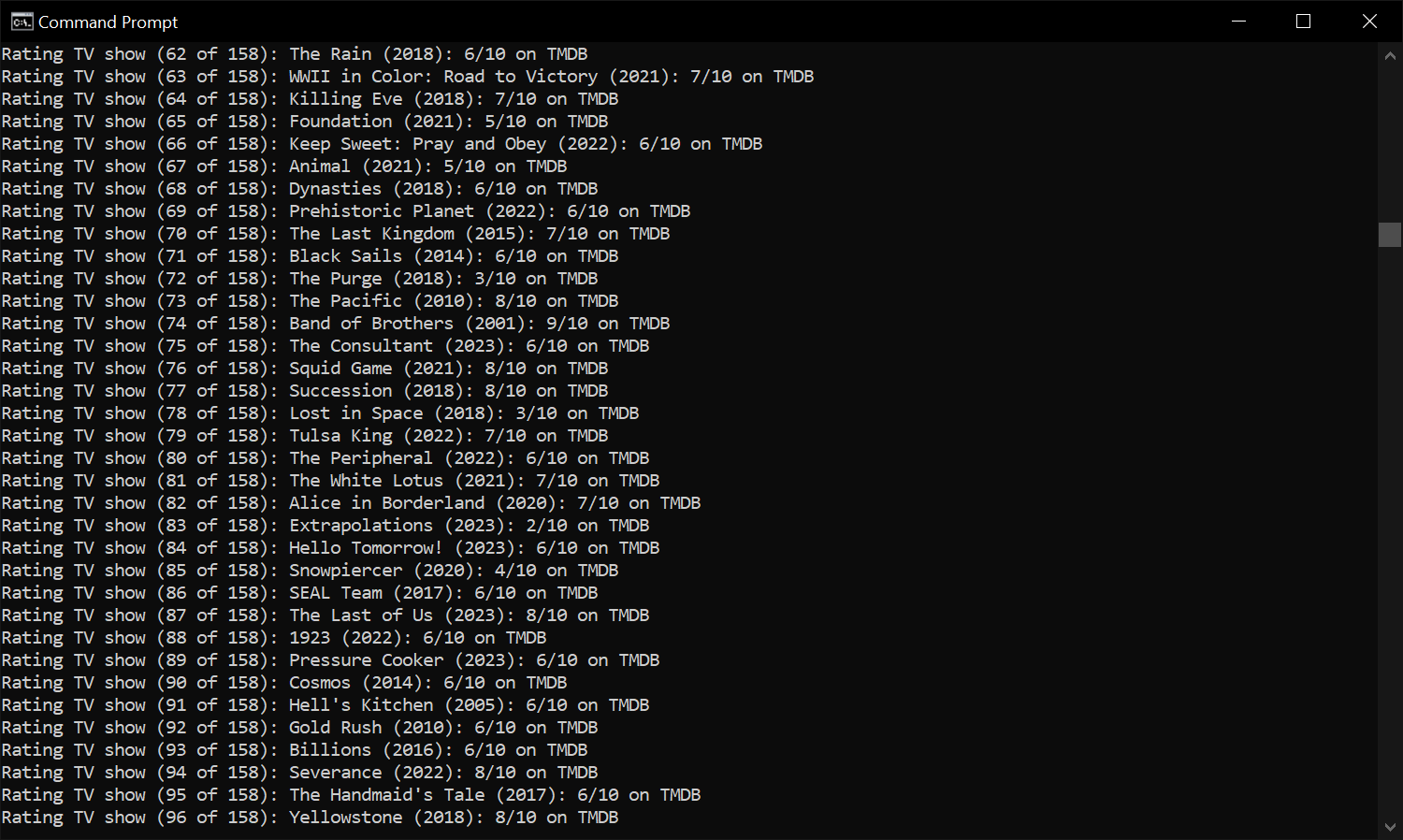
client IDandclient secretfrom step 3, as well as yourtmdb_v4_tokenfrom step 4. Please note that these details are saved insecurely ascredentials.txtin the same folder as the script. - Setup is complete. The script will continue running and syncing your ratings. You can monitor its progress in the command line. See below for setting up automation.
Installing the Script:
python -m pip install TMDBTraktSyncer
Run in your operating system's native command line.
Running the Script:
TMDBTraktSyncer
Run in your operating system's native command line.
Updating the Script:
python -m pip install TMDBTraktSyncer --upgrade
Run in your operating system's native command line.
Uninstalling the Script:
python -m pip uninstall TMDBTraktSyncer
Run in your operating system's native command line.
Installing a Specific Version:
python -m pip install TMDBTraktSyncer==VERSION_NUMBER
Replace VERSION_NUMBER with your desired version (e.g. 1.0.1) and run in your operating system's native command line.
Alternative Manual Installation Method (without pip install):
- Install Python (v3.6 or later). During installation, tick the box for adding Python to your PATH variable.
- Download the latest .zip from the releases page and extract it to the desired directory.
- Login to Trakt and create a new API application named
TMDBTraktSyncer. In the "Redirect uri" field, enterurn:ietf:wg:oauth:2.0:oob, then save the application. - Login to TMDB and create a new API application. Choose "Developer" and accept the terms. Fill out the application form as follows:
- Type of use:
Personal - Application name:
TMDB-Trakt-Sync - Application URL:
https://github.com/RileyXX/TMDB-Trakt-Syncer - Application summary:
Use TMDB API and Trakt API to sync user watchlists and ratings between platforms. - Fill in the rest of the fields as desired and submit the form. Your API keys will be generated instantly.
- Type of use:
- Run
TMDBTraktSyncer.pyor open the terminal and navigate to the folder whereTMDBTraktSyncer.pyis located, then runTMDBTraktSyncer.pyin the terminal. - Follow the prompts during the first run. You will need to enter your Trakt
client IDandclient secretfrom step 3, as well as yourtmdb_v4_tokenfrom step 4. Please note that these details are saved insecurely ascredentials.txtin the same folder as the script. - Setup is complete. The script will continue running and syncing your ratings. You can monitor its progress in the command line. See below for setting up automation.
For Setting Up Automation See the Following Wiki Pages:
- Setup Automation for:
- Python Script to Update all Packages with Pip (Windows, Linux, Mac, ChromeOS, etc.) Link #1
Troubleshooting, Known Issues, Workarounds & Future Outlook:
- Add support for review/comment sync Issue #1
- If any of your details change (passwords, logins, API keys, etc.), simply open
credentials.txt, modify your details, save it and then run the script again. Alternatively, deletecredentials.txtto reset the script and it will prompt you to enter your new details on the next run.
Screenshot:
Sponsorships, Donations, and Custom Projects:
If you find my scripts helpful, you can become a sponsor and support my projects! If you need help with a project, open an issue, and I'll do my best to assist you. For other inquiries and custom projects, you can contact me on Twitter.
More Donation Options:
- Cashapp:
$rileyxx - Venmo:
@rileyxx - Bitcoin:
bc1qrjevwqv49z8y77len3azqfghxrjmrjvhy5zqau - Amazon Wishlist: Link ↗
Also Posted on:

Other Recommended Projects:
| Project Name | Description |
|---|---|
| PlexTraktSync | A script that syncs user watch history and ratings between Trakt and Plex (without needing a PlexPass or Trakt VIP subscription). |
| IMDB-Trakt-Syncer | A script that syncs user watchlist, ratings, and comments both ways between Trakt and IMDB. |
| TMDB-Trakt-Syncer | A script that syncs user watchlist and ratings both ways between Trakt and TMDB. |
| PlexPreferNonForcedSubs | A script that sets all movies and shows in your local Plex library to English non-forced subtitles by default. |
| Casvt / AudioSubChanger | A script with advanced options for changing audio & subtitle tracks in Plex. |
| Casvt / PlexAutoDelete | A script for automatically deleting watched content from Plex. |
| universal-trakt-scrobbler | An extension that automatically scrobbles TV shows and Movies from several streaming services to Trakt. |
| Netflix-to-Trakt-Import | A tool to import your Netflix viewing history into Trakt. |
| trakt-tv-backup | A command-line tool for backing up your Trakt.tv data. |
| blacktwin / JBOPS | A collection of scripts and tools for enhancing and automating tasks in Plex. |
| Casvt / Plex-scripts | A collection of useful scripts for Plex automation and management. |
| trakt---letterboxd-import | A tool to import your Letterboxd ratings and watchlist into Trakt. |
| TraktRater | A tool to help users transfer user episode, show, and movie user ratings and watchlists from multiple media database sites around the web. |
| TvTimeToTrakt | A tool to sync your TV Time watch history with Trakt.tv. |
| Plex Media Server | A media server software to organize and stream your personal media collection. |
| Radarr | A movie collection manager and downloader for various platforms. |
| Sonarr | A TV show collection manager and downloader for various platforms. |
| Jackett | A proxy server that provides API support for various torrent trackers commonly used with Radarr and Sonarr. |
| qBittorrent | A free and open-source BitTorrent client. |
| AirVPN | A VPN client with port forwarding support. Great VPN for torrents. |
| Overseerr | A request management and media discovery tool for your home media server. |
| FlareSolverr | A reverse proxy solution to bypass Cloudflare protection and access websites commonly used with Jackett. |
| youtube-dl | A command-line program to download videos from YouTube and other sites. |
Release history Release notifications | RSS feed


Download files
Download the file for your platform. If you're not sure which to choose, learn more about installing packages.
Source Distribution
Built Distribution
Filter files by name, interpreter, ABI, and platform.
If you're not sure about the file name format, learn more about wheel file names.
Copy a direct link to the current filters
File details
Details for the file TMDBTraktSyncer-1.6.3.tar.gz.
File metadata
- Download URL: TMDBTraktSyncer-1.6.3.tar.gz
- Upload date:
- Size: 19.1 kB
- Tags: Source
- Uploaded using Trusted Publishing? No
- Uploaded via: twine/4.0.2 CPython/3.11.4
File hashes
| Algorithm | Hash digest | |
|---|---|---|
| SHA256 |
5968a0c23b7807afe5718081c838318f9534ac19e8968fd66fb26d11d94eabcb
|
|
| MD5 |
30f54ed71a86e2302087aca6d8d9e28c
|
|
| BLAKE2b-256 |
507db9be15c76e65894aa175595743dbc453d72ae239bdb481c422b046280e11
|
File details
Details for the file TMDBTraktSyncer-1.6.3-py3-none-any.whl.
File metadata
- Download URL: TMDBTraktSyncer-1.6.3-py3-none-any.whl
- Upload date:
- Size: 18.8 kB
- Tags: Python 3
- Uploaded using Trusted Publishing? No
- Uploaded via: twine/4.0.2 CPython/3.11.4
File hashes
| Algorithm | Hash digest | |
|---|---|---|
| SHA256 |
fefc24c6dba3c3eae892ee9a6c144972326a86d67774bdeac05a270cc71eda71
|
|
| MD5 |
f712dd7cdee05f6fb0c907184b5ea3a4
|
|
| BLAKE2b-256 |
2b0d14377ae057df65c23a55931c3fce75aff1912f558ce5766c07b3f1f28d46
|






