
TkEasyGUI - the easiest library for GUI



TkEasyGUI is the easiest library for creating GUIs in Python.

This library allows you to easily create GUI applications with Python. Since it is based on Tkinter, it runs consistently on Windows, macOS, and Linux. With a variety of built-in dialogs and customizable forms, you can develop applications effortlessly.

Platform
- Windows / macOS / Linux (Tkinter required)
Install
Install package from PyPI.
# Install package from PyPI
pip install TkEasyGUI
# or
python -m pip install TkEasyGUI
Install package from GitHub Repository.
# Install package from GitHub Repository
python -m pip install git+https://github.com/kujirahand/tkeasygui-python
# or
# Clone the repository and install
git clone https://github.com/kujirahand/tkeasygui-python
cd tkeasygui-python
python -m pip install .
Features of This Library
- Python's standard UI library
Tkinter, is often considered to have a high barrier to entry and to be difficult to use. By using this library, you can create GUI applications easily and intuitively. - This package supports type hints, allowing property selection via code completion.
Python 3.9 or lateris required. - In the event model, it is compatible with the well-known GUI library
PySimpleGUI. - This project adopts the lenient MIT license. This license will not change in the future. Let's enjoy creating GUI programs.
How to use - popup dialogs
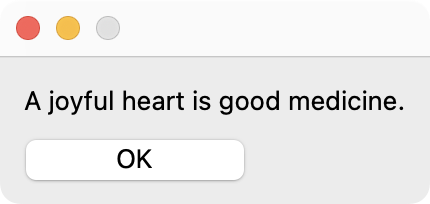
Using TkEasyGUI is simple. If you only want to display a dialog, it requires just two lines of code.
import TkEasyGUI as eg
# Show Text dialog
eg.print("A joyful heart is good medicine.")
Ask the user for their name and display that name in the window.
import TkEasyGUI as eg
# Show Input dialog
name = eg.input("What is your name?")
eg.print(f"Hello, {name}.")

Furthermore, a dialog is available that allows specifying multiple input fields.
import TkEasyGUI as eg
# Show Form dialog
form = eg.popup_get_form(["Name", "Age", "Hobbies"])
if form:
    name = form["Name"]
    age = form["Age"]
    hobbies = form["Hobbies"]
    eg.print(f"name={name}, age={age}, hobby={hobbies}")

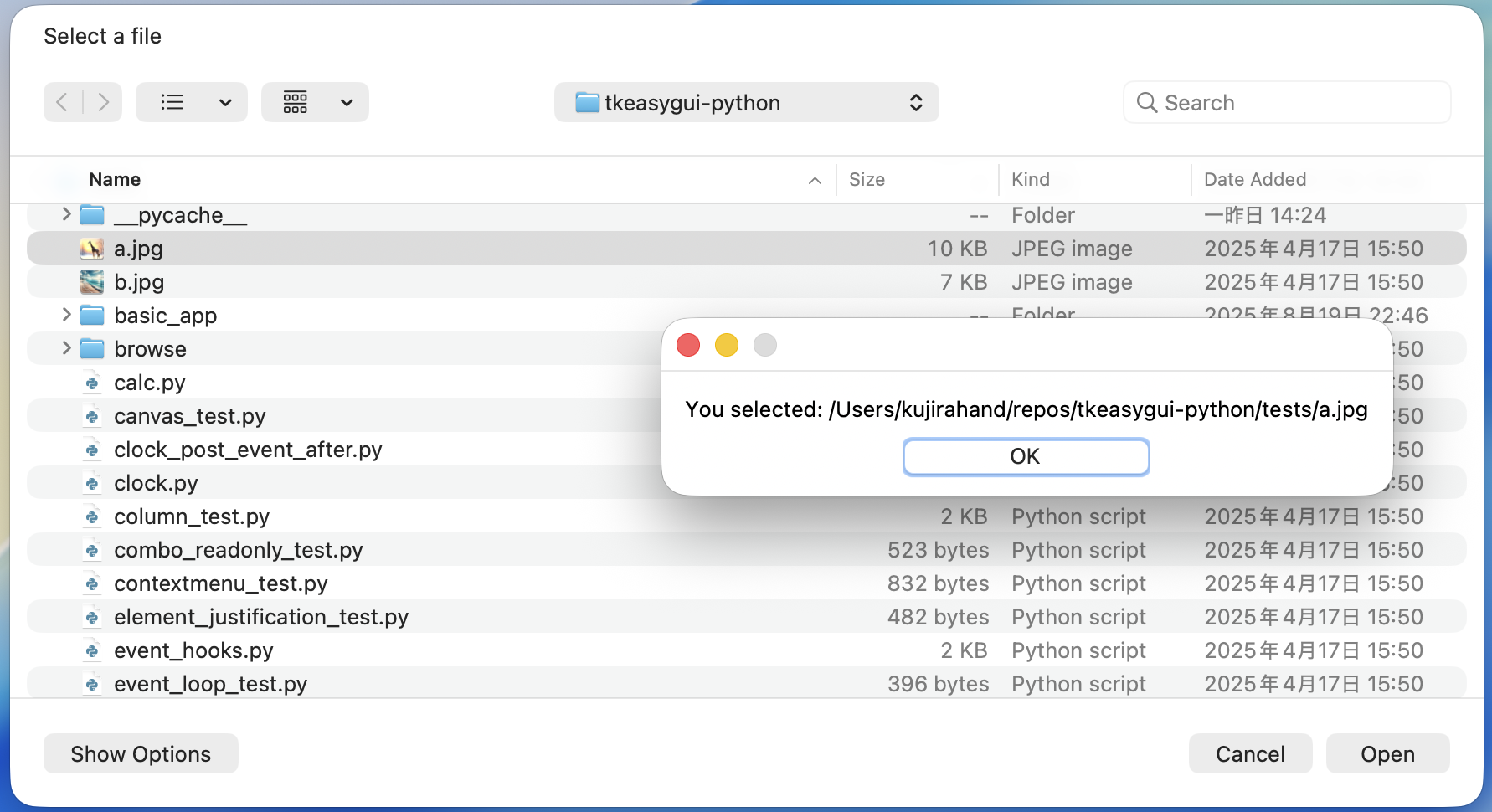
A file selection dialog is also available.
import TkEasyGUI as eg
# Show File dialog
file_path = eg.popup_get_file("Select a file")
eg.print(f"You selected: {file_path}")
More Dialogs
TkEasyGUI provides a variety of dialogs. For example, a color selection dialog, a file selection dialog, and a calendar dialog.
How to use - widgets
To create a simple window with only labels and buttons, you would write as follows:
import TkEasyGUI as eg
# define layout
layout = [
    [eg.Text("Hello, World!")],
    [eg.Button("OK")]
]
# create a window
with eg.Window("Hello App", layout) as window:
    # event loop
    for event, values in window.event_iter():
        if event == "OK":
            eg.print("Thank you.")
            break
You can describe it using an event model similar to the famous GUI library, PySimpleGUI.
import TkEasyGUI as eg

# define layout
layout = [
    [eg.Text("Hello, World!")],
    [eg.Button("OK")]
]
# create a window
window = eg.Window("Hello App", layout)
# event loop
while True:
    event, values = window.read()
    if event in ["OK", eg.WINDOW_CLOSED]:
        eg.popup("Thank you.")
        break
# close window
window.close()
Samples
We have prepared a selection of samples to demonstrate simple usage. Please check them out.
Running tests/file_viewer.py allows all samples to be easily launched.
Development and Testing
This project uses Just as a task runner. You can run various development tasks (formatting, linting, testing, etc.) by installing just and running:
just
To run the automated tests located in pytest_tests, install pytest and run:
python -m pip install -U pytest
just test
Documents
Below is a detailed list of classes and methods.
Tutorial
Japanese tutorials:
- TkEasyGUI - Pythonで最も素早くデスクトップアプリを創るライブラリ
- マイナビニュースPython連載116回目 - 合計/整形/コピーのツールを作ろう
- (Book) Pythonでつくるデスクトップアプリ メモ帳からスクレイピング・生成AI利用まで
- (Magazine) 日経ソフトウエア2025年5月号の特集記事 - TkEasyGUIを使ってみよう
There are other helpful articles as well.
Compatibility with PySimpleGUI
- When using basic functionalities, it is compatible with PySimpleGUI. Programs can be written using the same event-driven model as PySimpleGUI.
- The names of basic GUI components are kept the same, but some property names differ.
- TkEasyGUI has been completely reimplemented from scratch and is licensed under the MIT License.
- However, full compatibility with PySimpleGUI is not intended.
TkEasyGUI features
- Using a
forloop andwindow.event_iter()enables straightforward event processing. - Custom popup dialogs, such as a color selection dialog(
eg.popup_color), a list dialog(eg.popup_listbox), form dialog(eg.popup_get_form) are available. - The
Imageclass supports not only PNG but also JPEG formats. - Convenient event hooks and features for bulk event registration are provided - docs/custom_events.
- Methods such as Copy, Paste, and Cut are added to text boxes (Multiline/Input).
- The system's default color scheme is utilized.
Additional Information
How to run on Raspberry Pi?
It works on Raspberry Pi OS as well. Please pay attention to the following points during installation:
- Use Python 3.9 or higher.
- Pillow (not PIL) is required. Please run the following command:
pip install --upgrade --force-reinstall pillow- If this does not work, uninstall the old system version of Pillow and reinstall it:
sudo apt remove python3-pilpip install pillow
- Tkinter is pre-installed on Raspberry Pi, but the
python3-tkpackage is required. Please run the following command:sudo apt-get install python3-tk
Link
1 maintainer

Download files
Download the file for your platform. If you're not sure which to choose, learn more about installing packages.
Source Distribution
Built Distribution
Filter files by name, interpreter, ABI, and platform.
If you're not sure about the file name format, learn more about wheel file names.
Copy a direct link to the current filters
File details
Details for the file tkeasygui-1.0.45.tar.gz.
File metadata
- Download URL: tkeasygui-1.0.45.tar.gz
- Upload date:
- Size: 68.8 kB
- Tags: Source
- Uploaded using Trusted Publishing? No
- Uploaded via:
twine/6.2.0 CPython/3.13.9
File hashes
| Algorithm | Hash digest | |
|---|---|---|
| SHA256 |
aa959d2ef11477e48ee62116dca47328151452bece2355cfa84819456f68be72
|
|
| MD5 |
da4187fecb4151c25b5211b0b947f1c8
|
|
| BLAKE2b-256 |
d62e5eef0001187a69b661b0e0faf7aaf02d32046447ac1468e2f3e6d292499e
|
File details
Details for the file tkeasygui-1.0.45-py3-none-any.whl.
File metadata
- Download URL: tkeasygui-1.0.45-py3-none-any.whl
- Upload date:
- Size: 66.6 kB
- Tags: Python 3
- Uploaded using Trusted Publishing? No
- Uploaded via:
twine/6.2.0 CPython/3.13.9
File hashes
| Algorithm | Hash digest | |
|---|---|---|
| SHA256 |
26cfbcdd8be181f6474c128dc121a9b8a2ed7413df9da85dd2c8aa7b41f5b592
|
|
| MD5 |
8a3652f3fa154748651b711333ef5a1d
|
|
| BLAKE2b-256 |
94063fde1f51821bb3917878accbecb371c062b1e52d15da474606c6bad19709
|







