
A lightweight, extensible Python IDE inspired by Jupyter, built with PyQt5.

Project description
Uranus IDE
Uranus is a lightweight, extensible Python IDE inspired by Jupyter. It supports interactive coding, markdown documentation, and modular plugin architecture — all built with PyQt5.
🔥 Uranus IDE is the first modular Python IDE with full RTL support across all editing modes.
Uranus IDE Screenshots
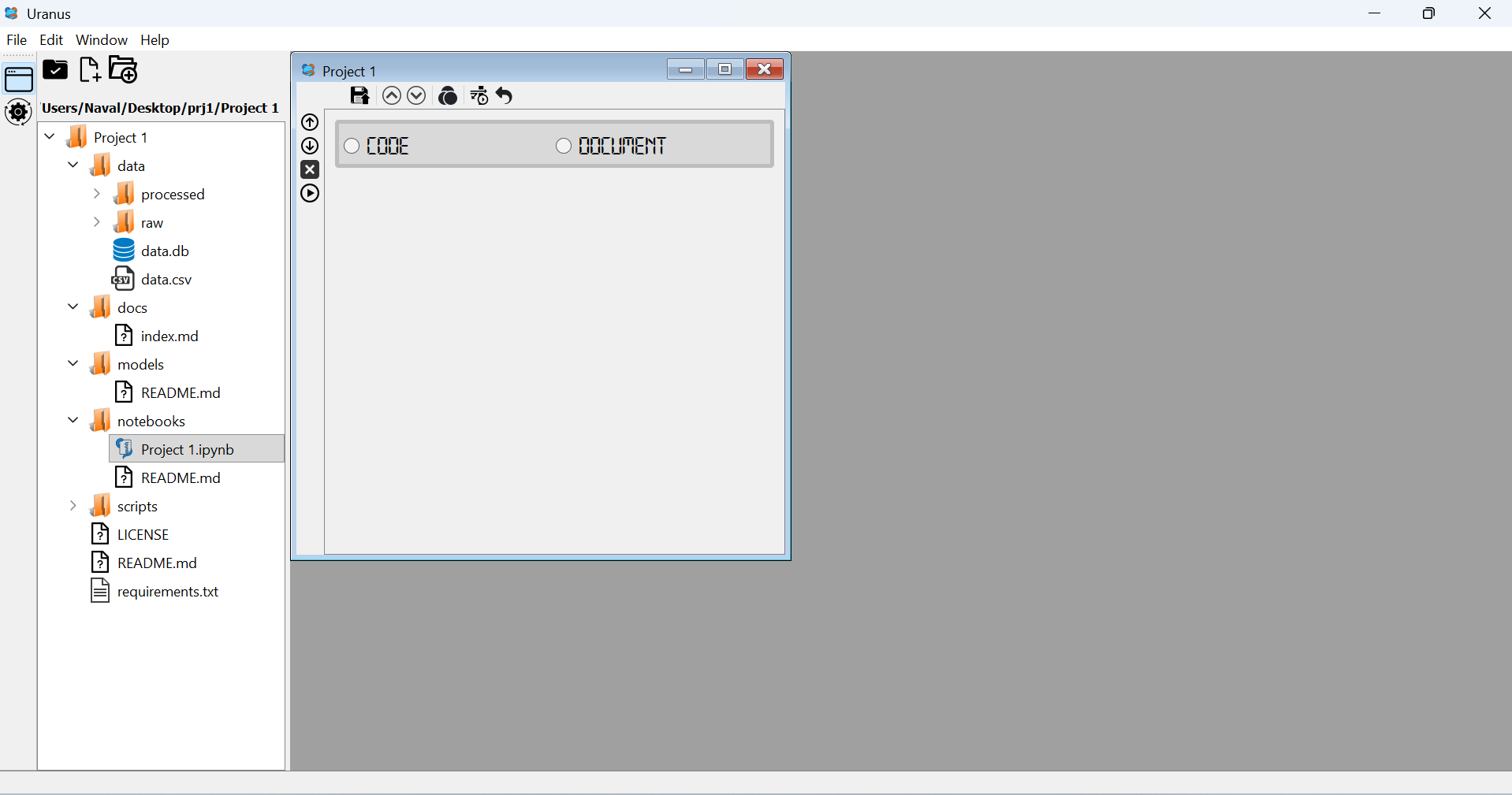 Screenshot 1 |
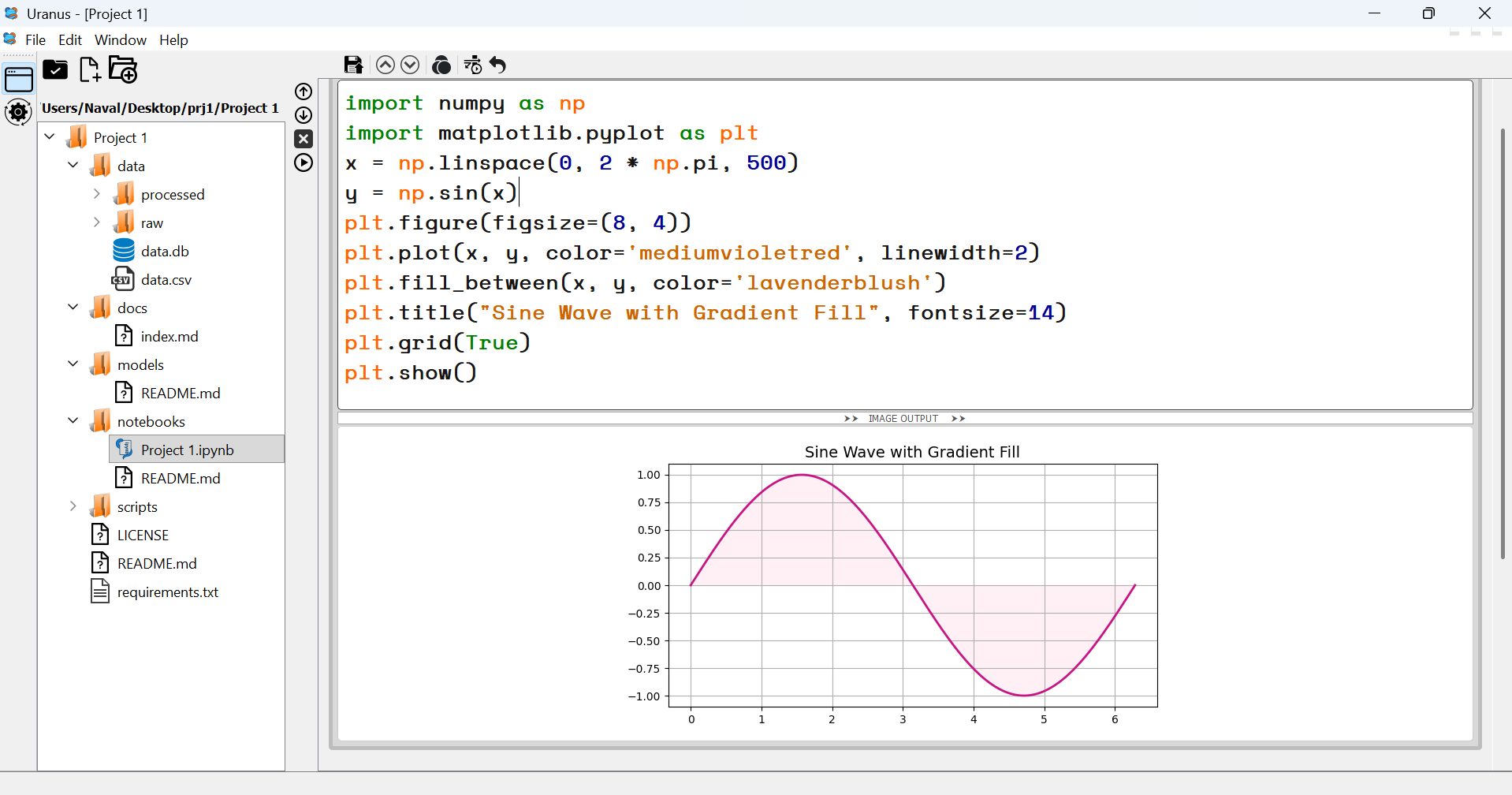 Screenshot 2 |
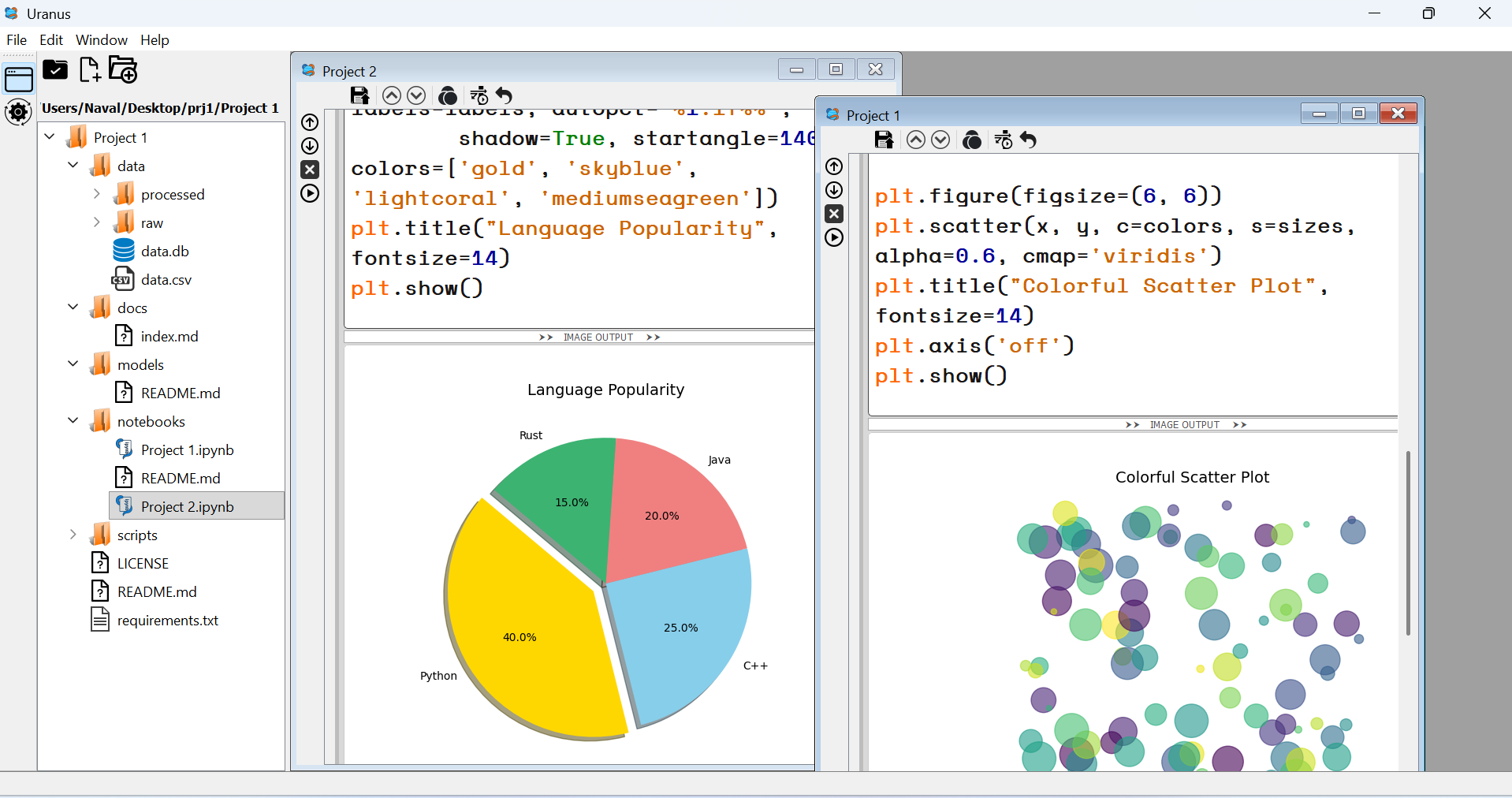 Screenshot 3 |
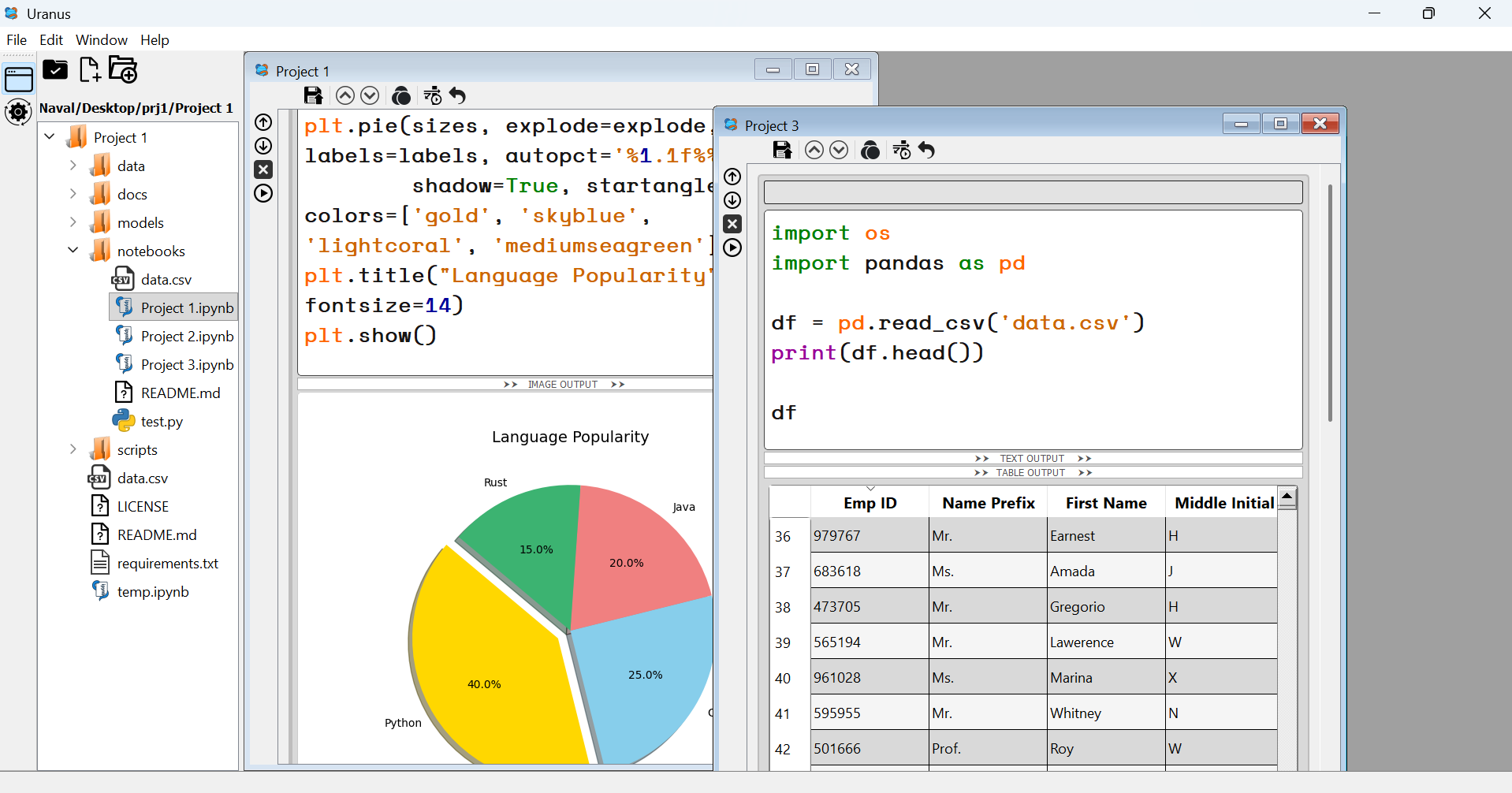 Screenshot 4 |
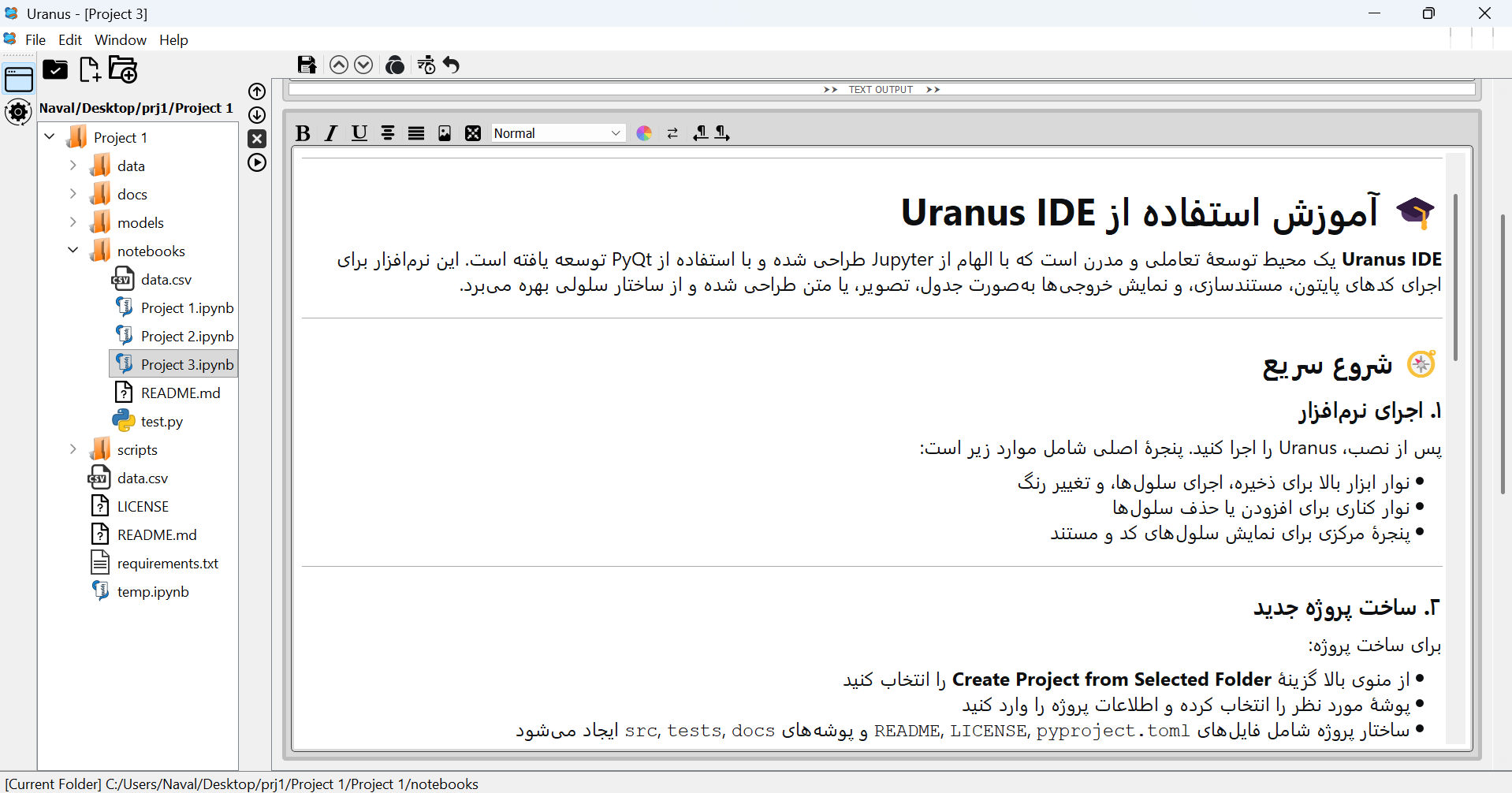 Screenshot 5 |
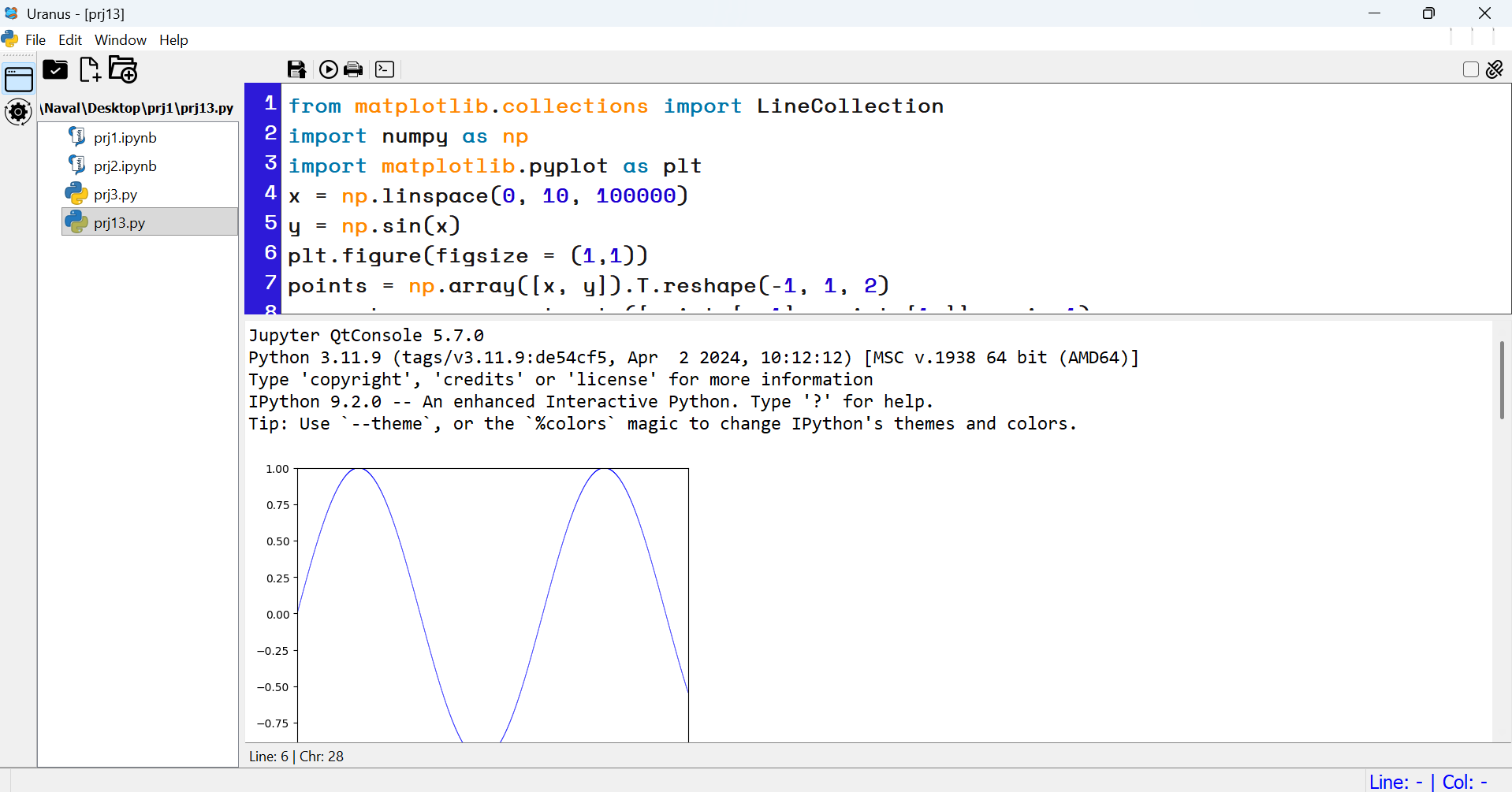 Screenshot 6 |
Screenshots from Uranus IDE — created and developed by Atila Ghashghaie - آتیلا قشقایی .
Features
- 🧠 Code and Markdown cells with live execution
- 📊 Output viewers for text, tables, and images
- 🧰 Customizable toolbar and editor settings
- 🧾 Project scaffolding with license and metadata
- 🧱 File explorer with context menu and keyboard shortcuts
✨ Key Features
- ✅ Cell-based editing with IPython kernel
- ✅ Modular architecture with PyQt5
- ✅ Full RTL (Right-to-Left) support for Persian, Arabic, and other RTL languages
- ✅ Custom file explorer with inline editing
- ✅ Project creation and metadata management
🧩 Advanced Window & Memory Features
Uranus IDE goes beyond traditional editors by introducing two powerful features that elevate both usability and introspection:
🐍 Python Error & Lint Testing
Uranus IDE integrates a built‑in error and lint analyzer powered by Ruff.
This feature allows developers to run static analysis directly inside the IDE and instantly detect:
- ❌ Syntax and style errors (indentation, spacing, line length, etc.)
- ⚠️ Warnings for risky or non‑optimal code patterns
- 🧩 Unused imports, undefined names, and logical issues
- 📏 Customizable rule categories with checkboxes for enabling/disabling specific families (e.g.
E,W,F,B,UP) - 🎨 Color‑coded output highlighting for errors, warnings, and success messages
The analyzer window provides a dark‑themed interface with live feedback and a status bar that displays rule descriptions when hovering over checkboxes. Developers can tailor the analysis to their workflow by ignoring selected categories and re‑running checks with a single click.
With this addition, Uranus IDE becomes not only an interactive coding environment but also a powerful linting and error‑testing tool for Python projects.
🔀 Detachable WorkWindows — Seamless Floating Mode
Switch any notebook window between embedded (MDI) and floating mode with a single click — without losing content, focus, or execution state. This feature enables:
- Multi-monitor workflows with independent execution panels
- Persistent cell layout and toolbar state across transitions
- Instant toggling via the "Detach" checkbox in the top toolbar
Built with robust parent migration logic, Uranus ensures that every cell, output, and toolbar remains intact during window transitions.
🧠 Attribute Table — Inspect Your Runtime Like a Pro
Uranus includes a dynamic attribute inspector that visualizes all user-defined variables and objects in a structured table:
| Name | Type | Size (bytes) | Value Preview |
|---|---|---|---|
df |
DataFrame | 2048 | <table> |
img |
Image | 5120 | <image> |
model |
Class | 1024 | <object> |
Features:
- Recursively inspects attributes of user-defined classes and instances
- Filters internal and unsupported types for clarity
- Displays live memory footprint and object type
- Fully integrated with IPython kernel and object store
Whether you're debugging a complex pipeline or teaching data structures, this table gives you full visibility into your runtime environment.
These features are designed and implemented by Atila Ghashghaie — bringing modular architecture and deep introspection to the heart of Python development.
Python Script Editor
This module provides a dedicated Python editor and console inside Uranus IDE.
It can display and edit .py files, run them in Python kernel.
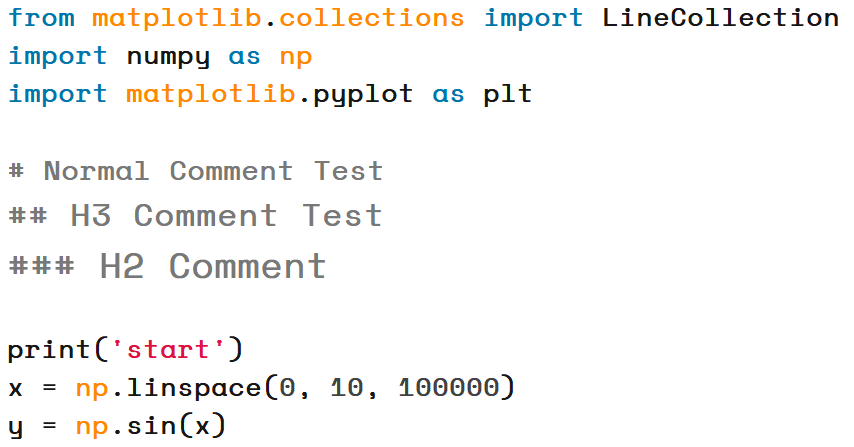
📝 Comment Headings
Uranus IDE now supports special formatting for comments:
##makes the comment font 2 points larger than normal.###makes the comment font 4 points larger and bold.
This allows you to create visual headings inside your code for better readability and teaching.
📝 Independent Markdown Editor
Uranus IDE now includes a dedicated Markdown editor that operates independently from the code environment.
This editor provides a professional space for writing and managing documentation, tutorials, and project notes.
Key benefits include:
- Full support for standard Markdown syntax (headings, lists, tables, images, links)
- A distraction-free environment tailored for documentation
- Ideal for creating technical reports, teaching materials, or project guides
With this addition, Uranus IDE becomes not only a coding platform but also a complete solution for professional documentation workflows.
⏱ Code Cell Execution Timer
Each code cell in Uranus IDE is now equipped with an execution time display.
This feature automatically measures:
- The total runtime of the current cell execution
- The delta (difference) compared to the previous execution of the same cell
This allows developers and educators to:
- Benchmark performance changes between runs
- Identify bottlenecks in code execution
- Gain immediate feedback on optimization efforts
By integrating execution timing directly into the cell interface, Uranus IDE makes performance analysis seamless and intuitive.
Installation and Run Project After GitHub Cloning
1- Go to Project Folder -> Uranus-IDE\
pip install -r requirements.txt
python uranus.py
Installation and Run With pip install from Pypi.org
1 - go to cmd or terminal
pip install Uranus-IDE
2 after finishing just type in termainal or cmd
uranus
Update Project to the Last Version in Pypi.org
1 - go to cmd or terminal
# Recomended Method
pip uninstall uranus-ide
pip install uranus-ide
OR
pip install --upgrade uranus-ide
Release history Release notifications | RSS feed


Download files
Download the file for your platform. If you're not sure which to choose, learn more about installing packages.
Source Distribution
Built Distribution
Filter files by name, interpreter, ABI, and platform.
If you're not sure about the file name format, learn more about wheel file names.
Copy a direct link to the current filters
File details
Details for the file uranus_ide-3.2.1a28.tar.gz.
File metadata
- Download URL: uranus_ide-3.2.1a28.tar.gz
- Upload date:
- Size: 4.2 MB
- Tags: Source
- Uploaded using Trusted Publishing? No
- Uploaded via: twine/6.2.0 CPython/3.11.9
File hashes
| Algorithm | Hash digest | |
|---|---|---|
| SHA256 |
3f6c9126351c761c200f708e6bb8289485aff0c7e2d9a51b2c3c67e821369bf8
|
|
| MD5 |
6ad427db73cee6c15f0a6e8e40b3e3bc
|
|
| BLAKE2b-256 |
4ef09c2c0f8b962605a4d3d8de5dcf3946eb636168ccb6f8288e96269b3d8224
|
File details
Details for the file uranus_ide-3.2.1a28-py3-none-any.whl.
File metadata
- Download URL: uranus_ide-3.2.1a28-py3-none-any.whl
- Upload date:
- Size: 4.2 MB
- Tags: Python 3
- Uploaded using Trusted Publishing? No
- Uploaded via: twine/6.2.0 CPython/3.11.9
File hashes
| Algorithm | Hash digest | |
|---|---|---|
| SHA256 |
903c95379d5e92da02c933c4bf37585c8ea5185a8d517c9f9aae745389984af3
|
|
| MD5 |
6b2903f8a8aa5968fe80bdb9945b299f
|
|
| BLAKE2b-256 |
bd4b632e09c3d0439dff444158b668b165da077c23b6bdfd4b60049ebc5b7e27
|






