
A Python package for rendering cube files with VMD.
Verified details
These details have been verified by PyPIProject links
GitHub Statistics
Maintainers

Project description
VMDCube








Description
A simple pip-installable Python module to generate pretty 3D visualizations of molecular orbitals like the one below:
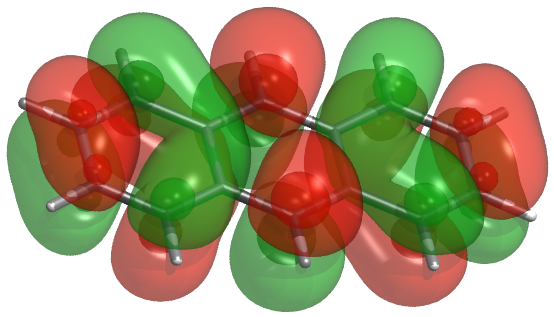
VMDCube is designed to work with VMD (Visual Molecular Dynamics) and can render isocountour surfaces saved in the standard cube file format. VMDCube can visualize molecular orbitals, electron density, and other volumetric data.
Features
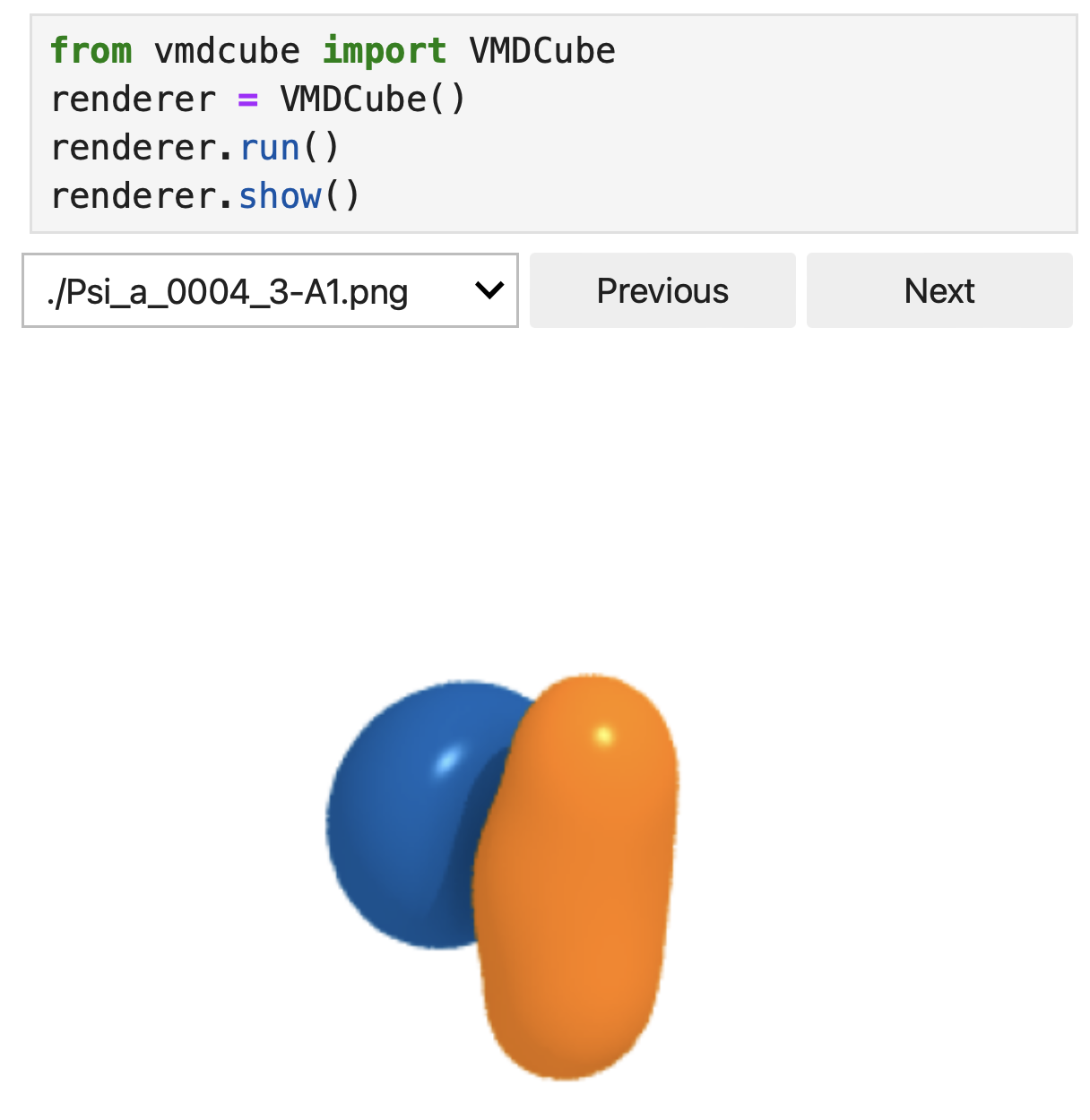
VMDCube can be used in Python scripts and Jupyter notebooks to render cube files. Here is an example of how to use it in Python:
from vmdcube import VMDCube
vmd = VMDCube() # by default, render all cube files in the current directory
vmd.run()
The following showcases VMDCube's visualization capabilities in Jupyter notebooks:
Installation and setup
VMDCube
VMDCube is available on PyPI and can be installed using pip:
pip install vmdcube
VMD Path
VMDCube requires the environment variable VMDPATH to be set to the location of the VMD executable.
For example, if you’re using zsh and the VMD executable is /Applications/VMD 1.9.4a55-arm64-Rev11.app/Contents/vmd/vmd_MACOSXARM64, set VMDPATH to this value in your shell configuration file.
For example, for zsh add this line to your ~/.zshrc file:
export VMDPATH=/Applications/VMD\ 1.9.4a55-arm64-Rev11.app/Contents/vmd/vmd_MACOSXARM64
After updating ~/.zshrc, either restart your terminal or run the following so the change takes effect:
source ~/.zshrc
VMD
VMDCube requires VMD to be installed on your system. You can download VMD from the official website: VMD Download.
Installation from source
Clone the repository, then run:
git clone git@github.com:fevangelista/VMDCube.git
cd VMDCube
pip install -e .
Tutorials
See the VMDCube introductory tutorial for how to use VMDCube in Jupyter notebooks and available rendering options.
Project details
Verified details
These details have been verified by PyPIProject links
GitHub Statistics
Maintainers


Download files
Download the file for your platform. If you're not sure which to choose, learn more about installing packages.
Source Distribution
Built Distribution
Filter files by name, interpreter, ABI, and platform.
If you're not sure about the file name format, learn more about wheel file names.
Copy a direct link to the current filters
File details
Details for the file vmdcube-1.0.3.tar.gz.
File metadata
- Download URL: vmdcube-1.0.3.tar.gz
- Upload date:
- Size: 10.1 kB
- Tags: Source
- Uploaded using Trusted Publishing? Yes
- Uploaded via: twine/6.1.0 CPython/3.12.9
File hashes
| Algorithm | Hash digest | |
|---|---|---|
| SHA256 |
a067f4ad86e30fff8ca4bc7ccaa4c5ff9327f046d1228646a1ac05c02d0abadf
|
|
| MD5 |
854bcffc65f67165911478c1eed1a43b
|
|
| BLAKE2b-256 |
125b3a9587c647c6242f1f0950b9e55fd0bad84fea5912358d140b30d048605f
|
Provenance
The following attestation bundles were made for vmdcube-1.0.3.tar.gz:
Publisher:
python-publish.yml on fevangelista/VMDCube
-
Statement:
-
Statement type:
https://in-toto.io/Statement/v1 -
Predicate type:
https://docs.pypi.org/attestations/publish/v1 -
Subject name:
vmdcube-1.0.3.tar.gz -
Subject digest:
a067f4ad86e30fff8ca4bc7ccaa4c5ff9327f046d1228646a1ac05c02d0abadf - Sigstore transparency entry: 190528179
- Sigstore integration time:
-
Permalink:
fevangelista/VMDCube@9213446f85466054f8ebfd1d1027cba52123a90f -
Branch / Tag:
refs/tags/v.1.0.3 - Owner: https://github.com/fevangelista
-
Access:
public
-
Token Issuer:
https://token.actions.githubusercontent.com -
Runner Environment:
github-hosted -
Publication workflow:
python-publish.yml@9213446f85466054f8ebfd1d1027cba52123a90f -
Trigger Event:
release
-
Statement type:
File details
Details for the file vmdcube-1.0.3-py3-none-any.whl.
File metadata
- Download URL: vmdcube-1.0.3-py3-none-any.whl
- Upload date:
- Size: 11.1 kB
- Tags: Python 3
- Uploaded using Trusted Publishing? Yes
- Uploaded via: twine/6.1.0 CPython/3.12.9
File hashes
| Algorithm | Hash digest | |
|---|---|---|
| SHA256 |
909be73d9b1108ec5f8e34946f1c64c50a10b55b6f389fde1cf02ff8282201ca
|
|
| MD5 |
2c7d02762af72bc8e3ad03b2d3b368fa
|
|
| BLAKE2b-256 |
42f6d27547471a20cac6bb89bf91c6f5960c0242d8ed3e01fd8075741eba288f
|
Provenance
The following attestation bundles were made for vmdcube-1.0.3-py3-none-any.whl:
Publisher:
python-publish.yml on fevangelista/VMDCube
-
Statement:
-
Statement type:
https://in-toto.io/Statement/v1 -
Predicate type:
https://docs.pypi.org/attestations/publish/v1 -
Subject name:
vmdcube-1.0.3-py3-none-any.whl -
Subject digest:
909be73d9b1108ec5f8e34946f1c64c50a10b55b6f389fde1cf02ff8282201ca - Sigstore transparency entry: 190528184
- Sigstore integration time:
-
Permalink:
fevangelista/VMDCube@9213446f85466054f8ebfd1d1027cba52123a90f -
Branch / Tag:
refs/tags/v.1.0.3 - Owner: https://github.com/fevangelista
-
Access:
public
-
Token Issuer:
https://token.actions.githubusercontent.com -
Runner Environment:
github-hosted -
Publication workflow:
python-publish.yml@9213446f85466054f8ebfd1d1027cba52123a90f -
Trigger Event:
release
-
Statement type:






