
Python-based solution for converting ECG data from XML format to the DICOM(Digital Imaging and Communications in Medicine) format

Project description
XML2DCM-ECG
Description
This repository contains a Python-based solution for converting ECG data from XML format to the DICOM (Digital Imaging and Communications in Medicine) format. The goal of this project is to facilitate the process of transforming clinical ECG data stored in XML files into a standardized, widely-used DICOM format, which is essential for healthcare systems, medical imaging devices, and Electronic Health Record (EHR) systems.
The solution handles the extraction and conversion of ECG information, including patient details, acquisition context, and waveform data, from XML files into the DICOM format. The project also integrates essential metadata such as the type of ECG lead (e.g., Lead I, Lead II), device information (e.g., acquisition device, software versions), and patient demographics.
Installation
You can install XML2DCM-ECG directly from PyPI:
pip install XML2DCM-ECG
Alternatively, you can use uv, a faster Python package manager with built-in script runner:
pip install uv
Usage
After installation, you can run the ECG XML-to-DICOM converter using either of the following methods.
1. Using standard CLI command
Run the following command:
xml2dcm-ecg --debug True --debug_n 5 --project_root /path/to/project --data_root /path/to/data --ecg_xml_dir /path/to/xml_files --output_dir /path/to/save_dicom --filename_pattern "MUSE_(?P<examination_date>\d{8})_(\d{6})_(\d{5})" --out_filename_pattern "ECG_DICOM_{examination_date}_{seq}"
2. Using uvx for fast execution
With uv installed, you can use uvx for faster execution:
uvx xml2dcm-ecg --debug True --debug_n 5 --project_root /path/to/project --data_root /path/to/data --ecg_xml_dir /path/to/xml_files --output_dir /path/to/save_dicom --filename_pattern "MUSE_(?P<examination_date>\d{8})_(\d{6})_(\d{5})" --out_filename_pattern "ECG_DICOM_{examination_date}_{seq}"
CLI Options
| Argument | Type | Required | Default | Description |
|---|---|---|---|---|
--debug |
bool |
No | False |
Enable debug mode to process a limited number of files |
--debug_n |
int |
No | 5 |
Number of files to process when debug is enabled |
--project_root |
str |
Yes | — | Root directory of the project |
--data_root |
str |
Yes | — | Root path for input data |
--ecg_xml_dir |
str |
Yes | — | Relative path to the directory containing ECG XML files |
--output_dir |
str |
No | ecg_dcm |
Directory (under project_root) where converted DICOM files will be saved |
--filename_pattern |
str |
Yes | — | Regex pattern to extract metadata from filenames |
--out_filename_pattern |
str |
Yes | — | Format for naming output DICOM files using named groups from the regex |
Pattern Requirements
To ensure consistent anonymization and file management, the following pattern requirements must be satisfied.
-
Filename Pattern (
--filename_pattern)- Must include a named group that extracts a date value from the XML filename.
Example:(?P<examination_date>\d{8}) - The ECG XML files must have filenames that contain this date value, so the pattern can correctly extract it.
- Must include a named group that extracts a date value from the XML filename.
-
Output Filename Pattern (
--out_filename_pattern)- Must contain:
- Exactly one date-related key (e.g.,
{examination_date}) - A sequence number key (e.g.,
{seq}) to differentiate multiple files with the same date
- Exactly one date-related key (e.g.,
- Must contain:
This is crucial for maintaining uniqueness among converted DICOM files, especially when multiple ECGs share the same date.
If seq is not included in the --out_filename_pattern, a warning will be printed and _{seq} will be automatically appended to ensure file uniqueness:
Warning: No sequence number in output filename pattern. Sequence numbers will not be used to differentiate files with the same date.
Add "seq" to the output filename pattern to enable sequence differentiation.
If more than one {...date...} key is found in the output filename pattern, the script will raise an error to enforce a single date field:
AssertionError: Expected one date key in the output filename pattern, found 2.
Make sure that:
- Your
--filename_patternincludes the group(s) matching the required keys (e.g.,(?P<examination_date>...)) - Your ECG XML filenames include a date string that matches this pattern
- Your
--out_filename_patternuses the same group names as placeholders (e.g.,{examination_date},{seq})
Example
- Input filename:
MUSE_20250711_153012_00001.xml - Extracted:
examination_date = 20250711
- Output filename:
ECG_DICOM_20250711_00001.dcm
Example results
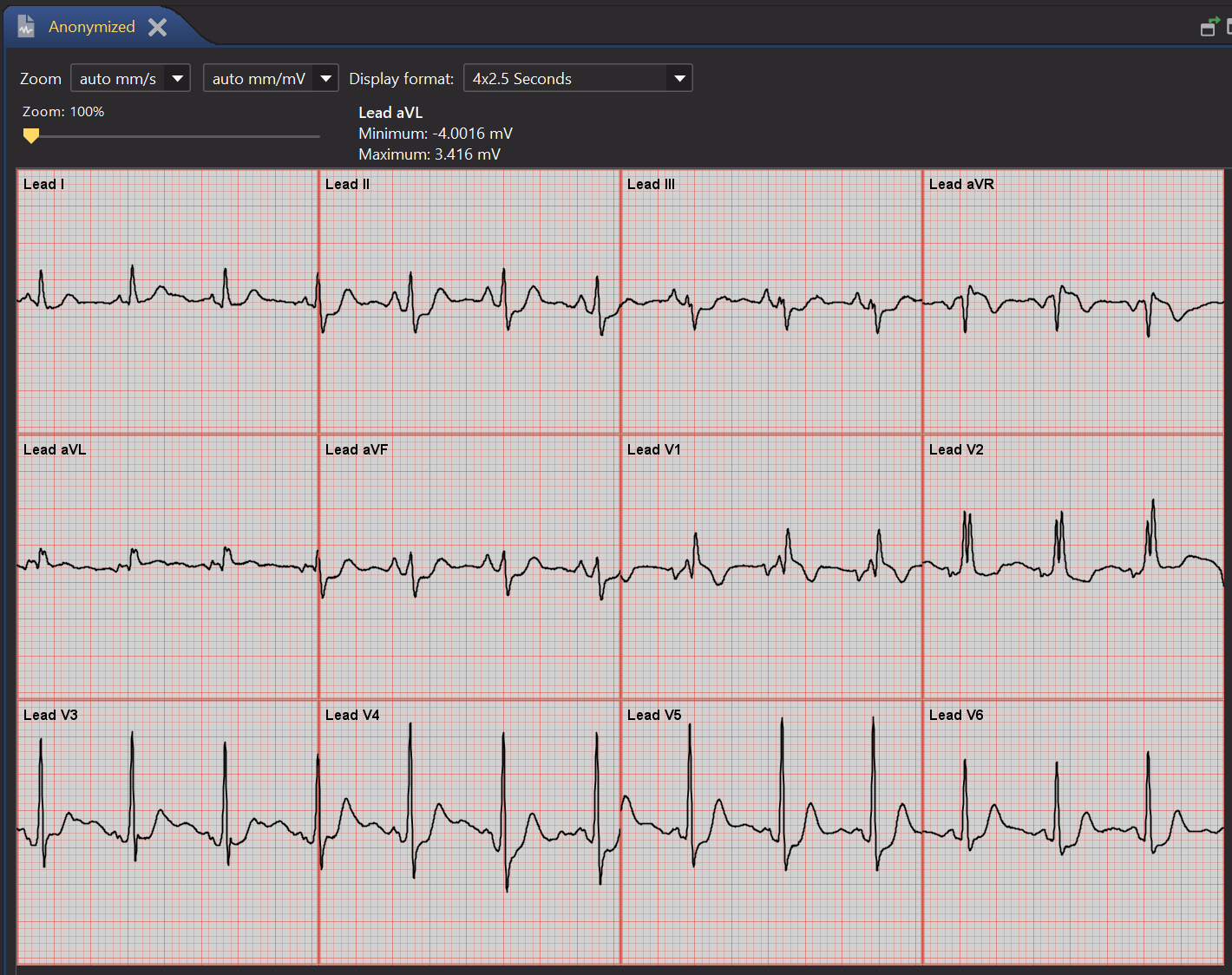
The following are examples of the ECG data converted from XML to DICOM format:
Release history Release notifications | RSS feed


Download files
Download the file for your platform. If you're not sure which to choose, learn more about installing packages.
Source Distribution
Built Distribution
Filter files by name, interpreter, ABI, and platform.
If you're not sure about the file name format, learn more about wheel file names.
Copy a direct link to the current filters
File details
Details for the file xml2dcm_ecg-1.1.10.tar.gz.
File metadata
- Download URL: xml2dcm_ecg-1.1.10.tar.gz
- Upload date:
- Size: 16.0 kB
- Tags: Source
- Uploaded using Trusted Publishing? No
- Uploaded via: twine/6.1.0 CPython/3.10.16
File hashes
| Algorithm | Hash digest | |
|---|---|---|
| SHA256 |
3149a1fbc3ba1a481453608ce93af5bc59dc959960cc28a0f22a3041f585fb97
|
|
| MD5 |
0bf846acdae12d3662f36147e02e6856
|
|
| BLAKE2b-256 |
0057e1424849bb56d01fd529e2570f0a096b6cf4930b9ced443830a6b501620f
|
File details
Details for the file xml2dcm_ecg-1.1.10-py3-none-any.whl.
File metadata
- Download URL: xml2dcm_ecg-1.1.10-py3-none-any.whl
- Upload date:
- Size: 16.8 kB
- Tags: Python 3
- Uploaded using Trusted Publishing? No
- Uploaded via: twine/6.1.0 CPython/3.10.16
File hashes
| Algorithm | Hash digest | |
|---|---|---|
| SHA256 |
6c320f3eba91cf8094f54c1762c0f960af74a3208ad4182e2296811a00cbc4a0
|
|
| MD5 |
038430ffb8baee9eb920127eada83dc8
|
|
| BLAKE2b-256 |
cde50c464536b2f2786b16e39bffeff47571142dfa5d5bd9e85099a0b50dcf6e
|






