
Export a YouTube channel Comments in a nice Excel format.

Project description
Youtube Comment Export
Export the comments of a YouTube channel in Excel files.




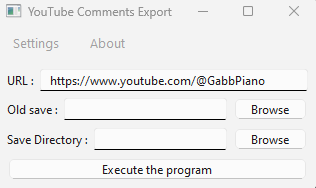
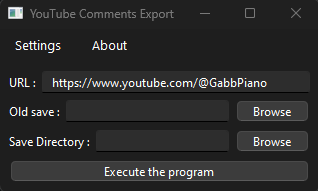
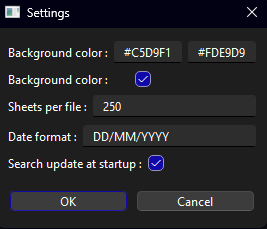
Excel Main Sheet
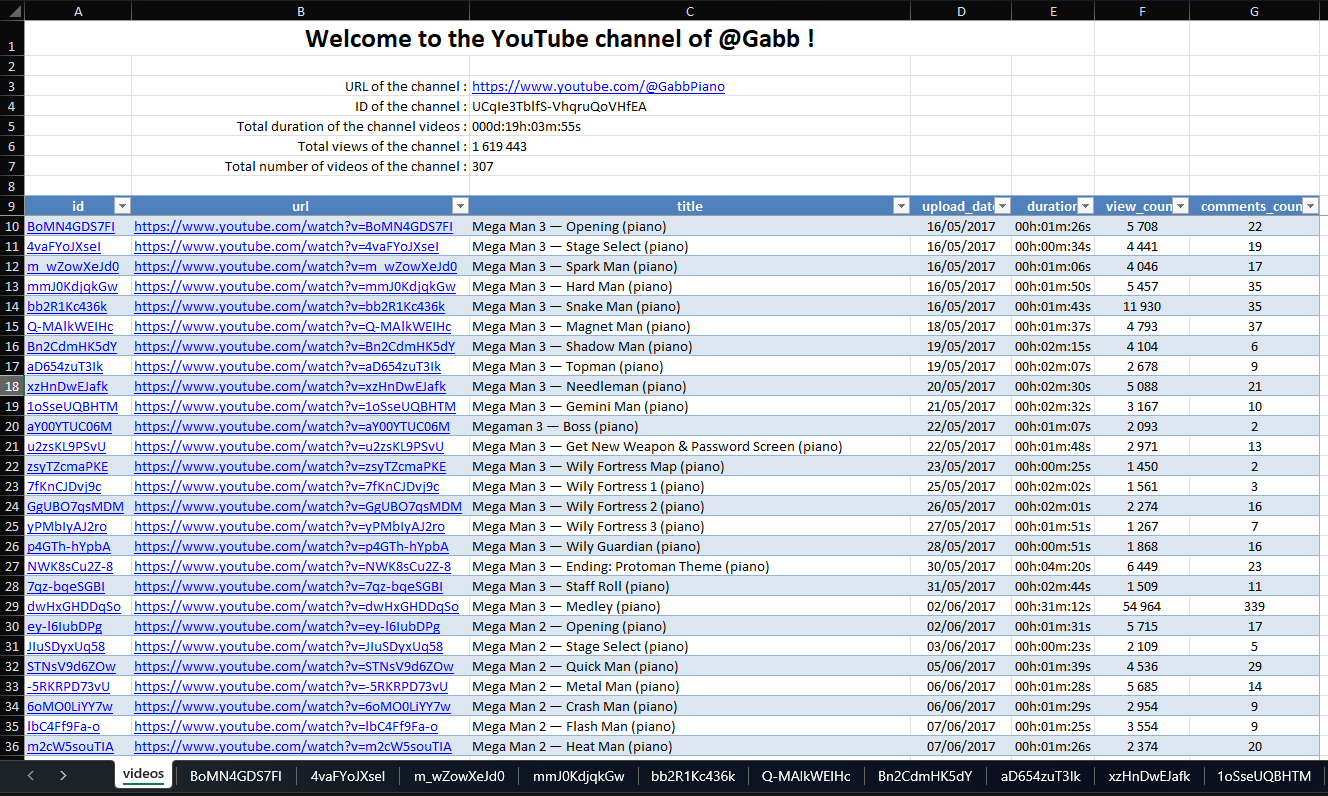
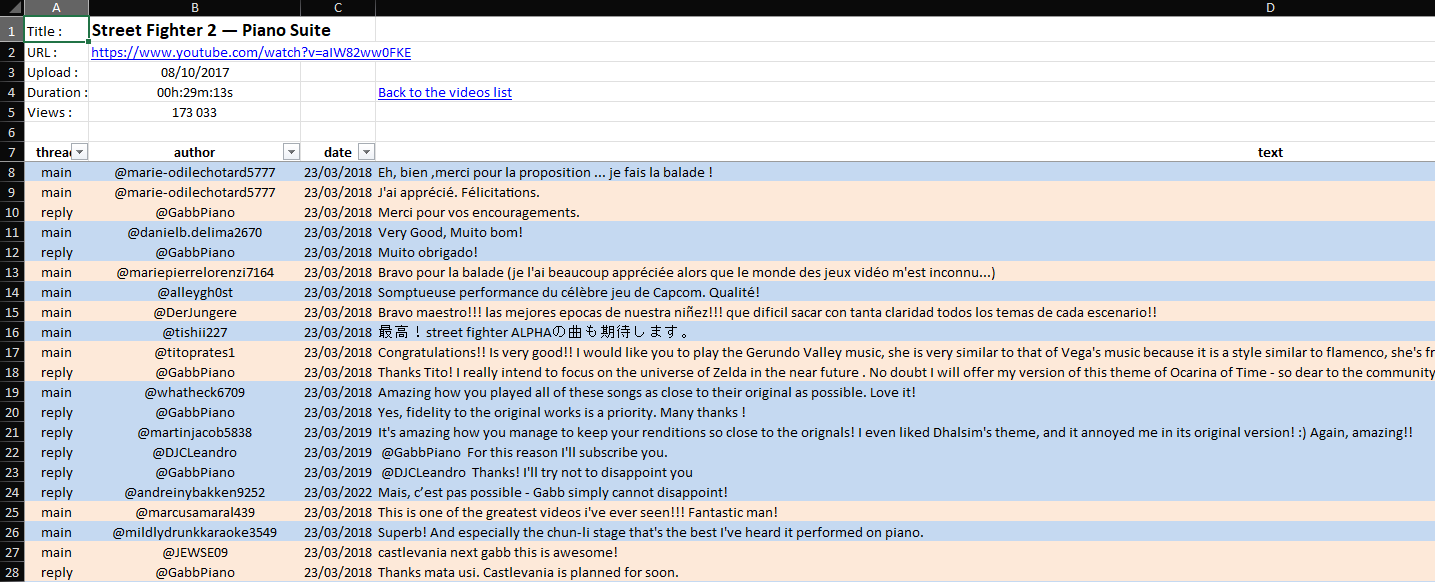
Excel Comments Sheet
Features
- Download data from a YouTube channel
- Download comments from a YouTube channel
- Export the data and comments in Excel files in a nice format
- Light ou Dark theme according to your OS theme
- Import old saves, this way :
- you can keep a more precise date of the comments
- you can keep comments even if they have been deleted
- sadly, it will not be possible to save downloading time because all the comments needs to be downloaded again
Installation
pip install Youtube-Comment-Export

GUI App
From the software
Download the .exe software from here and launch it.
From a CLI
ytComments-gui
From a Python script
import ytComments

app = ytComments.App()
app.run()
Python API
Introduction
import ytComments

# Settings
url = 'https://www.youtube.com/@GabbPiano'

# Initialize the instance
yt = ytComments.yt_manager(url)

# Needed to download the data from the url
yt.refresh()

# Export the comments in Excel
yt.export_excel()
Settings
import ytComments

### You can use these settings at initialization ###

# Youtube Channel URL or Youtube Video URL
url = 'https://www.youtube.com/@GabbPiano/videos'

# Directory to save the Excel files
dir = 'C:\Users\User\Desktop'

# Path of the old save files
path_save1 = r'C:\Users\User\Desktop\Save File 1.xlsx'
path_save2 = r'C:\Users\User\Desktop\Save File 2.xlsx'
path_save = [path_save1, path_save2]

# Initialize the instance
yt = ytComments.yt_manager(
  channel_url=url,
  directory=dir,
  old_save=path_save
  )

# Needed to download the data from the url
yt.refresh()

# Merging the old save data with the new downloaded data
yt.import_excel()

# Export the comments in Excel
yt.export_excel()
### You can also set these settings later ###

yt.old_save = path_save
yt.settings.channel_url = url
yt.settings.directory = dir

## Some additional settings are available too

# Swap color on Excel for each thread of comments
yt.settings.bg_color = ('#C5D9F1', '#FDE9D9')

# Allow or not the background color to be highlighted
yt.settings.bg_highlight = True

# Maximum number of sheets per file to export
# If the number of videos exceeds this number, the data will be split into multiple Excel files
yt.settings.max_sheets = 250

# Date format in the comments
yt.settings.date_format = 'DD/MM/YYYY'
yt.settings.date_format = 'MM-DD-YY'

# Sort comments from oldest to newest = True
# Sort comments from newest to oldest = False
yt.settings.oldest_to_newest = True
Class variables
# Raw data downloaded from the YouTube Channel
data = yt.channel_data

# Processed videos data of the channel
# Format : polars.DataFrame
data = yt.channel_videos(include_comments=True)

# Processed videos data of the channel
# Format : list of dictionaries for each row
data = yt.channel_videos(include_comments=True).to_dicts()

# You can also get the comments in a list format :
for video in data:
  video['comments'] = video['comments'].to_dicts()

# Title of the YouTube Channel
data = yt.channel_title

# ID of the YouTube Channel
data = yt.channel_id

# Total duration of the channel videos
data = yt.channel_total_duration

# Total views of the channel videos
data = yt.channel_total_views

# Number of videos of the channel
data = yt.channel_number_videos


Download files
Download the file for your platform. If you're not sure which to choose, learn more about installing packages.
Source Distribution
Built Distribution
Filter files by name, interpreter, ABI, and platform.
If you're not sure about the file name format, learn more about wheel file names.
Copy a direct link to the current filters
File details
Details for the file youtube_comment_export-1.1.2.tar.gz.
File metadata
- Download URL: youtube_comment_export-1.1.2.tar.gz
- Upload date:
- Size: 21.6 kB
- Tags: Source
- Uploaded using Trusted Publishing? No
- Uploaded via: twine/6.1.0 CPython/3.12.1
File hashes
| Algorithm | Hash digest | |
|---|---|---|
| SHA256 |
ef175bf5e4acd33697015ae0e2287594f84ce06b6c916608d9e0e736ed2d1390
|
|
| MD5 |
ce9d44dafacd2c3925334d50da63b38c
|
|
| BLAKE2b-256 |
e2cb02f2c7c32867e7abaf738cf35b0917f511b6075b62972e4f6bfc176a2276
|
File details
Details for the file youtube_comment_export-1.1.2-py3-none-any.whl.
File metadata
- Download URL: youtube_comment_export-1.1.2-py3-none-any.whl
- Upload date:
- Size: 26.0 kB
- Tags: Python 3
- Uploaded using Trusted Publishing? No
- Uploaded via: twine/6.1.0 CPython/3.12.1
File hashes
| Algorithm | Hash digest | |
|---|---|---|
| SHA256 |
5d5d22f3bace4b234e3d3da267284aceffd0147d63489cbc76cdcaee4c7263fd
|
|
| MD5 |
812fb1e59e2a86a1ff12a2b243ca8b23
|
|
| BLAKE2b-256 |
089b59b0626be11b647b77432a9c1b6dd0c8e29fa6aa592da9e04ae40005c4ee
|






