
A2A Protocol Adapter SDK for integrating various agent frameworks


Project description
A2A Adapter




🚀 Open Source A2A Protocol Adapter SDK - Make Any Agent Framework A2A-Compatible in 3 Lines
A Python SDK that enables seamless integration of various agent frameworks (n8n, LangGraph, CrewAI, LangChain, etc.) and personal AI agents (OpenClaw) with the A2A (Agent-to-Agent) Protocol. Build interoperable AI agent systems that can communicate across different platforms and frameworks.
✨ Key Benefits:
- 🔌 3-line setup - Expose any agent as A2A-compliant
- 🌐 Framework agnostic - Works with n8n, LangGraph, CrewAI, LangChain, and more
- 🌊 Streaming support - Built-in streaming for real-time responses
- 🎯 Production ready - Type-safe, well-tested, and actively maintained
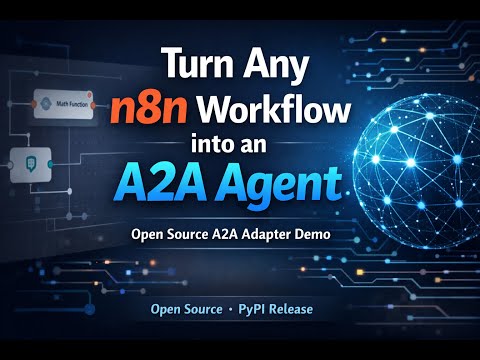
▶️ Demo: n8n → A2A Agent
Features
- ✨ Framework Agnostic: Integrate n8n workflows, LangGraph workflows, CrewAI crews, LangChain chains, OpenClaw personal agents, and more
- 🔌 Simple API: 3-line setup to expose any agent as A2A-compliant
- 🌊 Streaming Support: Built-in streaming for LangGraph, LangChain, and custom adapters
- 🎯 Type Safe: Leverages official A2A SDK types
- 🔧 Extensible: Easy to add custom adapters for new frameworks
- 📦 Minimal Dependencies: Optional dependencies per framework
Architecture
┌─────────────────┐
│   A2A Caller    │  (Other A2A Agents)
└────────┬────────┘
         │ A2A Protocol (HTTP + JSON-RPC 2.0)
         ▼
┌─────────────────┐
│  A2A Adapter    │  (This SDK)
│   - N8n         │
│   - LangGraph   │
│   - CrewAI      │
│   - LangChain   │
│   - OpenClaw    │
│   - Callable    │
└────────┬────────┘
         │
         ▼
┌─────────────────┐
│  Your Agent     │  (n8n workflow / CrewAI crew / Chain / OpenClaw)
└─────────────────┘
Single-Agent Design: Each server hosts exactly one agent. Multi-agent orchestration is handled externally via A2A protocol or orchestration frameworks like LangGraph.
See ARCHITECTURE.md for detailed design documentation.
Documentation
- 🚀 Quick Start: QUICKSTART.md
- 🧪 Examples: examples/
- 🛠 Debug & Advanced Usage: GETTING_STARTED_DEBUG.md
- 🧠 Architecture: ARCHITECTURE.md
- 🤝 Contributing: CONTRIBUTING.md
Installation
Basic Installation
pip install a2a-adapter
With Framework Support
# For n8n (HTTP webhooks)
pip install a2a-adapter

# For CrewAI
pip install a2a-adapter[crewai]

# For LangChain
pip install a2a-adapter[langchain]

# For LangGraph
pip install a2a-adapter[langgraph]

# Install all frameworks
pip install a2a-adapter[all]

# For development
pip install a2a-adapter[dev]
🚀 Quick Start
Get started in 5 minutes! See QUICKSTART.md for detailed guide.
Install
pip install a2a-adapter
Your First Agent (3 Lines!)
import asyncio
from a2a_adapter import load_a2a_agent, serve_agent
from a2a.types import AgentCard

async def main():
    adapter = await load_a2a_agent({
        "adapter": "n8n",
        "webhook_url": "https://your-n8n.com/webhook/workflow"
    })
    serve_agent(
        agent_card=AgentCard(name="My Agent", description="..."),
        adapter=adapter
    )

asyncio.run(main())
That's it! Your agent is now A2A-compatible and ready to communicate with other A2A agents.
👉 Read the full Quick Start Guide →
📖 Usage Examples
n8n Workflow → A2A Agent
adapter = await load_a2a_agent({
    "adapter": "n8n",
    "webhook_url": "https://n8n.example.com/webhook/math"
})
CrewAI Crew → A2A Agent
adapter = await load_a2a_agent({
    "adapter": "crewai",
    "crew": your_crew_instance
})
LangChain Chain → A2A Agent (with Streaming)
adapter = await load_a2a_agent({
    "adapter": "langchain",
    "runnable": your_chain,
    "input_key": "input"
})
LangGraph Workflow → A2A Agent (with Streaming)
adapter = await load_a2a_agent({
    "adapter": "langgraph",
    "graph": your_compiled_graph,
    "input_key": "messages",
    "output_key": "output"
})
Custom Function → A2A Agent
async def my_agent(inputs: dict) -> str:
    return f"Processed: {inputs['message']}"

adapter = await load_a2a_agent({
    "adapter": "callable",
    "callable": my_agent
})
OpenClaw Agent → A2A Agent
adapter = await load_a2a_agent({
    "adapter": "openclaw",
    "thinking": "low",
    "async_mode": True
})
Advanced Usage
Custom Adapter Class
For full control, subclass BaseAgentAdapter:
from a2a_adapter import BaseAgentAdapter
from a2a.types import Message, MessageSendParams, TextPart

class SentimentAnalyzer(BaseAgentAdapter):
    async def to_framework(self, params: MessageSendParams):
        # Extract user message
        text = params.messages[-1].content[0].text
        return {"text": text}

    async def call_framework(self, framework_input, params):
        # Your analysis logic
        sentiment = analyze_sentiment(framework_input["text"])
        return {"sentiment": sentiment}

    async def from_framework(self, framework_output, params):
        # Convert to A2A Message
        return Message(
            role="assistant",
            content=[TextPart(
                type="text",
                text=f"Sentiment: {framework_output['sentiment']}"
            )]
        )

# Use your custom adapter
adapter = SentimentAnalyzer()
serve_agent(agent_card=card, adapter=adapter, port=8004)
Streaming Custom Adapter
Implement handle_stream() for streaming responses:
class StreamingAdapter(BaseAgentAdapter):
    async def handle_stream(self, params: MessageSendParams):
        """Yield SSE-compatible events."""
        for chunk in generate_response_chunks():
            yield {
                "event": "message",
                "data": json.dumps({"type": "content", "content": chunk})
            }

        yield {
            "event": "done",
            "data": json.dumps({"status": "completed"})
        }

    def supports_streaming(self):
        return True
LangGraph Workflow as A2A Server
Expose a LangGraph workflow as an A2A server:
from langgraph.graph import StateGraph, END

# Build your workflow
builder = StateGraph(YourState)
builder.add_node("process", process_node)
builder.set_entry_point("process")
builder.add_edge("process", END)
graph = builder.compile()

# Expose as A2A agent
adapter = await load_a2a_agent({
    "adapter": "langgraph",
    "graph": graph,
    "input_key": "messages",
    "output_key": "output"
})
serve_agent(agent_card=card, adapter=adapter, port=9002)
See examples/07_langgraph_server.py for complete example.
Using A2A Agents from LangGraph
Call A2A agents from within a LangGraph workflow:
from langgraph.graph import StateGraph
from a2a.client import A2AClient

# Create A2A client
math_agent = A2AClient(base_url="http://localhost:9000")

# Use in LangGraph node
async def call_math_agent(state):
    response = await math_agent.send_message(
        MessageSendParams(messages=[...])
    )
    return {"result": response}

# Add to graph
graph = StateGraph(...)
graph.add_node("math", call_math_agent)
See examples/06_langgraph_single_agent.py for complete example.
Configuration
N8n Adapter
{
    "adapter": "n8n",
    "webhook_url": "https://n8n.example.com/webhook/agent",  # Required
    "timeout": 30,  # Optional, default: 30
    "headers": {    # Optional
        "Authorization": "Bearer token"
    }
}
CrewAI Adapter
{
    "adapter": "crewai",
    "crew": crew_instance,  # Required: CrewAI Crew object
    "inputs_key": "inputs"  # Optional, default: "inputs"
}
LangChain Adapter
{
    "adapter": "langchain",
    "runnable": chain,       # Required: Any Runnable
    "input_key": "input",    # Optional, default: "input"
    "output_key": None       # Optional, extracts specific key from output
}
LangGraph Adapter
{
    "adapter": "langgraph",
    "graph": compiled_graph,      # Required: CompiledGraph from StateGraph.compile()
    "input_key": "messages",      # Optional, default: "messages" (for chat) or "input"
    "output_key": None,           # Optional, extracts specific key from final state
    "async_mode": False,          # Optional, enables async task execution
    "async_timeout": 300          # Optional, timeout for async mode (default: 300s)
}
Callable Adapter
{
    "adapter": "callable",
    "callable": async_function,      # Required: async function
    "supports_streaming": False      # Optional, default: False
}
OpenClaw Adapter
{
    "adapter": "openclaw",
    "session_id": "my-session",      # Optional, auto-generated if not provided
    "agent_id": None,                # Optional, use default agent
    "thinking": "low",               # Optional: off|minimal|low|medium|high|xhigh
    "timeout": 600,                  # Optional, command timeout in seconds
    "async_mode": True               # Optional, return Task immediately (default: True)
}
Examples
The examples/ directory contains complete working examples:
- 01_single_n8n_agent.py - N8n workflow agent
- 02_single_crewai_agent.py - CrewAI multi-agent crew
- 03_single_langchain_agent.py - LangChain streaming agent
- 04_single_agent_client.py - A2A client for testing
- 05_custom_adapter.py - Custom adapter implementations
- 06_langgraph_single_agent.py - Calling A2A agents from LangGraph
- 07_langgraph_server.py - LangGraph workflow as A2A server
- 08_openclaw_agent.py - OpenClaw personal AI agent
Run any example:
# Start an agent server
python examples/01_single_n8n_agent.py

# In another terminal, test with client
python examples/04_single_agent_client.py
Testing
# Install dev dependencies
pip install a2a-adapter[dev]

# Run unit tests
pytest tests/unit/

# Run integration tests (requires framework dependencies)
pytest tests/integration/

# Run all tests
pytest
API Reference
Core Functions
load_a2a_agent(config: Dict[str, Any]) -> BaseAgentAdapter
Factory function to create an adapter from configuration.
Args:
config: Dictionary with"adapter"key and framework-specific options
Returns:
- Configured
BaseAgentAdapterinstance
Raises:
ValueError: If adapter type is unknown or required config is missingImportError: If required framework package is not installed
build_agent_app(agent_card: AgentCard, adapter: BaseAgentAdapter) -> ASGIApp
Build an ASGI application for serving an A2A agent.
Args:
agent_card: A2A AgentCard describing the agentadapter: Adapter instance
Returns:
- ASGI application ready to be served
serve_agent(agent_card, adapter, host="0.0.0.0", port=9000, **kwargs)
Start serving an A2A agent (convenience function).
Args:
agent_card: A2A AgentCardadapter: Adapter instancehost: Host address (default: "0.0.0.0")port: Port number (default: 9000)**kwargs: Additional arguments passed touvicorn.run()
BaseAgentAdapter
Abstract base class for all adapters.
Methods
async def handle(params: MessageSendParams) -> Message | Task
Handle a non-streaming A2A message request.
async def handle_stream(params: MessageSendParams) -> AsyncIterator[Dict]
Handle a streaming A2A message request. Override in subclasses that support streaming.
@abstractmethod async def to_framework(params: MessageSendParams) -> Any
Convert A2A message parameters to framework-specific input.
@abstractmethod async def call_framework(framework_input: Any, params: MessageSendParams) -> Any
Execute the underlying agent framework.
@abstractmethod async def from_framework(framework_output: Any, params: MessageSendParams) -> Message | Task
Convert framework output to A2A Message or Task.
def supports_streaming() -> bool
Check if this adapter supports streaming responses.
Adapter Support
| Agent/Framework | Adapter | Non-Streaming | Streaming | Async Tasks | Status |
|---|---|---|---|---|---|
| n8n | N8nAgentAdapter |
✅ | ❌ | ✅ | ✅ Stable |
| LangGraph | LangGraphAgentAdapter |
✅ | ✅ | ✅ | ✅ Stable |
| CrewAI | CrewAIAgentAdapter |
✅ | ❌ | ✅ | ✅ Stable |
| LangChain | LangChainAgentAdapter |
✅ | ✅ | ❌ | ✅ Stable |
| OpenClaw | OpenClawAgentAdapter |
✅ | ❌ | ✅ | ✅ Stable |
| Callable | CallableAgentAdapter |
✅ | ✅ | ❌ | ✅ Stable |
🤝 Contributing
We welcome contributions from the community! Whether you're fixing bugs, adding features, or improving documentation, your help makes this project better.
Ways to contribute:
- 🐛 Report bugs - Help us improve by reporting issues
- 💡 Suggest features - Share your ideas for new adapters or improvements
- 🔧 Add adapters - Integrate new agent frameworks (AutoGen, Semantic Kernel, etc.)
- 📝 Improve docs - Make documentation clearer and more helpful
- 🧪 Write tests - Increase test coverage and reliability
Quick start contributing:
- Fork the repository
- Create a feature branch (
git checkout -b feature/amazing-feature) - Make your changes
- Run tests (
pytest) - Submit a pull request
📖 Read our Contributing Guide → for detailed instructions, coding standards, and development setup.
Roadmap
- Core adapter abstraction
- N8n adapter (with async task support)
- LangGraph adapter (with streaming and async tasks)
- CrewAI adapter (with async task support)
- LangChain adapter (with streaming)
- Callable adapter (with streaming)
- OpenClaw adapter (with async tasks)
- Comprehensive examples
- Task support (async execution pattern)
- Artifact support (file uploads/downloads)
- AutoGen adapter
- Semantic Kernel adapter
- Haystack adapter
- Middleware system (logging, metrics, rate limiting)
- Configuration validation with Pydantic
- Docker images for quick deployment
FAQ
Q: Can I run multiple agents in one process?
A: This SDK is designed for single-agent-per-process. For multi-agent systems, run multiple A2A servers and orchestrate them externally using the A2A protocol or tools like LangGraph.
Q: Does this support the latest A2A protocol version?
A: Yes, we use the official A2A SDK which stays up-to-date with protocol changes.
Q: Can I use this with my custom agent framework?
A: Absolutely! Use the CallableAgentAdapter for simple cases or subclass BaseAgentAdapter for full control.
Q: What about authentication and rate limiting?
A: These concerns are handled at the infrastructure level (reverse proxy, API gateway) or by the official A2A SDK. Adapters focus solely on framework integration.
Q: How do I debug adapter issues?
A: Set log_level="debug" in serve_agent() and check logs. Each adapter logs framework calls and responses.
License
Apache-2.0 License - see LICENSE file for details.
💬 Community & Support
- 📚 Full Documentation - Complete API reference and guides
- 🚀 Quick Start Guide - Get started in 5 minutes
- 🏗️ Architecture Guide - Deep dive into design decisions
- 🐛 Report Issues - Found a bug? Let us know!
- 💬 Discussions - Ask questions and share ideas
- 🤝 Contributing Guide - Want to contribute? Start here!
📄 License
This project is licensed under the Apache License 2.0 - see the LICENSE file for details.
🙏 Acknowledgments
- Built with ❤️ by HYBRO AI
- Powered by the A2A Protocol
- Thanks to all contributors who make this project better!
⭐ Star this repo if you find it useful! ⭐
Release history Release notifications | RSS feed


Download files
Download the file for your platform. If you're not sure which to choose, learn more about installing packages.
Source Distribution
Built Distribution
Filter files by name, interpreter, ABI, and platform.
If you're not sure about the file name format, learn more about wheel file names.
Copy a direct link to the current filters
File details
Details for the file a2a_adapter-0.1.6.tar.gz.
File metadata
- Download URL: a2a_adapter-0.1.6.tar.gz
- Upload date:
- Size: 51.6 kB
- Tags: Source
- Uploaded using Trusted Publishing? No
- Uploaded via: twine/6.2.0 CPython/3.12.12
File hashes
| Algorithm | Hash digest | |
|---|---|---|
| SHA256 |
2980527bcb16afc0406bef0a8e8f9521df3dc936f75db497c170e1d46f7fb78a
|
|
| MD5 |
4217e071f3e43d192c1e5be6f8cb30fa
|
|
| BLAKE2b-256 |
38f53c31717fe6000cabb8fc18ae0f315377e65697de76a15656cd6fece5b8db
|
File details
Details for the file a2a_adapter-0.1.6-py3-none-any.whl.
File metadata
- Download URL: a2a_adapter-0.1.6-py3-none-any.whl
- Upload date:
- Size: 59.1 kB
- Tags: Python 3
- Uploaded using Trusted Publishing? No
- Uploaded via: twine/6.2.0 CPython/3.12.12
File hashes
| Algorithm | Hash digest | |
|---|---|---|
| SHA256 |
3daebd116d28ed6bbd38d8801ae3001d08d22312eb53b6403baeec76900d29dd
|
|
| MD5 |
80085b2847fcbcb41d917eedce322fbe
|
|
| BLAKE2b-256 |
378d7e68fa61334330bce9c18a5c8f1e09b883e2906261671bd120ccb051c212
|






