
Adobe Analytics SDR generator with snapshot/diff. Read-only. API 2.0 only.
Verified details
These details have been verified by PyPIProject links
GitHub Statistics
Maintainers

Project description
Adobe Analytics Solution Design Reference Generator
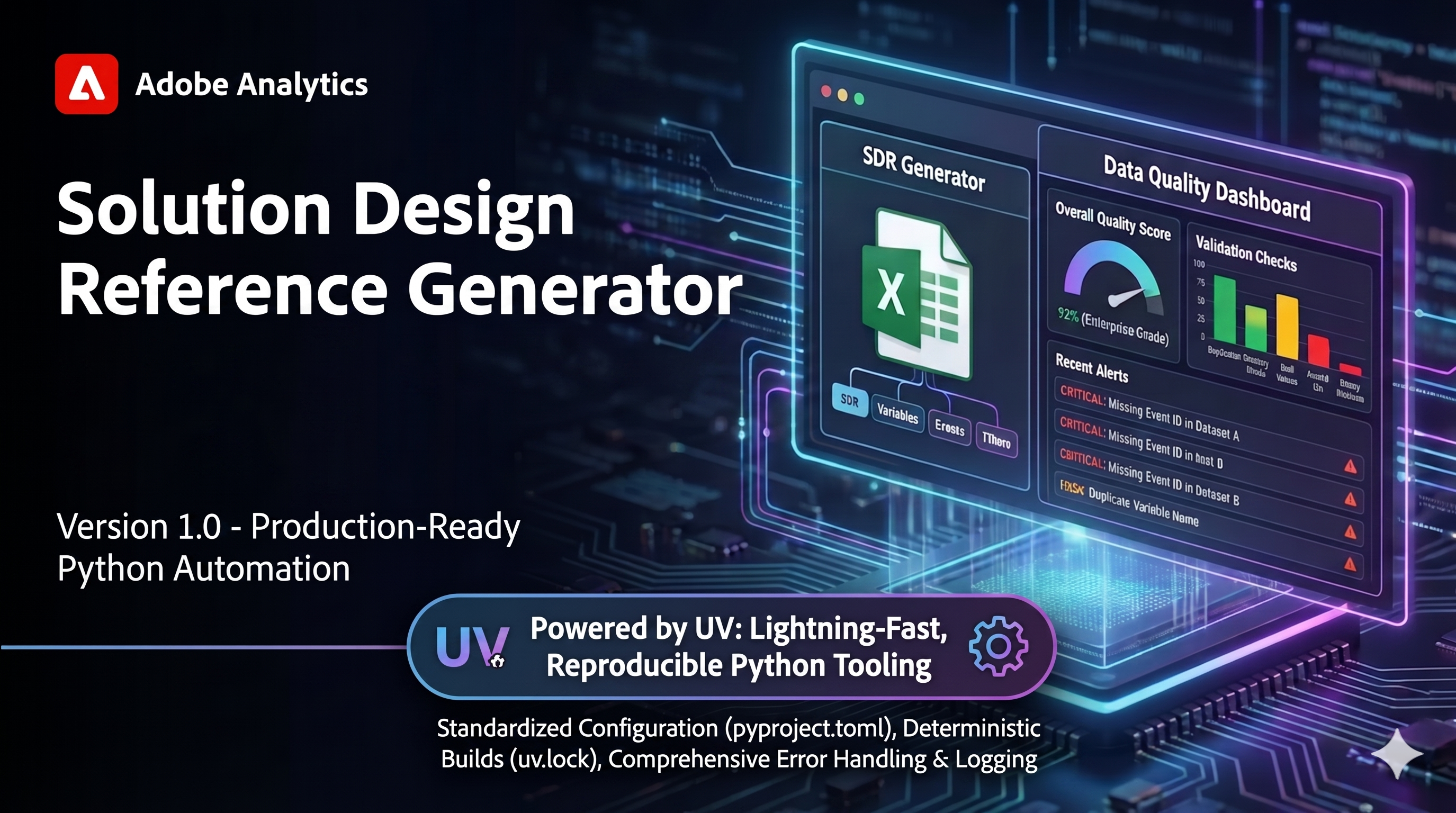






A production-ready Python CLI that automates the creation of Solution Design Reference (SDR) documentation from your Adobe Analytics implementation. Read-only against Adobe Analytics. API 2.0 only.
Counterpart to cja_auto_sdr; shares UX conventions, does not share code.
What It Is
A Solution Design Reference is the documentation that bridges your business requirements and your analytics implementation. It catalogs every dimension, metric, segment, calculated metric, virtual report suite, and classification dataset in your Adobe Analytics report suite — the single source of truth for what you collect and how it's configured.
The Problem: Manual SDR documentation is time-consuming, error-prone, and quickly outdated. Teams export data, format spreadsheets, and cross-reference configurations only to repeat the entire process when components change.
The Solution: This tool connects to the Adobe Analytics 2.0 API, extracts every component of a report suite, and renders the result in five formats (Excel, CSV, JSON, HTML, Markdown). It also persists snapshots of the normalized model and produces structured diffs between any two snapshots — version control of SDR.
How It Works
- Authenticates via Adobe OAuth Server-to-Server (env vars, named profile,
.env, orconfig.json). - Fetches every component from your report suite via the Adobe Analytics 2.0 API. Read-only — no writes ever.
- Builds an
SdrDocument— the normalized, SDK-agnostic boundary type that all renderers and snapshots consume. - Renders to your chosen format(s) and optionally persists a snapshot under
~/.aa/orgs/<profile>/snapshots/for later diffing.
Key Features
| Category | Feature |
|---|---|
| Generation | Single-RSID generation by ID or name (case-insensitive exact match) |
Template-fill Excel — point --template aa_en_BRD_SDR_template.xlsx at Adobe's BRD/SDR template (or your own customized copy) to fill component data into the official styled workbook while preserving formulas, styles, and untouched cells. See the Template-Fill Workflow guide for first-run + batch + troubleshooting walkthroughs. Direct download: aa_en_BRD_SDR_template.xlsx. |
|
Auto-batch when 2+ identifiers are given on the command line; --batch flag still supported |
|
| RSIDs and names may be mixed freely in one invocation | |
--metrics-only / --dimensions-only slim the SDR; skip API calls for excluded types |
|
--dry-run previews would-be output paths without writing (auth still validates) |
|
--open opens generated output in OS default app after writing |
|
--show-timings prints per-stage timings to stderr at end of run |
|
--run-summary-json PATH emits a structured JSON run summary to a file or stdout |
|
| Continue-on-error across N report suites with summary banner | |
| Five output formats: Excel, CSV, JSON, HTML, Markdown | |
Four format aliases: all, reports (excel + markdown), data (csv + json), ci (json + markdown) |
|
| Multi-match name fan-out: a name matching N suites generates N SDRs | |
| Discovery & Inspection | --list-reportsuites, --list-virtual-reportsuites |
--describe-reportsuite <RSID> — metadata + per-component counts |
|
--list-{metrics,dimensions,segments,calculated-metrics,classification-datasets} <RSID> |
|
--stats [<RSID>...] — quick component counts per RSID without full SDR build |
|
--interactive — pick an RSID interactively; emits to stdout for shell composition |
|
--filter, --exclude, --sort, --limit on every list command |
|
| Snapshot & Diff | --snapshot opt-in persist alongside generation |
--auto-snapshot saves a snapshot per RSID on every <RSID> / --batch run |
|
--auto-prune + --keep-last N / --keep-since 30d retention policy |
|
--list-snapshots [<RSID>] action — table or json view |
|
--prune-snapshots [<RSID>] --dry-run — apply retention policy with optional preview |
|
--prune-snapshots confirms before deleting; --yes skips the prompt |
|
--diff <a> <b> between any two snapshots |
|
Token grammar: bare path / <rsid>@<ts> / <rsid>@latest / <rsid>@previous / git:<ref>:<path> |
|
Four diff renderers: console (ANSI-colored), JSON, Markdown, pr-comment (compact GFM with collapsible <details> for GitHub PRs) |
|
Diff modifiers: --side-by-side, --summary, --ignore-fields description,tags |
|
Diff polish: --quiet-diff, --diff-labels A=… B=…, --reverse-diff, --changes-only, --show-only TYPES, --max-issues N |
|
--warn-threshold N exits 3 when total changes ≥ N (CI signal) |
|
$GITHUB_STEP_SUMMARY auto-append for --diff when env var is set |
|
| Identity by component ID, never by name (a name change is modification) | |
Value normalization (whitespace, NaN/None/"", order-insensitive tags/categories) suppresses false-positive diffs |
|
| Authentication | OAuth Server-to-Server (env vars / profile / .env / config.json) |
Named profiles for multi-org users (~/.aa/orgs/<name>/) |
|
--show-config reports which credential source resolved |
|
--config-status / --validate-config / --sample-config for credential introspection |
|
--profile-add <name> interactive credential capture |
|
--profile-list / --profile-show NAME / --profile-test NAME / --profile-import NAME FILE |
|
--profile-import requires --profile-overwrite to replace an existing profile |
|
| Output | --output - stdout pipe for json (single-RSID generation) and json/markdown (diff) |
| Machine-readable JSON error envelope on stderr for pipe-path failures | |
| Atomic file writes (temp + rename) for every output format | |
One-command registry setup: --notion-create-database builds the SDR Registry database with the full schema under your Notion parent page. |
|
| Reliability | Read-only against Adobe Analytics, forever — CI-enforced via meta-test scanning src/aa_auto_sdr/api/ for any write-shape SDK call |
| API 2.0 only, no 1.4 paths — CI-enforced via meta-test | |
| 90% coverage gate on the unit slice | |
| CI matrix on Linux + macOS + Windows | |
| Atomic snapshot writes; sorted-key JSON for git-friendly diffs | |
| Developer UX | --exit-codes lists every code; --explain-exit-code <CODE> prints meaning + remediation |
--completion {bash,zsh,fish} emits a static shell-completion script |
|
Sub-100ms fast-path for -V/--version/-h/--help/--exit-codes/--explain-exit-code/--completion |
|
--help covers every flag |
Who It's For
- Adobe Analytics implementers documenting report suite state for stakeholders or audits
- Analytics teams capturing SDR snapshots in git for change tracking
- Consultants managing multiple client implementations across orgs (multi-profile)
- Data Governance teams needing a structured artifact of every RS configuration over time
- DevOps Engineers automating SDR drift detection in CI/CD pipelines
Quick Start
macOS/Linux: prefix commands with
uv run(e.g.uv run aa_auto_sdr --list-reportsuites). Windows: activate the venv first (.venv\Scripts\activate), then run commands directly.
Install from PyPI (recommended)
The tool is published on PyPI, so most users can install it without cloning. uv is recommended:
uv tool install aa-auto-sdr          # isolated install; puts `aa-auto-sdr` on your PATH
# or run once without installing:
uvx aa-auto-sdr --list-reportsuites
# or with plain pip:
pip install aa-auto-sdr
Optional features ship as extras:
uv tool install "aa-auto-sdr[env,completion,notion]" # .env support + shell completion + Notion export
Verify with aa-auto-sdr --version, then skip ahead to Configure Credentials — installed from PyPI you run aa-auto-sdr directly, so the uv run prefix in the numbered steps below is only for the from-source path.
To set up a development checkout from source instead, follow the numbered steps below.
1. Clone the Repository
git clone https://github.com/brian-a-au/aa_auto_sdr
cd aa_auto_sdr
2. Install Dependencies
Install uv — pick whichever path is convenient:
# macOS / Linux (recommended)
curl -LsSf https://astral.sh/uv/install.sh | sh

# Or via pip on any platform
pip install uv
Sync the project (creates .venv/ and installs all dependencies):
uv sync --all-extras
Windows: activate the virtual environment so subsequent commands work without the uv run prefix:
.venv\Scripts\activate
3. Configure Credentials (Adobe Analytics API 2.0, OAuth Server-to-Server)
The Adobe Analytics 2.0 API uses OAuth Server-to-Server authentication.
a. Create an Adobe Developer Console project
- Visit https://developer.adobe.com/console
- Create a new project (or open an existing one)
- Add the Adobe Analytics API
- Choose OAuth Server-to-Server as the authentication method
- The console generates: Org ID, Client ID, Client Secret
b. Required scopes
The SCOPES value must include these three scopes (verified minimum for the read surface this tool exercises):
openid
AdobeID
additional_info.projectedProductContext
These two scopes are recommended for fuller endpoint coverage and broader org configurations:
read_organizations
additional_info.job_function
If your org's IMS rules require either of the recommended scopes for the endpoints this tool calls, you'll see a 403 on --list-reportsuites or empty /dimensions / /metrics responses despite a successful auth handshake. Add them to your SCOPES value if that happens.
c. Add the integration to a Product Profile
In the Adobe Admin Console, add the integration to an Adobe Analytics Product Profile. Without this, authentication can succeed while no Analytics companies or report suites are visible. In the underlying SDK flow, Login().getCompanyId() may return no companies and subsequent Analytics() calls may return empty data. aa_auto_sdr --show-config cannot detect this — the first generation attempt is what surfaces the problem.
RSID is not the same as the Analytics global company ID. The CLI is RSID-first for the user, but Adobe Analytics 2.0 API requests are made in the context of an Analytics global company ID (sent as
x-proxy-global-company-id); the tool resolves it from your Product Profile context internally. Seedocs/CONFIGURATION.mdfor the full explanation.
d. Save credentials
Pick one of the four sources (resolution precedence: --profile → env vars → .env → config.json):
Option 1 — Named profile (recommended for daily use):
uv run aa_auto_sdr --profile-add prod
Walks through prompts for ORG_ID / CLIENT_ID / SECRET / SCOPES and writes ~/.aa/orgs/prod/config.json. Use with --profile prod on subsequent commands.
Option 2 — Environment variables:
macOS / Linux:
export ORG_ID="YOUR_ORG_ID@AdobeOrg"
export CLIENT_ID="YOUR_CLIENT_ID"
export SECRET="YOUR_CLIENT_SECRET"
export SCOPES="openid,AdobeID,additional_info.projectedProductContext"
Windows cmd:
setx ORG_ID "YOUR_ORG_ID@AdobeOrg"
setx CLIENT_ID "YOUR_CLIENT_ID"
setx SECRET "YOUR_CLIENT_SECRET"
setx SCOPES "openid,AdobeID,additional_info.projectedProductContext"
PowerShell:
$Env:ORG_ID = "YOUR_ORG_ID@AdobeOrg"
$Env:CLIENT_ID = "YOUR_CLIENT_ID"
$Env:SECRET = "YOUR_CLIENT_SECRET"
$Env:SCOPES = "openid,AdobeID,additional_info.projectedProductContext"
Option 3 — config.json in repo root:
cp config.json.example config.json
# Edit config.json — already gitignored
Option 4 — .env file (requires python-dotenv, an optional extra): same fields as env vars, in a .env file in the working directory.
4. Verify Setup & Run
Confirm credentials and connectivity, then generate your first SDR:
$ uv run aa_auto_sdr --show-config        # which credential source resolved
$ uv run aa_auto_sdr --list-reportsuites  # confirms auth + scope; lists visible RSes
$ uv run aa_auto_sdr <RSID>               # default Excel; <RSID> from the list above
Troubleshooting:
- If
--show-configsucceeds but--list-reportsuitesreturns empty → the integration isn't on a Product Profile (step c). - If
--list-reportsuitesreturns a 403 or/dimensions//metricscome back empty despite a successful auth → try adding the recommended scopes (read_organizations,additional_info.job_function) per step b. - For full code-by-code remediation:
uv run aa_auto_sdr --explain-exit-code <CODE>.
5. Review Output
Default format produces <RSID>.xlsx in the working directory. Use --format for alternates:
$ uv run aa_auto_sdr <RSID> --format json    # single JSON file
$ uv run aa_auto_sdr <RSID> --format all     # all five formats at once
$ uv run aa_auto_sdr <RSID> --output-dir /tmp/sdr  # custom directory
Browse sample_outputs/ in this repo to see what each format looks like before running anything.
Common Use Cases
Commands below omit the
uv runprefix for brevity (macOS/Linux: prependuv run; Windows: activate venv first).
| Task | Command |
|---|---|
| Getting Started | |
| List visible report suites | aa_auto_sdr --list-reportsuites |
| Show resolved credentials source | aa_auto_sdr --show-config |
| Print help | aa_auto_sdr --help |
| SDR Generation | |
| Single RS by RSID | aa_auto_sdr dgeo1xxpnwcidadobestore |
| Single RS by name | aa_auto_sdr "Adobe Store" |
| Custom output directory | aa_auto_sdr <RSID> --output-dir /tmp/sdr |
| Auto-batch — multiple positional identifiers | aa_auto_sdr rs1 rs2 rs3 |
| Auto-batch with mixed RSIDs and names | aa_auto_sdr dgeo1xxpnwcidadobestore "Adobe Store" demo.prod |
| Batch via explicit flag | aa_auto_sdr --batch RS1 RS2 RS3 |
| Parallel batch | aa_auto_sdr --batch RS1 RS2 RS3 --workers 4 |
| Parallel + fail-fast | aa_auto_sdr --batch RS1 RS2 --workers 2 --fail-fast |
| Naming audit | aa_auto_sdr RS1 --audit-naming |
| Flag stale components | aa_auto_sdr RS1 --flag-stale |
| Resolve by name | aa_auto_sdr "Production RS" --name-match fuzzy |
| Extended-field diff | aa_auto_sdr --diff snap_a snap_b --extended-fields |
| Sample batch | aa_auto_sdr --batch RS1 RS2 RS3 RS4 RS5 --sample 2 |
| Sample reproducibly | aa_auto_sdr --batch RS1 RS2 RS3 --sample 2 --sample-seed 42 |
| Stratified sample by prefix | aa_auto_sdr --batch prod.us prod.eu dev.us --sample 2 --sample-stratified |
| Quality report | aa_auto_sdr <RSID> --audit-naming --quality-report json |
| Fail CI on HIGH or worse | aa_auto_sdr <RSID> --fail-on-quality HIGH |
| Quality policy from file | aa_auto_sdr <RSID> --quality-policy ./policy.json |
| Use a named profile | aa_auto_sdr <RSID> --profile prod |
| Output Formats | |
| Excel (default) | aa_auto_sdr <RSID> |
| JSON | aa_auto_sdr <RSID> --format json |
| All five formats | aa_auto_sdr <RSID> --format all |
| Pipe JSON to jq | aa_auto_sdr <RSID> --format json --output - | jq '.report_suite' |
| Aliases (excel + markdown) | aa_auto_sdr <RSID> --format reports |
Template-fill Excel (download .xlsx · tutorial) |
aa_auto_sdr <RSID> --template ~/aa_en_BRD_SDR_template.xlsx |
| Notion publishing + optional registry database + maintenance modes (setup guide · command reference) | aa_auto_sdr <RSID> --format notion |
| Discovery & Inspection | |
| List metrics for one RS | aa_auto_sdr --list-metrics <RSID> |
| Filter + sort + limit | aa_auto_sdr --list-metrics <RSID> --filter page --sort name --limit 10 |
| Describe (counts only) | aa_auto_sdr --describe-reportsuite <RSID> |
| List as JSON for scripting | aa_auto_sdr --list-reportsuites --format json --output - |
| Org-wide inventory rollup | aa_auto_sdr --inventory-summary |
| Inventory across selected RSes as CSV | aa_auto_sdr rs1 rs2 rs3 --inventory-summary --format csv |
| Inventory as machine-readable JSON | aa_auto_sdr --inventory-summary --format json |
| Snapshot | |
| Capture snapshot alongside generation | aa_auto_sdr <RSID> --snapshot --profile prod |
| Capture snapshots for multiple RSes (auto-batch) | aa_auto_sdr RS1 RS2 --snapshot --profile prod |
| Auto-snapshot every run | aa_auto_sdr <RSID> --auto-snapshot --profile prod |
| Diff | |
| Diff two snapshot files | aa_auto_sdr --diff a.json b.json |
Diff @latest vs @previous |
aa_auto_sdr --diff <RSID>@latest <RSID>@previous --profile prod |
| Diff at a specific timestamp | aa_auto_sdr --diff <RSID>@2026-04-26T17-29-01+00-00 <RSID>@latest --profile prod |
| Diff at a git ref | aa_auto_sdr --diff git:HEAD~1:snapshots/x.json git:HEAD:snapshots/x.json |
| Diff to JSON pipe | aa_auto_sdr --diff a.json b.json --format json --output - |
| Diff to Markdown file | aa_auto_sdr --diff a.json b.json --format markdown --output diff.md |
| Drift over 30 days | aa_auto_sdr <RSID> --trending-window 30d --profile prod |
| Drift as JSON for dashboards | aa_auto_sdr rs1 rs2 rs3 --trending-window 30d --format json |
| Latest vs previous snapshot | aa_auto_sdr <RSID> --compare-with-prev --profile prod |
| Watch for changes | aa_auto_sdr rs_prod_us --watch --interval 1h --agent-mode | jq -c . |
| Watch multiple RSIDs every 6 h | aa_auto_sdr rs1 rs2 --watch --interval 6h --watch-threshold 5 |
| Profile / Config | |
| Create profile interactively | aa_auto_sdr --profile-add prod |
| Verify resolved source | aa_auto_sdr --show-config |
| Fast-path / Help | |
| Print version | aa_auto_sdr -V |
| List exit codes | aa_auto_sdr --exit-codes |
| Explain one exit code | aa_auto_sdr --explain-exit-code 11 |
| Generate completion script | aa_auto_sdr --completion zsh > ~/.zsh/completions/_aa_auto_sdr |
Watch mode
Watch mode enters a foreground monitoring loop that fetches, snapshots, and diffs a report suite on a repeating interval, emitting structured NDJSON events on stdout. Pair it with --agent-mode and pipe to jq to react to changes in real time:
# Watch a report suite for changes — emits NDJSON events on stdout (Ctrl+C to stop)
uv run aa_auto_sdr rs_prod_us --watch --interval 1h --agent-mode | jq -c .

# Watch and publish to Notion on every change
uv run aa_auto_sdr rs_prod_us --watch --interval 1h --format notion
Three event types: baseline (first cycle, always emitted), change (when total_changes >= --watch-threshold), and error (per-RSID fetch failure — loop continues). SIGINT exits 0. With --format notion, Notion publishes on the baseline cycle and on change events; zero-change and error cycles are skipped.
Git-versioned snapshot audit trail
The snapshot directory is the git repo. The first --git-commit initializes it automatically — no separate setup step.
# Commit each snapshot to a git-versioned audit trail.
uv run aa_auto_sdr rs_prod_us --git-commit

# In a watch loop — each baseline/change cycle commits automatically.
uv run aa_auto_sdr rs_prod_us --watch --interval 1h --git-commit --git-push
Retry tuning
For flaky AA orgs or noisy CI environments, tune retry behavior:
aa_auto_sdr RSID --max-retries 6 --retry-base-delay 1.0 --retry-max-delay 30.0
Defaults are conservative (3 retries, 0.5s base, 10s cap). Retries fire only on transient failures; permanent errors (auth, validation, unknown RSID) surface immediately.
Snapshot envelope
Current schema: aa-sdr-snapshot/v4. Snapshot files carry two top-level fetch-quality keys:
degraded_components: list[str]— component types whose fetch returned no data (e.g., when Adobe's VRS endpoint flapped). Empty by default.partial_components: dict[str, str]— component types whose fetch fell back to a reduced expansion level. Empty by default; current releases no longer produce partial fetches (the key is kept for snapshots written by earlier releases and remains honored by--diff).
…plus a quality block (issues, summary) populated when the quality engine runs.
When --diff compares two snapshots and either side has a degraded or
partial-with-mismatched-level fetch for a component type, that section's
diff is suppressed with a single annotation rather than rendering false
"modified" rows. Older majors (v1–v3) load forward-compat with missing
fields defaulted. See docs/SNAPSHOT_DIFF.md for the full schema and CHANGELOG.md for version history.
Fetch-quality signal
When Adobe's VRS or classifications endpoint flaps,
--describe-reportsuite and --stats annotate the affected count cell
with a trailing * and emit a footer line per non-healthy
(rsid, component_type) pair. The example below shows --stats output
(8 columns); --describe-reportsuite adds metadata columns (timezone,
currency, parent_rsid) but uses the same * marker + footer convention:
RSID                      NAME                              DIM    MET    SEG   CALC    VRS    CLS
demo.prod                 Demo Production                   331    122     45     12    0 *      5

* demo.prod virtual_report_suites: fetch degraded
* (counts marked with * may be inaccurate; see logs/SDR_*.log)
For JSON output (--format json), the equivalent signal is a per-record
fetch_status field. Where CSV is available (--describe-reportsuite), it
omits both signals — use JSON when machine-parseable fetch quality is needed.
(--stats itself supports only table and json.)
--list-classification-datasets emits a stderr banner above the list
when the fetch degrades; exit code stays 0 to preserve pipeline behavior.
Documentation
| Guide | Description |
|---|---|
| Quick Reference | Single-page command cheat sheet, grouped by mode |
| Quickstart | Step-by-step walkthrough from clone to first SDR |
| Installation | Platform setup, install methods, optional extras, dependency reference |
| Configuration | Credential sources, OAuth scopes, profile management, diagnostics, troubleshooting |
| Notion Setup | Step-by-step Notion publishing and SDR Registry setup |
| CLI Reference | Every flag organized by capability, exit codes, machine-readable error envelope |
| Use Cases & Best Practices | Scenario playbooks, automation, scheduling, CI/CD |
| Snapshot & Diff | Snapshot file format, resolver token grammar, diff semantics, trending, watch, common workflows |
| Output Formats | Five formats + four aliases, when to use each, file layouts |
| Template-Fill Workflow | Hands-on guide for --template — getting Adobe's template, first run, batch, composition with snapshot/git, coverage map, troubleshooting |
| Logging | Log flags, file naming, redaction, canonical events |
| Logging Style Guide | Internal logger-call contract — canonical vocabulary, required extras (binds tests/core/test_logging_vocabulary.py) |
| Sample Outputs | Browse representative outputs without installing |
AGENTS.md |
Machine-readable contract for unattended / agent-driven runs (--agent-mode) |
Requirements
- Python 3.14+
- Adobe Developer Console project with Adobe Analytics API access (OAuth Server-to-Server)
- Integration added to an Adobe Analytics Product Profile in Admin Console
- Network connectivity to Adobe APIs
Project Structure
High-level layout (representative, not exhaustive):
aa_auto_sdr/
├── .github/
│   └── workflows/             # tests, lint, version-sync, release-gate
├── src/
│   └── aa_auto_sdr/           # main package (src layout)
│       ├── __init__.py
│       ├── __main__.py        # fast-path entry (sub-100ms for --version/--help/--exit-codes/--completion)
│       ├── api/               # aanalytics2 wrapper, auth, fetchers, normalized models
│       │   ├── client.py      # only file (besides auth/fetch) that imports aanalytics2
│       │   ├── auth.py
│       │   ├── fetch.py       # per-component fetchers; coerces SDK shapes
│       │   └── models.py      # normalized dataclasses (boundary types)
│       ├── cli/               # argparse + dispatch
│       │   ├── parser.py
│       │   ├── main.py
│       │   ├── list_output.py # table/json/csv rendering for list/inspect
│       │   └── commands/      # one module per command
│       ├── core/              # cross-cutting utilities
│       │   ├── version.py     # canonical __version__
│       │   ├── exceptions.py  # typed exception hierarchy
│       │   ├── exit_codes.py  # central ExitCode enum + ROWS + EXPLANATIONS
│       │   ├── colors.py      # ANSI helpers (auto-disabled for non-TTY / NO_COLOR)
│       │   ├── credentials.py # OAuth credential resolution + precedence
│       │   ├── profiles.py    # ~/.aa/orgs/<name>/ profile CRUD
│       │   ├── constants.py   # BANNER_WIDTH, etc.
│       │   └── json_io.py     # atomic JSON read/write
│       ├── output/            # format writers + diff renderers + error envelope
│       │   ├── protocols.py
│       │   ├── registry.py
│       │   ├── error_envelope.py  # JSON envelope on stderr for pipe-path failures
│       │   ├── _helpers.py
│       │   ├── writers/       # excel.py, excel_template.py, csv.py, json.py, html.py, markdown.py, notion.py
│       │   └── diff_renderers/  # console.py, json.py, markdown.py, pr_comment.py, _filters.py
│       ├── pipeline/          # run coordination
│       │   ├── single.py      # single-RSID
│       │   ├── batch.py       # multi-RSID, sequential, continue-on-error
│       │   └── models.py      # RunResult, BatchResult, BatchFailure
│       ├── sdr/               # SDR assembly
│       │   ├── builder.py     # pure: AaClient + RSID -> SdrDocument
│       │   └── document.py    # SdrDocument boundary type
│       └── snapshot/          # version control of SDR
│           ├── store.py       # save/load + path convention
│           ├── schema.py      # aa-sdr-snapshot envelope + validator
│           ├── resolver.py    # token grammar dispatcher
│           ├── git.py         # git show wrapper
│           ├── comparator.py  # diff algorithm + value normalization
│           ├── retention.py   # --keep-last / --keep-since policy
│           └── models.py      # DiffReport, ComponentDiff, FieldDelta
├── tests/                     # pytest suite — unit / integration / meta
│   └── meta/                  # CI-enforced architectural invariants
├── scripts/
│   ├── check_version_sync.py  # version drift gate
│   └── build_sample_outputs.py  # deterministic sample generator
├── docs/                      # user-facing markdown (gitignored docs/superpowers/ excluded)
├── sample_outputs/            # representative outputs, generated from fixture
├── pyproject.toml
├── uv.lock
├── README.md                  # this file
├── CHANGELOG.md
├── LICENSE
├── config.json.example
└── .env.example
Additional Resources
- Adobe Analytics 2.0 API documentation
aanalytics2Python wrapper — the underlying SDKuvpackage manager- Counterpart project:
cja_auto_sdr— Customer Journey Analytics equivalent
Project details
Verified details
These details have been verified by PyPIProject links
GitHub Statistics
Maintainers


Download files
Download the file for your platform. If you're not sure which to choose, learn more about installing packages.
Source Distribution
Built Distribution
Filter files by name, interpreter, ABI, and platform.
If you're not sure about the file name format, learn more about wheel file names.
Copy a direct link to the current filters
File details
Details for the file aa_auto_sdr-1.21.8.tar.gz.
File metadata
- Download URL: aa_auto_sdr-1.21.8.tar.gz
- Upload date:
- Size: 191.0 kB
- Tags: Source
- Uploaded using Trusted Publishing? Yes
- Uploaded via: twine/6.1.0 CPython/3.13.12
File hashes
| Algorithm | Hash digest | |
|---|---|---|
| SHA256 |
8f8262f30f07fe49294df0a5dc0250968315bbab3255f3cc2659973eb209f78e
|
|
| MD5 |
6d8472b54ea8176ccc486ab479d97902
|
|
| BLAKE2b-256 |
01ced9946eaa23bcd4475a2c64b0470957a506eb489169ffd476102ae8fbb0b7
|
Provenance
The following attestation bundles were made for aa_auto_sdr-1.21.8.tar.gz:
Publisher:
release.yml on brian-a-au/aa_auto_sdr
-
Statement:
-
Statement type:
https://in-toto.io/Statement/v1 -
Predicate type:
https://docs.pypi.org/attestations/publish/v1 -
Subject name:
aa_auto_sdr-1.21.8.tar.gz -
Subject digest:
8f8262f30f07fe49294df0a5dc0250968315bbab3255f3cc2659973eb209f78e - Sigstore transparency entry: 2166364638
- Sigstore integration time:
-
Permalink:
brian-a-au/aa_auto_sdr@dcd25eac3c28411565dd8290f77f780e14b4b270 -
Branch / Tag:
refs/tags/v1.21.8 - Owner: https://github.com/brian-a-au
-
Access:
public
-
Token Issuer:
https://token.actions.githubusercontent.com -
Runner Environment:
github-hosted -
Publication workflow:
release.yml@dcd25eac3c28411565dd8290f77f780e14b4b270 -
Trigger Event:
release
-
Statement type:
File details
Details for the file aa_auto_sdr-1.21.8-py3-none-any.whl.
File metadata
- Download URL: aa_auto_sdr-1.21.8-py3-none-any.whl
- Upload date:
- Size: 237.2 kB
- Tags: Python 3
- Uploaded using Trusted Publishing? Yes
- Uploaded via: twine/6.1.0 CPython/3.13.12
File hashes
| Algorithm | Hash digest | |
|---|---|---|
| SHA256 |
2e3d79264f84fab3c9b8933b1a8b4cb182ec30d3002759e6d4583889928539fb
|
|
| MD5 |
13bd194093f4a7dc4ae306bbf94f95bd
|
|
| BLAKE2b-256 |
733608314e99217fad383f72ca05504339191bbf38dffa7214870e2328496fce
|
Provenance
The following attestation bundles were made for aa_auto_sdr-1.21.8-py3-none-any.whl:
Publisher:
release.yml on brian-a-au/aa_auto_sdr
-
Statement:
-
Statement type:
https://in-toto.io/Statement/v1 -
Predicate type:
https://docs.pypi.org/attestations/publish/v1 -
Subject name:
aa_auto_sdr-1.21.8-py3-none-any.whl -
Subject digest:
2e3d79264f84fab3c9b8933b1a8b4cb182ec30d3002759e6d4583889928539fb - Sigstore transparency entry: 2166364695
- Sigstore integration time:
-
Permalink:
brian-a-au/aa_auto_sdr@dcd25eac3c28411565dd8290f77f780e14b4b270 -
Branch / Tag:
refs/tags/v1.21.8 - Owner: https://github.com/brian-a-au
-
Access:
public
-
Token Issuer:
https://token.actions.githubusercontent.com -
Runner Environment:
github-hosted -
Publication workflow:
release.yml@dcd25eac3c28411565dd8290f77f780e14b4b270 -
Trigger Event:
release
-
Statement type:






