
AA Blueprint Forge
A Blueprint Forge App for Alliance Auth
- AA Blueprint Forge
Features
Highlights
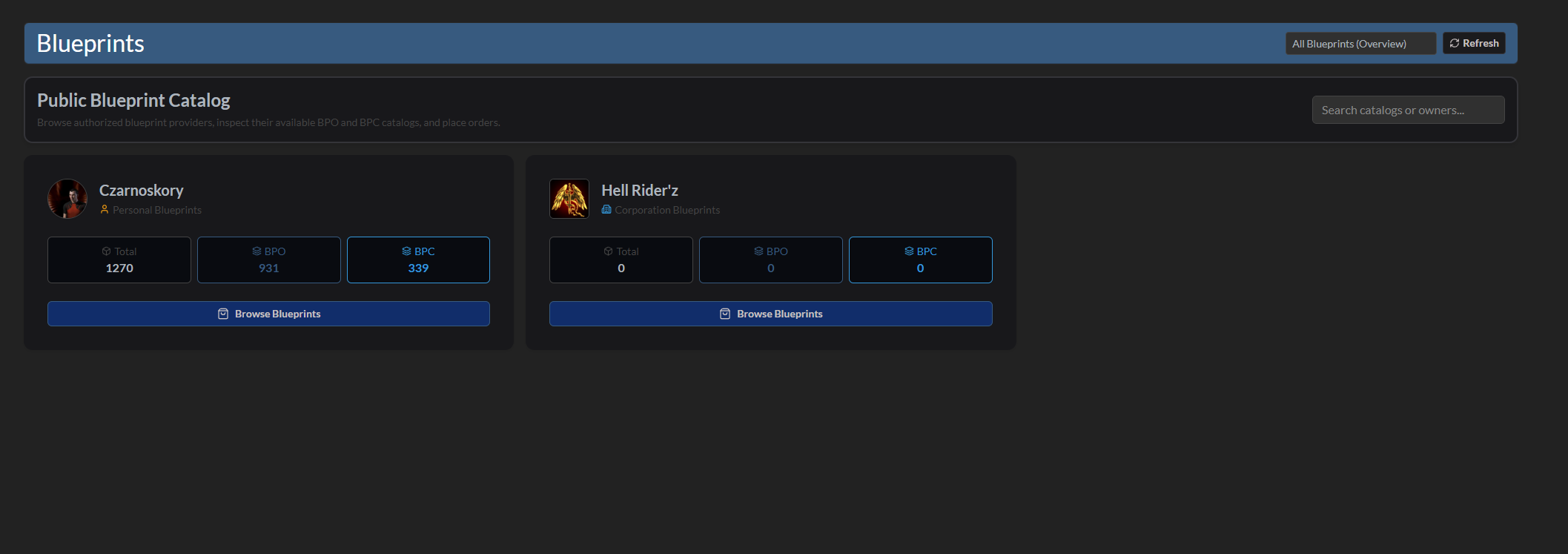
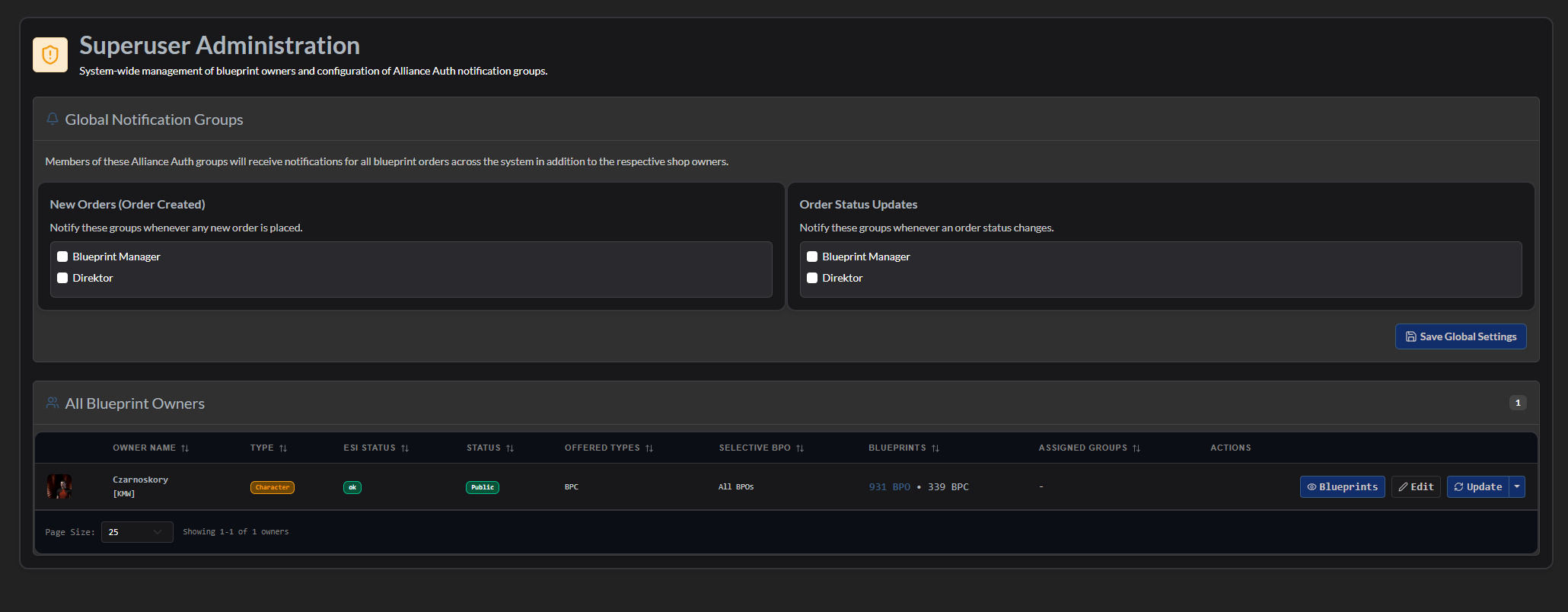

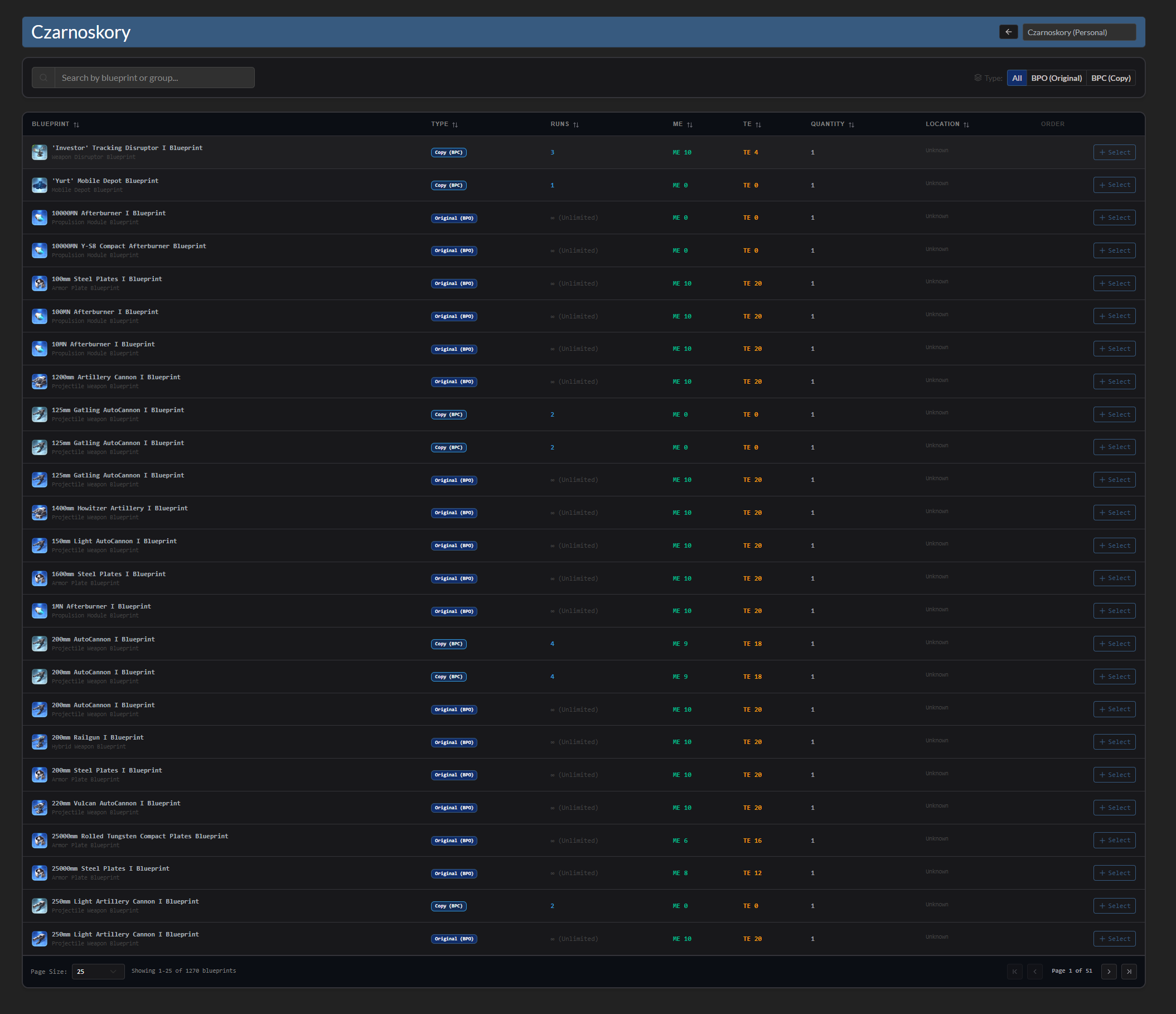
Installation
Step 1 - Install the Package
Make sure you're in your virtual environment (venv) of your Alliance Auth then install the pakage.
pip install aa-blueprint-forge
Step 2 - Configure Alliance Auth
Configure your Alliance Auth settings (local.py) as follows:
INSTALLED_APPS = [
    # other apps
    "eve_sde",  # only if it not already existing
    "bpforge",
    # other apps?
]

# This line is right below the `INSTALLED_APPS` list, if not already exist!
INSTALLED_APPS = ["modeltranslation"] + INSTALLED_APPS
Step 3 - Add the Scheduled Tasks
To set up the Scheduled Tasks add following code to your local.py
if "bpforge" in INSTALLED_APPS:
    CELERYBEAT_SCHEDULE["AA Blueprint Forge :: Update Blueprints"] = {
        "task": "bpforge.tasks.update_all_blueprints",
        "schedule": 600,
    }
Step 3.1 - (Optional) Add own Logger File
To set up the Logger add following code to your local.py
Ensure that you have writing permission in logs folder.
LOGGING["handlers"]["bpforge_file"] = {
    "level": "INFO",
    "class": "logging.handlers.RotatingFileHandler",
    "filename": os.path.join(BASE_DIR, "log/bpforge.log"),
    "formatter": "verbose",
    "maxBytes": 1024 * 1024 * 5,
    "backupCount": 5,
}
LOGGING["loggers"]["extensions.bpforge"] = {
    "handlers": ["bpforge_file"],
    "level": "DEBUG",
}
Step 4 - Migrate & Preload EVE SDE Data
AA Blueprint Forge uses EVE SDE data to map IDs to names for EveTypes. You will need to preload some data from SDE once.
python manage.py migrate eve_sde
python manage.py esde_load_sde
Step 4.1 - Migrate App and collect static
Migrate the app and collect static.
python manage.py migrate bpforge
python manage.py collectstatic --noinput
Step 5 - Setting up Permissions
With the Following IDs you can set up the permissions for Blueprint Forge
| ID | Description | Details |
|---|---|---|
basic_access |
Can access Blueprint Forge | All members with this permission can access the Blueprint Forge module. |
manage_access |
Can Manage Blueprint Forge | Can manage application settings and data. |
full_access |
Full access to Blueprint Forge | Administrative access with full management permissions for the Blueprint Forge. |
Step 6 - (Optional) Setting up Compatibilies
The Following Settings can be setting up in the local.py
- BPFORGE_APP_NAME:
"YOURNAME"- Set the name of the APP - BPFORGE_TASKS_TIME_LIMIT:
7200- Defines the time (in seconds) a task will timeout
If you set up BPFORGE_LOGGER_USE to True you need to add the following code below:
Frontend Development (React SPA)
The user interface of AA Blueprint Forge is built as a modern React Single-Page Application (SPA) located in the frontend/ directory.
Tech Stack
- Framework: React 19, TypeScript
- Bundler & Tooling: Vite 8 (
@vitejs/plugin-react-swc), AllianceAuth styles fromfrontend/src/index.css - UI Components & Icons: React-Bootstrap, Lucide Icons (
lucide-react) - Data & Tables: TanStack React Query (
@tanstack/react-query), TanStack Table (@tanstack/react-table) - API Client:
openapi-fetchwith types generated viaopenapi-typescript - Testing: Vitest with
@testing-library/reactandjsdom - Localization:
i18next&react-i18next(12 languages)
Frontend Makefile Commands
You can control the frontend build, test, and development workflows directly from the repository root:
| Command | Description |
|---|---|
make react-dev |
Starts the Vite development server with proxy to backend |
make react-build |
Runs TypeScript compilation (tsc -b) and Vite production build |
make react-test |
Runs Vitest unit tests |
make react-lint |
Runs ESLint verification |
make react-eslint |
Runs ESLint with automated fixes (--fix) |
make react-test-build |
Runs build, asset copy, translation sync, and collectstatic |
make react-release |
Runs full release build (build, i18n scan, asset copy, collectstatic) |
make react-copy-assets |
Copies Vite production build artifacts to Django's static directory |
make react-copy-translations |
Copies frontend i18n translations to Django's static directory |
make react-translations |
Scans source code and updates i18n translation files |
make react-openapi |
Exports Django Ninja OpenAPI schema and regenerates TypeScript types |
make react-clean |
Cleans React build directory |
Local Frontend Development
-
Install dependencies:
cd frontend
npm install
-
Start Vite development server:
# Inside frontend/
npm run dev

# Or from repository root:
make react-dev
-
Run tests and linter:
make react-test
make react-lint
Translations

Help us translate this app into your language or improve existing translations. Join our team!"
Contributing
You want to improve the project? Please ensure you read the Contribution Guidelines
1 maintainer

Metadata
1 maintainer
Release files for aa-blueprint-forge 1.0.0
For a detailed explanation of source distributions (sdists) and built distributions (wheels), please see the package formats documentation.
Source distribution (sdist)
| File | Size | Uploaded | |
|---|---|---|---|
| aa_blueprint_forge-1.0.0.tar.gz | 968.3 kB | Details |
Built distribution (wheel)
| File | Interpreter | ABI | Platform | Reset |
|---|---|---|---|---|
| aa_blueprint_forge-1.0.0-py3-none-any.whl | Python 3 | none | any | Details |
Total release size: 2.0 MB
Release files / aa_blueprint_forge-1.0.0.tar.gz
| Download URL | aa_blueprint_forge-1.0.0.tar.gz |
|---|---|
| Size | 968.3 kB |
| Tags | Source |
|
SHA-256 checksum How to use checksums |
917ecaa6b5532577bb19cb9e9029a431c696fc690ce2f48cb9d46c804b4779ef
|
|
BLAKE2b-256 checksum How to use checksums |
6e24d408b56c0881a6f9835fffd3369a27be473346dfffe31ddce51425012d71
|
| Upload date | |
|
Uploaded using Trusted Publishing? What is trusted publishing? |
Yes |
| Uploaded via |
twine/7.0.0 CPython/3.13.14
|
Provenance
Provenance describes where a file came from. On PyPI, provenance is shared via attestations, which provide a verifiable record of the build or publishing details. View details, limitations and caveats.


PyPI Publish Attestation
PyPI verified that this artifact, at this checksum, originated from the publisher listed below.
Signed by GitHub Actions, verified by PyPI on Oct 15, 2026.
Transparency logRelease files / aa_blueprint_forge-1.0.0-py3-none-any.whl
| Download URL | aa_blueprint_forge-1.0.0-py3-none-any.whl |
|---|---|
| Size | 1.0 MB |
| Tags | Python 3 |
|
SHA-256 checksum How to use checksums |
ae7d8d3f38c83e108e903851a6fd083450a8fd632950e45196f502236898bfea
|
|
BLAKE2b-256 checksum How to use checksums |
8941049fc8759f3213834991615fa46033d2d3a4bdbe701e7f787428a7eeb653
|
| Upload date | |
|
Uploaded using Trusted Publishing? What is trusted publishing? |
Yes |
| Uploaded via |
twine/7.0.0 CPython/3.13.14
|
Provenance
Provenance describes where a file came from. On PyPI, provenance is shared via attestations, which provide a verifiable record of the build or publishing details. View details, limitations and caveats.
PyPI Publish Attestation
PyPI verified that this artifact, at this checksum, originated from the publisher listed below.
Signed by GitHub Actions, verified by PyPI on Oct 15, 2026.
Transparency log












