
AA ESI Status














App for Alliance Auth to show the current status of ESI and its end points.
- Testimonials
- Screenshots
- Installation
- Updating
- Changelog
- Translation Status
- Contributing
Testimonials
Acknowledged By CCP
This app is so good, that after 5 years of its existence, CCP finally acknowledged its superiority and copied it.

Screenshots
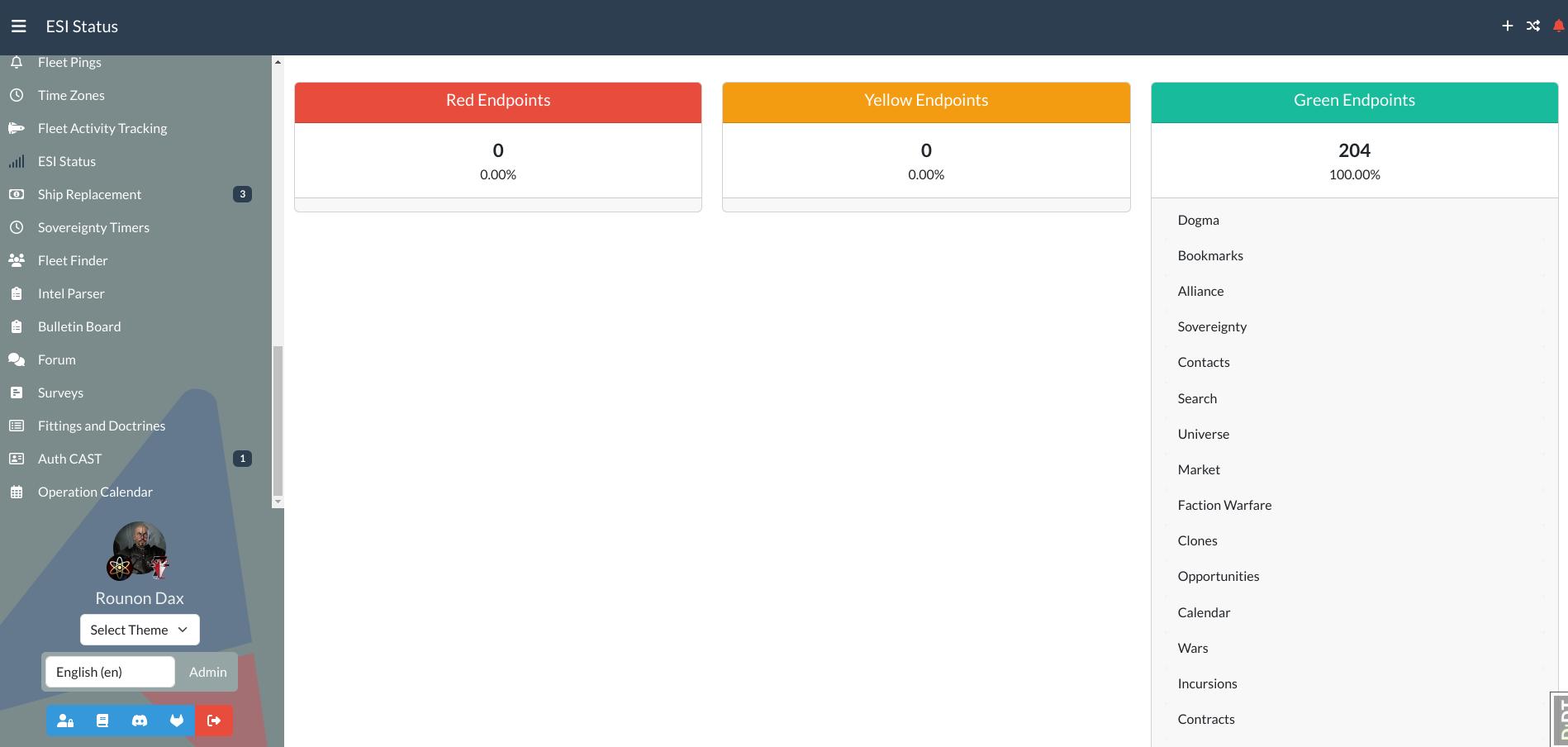
ESI Status Page
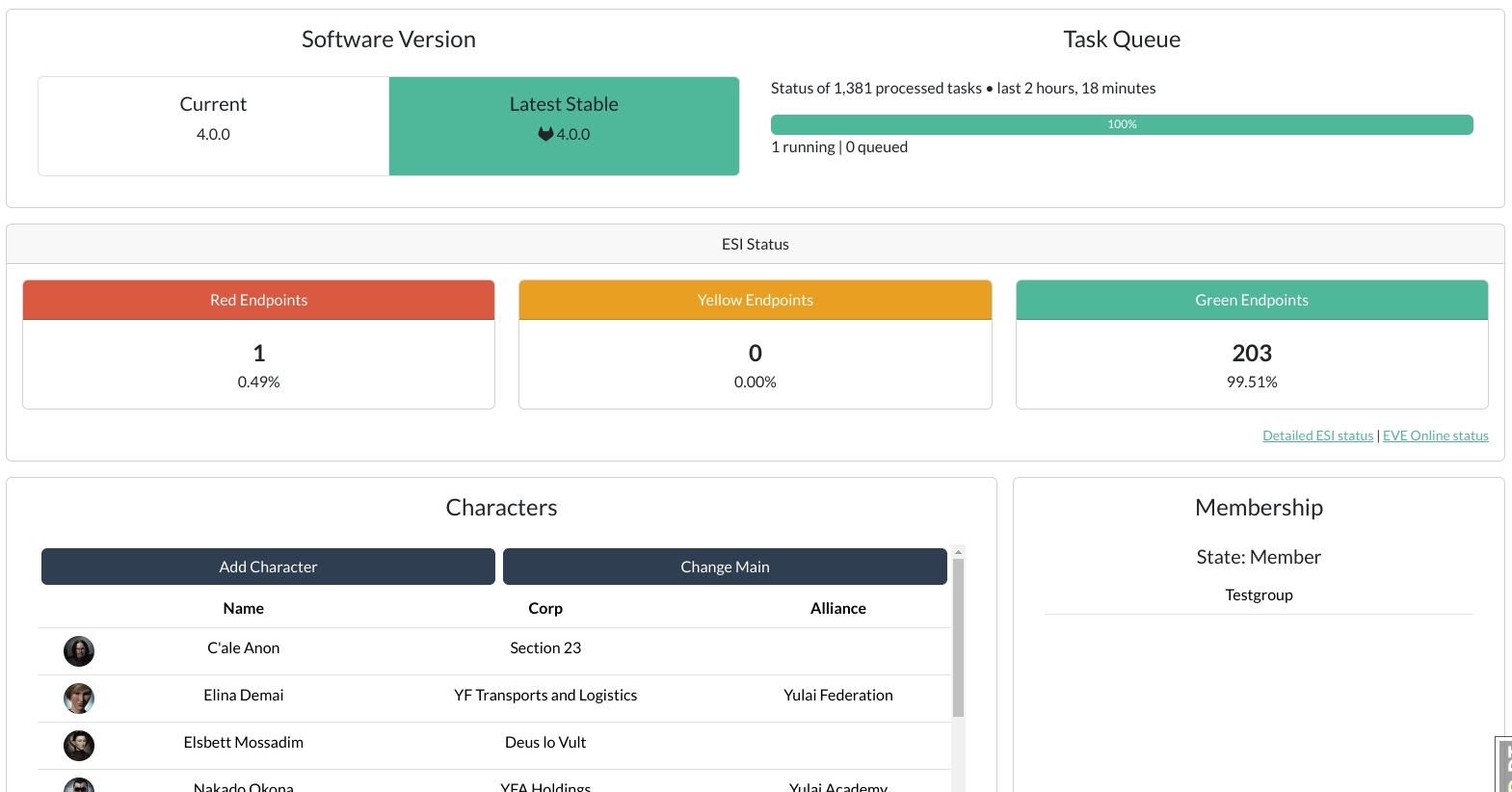
Dashboard Widget
This is how the dashboard widget looks like. It shows the current status of ESI for administrative users.
Installation
[!Important]
This app is a plugin for Alliance Auth.
If you don't have Alliance Auth running already, please install it first before proceeding. (See the official AA installation guide for details)
Bare Metal Installation
Step 1: Install the App
Make sure you're in the virtual environment (venv) of your Alliance Auth installation. Then install the latest version:
pip install aa-esi-status==4.1.0
Step 2: Update Your AA Settings
Configure your AA settings (local.py) as follows:
- Add
"esistatus",toINSTALLED_APPS
INSTALLED_APPS += [
    "esistatus",  # https://github.com/ppfeufer/aa-esi-status
]
- Add the scheduled task
# AA ESI Status - https://github.com/ppfeufer/aa-esi-status
CELERYBEAT_SCHEDULE["ESI Status :: Update"] = {
    "task": "esistatus.tasks.update_esi_status",
    "schedule": 60,
}
Step 3: Finalizing the Installation
Run migrations & copy static files.
python manage.py collectstatic
python manage.py migrate
Restart your supervisor services for AA.
Docker Installation
Step 1: Add the App
Add the app to your conf/requirements.txt:
aa-esi-status==4.1.0
Step 2: Update Your AA Settings
Configure your AA settings (conf/local.py) as follows:
- Add
"esistatus",toINSTALLED_APPS
INSTALLED_APPS += [
    "esistatus",  # https://github.com/ppfeufer/aa-esi-status
]
- Add the scheduled task
# AA ESI Status - https://github.com/ppfeufer/aa-esi-status
CELERYBEAT_SCHEDULE["ESI Status :: Update"] = {
    "task": "esistatus.tasks.update_esi_status",
    "schedule": 60,
}
Step 3: Build Auth and Restart Your Containers
docker compose build --no-cache
docker compose --env-file=.env up -d
Step 4: Finalizing the Installation
Run migrations, copy static files and load EVE universe data:
docker compose exec allianceauth_gunicorn bash

auth collectstatic
auth migrate
Common Steps
(Optional) Public Views
This app supports AA's feature of public views, since the ESI status is not any
mission-critical information.
To allow users to view the time zone conversion page without the need to log in,
please add "esistatus", to the list of APPS_WITH_PUBLIC_VIEWS in your local.py:
# By default, apps are prevented from having public views for security reasons.
# To allow specific apps to have public views, add them to APPS_WITH_PUBLIC_VIEWS
#   » The format is the same as in INSTALLED_APPS
#   » The app developer must also explicitly allow public views for their app
APPS_WITH_PUBLIC_VIEWS = [
    "esistatus",  # https://github.com/ppfeufer/aa-esi-status/
]
Note
If you don't have a list for
APPS_WITH_PUBLIC_VIEWSyet, then add the whole block from here. This feature has been added in Alliance Auth v3.6.0 so you might not yet have this list in yourlocal.py.
Updating
Bare Metal Installation
To update your existing installation of AA ESI Status, first enable your virtual environment.
Then run the following commands from your AA project directory (the one that
contains manage.py).
pip install aa-esi-status==4.1.0
python manage.py collectstatic
python manage.py migrate
Now restart your AA supervisor services.
Docker Installation
To update your existing installation of AA ESI Status, all you need to do is to
update the respective line in your conf/requirements.txt file to the latest version.
aa-esi-status==4.1.0
Now rebuild your containers:
docker compose build
docker compose --env-file=.env up -d
After that, run the following commands to update your database and static files:
docker compose exec allianceauth_gunicorn bash

auth collectstatic
auth migrate
Common Steps
It is possible that some versions need some more changes. Always read the release notes to find out more.
Changelog
See CHANGELOG.md
Translation Status

Do you want to help translate this app into your language or improve the existing translation? - Join our team of translators!
Contributing
Do you want to contribute to this project? That's cool!
Please make sure to read the Contribution Guidelines.
(I promise, it's not much, just some basics)
1 maintainer

Download files
Download the file for your platform. If you're not sure which to choose, learn more about installing packages.
Source Distribution
Built Distribution
Filter files by name, interpreter, ABI, and platform.
If you're not sure about the file name format, learn more about wheel file names.
Copy a direct link to the current filters
File details
Details for the file aa_esi_status-4.1.0.tar.gz.
File metadata
- Download URL: aa_esi_status-4.1.0.tar.gz
- Upload date:
- Size: 133.5 kB
- Tags: Source
- Uploaded using Trusted Publishing? Yes
- Uploaded via: twine/6.1.0 CPython/3.13.12
File hashes
| Algorithm | Hash digest | |
|---|---|---|
| SHA256 |
3304b72692a4ff7a28a479e8f69a58fb7c863f4fbe8888093b3263b3ba2356a5
|
|
| MD5 |
309b690c148c21580967885bb72ae77a
|
|
| BLAKE2b-256 |
b3b1c20f8b4a5bc932f8e8a8f01ccac4b8b6d8247b18d8f46408187f7f61fbc5
|
Provenance
The following attestation bundles were made for aa_esi_status-4.1.0.tar.gz:
Publisher:
release.yml on ppfeufer/aa-esi-status
-
Statement:
-
Statement type:
https://in-toto.io/Statement/v1 -
Predicate type:
https://docs.pypi.org/attestations/publish/v1 -
Subject name:
aa_esi_status-4.1.0.tar.gz -
Subject digest:
3304b72692a4ff7a28a479e8f69a58fb7c863f4fbe8888093b3263b3ba2356a5 - Sigstore transparency entry: 2190611687
- Sigstore integration time:
-
Permalink:
ppfeufer/aa-esi-status@eb0a4d653b6460e98719fe307d5d217b837486f6 -
Branch / Tag:
refs/tags/v4.1.0 - Owner: https://github.com/ppfeufer
-
Access:
public
-
Token Issuer:
https://token.actions.githubusercontent.com -
Runner Environment:
github-hosted -
Publication workflow:
release.yml@eb0a4d653b6460e98719fe307d5d217b837486f6 -
Trigger Event:
release
-
Statement type:
File details
Details for the file aa_esi_status-4.1.0-py3-none-any.whl.
File metadata
- Download URL: aa_esi_status-4.1.0-py3-none-any.whl
- Upload date:
- Size: 180.5 kB
- Tags: Python 3
- Uploaded using Trusted Publishing? Yes
- Uploaded via: twine/6.1.0 CPython/3.13.12
File hashes
| Algorithm | Hash digest | |
|---|---|---|
| SHA256 |
a5ca37315196ad0531aeaa06f47dc6ada020d0248526488a68962e5e9163279d
|
|
| MD5 |
82aa7f7affbeefe990e82d3063dcddfe
|
|
| BLAKE2b-256 |
f2ec6abdac64d12781725e7a4786f58805ddb68719c778c99b08956b7f7e776b
|
Provenance
The following attestation bundles were made for aa_esi_status-4.1.0-py3-none-any.whl:
Publisher:
release.yml on ppfeufer/aa-esi-status
-
Statement:
-
Statement type:
https://in-toto.io/Statement/v1 -
Predicate type:
https://docs.pypi.org/attestations/publish/v1 -
Subject name:
aa_esi_status-4.1.0-py3-none-any.whl -
Subject digest:
a5ca37315196ad0531aeaa06f47dc6ada020d0248526488a68962e5e9163279d - Sigstore transparency entry: 2190611727
- Sigstore integration time:
-
Permalink:
ppfeufer/aa-esi-status@eb0a4d653b6460e98719fe307d5d217b837486f6 -
Branch / Tag:
refs/tags/v4.1.0 - Owner: https://github.com/ppfeufer
-
Access:
public
-
Token Issuer:
https://token.actions.githubusercontent.com -
Runner Environment:
github-hosted -
Publication workflow:
release.yml@eb0a4d653b6460e98719fe307d5d217b837486f6 -
Trigger Event:
release
-
Statement type:







