
AA Inactivity
An app for monitoring game activity of members with Member Audit and Alliance Auth.









Content
Features
- Automatically notify users who become inactive.
- Automatically notify managers when users become inactive.
- Approval process for leave of absence requests
- Can inform managers about various events via Discord webhook
- List of inactive users
- Define through policies after how many days a user of absence a user is considered inactive
- Fetching the last login dates from Member Audit to determine how long a user has been inactive
Screenshots
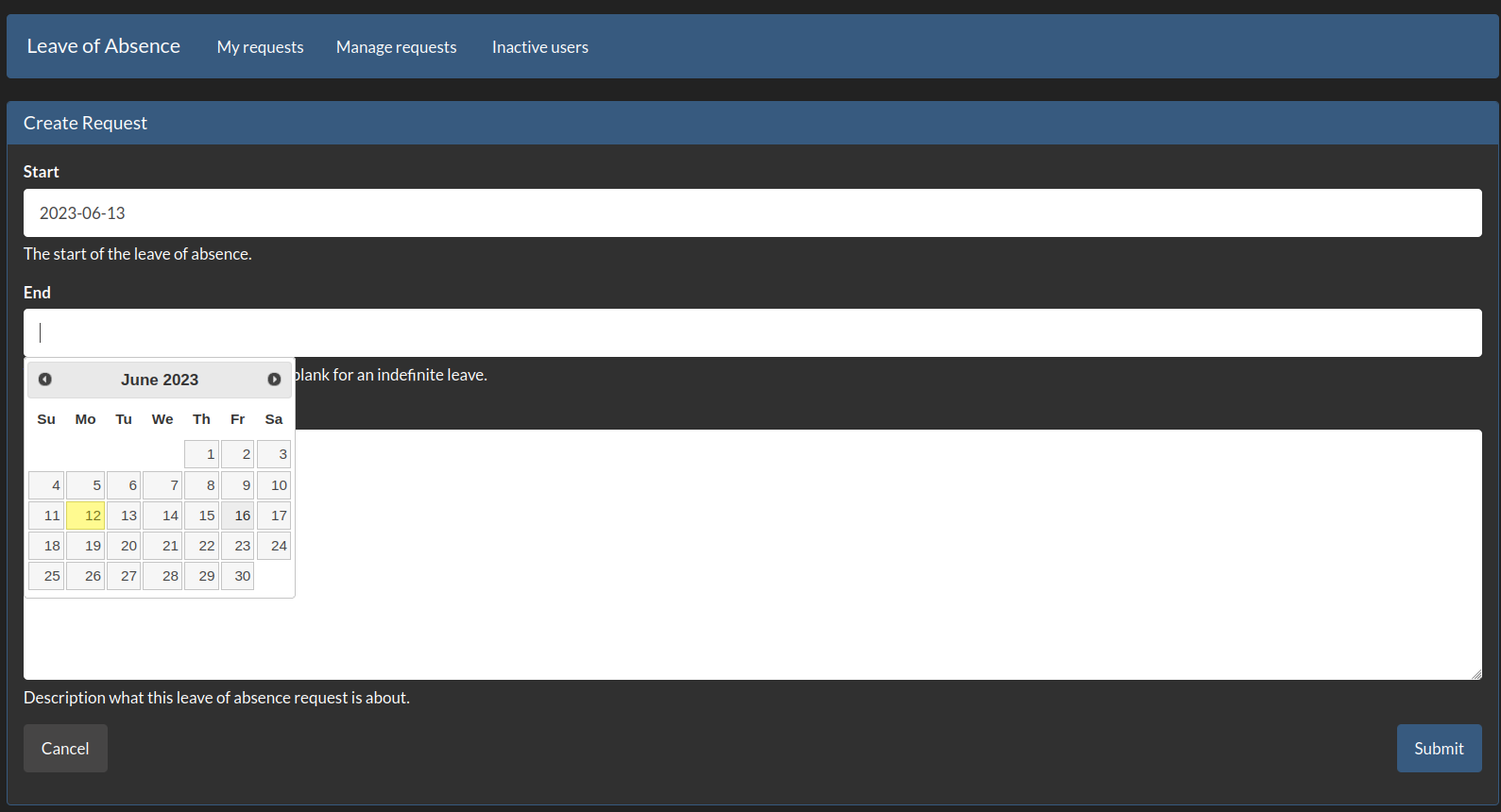
A user creating a new leave of absence request:
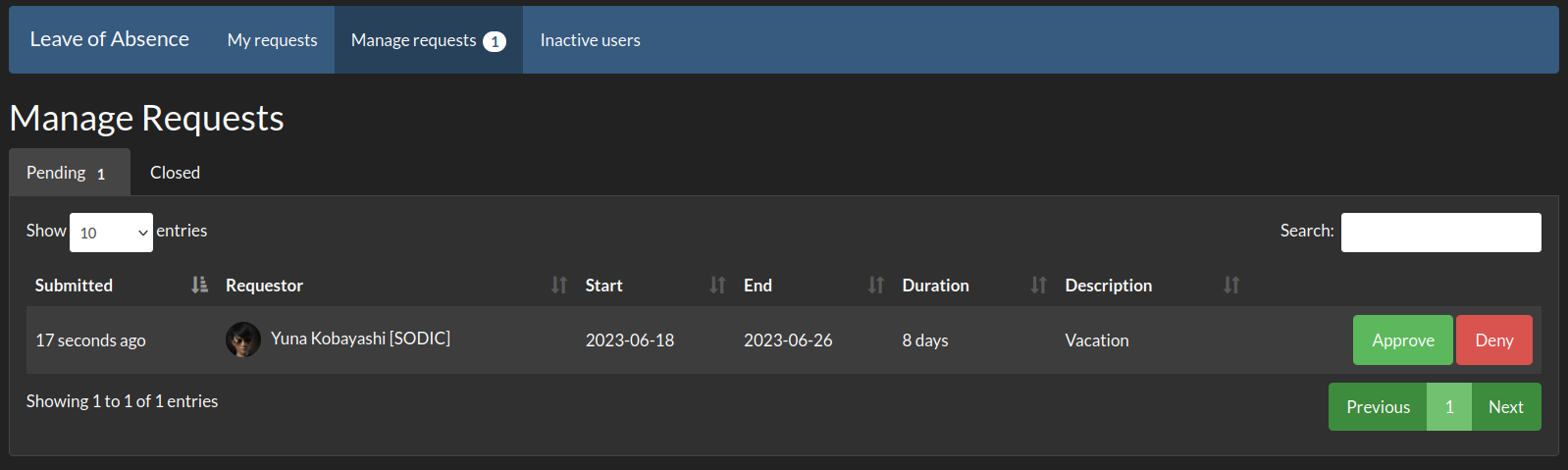
A manager reviewing a leave of absence request:
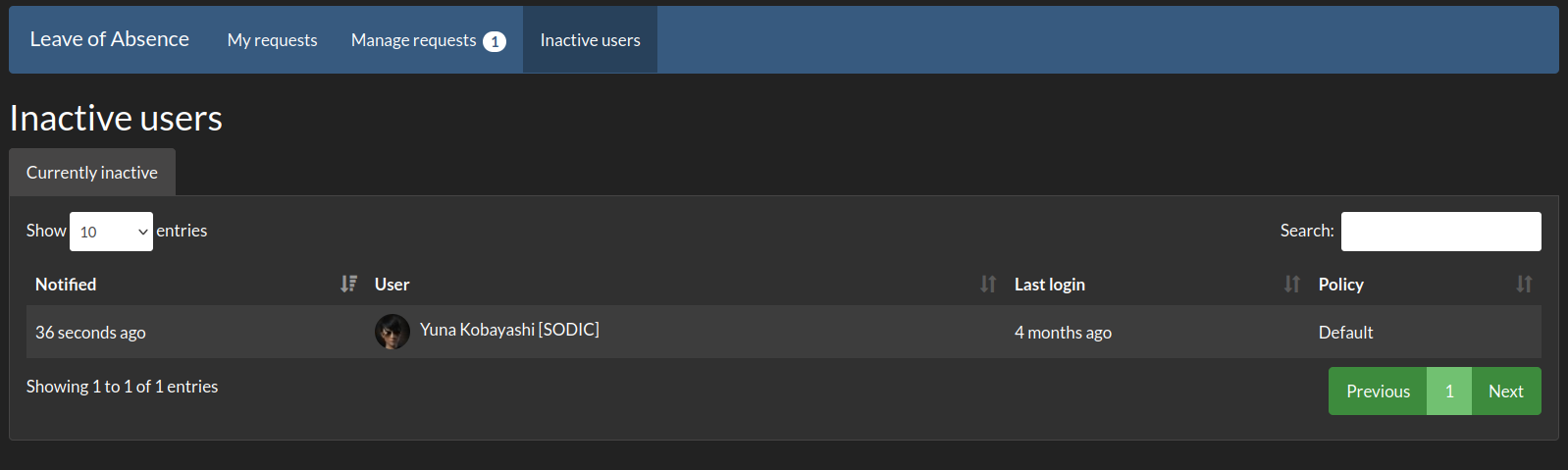
A manager looking through the list of currently inactive and notified users:
Installation
Step 0 - Requirements
This app needs Member Audit to function. Please make sure it is installed before continuing.
Step 1 - Install the Package
Make sure you are in the virtual environment (venv) of your Alliance Auth installation. Then install the newest release from PyPI:
pip install aa-inactivity
Step 2 - Config
Add inactivity to your INSTALLED_APPS, and add the following task definition:
CELERYBEAT_SCHEDULE['inactivity_check_inactivity'] = {
    'task': 'inactivity.tasks.check_inactivity',
    'schedule': crontab(minute=0, hour=0),
}
Step 3 - Finalize App Installation
Run migrations:
python manage.py migrate
python manage.py collectstatic
Restart your supervisor services for Auth
Permissions
This app uses permissions to control access to features.
| Name | Purpose | Code |
|---|---|---|
| general - Can access this app | Enabling the app for a user. This permission should be enabled for everyone who is allowed to use the app | basic_access |
| general - Can manage leave of absence requests | Allows a user to approve/deny loa requests. | manage_leave |
Settings
| Name | Description | Default |
|---|---|---|
INACTIVITY_NOTIFY_USER |
Whether inactive users receive a direct in-app notification. Disable this to stop users from being tipped off that they have been detected as inactive, e.g. to prevent them from logging in solely to dodge detection. | True |
INACTIVITY_TASKS_DEFAULT_PRIORITY |
Default priority for all tasks. | 6 |
2 maintainers


Release files for aa-inactivity 3.1.0
For a detailed explanation of source distributions (sdists) and built distributions (wheels), please see the package formats documentation.
Source distribution (sdist)
| File | Size | Uploaded | |
|---|---|---|---|
| aa_inactivity-3.1.0.tar.gz | 85.5 kB | Details |
Built distribution (wheel)
| File | Interpreter | ABI | Platform | Reset |
|---|---|---|---|---|
| aa_inactivity-3.1.0-py3-none-any.whl | Python 3 | none | any | Details |
Total release size: 184.8 kB
Release files / aa_inactivity-3.1.0.tar.gz
| Download URL | aa_inactivity-3.1.0.tar.gz |
|---|---|
| Size | 85.5 kB |
| Tags | Source |
|
SHA-256 checksum How to use checksums |
602be60be5009acd8c2ae680c3bde8cd3618d72da47d3e3bf481f963db8a288c
|
|
BLAKE2b-256 checksum How to use checksums |
1dae1467acbbf7e22a904e0823081d460205a16a2cd0bcdf808fb0a97fb3d3b0
|
| Upload date | |
|
Uploaded using Trusted Publishing? What is trusted publishing? |
No |
| Uploaded via |
python-requests/2.34.2
|
Release files / aa_inactivity-3.1.0-py3-none-any.whl
| Download URL | aa_inactivity-3.1.0-py3-none-any.whl |
|---|---|
| Size | 99.3 kB |
| Tags | Python 3 |
|
SHA-256 checksum How to use checksums |
c9f85738066ca15ab0ce17d45237deb0bd123b2409f68ed40cea1304cf364708
|
|
BLAKE2b-256 checksum How to use checksums |
f062e1914ffce10136c9093e7d926d6e69ef701e5b9d2722cb8041515a62e4ec
|
| Upload date | |
|
Uploaded using Trusted Publishing? What is trusted publishing? |
No |
| Uploaded via |
python-requests/2.34.2
|














