
AA Intel Tool














D-Scans and more in Alliance Auth.
Overview
Features
The following modules can be enabled or disabled. See Settings section for details.
- Chat scan module (Disabled by default due to its possible high number of ESI calls)
- D-Scan module
Screenshots
Chat Scan
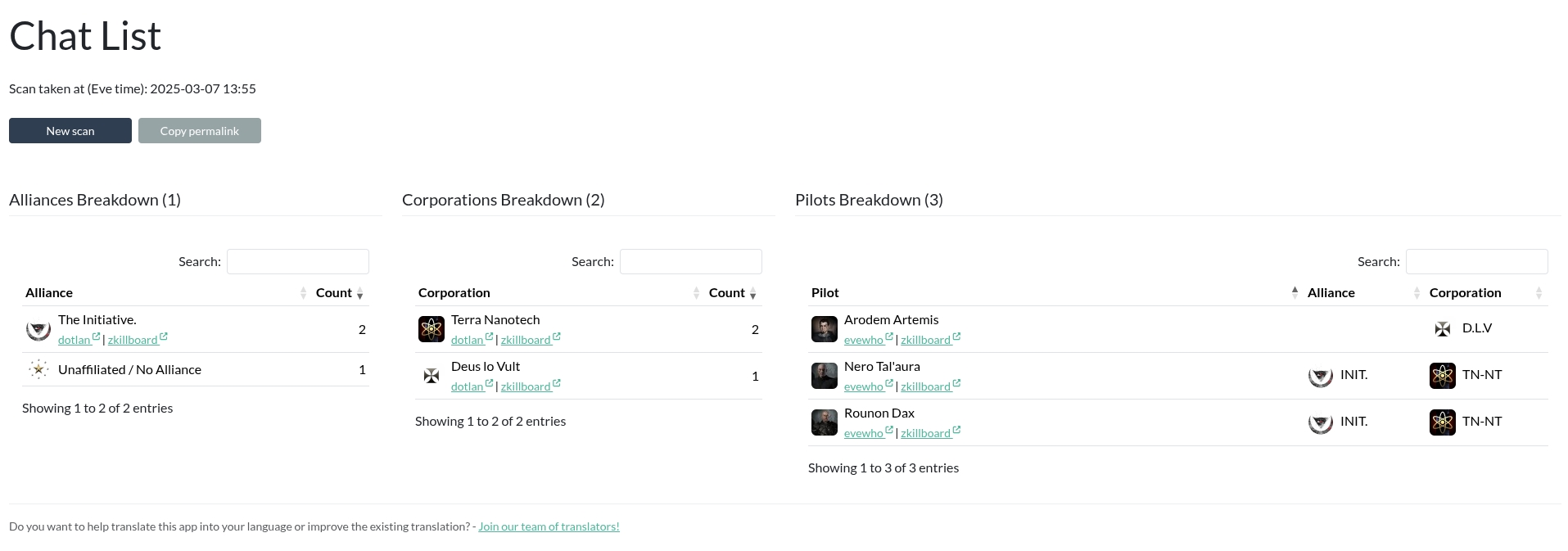
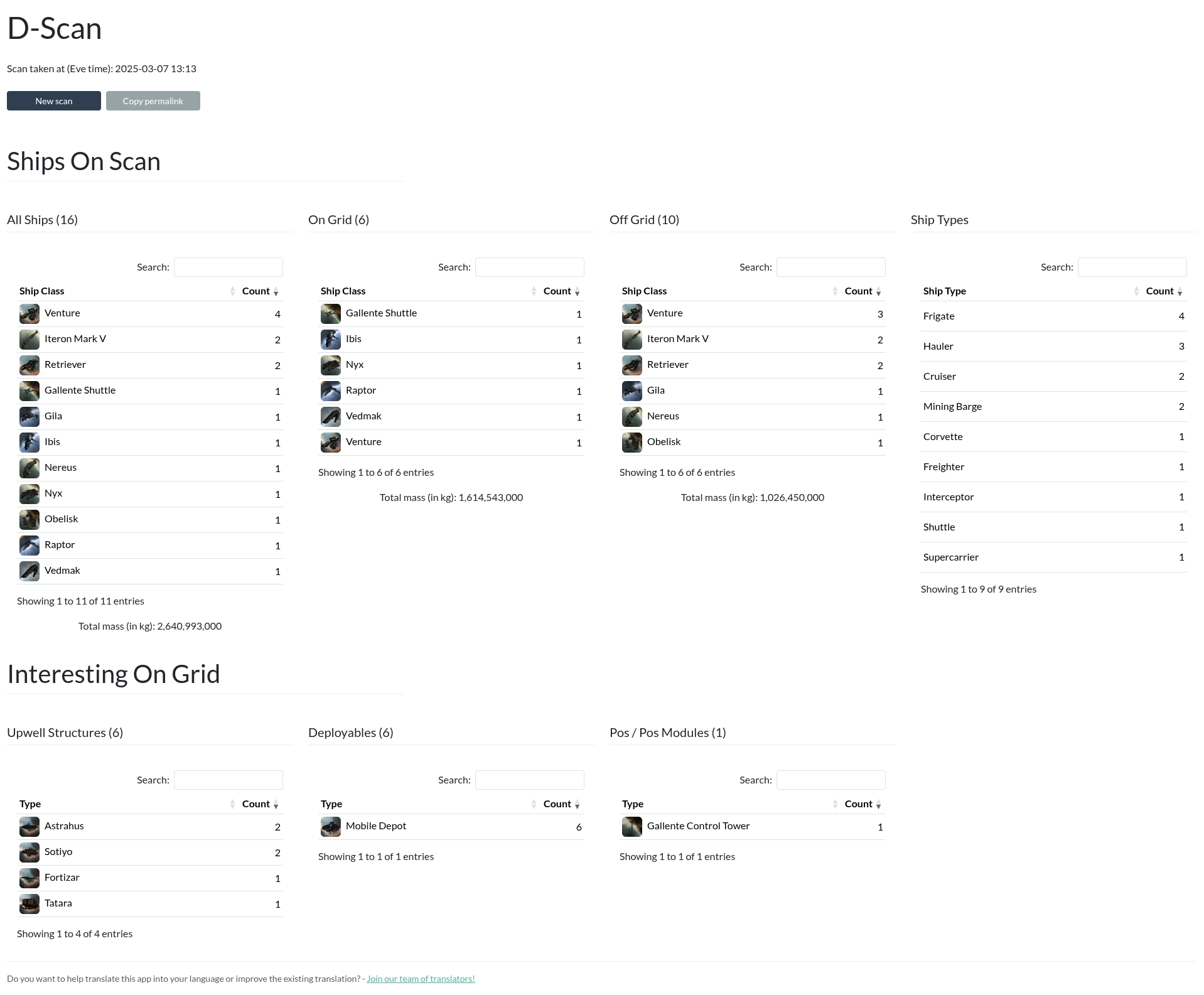
D-Scan
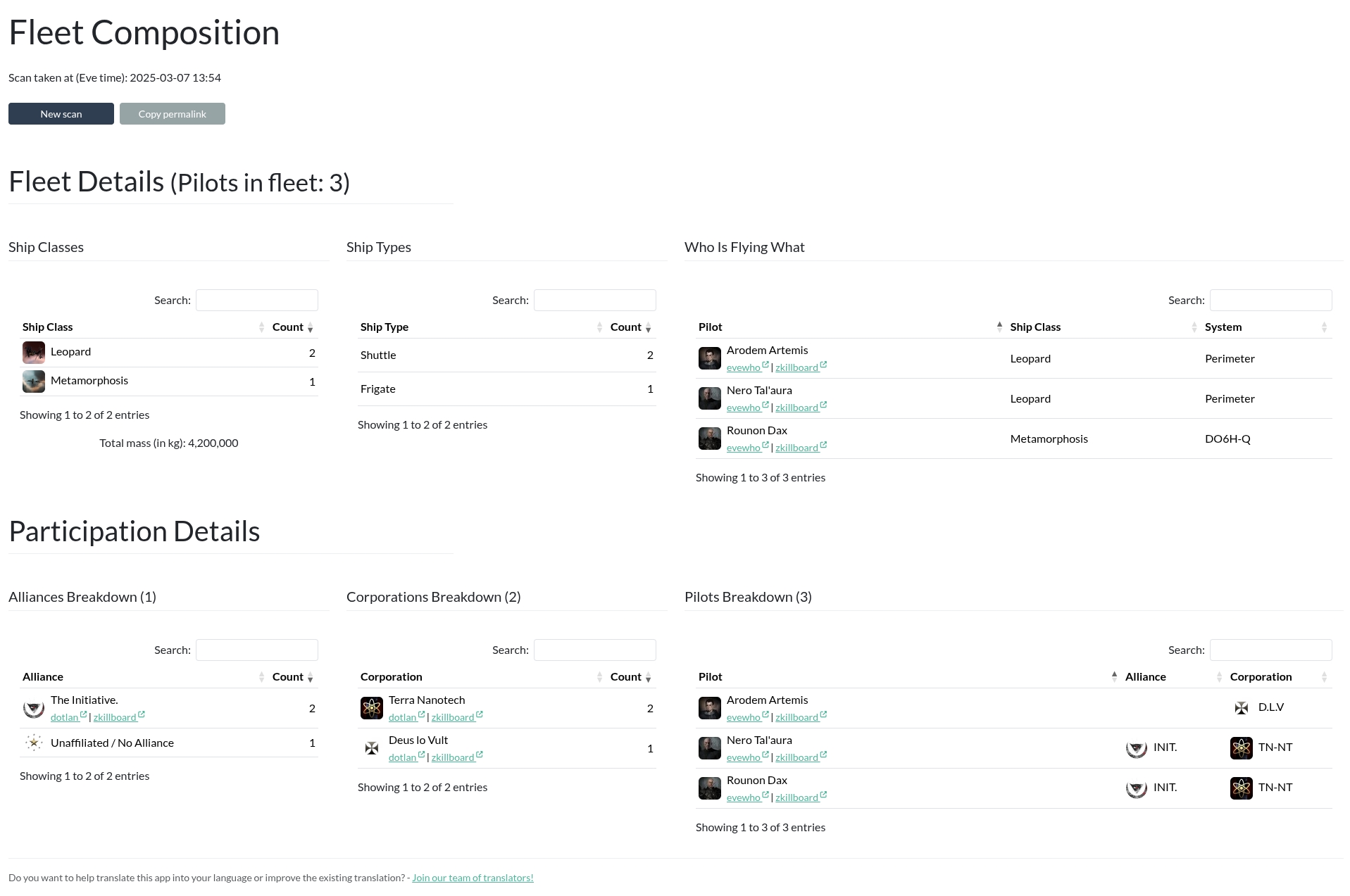
Fleet Composition
Installation
Step 1: Install the Package
Make sure you're in the virtual environment (venv) of your Alliance Auth installation Then install the latest release directly from PyPi.
pip install aa-intel-tool==4.3.0
Step 2: Configure Alliance Auth
Add the App to Alliance Auth
This is fairly simple, configure your AA settings (local.py) as follows:
Add eve_sde (if not already done so for a different app) and aa_intel_tool to
the list of INSTALLED_APPS.
# Add any additional apps to this list.
INSTALLED_APPS += [
    # ...
    "eve_sde",  # Only if not already added for another app
    "aa_intel_tool",  # https://github.com/ppfeufer/aa-intel-tool
    # ...
]

# This line right below the `INSTALLED_APPS` list, and only if not already added for another app
INSTALLED_APPS = ["modeltranslation"] + INSTALLED_APPS
Add the Scheduled Tasks
To remove old scans from your DB, add the following task.
The retention time can be adjusted through the INTELTOOL_SCAN_RETENTION_TIME setting.
if "aa_intel_tool" in INSTALLED_APPS:
    # Run at 01:00 each day
    CELERYBEAT_SCHEDULE["AA Intel Tool :: Housekeeping"] = {
        "task": "aa_intel_tool.tasks.housekeeping",
        "schedule": crontab(minute="0", hour="1"),
    }

if "eve_sde" in INSTALLED_APPS:
    # Run at 12:00 each day
    CELERYBEAT_SCHEDULE["EVE SDE :: Check for SDE Updates"] = {
        "task": "eve_sde.tasks.check_for_sde_updates",
        "schedule": crontab(minute="0", hour="12"),
    }

    # Set the following when you have a bare metal installation, or Docker with a
    # non-standard storage for `myauth`
    ESDE_TASK_SPLIT = True
(Optional) Allow Public Views
This app supports AA's feature of public views. To allow this feature, please add
"aa_intel_tool", to the list of APPS_WITH_PUBLIC_VIEWS in your local.py:
# By default, apps are prevented from having public views for security reasons.
# To allow specific apps to have public views, add them to APPS_WITH_PUBLIC_VIEWS
#   » The format is the same as in INSTALLED_APPS
#   » The app developer must also explicitly allow public views for their app
APPS_WITH_PUBLIC_VIEWS = [
    "aa_intel_tool",  # https://github.com/ppfeufer/aa-intel-tool
]
Step 4: Finalizing the Installation
Run static files collection and migrations.
python manage.py collectstatic
python manage.py migrate
Step 5: Preload EVE SDE Data
AA Intel Tool utilizes the EVE SDE module, so it doesn't need to ask ESI for ship information. To set this up, you now need to run the following command.
python manage.py esde_load_sde
Restart your supervisor services for Auth.
Step 6: Update Your Webserver Configuration
By default, webservers have a timout of about 30 seconds for requests. So we have to tweak that a little bit, since parsing intel data can take a while, and we don't want the webserver to spoil our fun, right?
Apache 2
Open your vhost configuration and add the following 2 lines right after the
ProxyPreserveHost On directive:
ProxyTimeout 600
Timeout      600
Restart your Apache2 service.
Nginx
Open your vhost configuration and add the following lines inside the location / {
directive:
proxy_connect_timeout 600;
proxy_read_timeout    600;
proxy_send_timeout    600;
send_timeout          600;
Restart your Nginx service.
Settings
To customize the app, the following settings are available and can be made in
your local.py.
| Name | Description | Default |
|---|---|---|
| INTELTOOL_ENABLE_MODULE_CHATSCAN | Enable or disable the chat scan module. | False |
| INTELTOOL_ENABLE_MODULE_DSCAN | Enable or disable the d-scan module. | True |
| INTELTOOL_ENABLE_MODULE_FLEETCOMP | Enable or disable the fleet composition module. | True |
| INTELTOOL_SCAN_RETENTION_TIME | Set the time in days for how long the scans will be kept in the database. Set to 0 to keep scans indefinitely. | 30 |
| INTELTOOL_CHATSCAN_MAX_PILOTS | Set the limit of pilots for chat scans, since these can take quite a long time to process. Set to 0 to disable. | 500 |
| INTELTOOL_DSCAN_GRID_SIZE | Set the grid size for D-Scans. This defines the size of the grid in km in which ships and structures are considered to be "on grid" |
10000 |
Changelog
See CHANGELOG.md
Translation Status

Do you want to help translate this app into your language or improve the existing translation? - Join our team of translators!
Contributing
Do you want to contribute to this project? That's cool!
Please make sure to read the Contribution Guidelines.
(I promise, it's not much, just some basics)
1 maintainer

Metadata
1 maintainer
Release files for aa-intel-tool 4.3.0
For a detailed explanation of source distributions (sdists) and built distributions (wheels), please see the package formats documentation.
Source distribution (sdist)
| File | Size | Uploaded | Provenance | |
|---|---|---|---|---|
| aa_intel_tool-4.3.0.tar.gz | 146.3 kB | With provenance | Details |
Built distribution (wheel)
| File | Interpreter | ABI | Platform | Reset |
|---|---|---|---|---|
| aa_intel_tool-4.3.0-py3-none-any.whl | Python 3 | none | any | Details |
Total release size: 388.4 kB
Release files / aa_intel_tool-4.3.0.tar.gz
| Download URL | aa_intel_tool-4.3.0.tar.gz |
|---|---|
| Size | 146.3 kB |
| Tags | Source |
|
SHA-256 checksum How to use checksums |
66340c6751da4178b566882b7f39a4bf7b611076e578c8dd698b31c7a02eedf4
|
|
BLAKE2b-256 checksum How to use checksums |
34f39d669f0b09e45c35d232c74b35598454e95bacd672cb4ea00d3526cd628d
|
| Upload date | |
|
Uploaded using Trusted Publishing? What is trusted publishing? |
Yes |
| Uploaded via |
twine/7.0.0 CPython/3.13.14
|
Provenance
Provenance describes where a file came from. On PyPI, provenance is shared via attestations, which provide a verifiable record of the build or publishing details. View details, limitations and caveats.


PyPI Publish Attestation
PyPI verified that this artifact, at this checksum, originated from the publisher listed below.
Signed by GitHub Actions, verified by PyPI on Oct 4, 2026.
Transparency logRelease files / aa_intel_tool-4.3.0-py3-none-any.whl
| Download URL | aa_intel_tool-4.3.0-py3-none-any.whl |
|---|---|
| Size | 242.1 kB |
| Tags | Python 3 |
|
SHA-256 checksum How to use checksums |
3d98fd729645d1541afc529588c1d6121c49b4a8b65d5e6f6bc965a71d5be35f
|
|
BLAKE2b-256 checksum How to use checksums |
74a04e7d4b82e273e30c31b65659fa26e9cb59ba1c9866754c2e1a17dfc96212
|
| Upload date | |
|
Uploaded using Trusted Publishing? What is trusted publishing? |
Yes |
| Uploaded via |
twine/7.0.0 CPython/3.13.14
|
Provenance
Provenance describes where a file came from. On PyPI, provenance is shared via attestations, which provide a verifiable record of the build or publishing details. View details, limitations and caveats.
PyPI Publish Attestation
PyPI verified that this artifact, at this checksum, originated from the publisher listed below.
Signed by GitHub Actions, verified by PyPI on Oct 4, 2026.
Transparency logSecurity for aa-intel-tool 4.3.0
Provenance
Provenance describes where a file came from. On PyPI, provenance is shared via attestations, which provide a verifiable record of the build or publishing details. View details, limitations and caveats.
Full provenance
All 2 files in this release have been uploaded with provenance metadata.
Attestation for aa_intel_tool-4.3.0.tar.gz
PyPI Publish Attestation
PyPI verified that this artifact, at this checksum, originated from the publisher listed below.
Signed by GitHub Actions, verified by PyPI on Oct 4, 2026.
Transparency logA note on package security
PyPI is a repository for distributing packages, not a service for auditing them. While third-party security researchers and our staff do their best to detect and remove malicious packages, PyPI cannot guarantee the quality, security or suitability of any given package.
To learn more about protecting yourself from malicious actors, visit our package security documentation.














