
Killstats module for AllianceAuth.







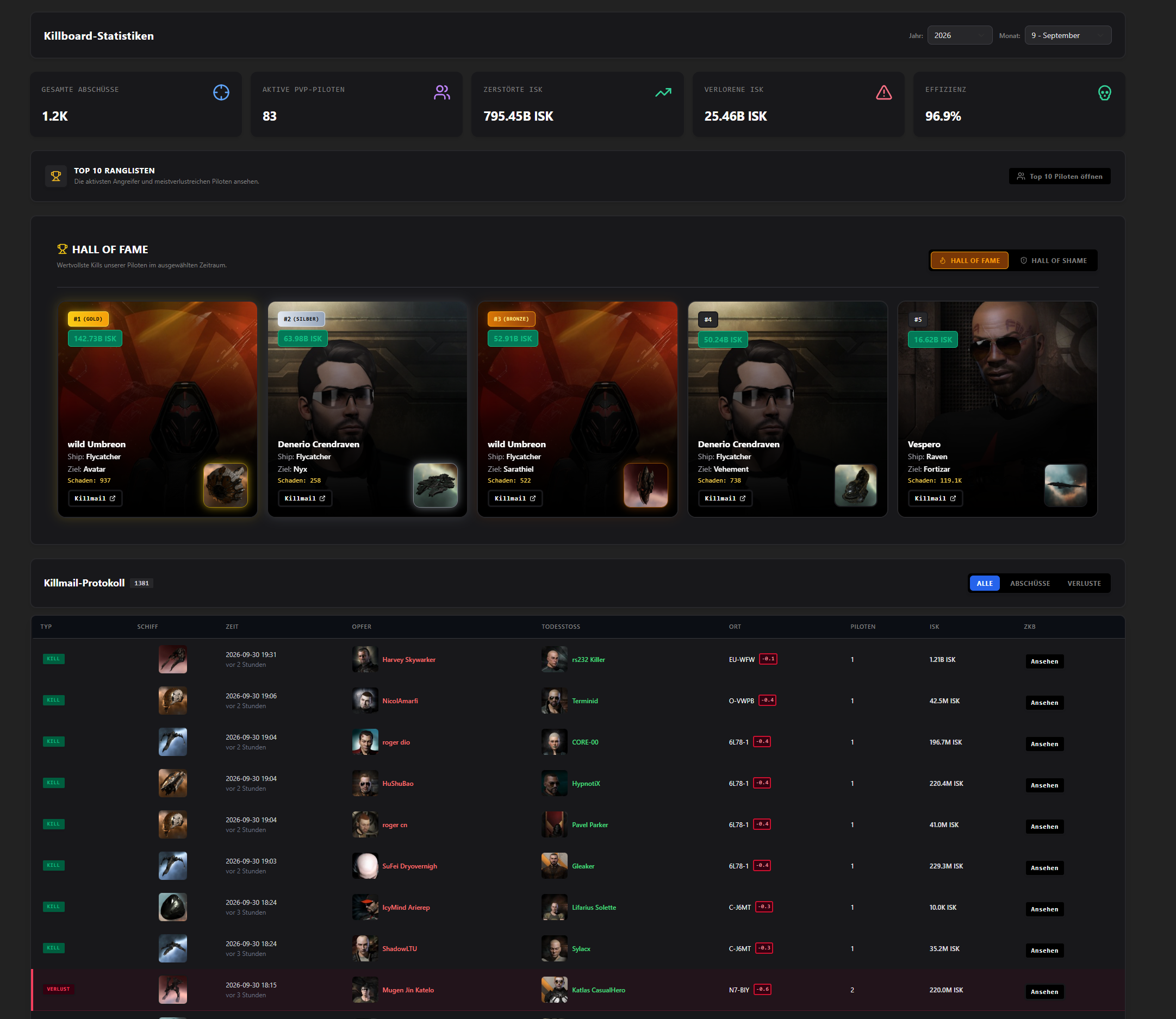
Killstats for Corporations & Alliances, Hall of Fame, Hall of Shame, etc.
-
Features
- Graphical Overview
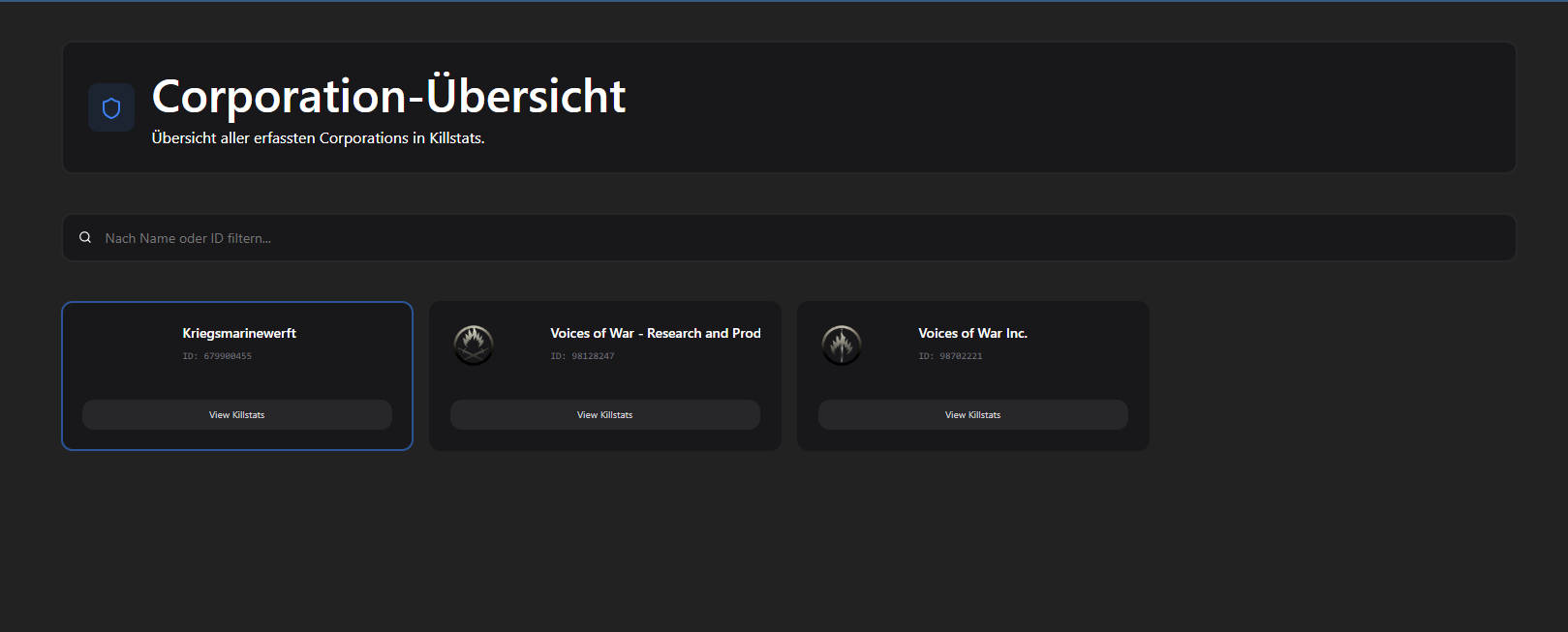
- Corporation & Alliance Overview
- Kills/Losses
- Hall of Fame, Hall of Shame
- Killstats like Top Kill, Top Killer, Top Loss, Alltime Killer, etc.
- Top 10 list for each Month
Upcoming
- Filtering Settings for each Corporation / Alliance
- Administration Access for specific Corps or Alliances
Highlights
Installation
Step 1 - Install the Package
Make sure you're in your virtual environment (venv) of your Alliance Auth then install the pakage.
pip install aa-killstats
Step 2 - Configure Alliance Auth
Configure your Alliance Auth settings (local.py) as follows:
INSTALLED_APPS = [
    # other apps
    "eve_sde",  # only if it not already existing
    "killstats",
    # other apps?
]

# This line is right below the `INSTALLED_APPS` list, if not already exist!
INSTALLED_APPS = ["modeltranslation"] + INSTALLED_APPS
Step 3 - Add the Scheduled Tasks
To set up the Scheduled Tasks add following code to your local.py
if "killstats" in INSTALLED_APPS:
    CELERYBEAT_SCHEDULE["Killstats :: Check for Killmails"] = {
        "task": "killstats.tasks.run_tracker_zkb",
        "schedule": crontab(minute="*/1"),
    }
    CELERYBEAT_SCHEDULE["Killstats :: Check for Missing Killmail Data"] = {
        "task": "killstats.tasks.run_tracker_missing_data",
        "schedule": crontab(minute="*/15"),
    }
Step 3.1 - (Optional) Add own Logger File
To set up the Logger add following code to your local.py
Ensure that you have writing permission in logs folder.
LOGGING["handlers"]["killstats_file"] = {
    "level": "DEBUG",
    "class": "logging.handlers.RotatingFileHandler",
    "filename": os.path.join(BASE_DIR, "log/killstats.log"),
    "formatter": "verbose",
    "maxBytes": 1024 * 1024 * 5,
    "backupCount": 5,
}
LOGGING["loggers"]["extensions.killstats"] = {
    "handlers": ["killstats_file"],
    "level": "DEBUG",
}
Step 4 - Migrate & Preload EVE SDE Data
AA Killstats uses EVE SDE data to map IDs to names for EveTypes. You will need to preload some data from SDE once.
python manage.py migrate eve_sde
python manage.py esde_load_sde
Step 4.1 - Migrate App and collect static
Migrate the app and collect static.
python manage.py migrate skillfarm
python manage.py skillfarm_load_prices
python manage.py collectstatic --noinput
Step 5 - Setting up Permissions
With the Following IDs you can set up the permissions for the KILLSTATS
| ID | Description | |
|---|---|---|
basic_access |
Can access this app, Killstats. | All Members with the Permission can access the Killstats App. |
admin_access |
Has access to all killstats. | Has access to all Killstats Views, Can add Corporation/Alliance. |
Step 6 - (Optional) Setting up Compatibilies
The Following Settings can be setting up in the local.py
| Setting | Configuration(default) | Description |
|---|---|---|
KILLSTATS_APP_NAME |
"YOURNAME" ("Killstats") |
Set the name of the APP. |
KILLSTATS_API_CACHE_LIFETIME |
5 (10) |
Set Cache Lifetime for Killstats in Minutes. |
Step 6 - (Optional) Settings
- KILLSTATS_BULK_BATCH_SIZE:
500- Maximum database batch size per operation. Reduce (e.g., 250) if encountering 'max_allowed_packet' errors, increase for better performance if MySQL is configured with higher limits
Translations

Help us translate this app into your language or improve existing translations. Join our team!"
Contributing
You want to improve the project? Please ensure you read the contribution guidelines
1 maintainer

Metadata
1 maintainer
Release files for aa-killstats 4.0.0
For a detailed explanation of source distributions (sdists) and built distributions (wheels), please see the package formats documentation.
Source distribution (sdist)
| File | Size | Uploaded | |
|---|---|---|---|
| aa_killstats-4.0.0.tar.gz | 1.0 MB | Details |
Built distribution (wheel)
| File | Interpreter | ABI | Platform | Reset |
|---|---|---|---|---|
| aa_killstats-4.0.0-py3-none-any.whl | Python 3 | none | any | Details |
Total release size: 2.1 MB
Release files / aa_killstats-4.0.0.tar.gz
| Download URL | aa_killstats-4.0.0.tar.gz |
|---|---|
| Size | 1.0 MB |
| Tags | Source |
|
SHA-256 checksum How to use checksums |
f4340c4dd27d3bc067672daf75b0c38f6bf11787c557a340cdd14fae8521af80
|
|
BLAKE2b-256 checksum How to use checksums |
1e4327935dfb303523672b1d0eb63fed7233799d99e269ea321cdf8efc2b8277
|
| Upload date | |
|
Uploaded using Trusted Publishing? What is trusted publishing? |
Yes |
| Uploaded via |
twine/7.0.0 CPython/3.13.14
|
Provenance
Provenance describes where a file came from. On PyPI, provenance is shared via attestations, which provide a verifiable record of the build or publishing details. View details, limitations and caveats.


PyPI Publish Attestation
PyPI verified that this artifact, at this checksum, originated from the publisher listed below.
Signed by GitHub Actions, verified by PyPI on Oct 1, 2026.
Transparency logRelease files / aa_killstats-4.0.0-py3-none-any.whl
| Download URL | aa_killstats-4.0.0-py3-none-any.whl |
|---|---|
| Size | 1.1 MB |
| Tags | Python 3 |
|
SHA-256 checksum How to use checksums |
e3e8281100d780f065c3c3e73ea45984c4979ae7582f01e1653b25e305968db6
|
|
BLAKE2b-256 checksum How to use checksums |
41ae8f2f1d5fe78d05f0e1a96cd5ecb80d97f3c2d4d33fa8c891c13bcb198785
|
| Upload date | |
|
Uploaded using Trusted Publishing? What is trusted publishing? |
Yes |
| Uploaded via |
twine/7.0.0 CPython/3.13.14
|
Provenance
Provenance describes where a file came from. On PyPI, provenance is shared via attestations, which provide a verifiable record of the build or publishing details. View details, limitations and caveats.
PyPI Publish Attestation
PyPI verified that this artifact, at this checksum, originated from the publisher listed below.
Signed by GitHub Actions, verified by PyPI on Oct 1, 2026.
Transparency log













