
Ledger module for AllianceAuth.










Character and Corporation PvE statistics, including detailed information on ESS, Ratting, Trading, Mining, and other activities.
Features
- Statistics
- Graphical Statistics
- Yearly, Monthly, Daily, Hourly
- Current Day
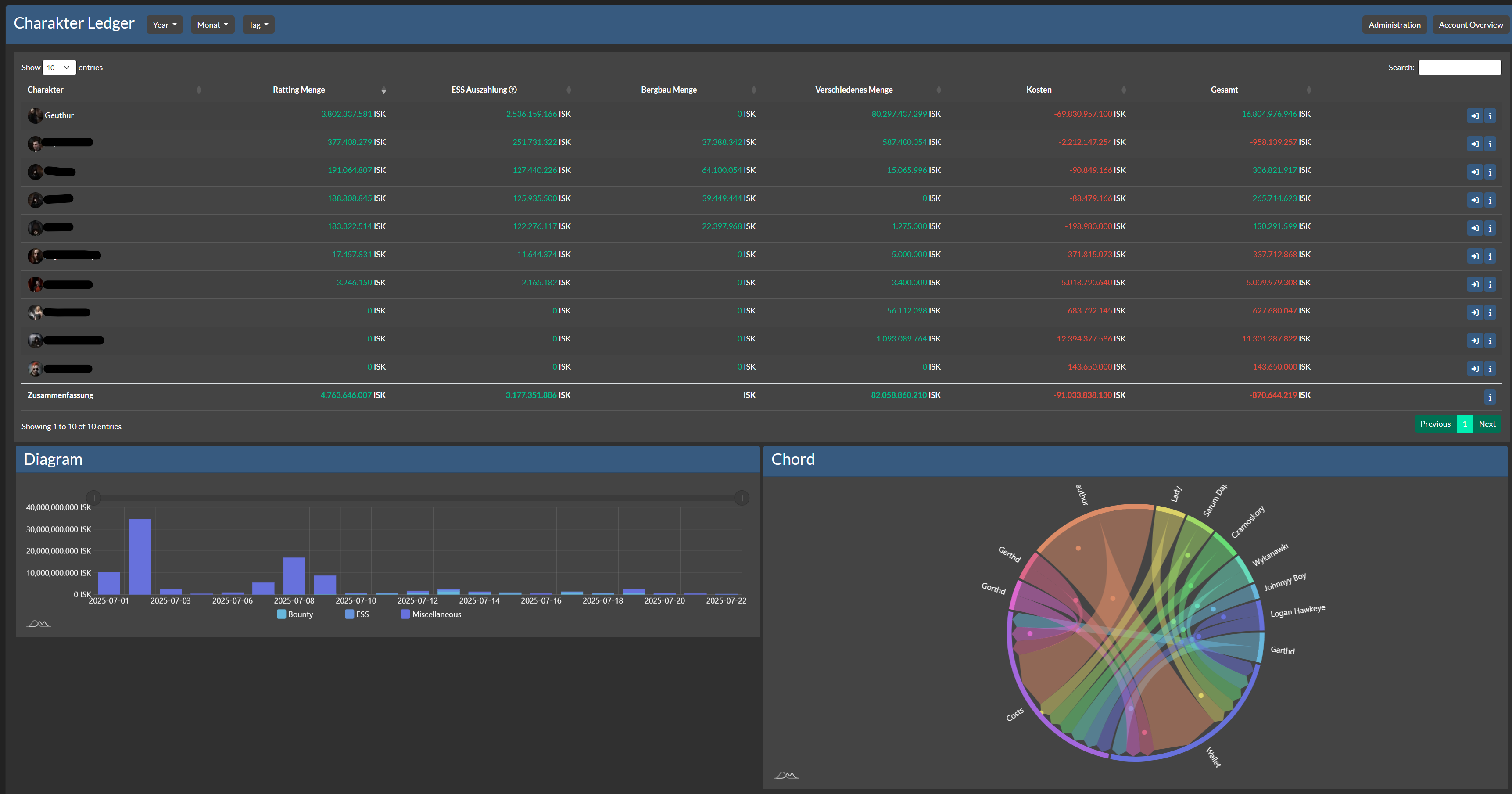
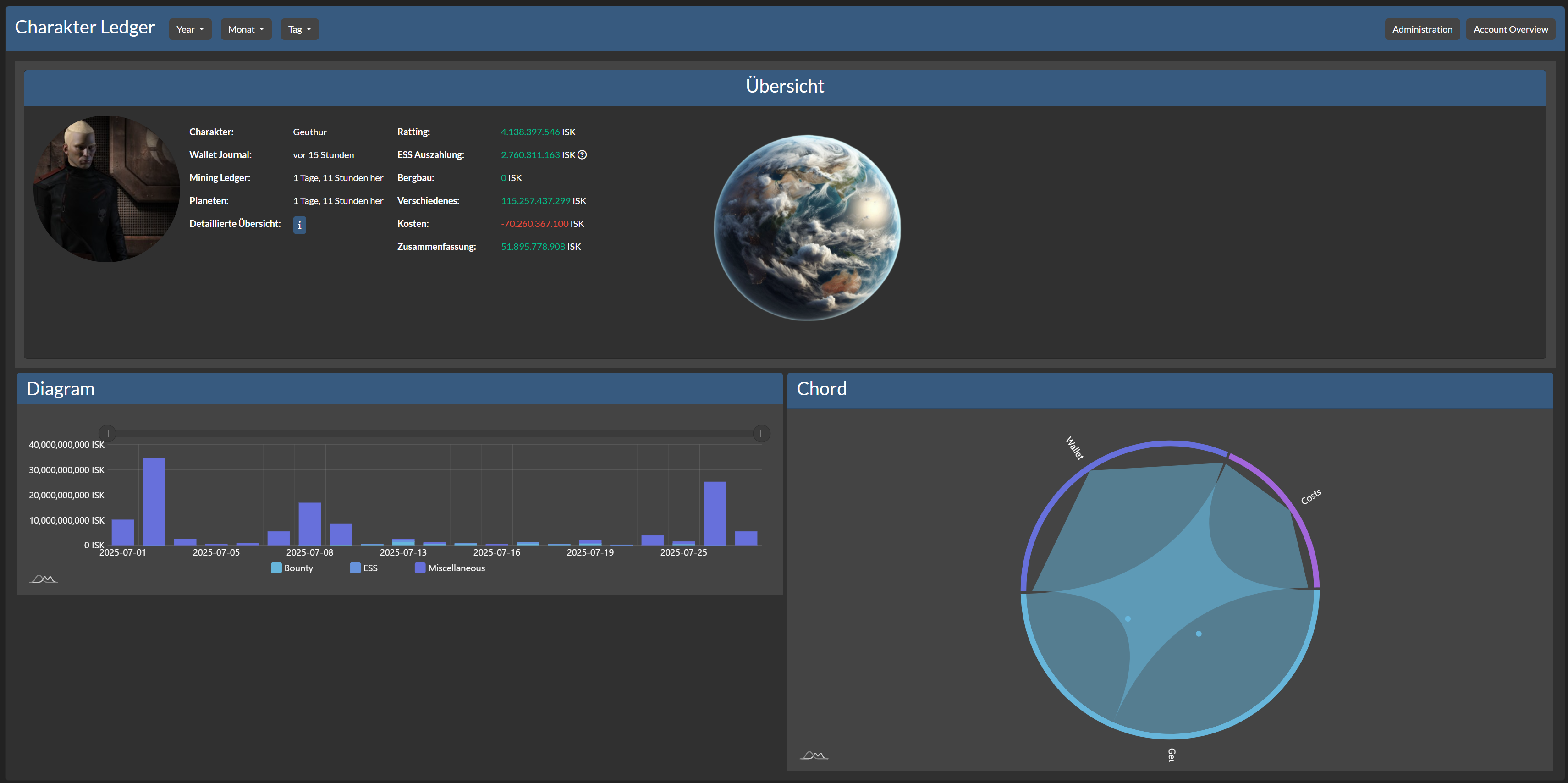
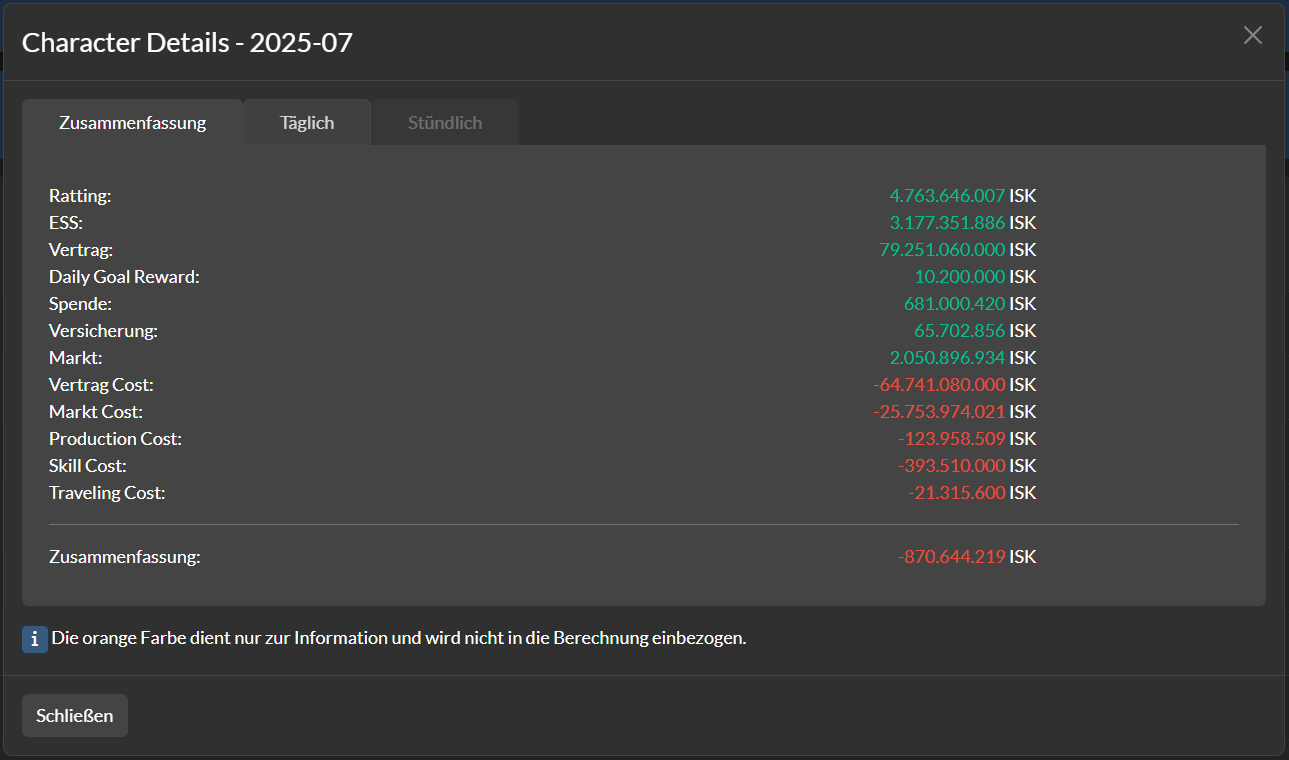
- Character Ledger
- Graphical Overview for each Character
- Graphical Statistics
- Ratting
- Encounter Surveillance System Payouts
- Mining
- Trading
- Costs
- Graphical Overview for each Character
- Corporation Ledger
- Graphical Overview for each Member
- Graphical Statistics
- Ratting Tax
- Encounter Surveillance System Tax
- Industry Tax
- Graphical Overview for each Member
- Alliance Ledger
- Graphical Overview for each Corporation
- Ratting Tax
- Encounter Surveillance System Tax
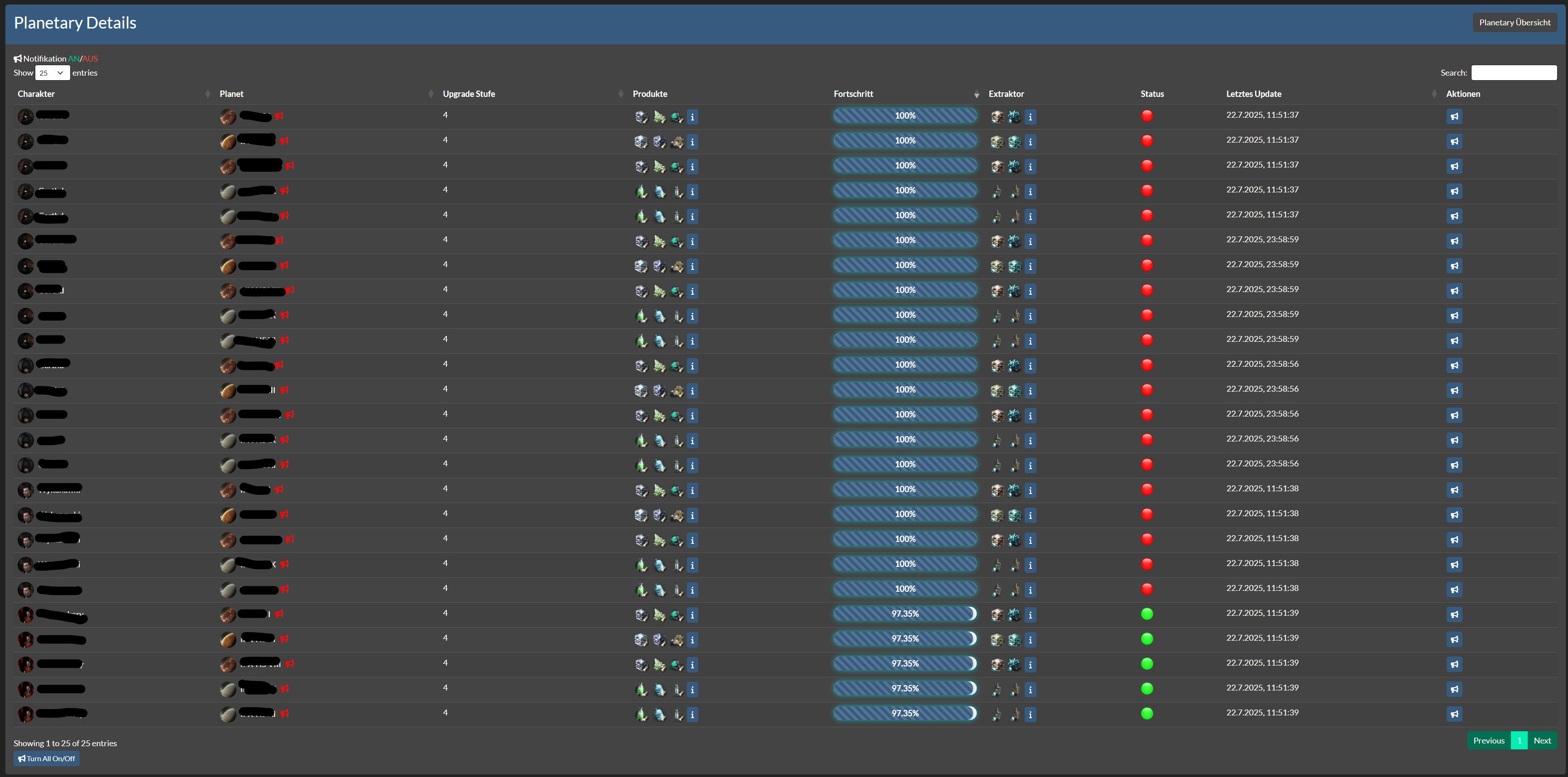
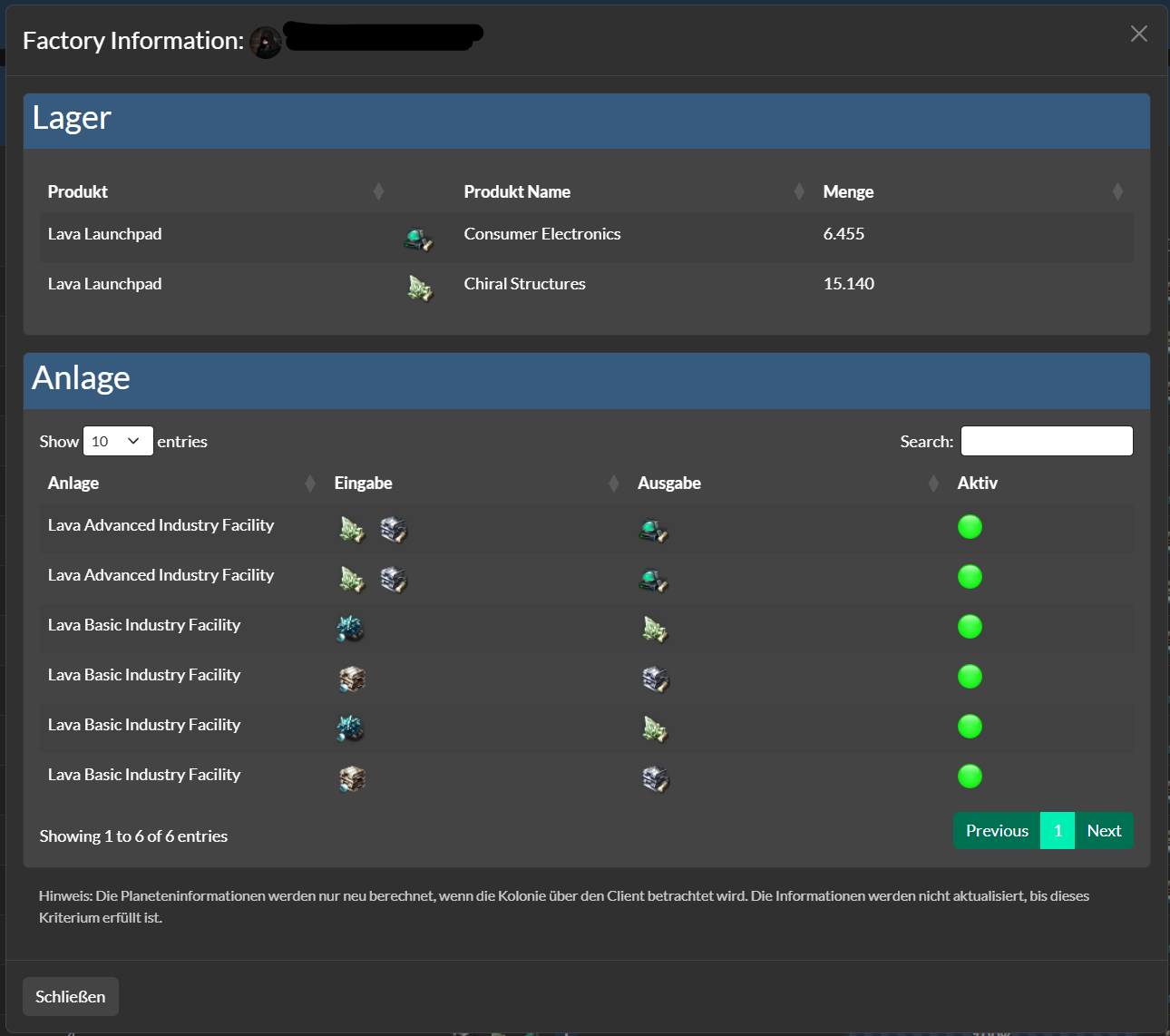
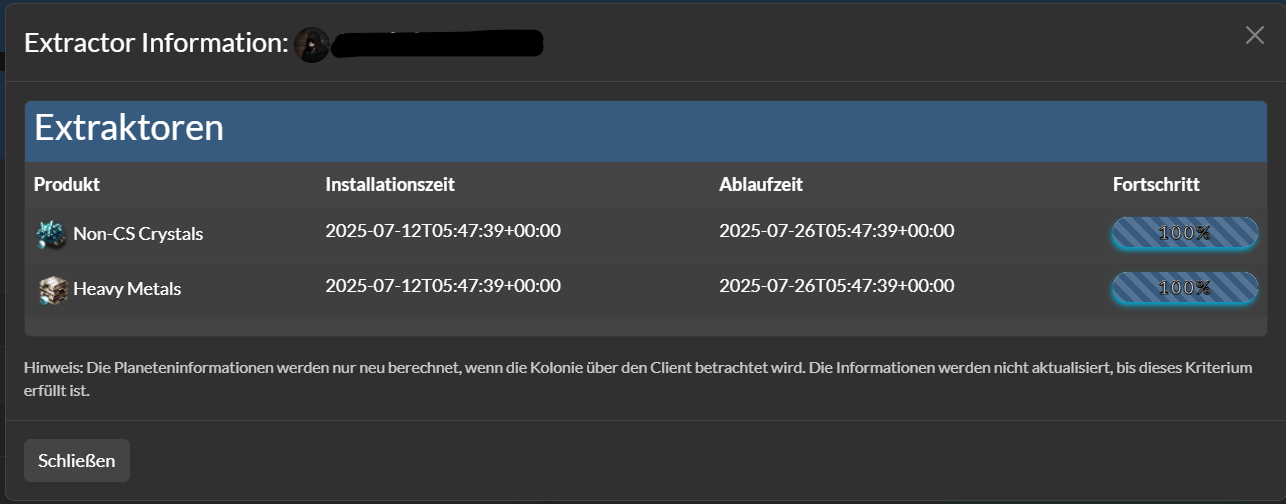
- Planetary Ledger
- Graphical Overview for each Planet
- Graphical Statistics
- Notification if Extractor expire
- Switchable Notification for each Planet
- Products Overview
- Graphical Overview for each Planet
- Events Calender
Upcoming
- Corporation Administration
- Status Update System for each Section
- Costs for Corporation Ledger
Installation
[!NOTE] AA Ledger needs at least Alliance Auth v5 Please make sure to update your Alliance Auth before you install this APP
Step 1 - Install the Package
Make sure you're in your virtual environment (venv) of your Alliance Auth then install the pakage.
pip install aa-ledger
Step 2 - Configure Alliance Auth
Configure your Alliance Auth settings (local.py) as follows:
INSTALLED_APPS = [
    # other apps
    "eve_sde",  # only if it not already existing
    "ledger",
    # other apps?
]

# This line is right below the `INSTALLED_APPS` list, if not already exist!
INSTALLED_APPS = ["modeltranslation"] + INSTALLED_APPS
Step 3 - Add the Scheduled Tasks
To set up the Scheduled Tasks add following code to your local.py
if "ledger" in INSTALLED_APPS:
    CELERYBEAT_SCHEDULE["AA Ledger :: Update Subset Characters"] = {
        "task": "ledger.tasks.update_subset_characters",
        "schedule": 1800,
    }
    CELERYBEAT_SCHEDULE["AA Ledger :: Update Subset Corporations"] = {
        "task": "ledger.tasks.update_subset_corporations",
        "schedule": 1800,
    }
    CELERYBEAT_SCHEDULE["AA Ledger :: Check Planetary Notification"] = {
        "task": "ledger.tasks.check_planetary_alarms",
        "schedule": 10800,
    }
This also only need to be added if it is not already!
if "eve_sde" in INSTALLED_APPS:
    # Run at 12:00 UTC each day
    CELERYBEAT_SCHEDULE["EVE SDE :: Check for SDE Updates"] = {
        "task": "eve_sde.tasks.check_for_sde_updates",
        "schedule": crontab(minute="0", hour="12"),
    }
Step 3.1 - (Optional) Add own Logger File
To set up the Logger add following code to your local.py
Ensure that you have writing permission in logs folder.
LOGGING["handlers"]["ledger_file"] = {
    "level": "INFO",
    "class": "logging.handlers.RotatingFileHandler",
    "filename": os.path.join(BASE_DIR, "log/ledger.log"),
    "formatter": "verbose",
    "maxBytes": 1024 * 1024 * 5,
    "backupCount": 5,
}
LOGGING["loggers"]["extensions.ledger"] = {
    "handlers": ["ledger_file"],
    "level": "DEBUG",
}
Step 4 - Migrate & Preload EVE SDE Data
AA Ledger uses EVE SDE data to map IDs to names for EveTypes. You will need to preload some data from SDE once.
python manage.py migrate eve_sde
python manage.py esde_load_sde
Step 4.1 - Migrate App and collect static
Migrate the app and collect static.
python manage.py migrate ledger
python manage.py collectstatic --noinput
Step 5 - Setting up Permissions
With the Following IDs you can set up the permissions for the Ledger
[!IMPORTANT] Character, Corporation, Alliance Ledger only show Data from User has access to
advanced_accessgive User access to see own Corporations he is in
| ID | Description | |
|---|---|---|
basic_access |
Can access the Ledger module | All Members with the Permission can access the Ledger. |
advanced_access |
Can access Corporation and Alliance Ledger | Can see Corporation & Alliance Ledger. |
manage_access |
Can Manage Ledger | Can add/manage Corporations, Alliances. |
char_audit_manager |
Has Access to all characters for own Corp | Can see all Characters from Corps he is |
char_audit_admin_manager |
Has Access to all Characters | Can see all Characters. |
corp_audit_manager |
Has Access to own Corporations | Can see own Corporations. |
corp_audit_admin_manager |
Has Access to all Corporations | Can see all Corporations. |
Step 6 - (Optional) Settings
The Following Settings can be setting up in the local.py
- LEDGER_APP_NAME:
"YOURNAME"- Set the name of the APP - LEDGER_TASKS_TIME_LIMIT:
7200- Defines the time (in seconds) a task will timeout - LEDGER_USE_COMPRESSED:
True- Defines if Mining Ledger use Compressed Price or Raw - LEDGER_PRICE_PERCENTAGE:
0.9- Defines Mining Price multiplier - LEDGER_BULK_BATCH_SIZE:
500- Maximum database batch size per operation. Reduce (e.g., 250) if encountering 'max_allowed_packet' errors, increase for better performance if MySQL is configured with higher limits
Advanced Settings: Stale Status for Each Section
- LEDGER_STALE_TYPES =
{ "wallet_journal": 30, "wallet_division": 30, "mining_ledger": 30, "planets": 30, "planets_details": 30, }- Defines the stale status duration (in minutes) for each section.
Highlights
Translations

Help us translate this app into your language or improve existing translations. Join our team!"
Contributing
You want to improve the project? Please ensure you read the contribution guidelines
1 maintainer

Download files
Download the file for your platform. If you're not sure which to choose, learn more about installing packages.
Source Distribution
Built Distribution
Filter files by name, interpreter, ABI, and platform.
If you're not sure about the file name format, learn more about wheel file names.
Copy a direct link to the current filters
File details
Details for the file aa_ledger-3.0.2.tar.gz.
File metadata
- Download URL: aa_ledger-3.0.2.tar.gz
- Upload date:
- Size: 3.8 MB
- Tags: Source
- Uploaded using Trusted Publishing? Yes
- Uploaded via: twine/6.1.0 CPython/3.13.12
File hashes
| Algorithm | Hash digest | |
|---|---|---|
| SHA256 |
9d563287d081574413185c6fdc82124256a7aaadbffbd854f21d0addf598e7d5
|
|
| MD5 |
7e502e043bb37f411ed8e95ed583267f
|
|
| BLAKE2b-256 |
eddc2992cb6102f49e5e43af9c1ff1869bcf36bc4434bf4f9f7ba493852d1294
|
Provenance
The following attestation bundles were made for aa_ledger-3.0.2.tar.gz:
Publisher:
release.yml on Geuthur/aa-ledger
-
Statement:
-
Statement type:
https://in-toto.io/Statement/v1 -
Predicate type:
https://docs.pypi.org/attestations/publish/v1 -
Subject name:
aa_ledger-3.0.2.tar.gz -
Subject digest:
9d563287d081574413185c6fdc82124256a7aaadbffbd854f21d0addf598e7d5 - Sigstore transparency entry: 2168104311
- Sigstore integration time:
-
Permalink:
Geuthur/aa-ledger@944fe0c0727bc98570a8eaed011b2a5cb41e36eb -
Branch / Tag:
refs/tags/v3.0.2 - Owner: https://github.com/Geuthur
-
Access:
public
-
Token Issuer:
https://token.actions.githubusercontent.com -
Runner Environment:
github-hosted -
Publication workflow:
release.yml@944fe0c0727bc98570a8eaed011b2a5cb41e36eb -
Trigger Event:
release
-
Statement type:
File details
Details for the file aa_ledger-3.0.2-py3-none-any.whl.
File metadata
- Download URL: aa_ledger-3.0.2-py3-none-any.whl
- Upload date:
- Size: 3.9 MB
- Tags: Python 3
- Uploaded using Trusted Publishing? Yes
- Uploaded via: twine/6.1.0 CPython/3.13.12
File hashes
| Algorithm | Hash digest | |
|---|---|---|
| SHA256 |
f0b4ade58f403d01b2eec2294e6ad30ec0624d38c2be49e22bd8c70a47dc5065
|
|
| MD5 |
2844afb34f81d42398bac9dd1bf72853
|
|
| BLAKE2b-256 |
2c7bea791ef85837032f70322475a0c76bf98b77510d8ca26f517c829ec5856d
|
Provenance
The following attestation bundles were made for aa_ledger-3.0.2-py3-none-any.whl:
Publisher:
release.yml on Geuthur/aa-ledger
-
Statement:
-
Statement type:
https://in-toto.io/Statement/v1 -
Predicate type:
https://docs.pypi.org/attestations/publish/v1 -
Subject name:
aa_ledger-3.0.2-py3-none-any.whl -
Subject digest:
f0b4ade58f403d01b2eec2294e6ad30ec0624d38c2be49e22bd8c70a47dc5065 - Sigstore transparency entry: 2168104324
- Sigstore integration time:
-
Permalink:
Geuthur/aa-ledger@944fe0c0727bc98570a8eaed011b2a5cb41e36eb -
Branch / Tag:
refs/tags/v3.0.2 - Owner: https://github.com/Geuthur
-
Access:
public
-
Token Issuer:
https://token.actions.githubusercontent.com -
Runner Environment:
github-hosted -
Publication workflow:
release.yml@944fe0c0727bc98570a8eaed011b2a5cb41e36eb -
Trigger Event:
release
-
Statement type:







