
Sov Campaign Timer for Alliance Auth
Verified details
These details have been verified by PyPIProject links
GitHub Statistics
Maintainers

Project description
AA Sovereignty Timer














Sovereignty campaign overview for Alliance Auth.
- Screenshots
- Installation
- Updating
- Changelog
- Translation Status
- Contributing
Screenshots
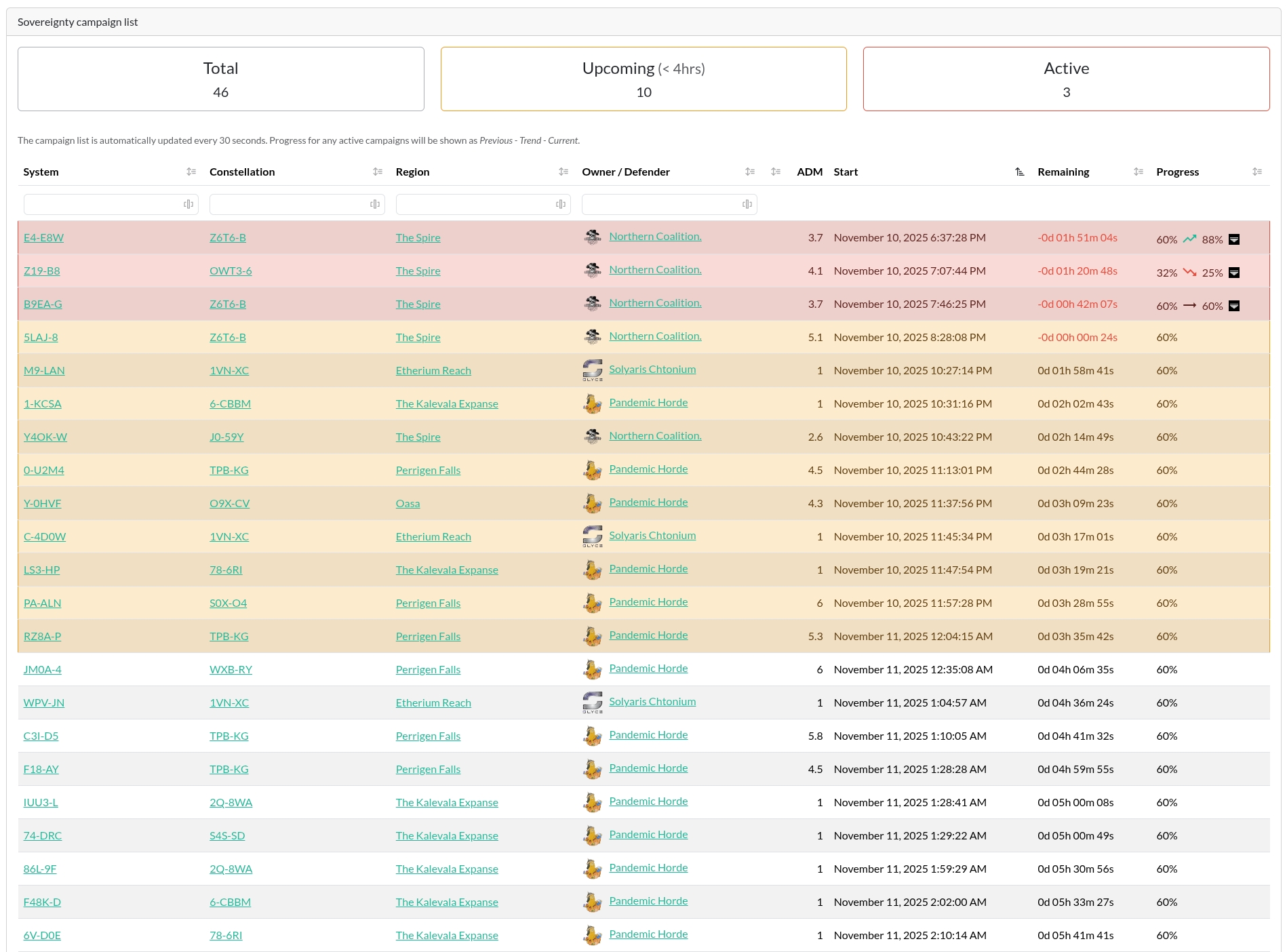
All Timers
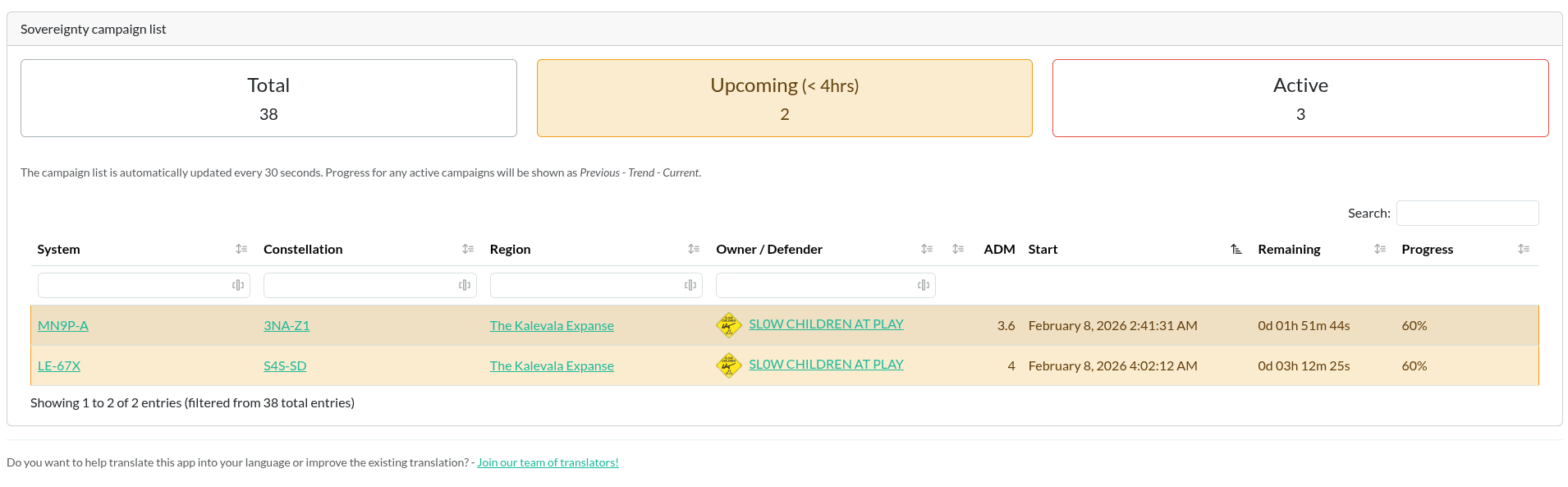
Upcoming Timers (Filtered)
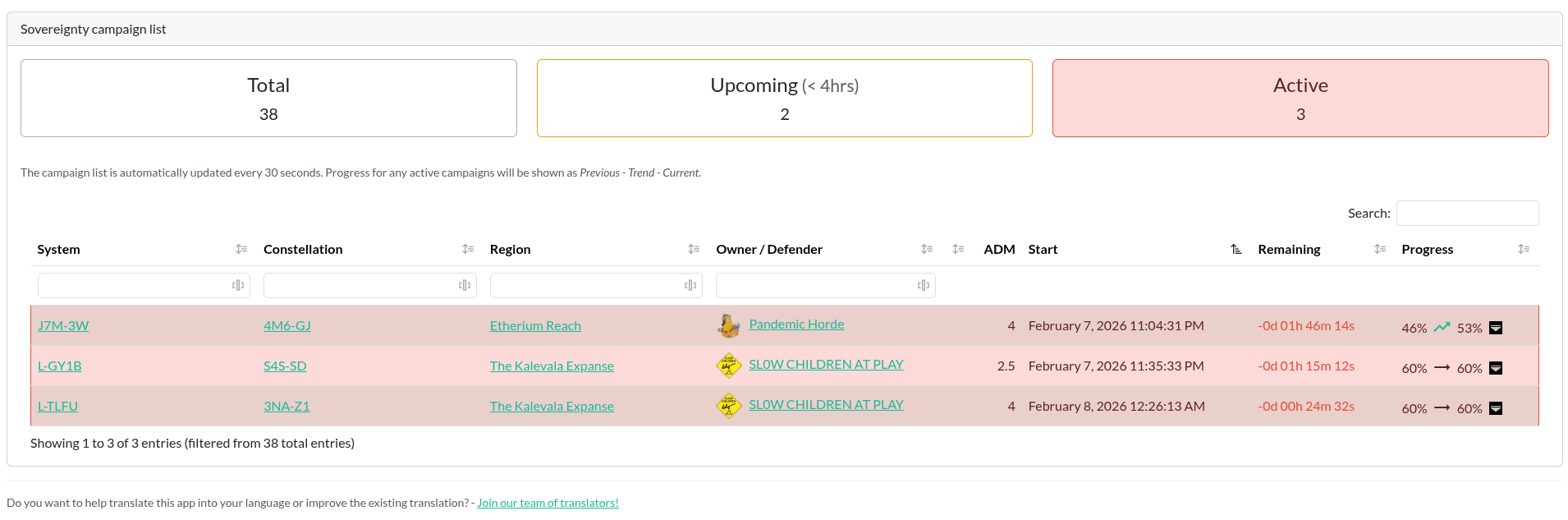
Active Timers (Filtered)
Installation
[!IMPORTANT]
Please make sure you meet all preconditions before you proceed.
[!IMPORTANT]
This app is utilising features that are only available in Alliance Auth >= 4.12.0. Please make sure to update your Alliance Auth instance before installing this app, otherwise, an update to Alliance Auth will be pulled in unsupervised.
- AA Sovereignty Timer is a plugin for Alliance Auth. If you don't have Alliance Auth running already, please install it first before proceeding. (see the official AA installation guide for details)
Bare Metal Installation
Step 1: Installing the App
Make sure you're in the virtual environment (venv) of your Alliance Auth installation. Then install the latest version:
pip install aa-sov-timer==4.0.2
Step 2: Update Your AA Settings
Configure your AA settings (local.py) as follows:
-
Modify
INSTALLED_APPSto include the following entries:INSTALLED_APPS += [ # ... "eve_sde", # Only if not already added for another app "sovtimer", # ... ] # This line right below the `INSTALLED_APPS` list, and only if not already added for another app INSTALLED_APPS = ["modeltranslation"] + INSTALLED_APPS
-
Add the Scheduled Tasks
if "sovtimer" in INSTALLED_APPS:
    # AA Sovereignty Timer - Run sovereignty related updates every 30 seconds
    CELERYBEAT_SCHEDULE["sovtimer.tasks.run_sov_campaign_updates"] = {
        "task": "sovtimer.tasks.run_sov_campaign_updates",
        "schedule": 30,
    }

if "eve_sde" in INSTALLED_APPS:
    # Run at 12:00 each day
    CELERYBEAT_SCHEDULE["EVE SDE :: Check for SDE Updates"] = {
        "task": "eve_sde.tasks.check_for_sde_updates",
        "schedule": crontab(minute="0", hour="12"),
    }

    # Set the following when you have a bare metal installation, or Docker with a
    # non-standard storage for `myauth`
    ESDE_TASK_SPLIT = True
Step 3: Finalizing the Installation
Copy static files and run migrations
python manage.py collectstatic
python manage.py migrate
Step 4: Preload EVE SDE Data
AA Sovereignty Timer uses EVE SDE data to map IDs to names for solar systems, regions and constellations. So you need to preload some data from SDE once. If you already have run this command, you can skip this step.
python manage.py esde_load_sde
python manage.py sovtimer_load_initial_data
Both commands might take a moment or two, so be patient ...
Step 5: Restart Supervisor
Once you have completed all previous steps, restart your AA supervisor service to apply the changes.
Continue with the Common Steps / Configuration below to finish the installation.
Docker Installation
Step 1: Add the App
Add the app to your conf/requirements.txt:
aa-sov-timer==4.0.2
Step 2: Update Your AA Settings
Configure your AA settings (conf/local.py) as follows:
-
Modify
INSTALLED_APPSto include the following entries:INSTALLED_APPS = [ # ... "eve_sde", # Only if not already added for another app "sovtimer", # ... ] # This line right below the `INSTALLED_APPS` list, and only if not already added for another app INSTALLED_APPS = ["modeltranslation"] + INSTALLED_APPS
-
Add the Scheduled Tasks
if "sovtimer" in INSTALLED_APPS:
    # AA Sovereignty Timer - Run sovereignty related updates every 30 seconds
    CELERYBEAT_SCHEDULE["sovtimer.tasks.run_sov_campaign_updates"] = {
        "task": "sovtimer.tasks.run_sov_campaign_updates",
        "schedule": 30,
    }

if "eve_sde" in INSTALLED_APPS:
    # Run at 12:00 each day
    CELERYBEAT_SCHEDULE["EVE SDE :: Check for SDE Updates"] = {
        "task": "eve_sde.tasks.check_for_sde_updates",
        "schedule": crontab(minute="0", hour="12"),
    }

    # Set the following when you have a bare metal installation, or Docker with a
    # non-standard storage for `myauth`
    ESDE_TASK_SPLIT = True
Step 3: Build Auth and Restart Your Containers
docker compose build --no-cache
docker compose --env-file=.env up -d
Step 4: Finalizing the Installation
Run migrations, copy static files and load EVE SDE data:
docker compose exec allianceauth_gunicorn bash

auth collectstatic
auth migrate

auth esde_load_sde
auth sovtimer_load_initial_data
Continue with the Common Steps / Configuration below to finish the installation.
Common Steps / Configuration
(Optional) Allow Public Views
This app supports AA's feature of public views.
To allow this feature, please add "sovtimer",, to the list of APPS_WITH_PUBLIC_VIEWS in your local.py or conf/local.py for Docker:
APPS_WITH_PUBLIC_VIEWS = [
    "sovtimer",
]
[!NOTE]
If you don't have a list for
APPS_WITH_PUBLIC_VIEWSyet, then add the whole block from here.
Restart your supervisor service or your Docker containers to apply the changes.
Updating
Bare Metal Installation
To update your existing installation of AA Sovereignty Timer, first enable your virtual environment.
Then run the following commands from your AA project directory (the one that
contains manage.py).
pip install aa-sov-timer==4.0.2

python manage.py collectstatic
python manage.py migrate
Finally, restart your AA supervisor service.
Docker Installation
To update your existing installation of AA Sovereignty Timer, all you need to do is to update the respective line in your conf/requirements.txt file to the latest version.
aa-sov-timer==4.0.2
Now rebuild your containers and restart them:
docker compose build --no-cache
docker compose --env-file=.env up -d
After that, run the following commands to update your database and static files:
docker compose exec allianceauth_gunicorn bash

auth collectstatic
auth migrate
Common Steps
It is possible that some versions need some more changes. Always read the changelog and/or release notes to find out more.
Changelog
See CHANGELOG.md for a detailed list of changes and improvements.
Translation Status
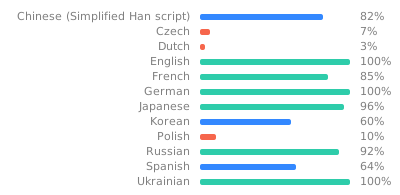
Do you want to help translate this app into your language or improve the existing translation? - Join our team of translators!
Contributing
Do you want to contribute to this project? That's cool!
Please make sure to read the Contribution Guidelines.
(I promise, it's not much, just some basics)
Project details
Verified details
These details have been verified by PyPIProject links
GitHub Statistics
Maintainers
Release history Release notifications | RSS feed


Download files
Download the file for your platform. If you're not sure which to choose, learn more about installing packages.
Source Distribution
Built Distribution
Filter files by name, interpreter, ABI, and platform.
If you're not sure about the file name format, learn more about wheel file names.
Copy a direct link to the current filters
File details
Details for the file aa_sov_timer-4.0.2.tar.gz.
File metadata
- Download URL: aa_sov_timer-4.0.2.tar.gz
- Upload date:
- Size: 207.3 kB
- Tags: Source
- Uploaded using Trusted Publishing? Yes
- Uploaded via: twine/6.1.0 CPython/3.13.12
File hashes
| Algorithm | Hash digest | |
|---|---|---|
| SHA256 |
2650909bb6fa58220acafdaea1ba6f4a5f47d0d9dc548ed6108c88053fb26bbc
|
|
| MD5 |
19a482ae9768b021ac8dd71535b7c8a3
|
|
| BLAKE2b-256 |
d42e2fa47624109a635efc012734d23835e5e6bfdf3ce90b99c0df8a29fff5b6
|
Provenance
The following attestation bundles were made for aa_sov_timer-4.0.2.tar.gz:
Publisher:
release.yml on ppfeufer/aa-sov-timer
-
Statement:
-
Statement type:
https://in-toto.io/Statement/v1 -
Predicate type:
https://docs.pypi.org/attestations/publish/v1 -
Subject name:
aa_sov_timer-4.0.2.tar.gz -
Subject digest:
2650909bb6fa58220acafdaea1ba6f4a5f47d0d9dc548ed6108c88053fb26bbc - Sigstore transparency entry: 1247741033
- Sigstore integration time:
-
Permalink:
ppfeufer/aa-sov-timer@41377318e38884bed7353c93f54d6c1410ca534c -
Branch / Tag:
refs/tags/v4.0.2 - Owner: https://github.com/ppfeufer
-
Access:
public
-
Token Issuer:
https://token.actions.githubusercontent.com -
Runner Environment:
github-hosted -
Publication workflow:
release.yml@41377318e38884bed7353c93f54d6c1410ca534c -
Trigger Event:
release
-
Statement type:
File details
Details for the file aa_sov_timer-4.0.2-py3-none-any.whl.
File metadata
- Download URL: aa_sov_timer-4.0.2-py3-none-any.whl
- Upload date:
- Size: 250.8 kB
- Tags: Python 3
- Uploaded using Trusted Publishing? Yes
- Uploaded via: twine/6.1.0 CPython/3.13.12
File hashes
| Algorithm | Hash digest | |
|---|---|---|
| SHA256 |
e35c4aa821057f4f4f9e4169b40eca0b577656cf7bca96e056540172d82ccaee
|
|
| MD5 |
67e62c1062f86573be4eca8ddbbeefd0
|
|
| BLAKE2b-256 |
d6738e42d853baaf2b5c5e6a380aef345db4cb83c5c3dcba93accdf695e577fc
|
Provenance
The following attestation bundles were made for aa_sov_timer-4.0.2-py3-none-any.whl:
Publisher:
release.yml on ppfeufer/aa-sov-timer
-
Statement:
-
Statement type:
https://in-toto.io/Statement/v1 -
Predicate type:
https://docs.pypi.org/attestations/publish/v1 -
Subject name:
aa_sov_timer-4.0.2-py3-none-any.whl -
Subject digest:
e35c4aa821057f4f4f9e4169b40eca0b577656cf7bca96e056540172d82ccaee - Sigstore transparency entry: 1247741048
- Sigstore integration time:
-
Permalink:
ppfeufer/aa-sov-timer@41377318e38884bed7353c93f54d6c1410ca534c -
Branch / Tag:
refs/tags/v4.0.2 - Owner: https://github.com/ppfeufer
-
Access:
public
-
Token Issuer:
https://token.actions.githubusercontent.com -
Runner Environment:
github-hosted -
Publication workflow:
release.yml@41377318e38884bed7353c93f54d6c1410ca534c -
Trigger Event:
release
-
Statement type:






