
Squads module for AllianceAuth.




Features
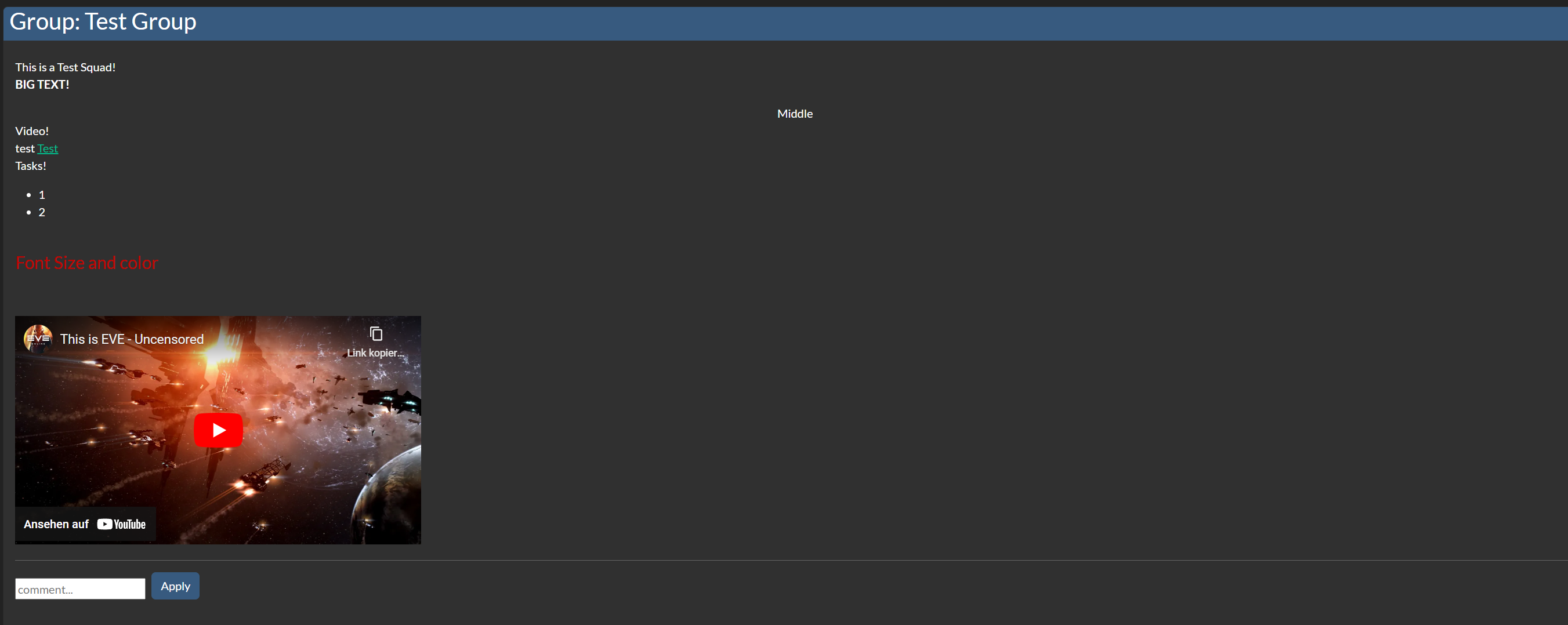
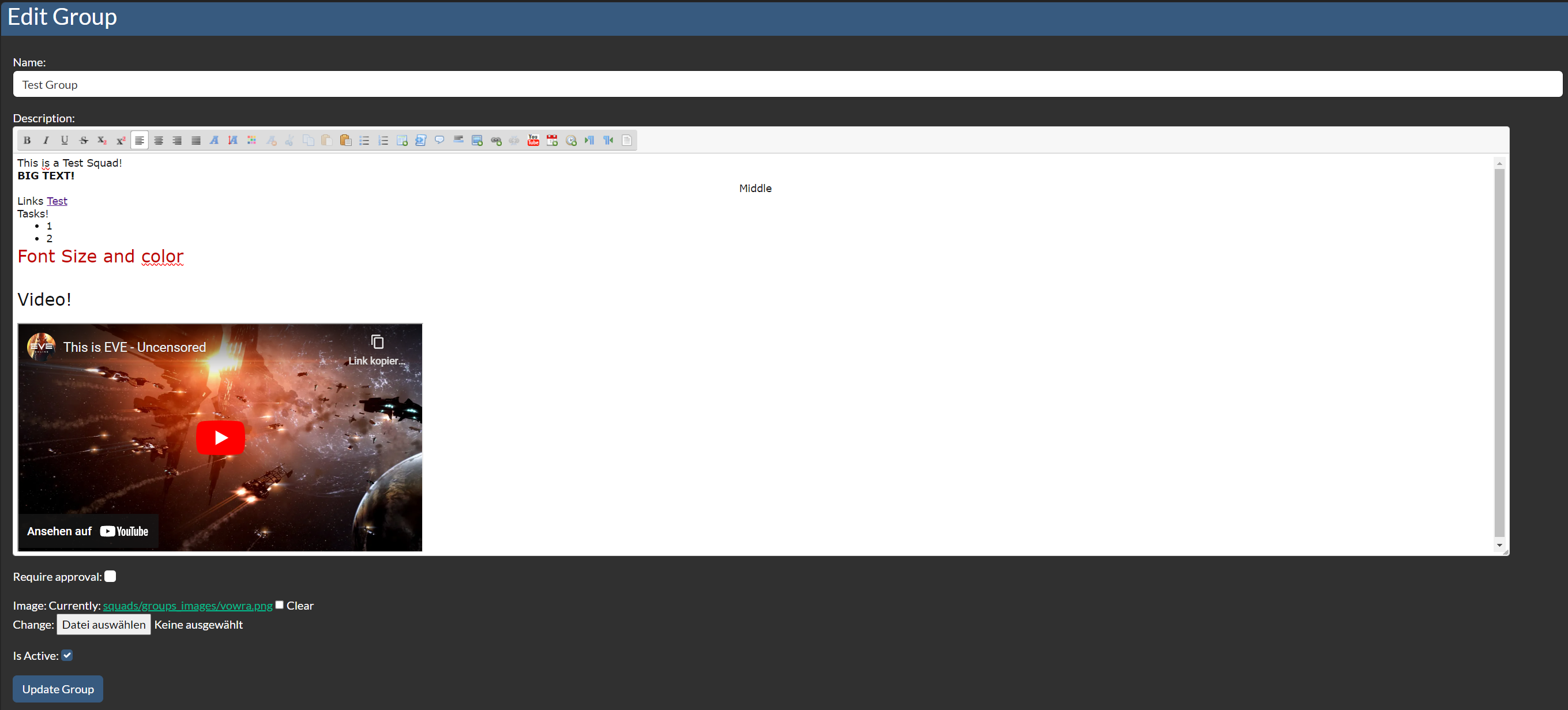
- Detailed Squad Information (html)
- Squad Filters
- Overview of Members in Squads
- Check Member States if they met Filters
- Updating Member States on Filter changes
Upcoming
- More Filters.
- Missing Skills can be imported from EVE Online Skillplaner
Installation
[!NOTE] AA Squads needs at least Alliance Auth v4.0.0 Please make sure to update your Alliance Auth before you install this APP
Step 1 - Install the Package
Make sure you're in your virtual environment (venv) of your Alliance Auth then install the pakage.
pip install aa-squads
Step 2 - Configure Alliance Auth
Configure your Alliance Auth settings (local.py) as follows:
- Add
'eveuniverse',toINSTALLED_APPS - Add
'memberaudit',toINSTALLED_APPS - Add
'squads',toINSTALLED_APPS
Step 3 - Add the Scheduled Tasks
You can change the interval if you want.
CELERYBEAT_SCHEDULE["run_check_squads"] = {
    "task": "squads.tasks.run_check_squads",
    "schedule": crontab(minute=0, hour="*/12"),
}
Step 4 - Migration to AA
python manage.py collectstatic
python manage.py migrate
Step 5 - Setting up Permissions
With the Following IDs you can set up the permissions for the Squads
| ID | Description | |
|---|---|---|
basic_access |
Can access the Squads module | All Members with the Permission can access the Squads. |
squad_manager |
Can Create / Manage Squads | Manage Squads like Edit, Create Squads, Approve, Decline Request, etc. |
squad_admin |
Can View All Squads | Can View all Squads. |
Step 6 - (Optional) Setting up Compatibilies
The Following Settings can be setting up in the local.py
- SQUADS_APP_NAME:
"YOURNAME"- Set the name of the APP - SQUADS_LOGGER_USE:
True / False- Set to use own Logger File
If you set up SQUADS_LOGGER_USE to True you need to add the following code below:
LOGGING_SQUADS = {
    "handlers": {
        "squads_file": {
            "level": "INFO",
            "class": "logging.handlers.RotatingFileHandler",
            "filename": os.path.join(BASE_DIR, "log/squads.log"),
            "formatter": "verbose",
            "maxBytes": 1024 * 1024 * 5,
            "backupCount": 5,
        },
    },
    "loggers": {
        "squads": {
            "handlers": ["squads_file", "console"],
            "level": "INFO",
        },
    },
}
LOGGING["handlers"].update(LOGGING_SQUADS["handlers"])
LOGGING["loggers"].update(LOGGING_SQUADS["loggers"])
Highlights





[!NOTE] Contributing You want to improve the project? Just Make a Pull Request with the Guidelines. We Using pre-commit
1 maintainer

Metadata
1 maintainer
Release files for aa-squads 0.2.4.1
For a detailed explanation of source distributions (sdists) and built distributions (wheels), please see the package formats documentation.
Source distribution (sdist)
| File | Size | Uploaded | Provenance | |
|---|---|---|---|---|
| aa_squads-0.2.4.1.tar.gz | 117.3 kB | Without provenance | Details |
Built distribution (wheel)
| File | Interpreter | ABI | Platform | Reset |
|---|---|---|---|---|
| aa_squads-0.2.4.1-py3-none-any.whl | Python 3 | none | any | Details |
Total release size: 280.5 kB
Release files / aa_squads-0.2.4.1.tar.gz
| Download URL | aa_squads-0.2.4.1.tar.gz |
|---|---|
| Size | 117.3 kB |
| Tags | Source |
|
SHA-256 checksum How to use checksums |
19f1b25767f1861fff1f9ec18992b99e81819d100e7b4f117a8cd9bc764aea0d
|
|
BLAKE2b-256 checksum How to use checksums |
25f18e6ff3c7f52fc7fe22fdf571b8d56824741e7a47c0621e8c8ee065fd073d
|
| Upload date | |
|
Uploaded using Trusted Publishing? What is trusted publishing? |
No |
| Uploaded via |
twine/5.1.0 CPython/3.12.3
|
Release files / aa_squads-0.2.4.1-py3-none-any.whl
| Download URL | aa_squads-0.2.4.1-py3-none-any.whl |
|---|---|
| Size | 163.2 kB |
| Tags | Python 3 |
|
SHA-256 checksum How to use checksums |
0b3f50264bdd219456526d0e70985d6b85d976384f8d21a9edc85f976b8ec212
|
|
BLAKE2b-256 checksum How to use checksums |
b0cbf71f28492f47d39055ab0129049656c67d8180884e344b49c6f248c17b1e
|
| Upload date | |
|
Uploaded using Trusted Publishing? What is trusted publishing? |
No |
| Uploaded via |
twine/5.1.0 CPython/3.12.3
|
Security for aa-squads 0.2.4.1
Provenance
Provenance describes where a file came from. On PyPI, provenance is shared via attestations, which provide a verifiable record of the build or publishing details. View details, limitations and caveats.
No provenance found
None of the files in this release were uploaded with provenance metadata.
A note on package security
PyPI is a repository for distributing packages, not a service for auditing them. While third-party security researchers and our staff do their best to detect and remove malicious packages, PyPI cannot guarantee the quality, security or suitability of any given package.
To learn more about protecting yourself from malicious actors, visit our package security documentation.














