
Tax System module for AllianceAuth.











A Tax System for Corporation to Monitor Payments like Renting Tax, etc.
Features
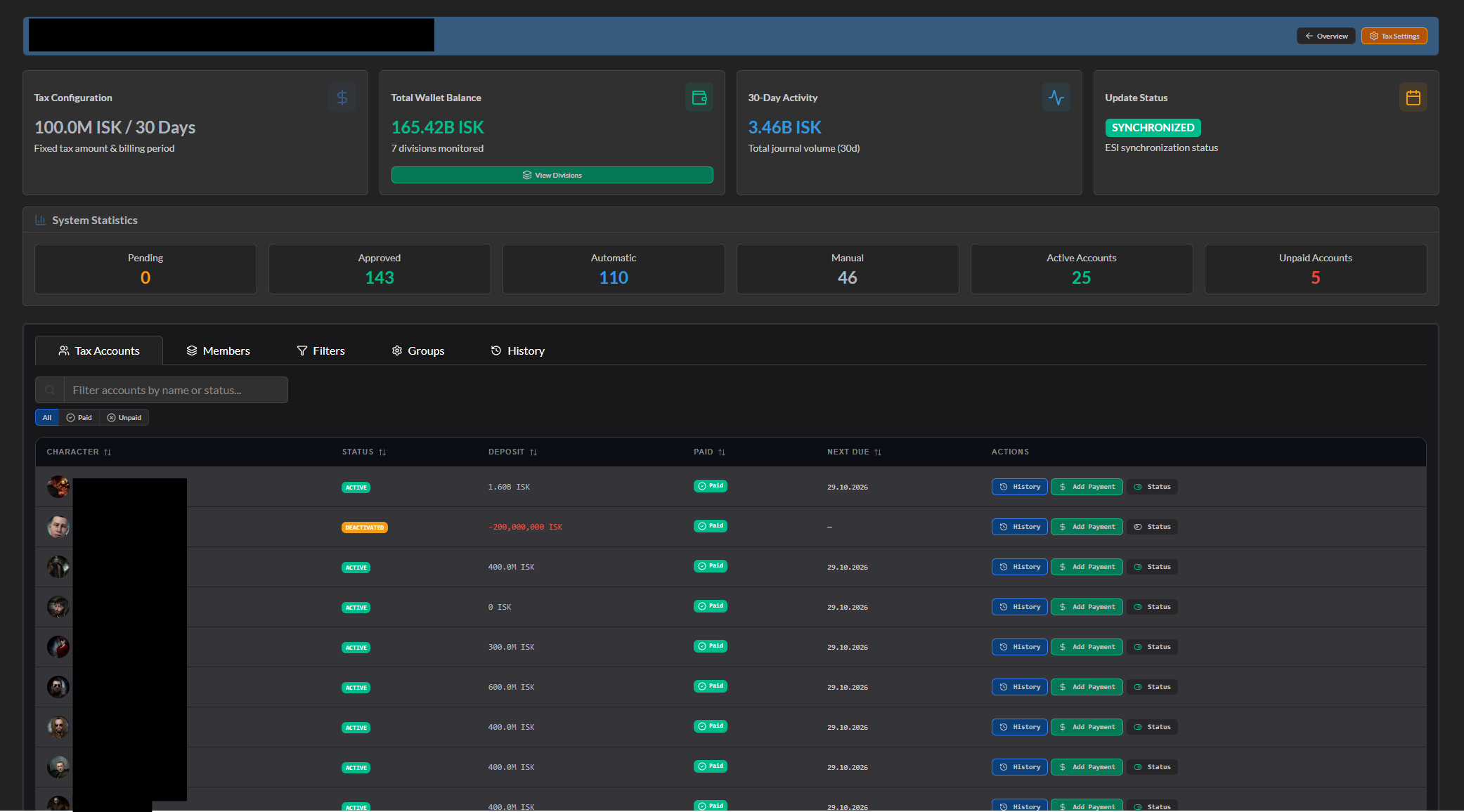
- Multi-Owner Support: Manage both Corporations and Alliances
- Corporation & Alliance Tax System
- Statistics
- Owner Information
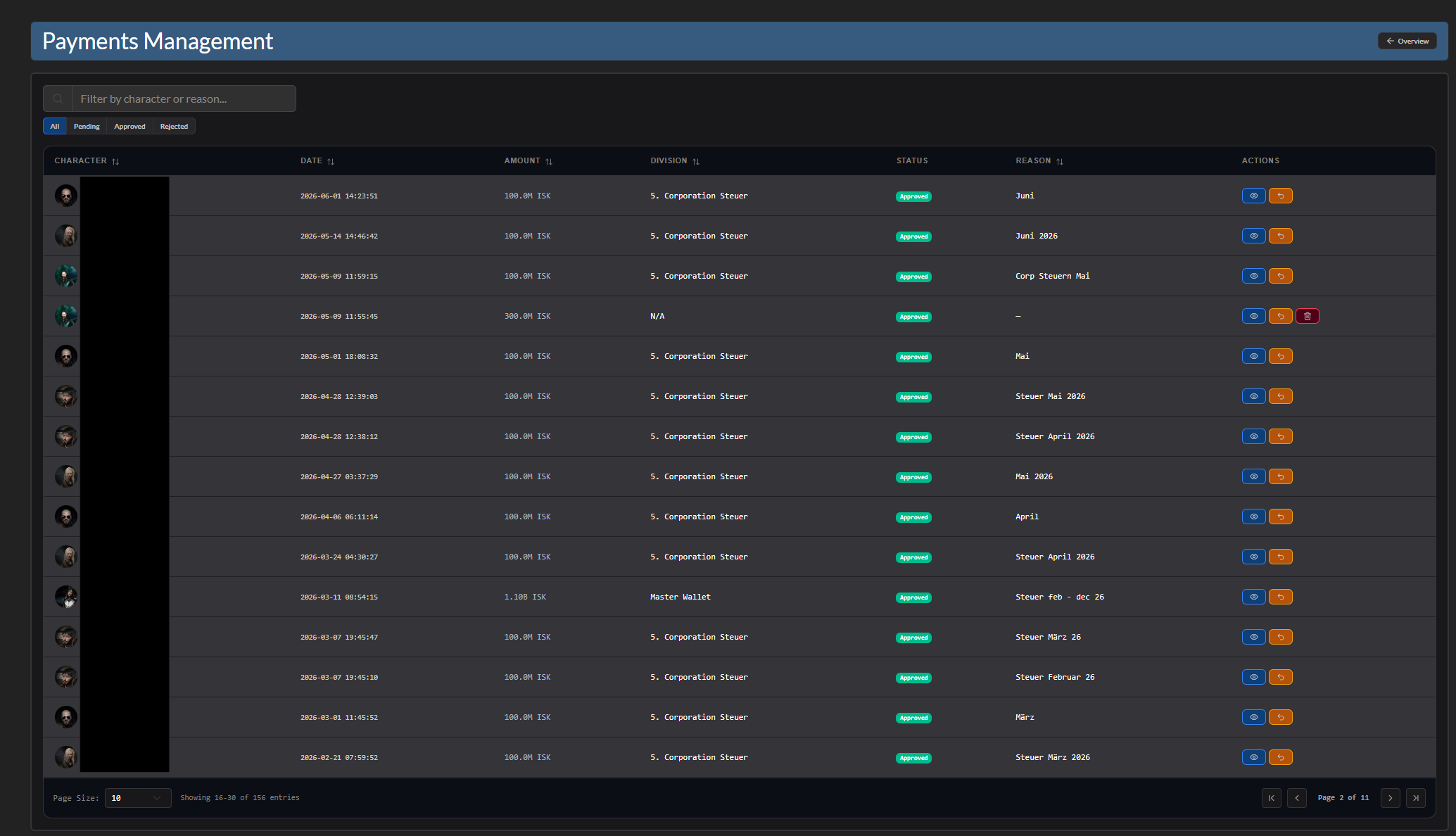
- Payments
- Tax Accounts
- Division Information
- Update Status
- Member Tracking
- Check Member is registered in Auth
- Check Member is Alt Char
- Report members as missing if they leave the corporation/alliance
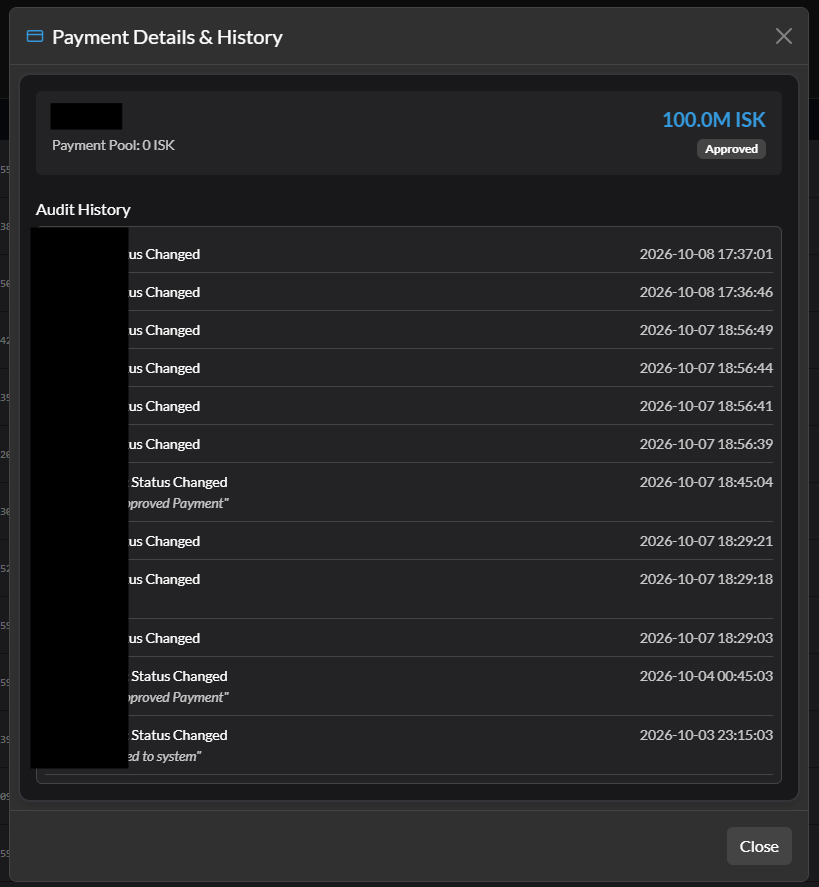
- Payment System
- Allocate User from Member Tracking
- Automatic Payment Tracking
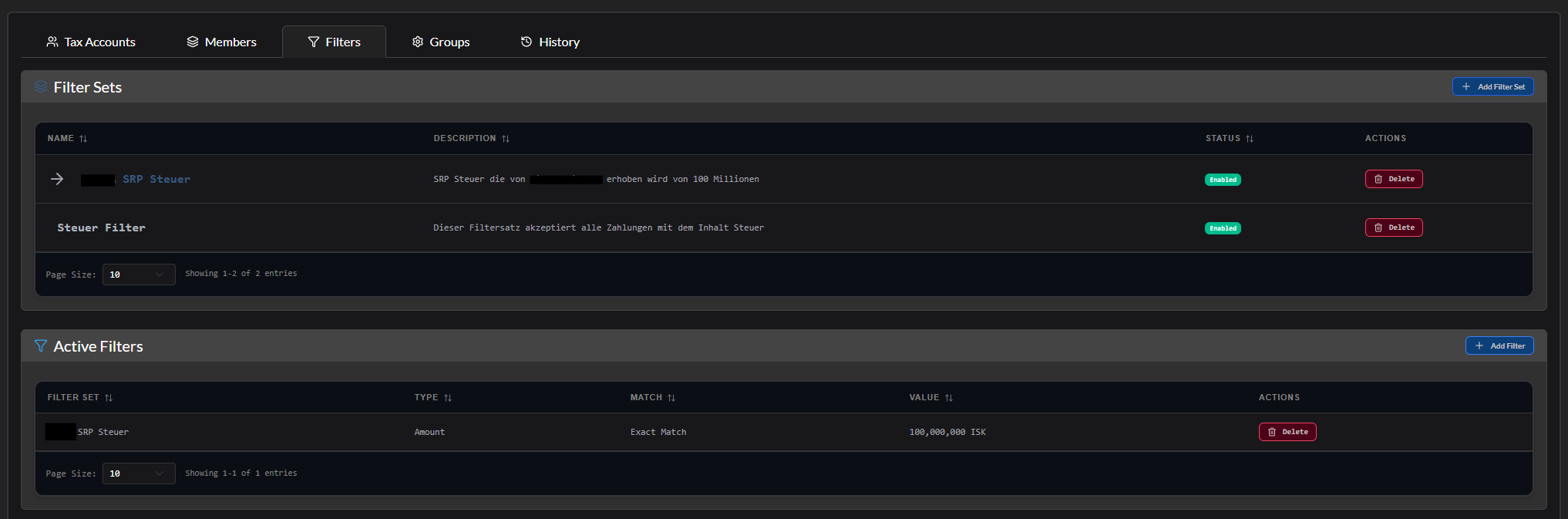
- Automatic Payment Approval via Filters
- Filtering Amount, Reason, Date
- Payments
- Track Payments that meets filters
- Manual approval workflow for unfiltered payments
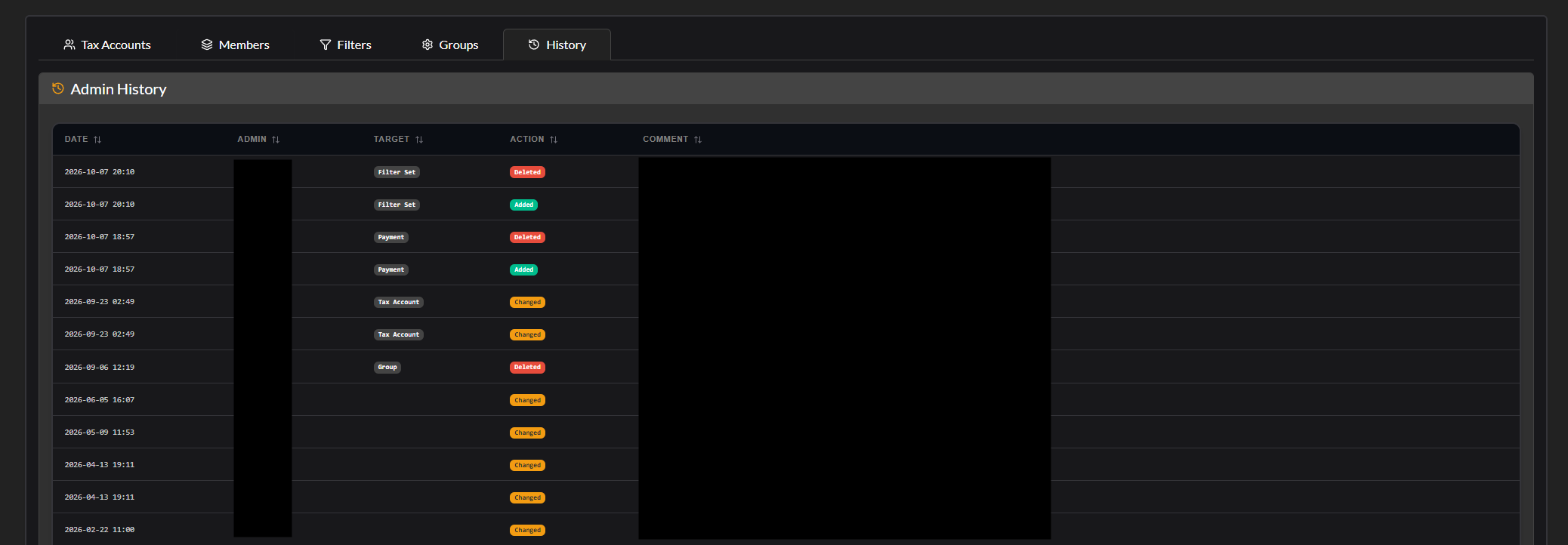
- Log System
- Logs Actions from Administration Section
- Payment history tracking
- Notification
- Discord Notification
- Statistics
Upcoming
- Data export functionality
Screenshots
Installation
Step 1 - Install the Package
Make sure you're in your virtual environment (venv) of your Alliance Auth then install the pakage.
pip install aa-taxsystem
Step 2 - Configure Alliance Auth
Configure your Alliance Auth settings (local.py) as follows:
- Add
'taxsystem',toINSTALLED_APPS
Step 3 - Add the Scheduled Tasks
To set up the Scheduled Tasks add following code to your local.py
CELERYBEAT_SCHEDULE["AA Taxsystem :: Update All Tax System"] = {
    "task": "taxsystem.tasks.update_all_taxsytem",
    "schedule": 1800,
}
CELERYBEAT_SCHEDULE["AA Taxsystem :: Sent out Notification"] = {
    "task": "taxsystem.tasks.check_account_deposit",
    "schedule": crontab(minute="0", hour="12"),
}
Step 3.1 - (Optional) Add own Logger File
To set up the Logger add following code to your local.py
Ensure that you have writing permission in logs folder.
LOGGING["handlers"]["taxsystem_file"] = {
    "level": "INFO",
    "class": "logging.handlers.RotatingFileHandler",
    "filename": os.path.join(BASE_DIR, "log/taxsystem.log"),
    "formatter": "verbose",
    "maxBytes": 1024 * 1024 * 5,
    "backupCount": 5,
}
LOGGING["loggers"]["extensions.taxsystem"] = {
    "handlers": ["taxsystem_file", "console", "extension_file"],
    "level": "DEBUG",
}
Step 4 - Migration to AA
python manage.py collectstatic
python manage.py migrate
Step 5 - Setting up Permissions
With the Following IDs you can set up the permissions for the Tax System
| ID | Description | |
|---|---|---|
basic_access |
Can access the Tax System module | All Members with the Permission can access the Tax System. |
create_access |
Can add Corporation/Alliance | Users with this permission can add corporations and alliances. |
manage_own_corp |
Can manage own Corporation | Users with this permission can manage own corporation. |
manage_corps |
Can manage all Corporations | Users with this permission can manage all corporations. |
manage_own_alliance |
Can manage own Alliance | Users with this permission can manage own alliance. |
manage_alliances |
Can manage all Alliances | Users with this permission can manage all alliances. |
Step 6 - (Optional) Setting up Compatibilies
The Following Settings can be setting up in the local.py
-
TAXSYSTEM_APP_NAME:
"YOURNAME"- Set the name of the APP -
TAXSYSTEM_BULK_BATCH_SIZE:
500- Maximum database batch size per operation. Reduce (e.g., 250) if encountering 'max_allowed_packet' errors, increase for better performance if MySQL is configured with higher limits Advanced Settings: Stale Status for Each Section -
TAXSYSTEM_STALE_TYPES =
{ "wallet": 60, "divisions": 60, "division_names": 60, "members": 60, "payments": 60, "tax_accounts":60, "deadlines": 1440 }- Defines the stale status duration (in minutes) for each section. -
TAXSYSTEM_NOTIFICATION_EXPIRATION_DAYS =
1- The maximum number of days after which a notification expires and the system resends it.
Documentation
For detailed information on how to use the Tax System, please refer to our comprehensive User Manual.
The manual covers:
- Getting started with the Tax System
- Adding Corporations and Alliances
- Payment System functionality
- Filter configuration
- Account management
- Administration features
- FAQ and troubleshooting
Translations

Help us translate this app into your language or improve existing translations. Join our team!"
Contributing
You want to improve the project? Please ensure you read the contribution guidelines
1 maintainer

Metadata
1 maintainer
Release files for aa-taxsystem 5.0.3
For a detailed explanation of source distributions (sdists) and built distributions (wheels), please see the package formats documentation.
Source distribution (sdist)
| File | Size | Uploaded | |
|---|---|---|---|
| aa_taxsystem-5.0.3.tar.gz | 1.1 MB | Details |
Built distribution (wheel)
| File | Interpreter | ABI | Platform | Reset |
|---|---|---|---|---|
| aa_taxsystem-5.0.3-py3-none-any.whl | Python 3 | none | any | Details |
Total release size: 2.3 MB
Release files / aa_taxsystem-5.0.3.tar.gz
| Download URL | aa_taxsystem-5.0.3.tar.gz |
|---|---|
| Size | 1.1 MB |
| Tags | Source |
|
SHA-256 checksum How to use checksums |
90e46675797f264b66683163438c01be47252a36a453914ec3ee400cc305669f
|
|
BLAKE2b-256 checksum How to use checksums |
7a916ac96f07cfb621bea3ed93797c695340708c0a1afc059bb2e489409023ae
|
| Upload date | |
|
Uploaded using Trusted Publishing? What is trusted publishing? |
Yes |
| Uploaded via |
twine/7.0.0 CPython/3.13.14
|
Provenance
Provenance describes where a file came from. On PyPI, provenance is shared via attestations, which provide a verifiable record of the build or publishing details. View details, limitations and caveats.


PyPI Publish Attestation
PyPI verified that this artifact, at this checksum, originated from the publisher listed below.
Signed by GitHub Actions, verified by PyPI on Oct 11, 2026.
Transparency logRelease files / aa_taxsystem-5.0.3-py3-none-any.whl
| Download URL | aa_taxsystem-5.0.3-py3-none-any.whl |
|---|---|
| Size | 1.2 MB |
| Tags | Python 3 |
|
SHA-256 checksum How to use checksums |
d75725a0bf5ecac20780b75e19ecbe8f8c5fa690dbcb311f9cb41dcad076bec4
|
|
BLAKE2b-256 checksum How to use checksums |
43ce0078c90b8c6fe2d1cd7afdcb0f964c571a53401728212d26ca59171aad17
|
| Upload date | |
|
Uploaded using Trusted Publishing? What is trusted publishing? |
Yes |
| Uploaded via |
twine/7.0.0 CPython/3.13.14
|
Provenance
Provenance describes where a file came from. On PyPI, provenance is shared via attestations, which provide a verifiable record of the build or publishing details. View details, limitations and caveats.
PyPI Publish Attestation
PyPI verified that this artifact, at this checksum, originated from the publisher listed below.
Signed by GitHub Actions, verified by PyPI on Oct 11, 2026.
Transparency log













