
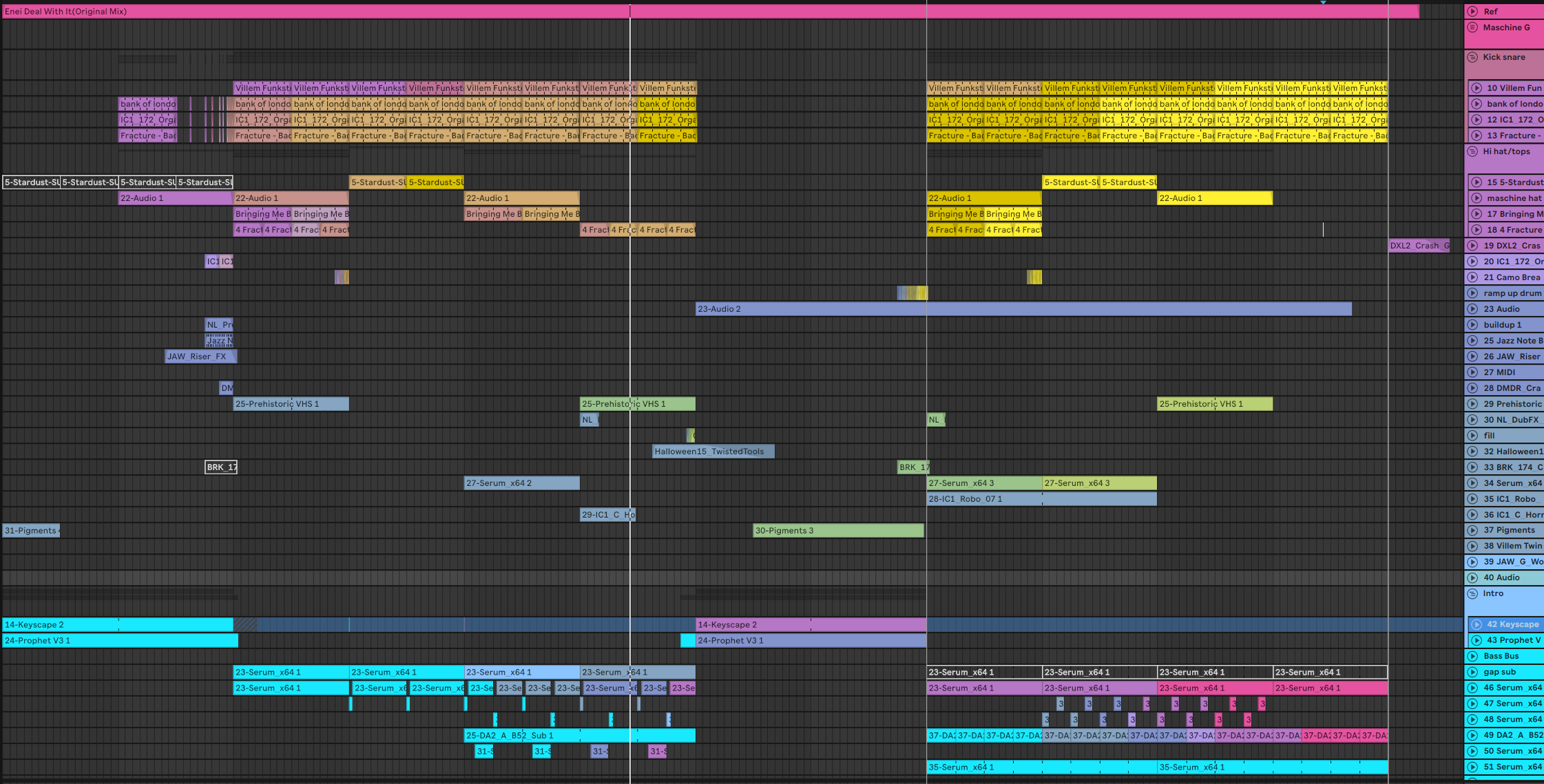
Abletoolz
Abletoolz is a command line tool to edit, fix and analyze Ableton Live sets. Primarily the purpose is to automate things that aren't available in Live and make your life easier. It is also a Python library — if you write Python, jump down to Using as a library. It can:
- Run on one set, or an entire directory of sets. So you can fix/analyze everything with one command.
- Color all your tracks/clips with random color gradients.
- Create a sample database of all your sample folders, which can then be used to automatically fix any broken samples in your ableton sets.
- Set all your Master/Cue outputs to a specific output, so if you buy a new audio interface you can fix all your master outs to point to 7/8 in one go.
- Validate all plugins in a set are installed.
- Analyze plugin state with plugin-specific parsers, and fix what they understand — like sample paths inside a plugin's saved state that no longer exist on disk.
--list-parsersshows what's registered. - Fold/Unfold all tracks, and/or set track height and widths.
- Dump the XML of the set, in case you want to dissect how they are structured or contribute to this project : )
It also:
- Moves your original set files to a backup folder before writing any changes, so you are never at risk of losing anything.
- Supports both Windows and MacOS created sets.
- Works on sets from Ableton 8.2 through Live 12, including current Live 12 betas (not every command works with the oldest versions).
- Preserves the original set modification time.
What's new in 2.1
- Repair plugins Live can no longer load.
--repair-pluginsrewrites dead VST2 devices as the VST3 you have installed and brings the saved patch along, so an old set comes back with its settings instead of blank devices. You decide what becomes what:--suggest-plugin-mappingsdrafts that table from the plugins on your machine and--plugin-dbscans them once so it's quick. - Every run writes down what it found. Each set gets a
.meta.yamlsidecar — Live version, bars, bpm, what was missing, what was fixed — withstatusandnotesfields that are yours to fill in and are never overwritten. Each run also writes a JSON report of everything it did. The sidecar doubles as a cache, so scanning a big library a second time is much faster, and--outputkeeps it all in a folder of your choosing instead of next to your sets. - Plugin checks work properly on macOS. VST3s are found as bundles and Audio Units are matched by their component identity, so a plugin that moved or got renamed is still found.
- A lot more you can do from Python.
AbletonSetpicked upclipsanddevices, so writing MIDI notes, copying a section of the arrangement and grafting a device chain from one set onto another are all possible now. See Using as a library. - More sampler parsers, so more plugins can have the broken sample and kit paths inside their own saved
state found and fixed.
--list-parsersshows the current roster. --append-bars-bpmand--prepend-versionare deprecated — they still work, but the bars, bpm and Live version now land in each set's sidecar without renaming your files.
What's new in 2.0
- Live 12 support. Live 12 renamed core elements (
MasterTrack→MainTrack, and it finally fixed the historicalSesstiontypo in track widths). 2.0 handles every version through the current 12 betas via a version-aware schema layer, and the test suite runs every feature against real-set fixtures from Live 9 through the latest 12 beta. - Usable as a library. The old monolith is now a small domain API:
AbletonSetexposestransport,tracks,samplesandpluginsobjects, so scripts can do what the CLI does programmatically. - Plugin parser framework (experimental). A registry of plugin-specific parsers that can analyze, fix and
upgrade plugin state inside sets:
--analyze-plugins,--fix-plugins,--upgrade-plugins,--dump-plugins(for reverse engineering new formats),--list-parsers. The endgame is rescuing old projects: a set full of dead 32-bit plugins can be retargeted at the modern versions you actually have installed, and where a translator exists for the plugin's state format, your old settings come along instead of being lost. It can even translate one plugin into a different one once someone decodes both formats. - Safer saves. Sets are serialized before anything on disk is touched — a failure can no longer leave you without your original file (which was always backed up, but still).
- Honest batch results. Directory runs process sets concurrently (
--jobs), reportN ok, M failed, and exit non-zero when something failed. Corrupt/truncated.alsfiles are called out as such. - Bonus tools for DJs. Warping a track collection by hand — dragging grid markers until every beat lines
up — is hours of pure manual labor.
abletoolz-dj-cratesauthors the grid for you from a TSV of per-track analysis (BPM, downbeat, drop cue) and builds a folder of pre-gridded.alcclips for your Live browser — drag one in and it's already beatmatched, with a second variant that starts right at the drop. Fair warning: the TSV schema currently comes from a companion cue-detection tool, so expect to massage your own analysis data into it. (abletoolz.asdhas the.asdanalysis-file format decoded too, warp grids included, but Live ignores externally written.asdfiles and regenerates them — so.alcclips are the delivery vehicle that actually works.) - Python 3.12+ and a modern typed codebase.
Installation:
Minimum python required 3.12
(https://www.python.org/downloads/)
Open a command line shell and make sure you installed Python 3.12+ correctly:
python -V # Should give you a version
Once you verify you have python 3.12+, install with pip:
pip install abletoolz
This will install abletoolz as a command in your command line, you can now call abletoolz from anywhere if the
installation completed successfully, but make sure to open a new shell before trying.
Usage:
-h Print argument usage.
-v Verbosity. For some commands, displays more information.
Input - Parsing single or multiple sets.
abletoolz setname.als Process single set.
abletoolz setname.als folder/with/sets Process single set and all sets within a directory(recursive).
"abletoolz D:\somefolder" Finds all sets in directory and all subdirectories. If "backup", "Backup" or "abletoolz_backup" are in any
of the path hierarchy, those sets is skipped.
--jobs N Number of threads for processing sets concurrently (defaults to auto).
NOTE: On Windows, do NOT include the ending backslash when you have quotes! There is a bug with powershell in how it handles backslashes and how python interprets backslashes as escape characters:
abletoolz "D:\somefolder\" # BAD
abletoolz "D:\somefolder" # GOOD
without quotes, backslashes are fine (but you'll need to use quotes if you have spaces in the directory path)
abletoolz D:\somefolder\ # GOOD
Analysis - checking samples/tracks/plugins
--check-samples Checks relative and absolute sample paths and verifies if the file exists. Ableton will load the
sample as long as one of the two are valid. If relative path doesn't exist(Not collected and saved) only absolute path
is checked. By default only missing samples are displayed to reduce clutter, use -v to show all found samples as well.
--check-plugins Checks installed VST and Audio Unit references. Note: When loading a set, if Ableton finds the
same plugin name in a different path it will automatically fix any broken paths the next time you save your project. This
command attempts to find missing VSTs and show an updated path if it finds one that Ableton will most likely load.
[MidiTrack: 1-Serum] Plugin: Serum_x64.dll, Path: C:\Program Files\VstPlugins\Xfer\Serum_x64.dll, Exists: True
[AudioTrack: 2-Audio] Plugin: Effectrix.dll, Path: C:\Program Files\VstPlugins\Effectrix.dll, Exists: True
[AudioTrack: 3-Audio] Plugin: DrumLeveler.dll, Path: None, Exists: False
[AudioTrack: 4-Audio] Plugin: Apple: AUBandpass, Path: None, Exists: True
[MidiTrack: 5-MIDI] Plugin: Arturia: Analog Lab V, Path: /Library/Audio/Plug-Ins/Components/Analog Lab V.component, Exists: True
--list-tracks List track information.
Tracks:
Track type    MidiTrack, Name      1-LOW, Id   13, Group id   -1, Color  28, Width 120, Height  68, Unfolded: false
Track type   AudioTrack, Name    2-Drums, Id    8, Group id   -1, Color  28, Width 120, Height  68, Unfolded: false
Track type   AudioTrack, Name     3-Bass, Id   15, Group id   -1, Color  43, Width 120, Height  68, Unfolded: false
Track type  ReturnTrack, Name   A-Reverb, Id    2, Group id   -1, Color  60, Width 120, Height  68, Unfolded: true
Plugin parsers (experimental)
Plugin state inside a set is an opaque buffer per plugin; parsers teach abletoolz specific formats.
Only a handful of plugins are covered currently, so out of the box this won't fix your sets.. but the value is in the framework being able to manipulate those plugin buffers/shapes easily so it is possible to reverse engineer and recover old sets or turn them into newer plugins even. This depends entirely on if you'll be able to decode the buffer. Once you figure out the format (and I recommend using agents to help you do this), from then on every device of that plugin across every set you own is fixable with one command. Old collections tend to be broken by the same few plugins over and over, so each one cracked recovers sets in bulk.
--list-parsers List registered plugin parsers and their buffer formats.
--analyze-plugins Deep analysis using the registered parsers — reports issues like sample or kit
references inside a plugin's state that are no longer on disk.
--fix-plugins Fix what a parser knows how to fix — typically broken sample paths inside a plugin's
state — using the sample database. Use with -s to write changes.
--upgrade-plugins Upgrade plugin paths when a rule and an installed target exist. Rules live in a config file
so nothing is guessed.
--repair-plugins Replace the plugin devices Live can no longer load with what your mappings say they
become, keeping the patch they were saved with. A device that still loads is left alone, and a broken device
with no mapping is reported by name rather than guessed at. Use with -s to write changes.
There is no format to choose on the command line, because the mapping says which way each plugin goes:
plugin_translation:
  targets:
    "Some Plugin.64":       # the name the VST2 device stores
      to: vst3              # the format it becomes (this is the default)
      name: "Some Plugin"   # the name the VST3 goes by
      state: verbatim       # or a named state policy a parser provides
--plugin-db Scan every plugin installed on this machine into a local plugin database — the plugin half of
--db. --repair-plugins and --suggest-plugin-mappings read it, so run this once first (and again after
installing plugins). Takes no set and no folders; add folders under plugin_database.paths in your config,
the way sample_database.paths works.
plugin_database:
  paths:
    - "D:/VstPlugins"
--suggest-plugin-mappings [file.yaml] Write that mapping table for you, or most of it. It takes no set: it
pairs the names that look like the same plugin in two formats and writes a YAML file for you to read. Every
suggestion aims at something you actually have installed; where nothing can perform a translation yet, it
says so.
Everything it writes comes out commented, including the suggestions that look certain. Uncommenting a line is how you enable it, and that is meant to be a decision you make one plugin at a time. Each line says how sure the match is and flags the ones to watch — a version change that won't load the old patch, or two plugins whose names agree and whose vendors do not, which is a different plugin wearing a familiar name. Nothing is in force until you move a line into your own config file, which this never touches.
--dump-plugins Dump plugin buffer hex + decoded preview — the starting point for writing a new parser.
Contributions welcome.
Create sample database(used for automatic sample fixing)
--db folder/with/samples Build up a database of all samples that is used when
you run --fix-samples-collect or --fix-samples-absolute. This file gets stored in your user config directory. For best
results, run this on all folders that could have samples in them, including your set directories.
abletoolz --db "D:\samples" "D:\sets"
Creating database from scratch can take a while, please be patient. Updating an existing one is much faster!
Validating current db...: 100%|████████████████████| 152412/152412 [00:13<00:00, 11238.17it/s]
Progress: 100%|████████████████████████████████████| 7432/7432 [00:01<00:00, 3916.58it/s]
Updated database at C:\Users\you\AppData\Roaming\abletoolz\sample_db.json
Edit
These will only edit sets in memory unless you use -s/--save explicitly to commit changes.
--fix-samples-collect Go through each sample reference in the ableton set, and if any are missing try to match them based on last modification date, file size and name from the database created with --db. Sample is copied into the set's
project folder, the same action as collect and save in ableton.
--fix-samples-absolute The same thing as --fix-samples-collect, just doesn't
copy the sample and instead puts the full path. Note: on MacOS 10/9 sets,
this sometimes acts strange, so use --fix-samples-collect for those.
Set version: Ableton Live 10.0.1
Set name: shuffler, BPM: 172.0
Original missing sample count: 7, Samples fixed: 7, Couldn't fix: 0
Moving original file to backup directory:
D:\sets\shuffler.als --> D:\sets\abletoolz_backup\shuffler__1.als
Saved set to D:\sets\shuffler.als
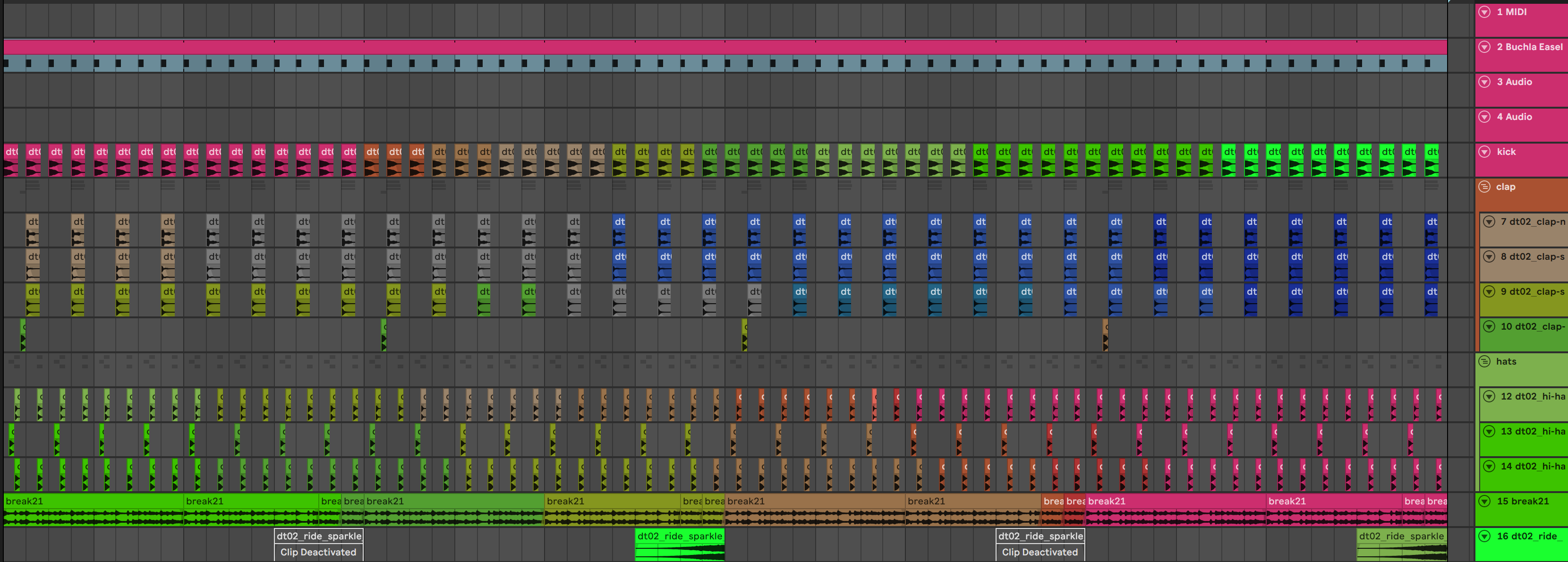
--gradient-tracks Generate random gradients for tracks and clips. The results from this are limited, since
there are only 70 available colors in ableton, but sometimes you get some pretty good results!
--unfold or --fold unfolds/folds all tracks in set. Group tracks collapse/expand along with them.
--set-track-heights Set arrangement track heights for all tracks, including groups and automation lanes. The values
will be different on different computers/OSes because it's based on your screen resolution, so first experiment
with this command and --set-track-widths on a set with different values and open it after to see how it looks. On my
setup the Min is 17, Default 68, Max 425 for track height.
--set-track-widths Set clip view track widths for all tracks. On my setup, Min 17, Default 24, Max 264.
--master-out number to set Master audio output channels to. 1 correlates to stereo out 1/2, 2 to stereo out 3/4 etc.
--cue-out set Cue audio output channels. Same numbering for stereo outputs as master out.
Output - saving edited sets to disk
-s, --save
Saves modified set in the same location as the original file. This only applies if you use options that actually alter
the set, not just analyze plugins/samples/etc. When you use this option, as a safety precaution the original file is stored under the same
directory as the original set under ${CURRENT_SET_FOLDER}/abletoolz_backup/set_name__1.als. If that file exists, it will automatically
create a new one ${CURRENT_SET_FOLDER}/abletoolz_backup/set_name__2.als and keep increasing the number as files get created. That
way your previous versions are always still intact (be sure to clean this folder up if you run this a bunch of times).
Disclaimer Before using Edit options with save, experiment on a set you don't care about first and then open them in ableton to be sure the changes are what you expect. Because I understand how many hours of hard work go into set files,
I've put in multiple safeguards to prevent you losing anything:
- The edited set is fully serialized in memory before anything on disk is touched — if something goes wrong, your original file is exactly where it was.
- Original file is ALWAYS moved to the backup directory
${CURRENT_SET_FOLDER}/abletoolz_backup/as described above, so you can always re-open that file. - The actual file write runs on a non daemon thread, which will not be forcibly killed if you Cntrl + C the script during some long operation. Rather than rely on this, please just allow the script to finish processing to avoid any issues, and make sure the options you're using do what you expect before executing a long running operation(hundreds of sets can take a while).
All other arguments only modify the set in memory and will only write those changes to a new set when you include -s
-x, --xml Dumps the uncompressed set XML in same directory as set_name.xml Useful to understand set structure for
development. You can edit this xml file, rename it from .xml to .als and Ableton will load it! If you run with this
option multiple times, the previous xml file will be moved into the abletoolz_backup
folder with the same renaming behavior as -s/--save.
Records - what a run writes down
Runs also save their results to files, so you can look back later or process them with other tools.
Per-set sidecars. Any run that checks or fixes plugins or samples leaves a <set name>.meta.yaml beside
each set it looked at: the Live version, bars and bpm, the missing plugins by device count, what was fixed,
the missing samples, and the hash of the set as it was read. Underneath there are two fields that are yours —
status and notes — plus anything else you care to add. abletoolz reads them, carries them across every
rescan and never writes them itself.
status: needs work
notes: reverb tail runs long in the breakdown
scan:
  scanned: '2026-08-17T10:16:07.959317-07:00'
  scanned_with: abletoolz 2.0.0
  set_hash: 499af899b43a5ad850688c93ddbdeaae30602101fc005f7d2a7adec1e329eea9
  live_version: Ableton Live 11.3.42
  bars: 128
  bpm: 174.0
  plugins_missing:
    Serum_x64: 2
  samples_missing: 3
The sidecar also acts as a cache: if a set hasn't changed since the last scan, the run reuses the stored
results and prints Cached, which makes a second pass over a big library much faster. Edit the set and it
gets scanned again from scratch. --no-meta turns the whole thing off.
Run reports. Every run writes abletoolz_report_<timestamp>.json into the folder it processed: one
record per set (what changed, what was fixed, what was missing, what was refused and why, what failed to
parse), plus totals for the whole run — like every missing plugin across your library with counts. Useful
when you want to script against results instead of reading console output.
With --output, both land in the output folder instead. Nothing is written next to the originals.
Examples
Check all samples in sets
abletoolz "D:\all_sets" --check-samples
Parsing: D:\all_sets\Drum N Bass\nyphty.als
Set version: Ableton Live 11.0.10
Set name: nyphty, BPM: 87.0
Longest clip or furthest arrangement position: 16 bars. Estimated length(Only valid for 4/4): 0:44
Sample BGE_170_Fake_Eyes_Drums.wav missing:
        Absolute[D:\Loopcloud\BGE_170_Fake_Eyes_Drums.wav], Relative [..\..\Loopcloud\BGE_170_Fake_Eyes_Drums.wav]
Missing sample references: 1
Set all master outs to stereo 1/2 and cue outs to 3/4
abletoolz "D:\all_sets" -s --master-out 1 --cue-out 2
Or a bunch of options
abletoolz "D:\all_sets\myset.als" -s -x --master-out 1 --cue-out 1  --unfold \
--set-track-heights 68 --set-track-widths 24
Parsing: D:\all_sets\myset.als
Set version: Ableton Live 12.2.6
Set name: myset, BPM: 174.0
Set MasterTrack to 1/2
Set PreHearTrack to 1/2
Unfolded all tracks.
Set track heights to 68.
Set track widths to 24.
Saved xml to D:\all_sets\myset.xml
Moving original file to backup directory:
D:\all_sets\myset.als --> D:\all_sets\abletoolz_backup\myset__1.als
Saved set to D:\all_sets\myset.als
Took 0:00:00.371096 to process 1 set(s): 1 ok, 0 failed
Using as a library
abletoolz started life as a command line tool, but the more powerful way to use it now is as a Python
library. The command line above is this library pointed at a whole collection. A set is an object: open
one, read what is in it, change it, save it or create one from scratch. AbletonSet is the
document, and what a set holds hangs off it as transport, tracks, clips, devices, samples and
plugins. Nothing reaches disk until you call save_set(), which moves the original into the backup
folder first, exactly as -s/--save does.
Read a set's tempo, length and tracks.
import pathlib

from abletoolz.live_set import AbletonSet

live_set = AbletonSet(pathlib.Path("my_set.als"))
live_set.parse()
length = live_set.transport.length()
print(f"{live_set.version}: {length.bpm} bpm, {length.bars} bars, {length}")
for track in live_set.tracks.load():
    print(track.type, track.name, "height", track.height, "color", track.color)
Find missing samples and fix them. Build the sample database once — this is what --db does — and hand it to
any set.
import pathlib

from abletoolz.live_set import AbletonSet
from abletoolz.sample_databaser import create_db

create_db.create_or_update_db(["D:/samples"], db_path=pathlib.Path("sample_db.json"))
db = create_db.load_db(pathlib.Path("sample_db.json"))
live_set = AbletonSet(pathlib.Path("my_set.als"))
live_set.parse()
live_set.find_project_root_folder()  # where collect-and-save copies to
for ref in live_set.samples.check():
    print("missing:", ref.name, ref.absolute)
if live_set.samples.fix(db, collect_and_save=True):
    live_set.save_set()
Check that every plugin a set uses is still installed. Each reference comes back with where it points, whether that file is there, and the closest thing found on this machine when it is not.
import pathlib

from abletoolz.live_set import AbletonSet

live_set = AbletonSet(pathlib.Path("my_set.als"))
live_set.parse()
for ref in live_set.plugins.scan([pathlib.Path("D:/VstPlugins")]):
    where = ref.path if ref.exists else ref.alternative or "nowhere on this machine"
    print(f"{ref.track_location}: {ref.name} ({ref.kind}) -> {where}")
Write MIDI notes into a clip. A note is pitch, start and duration in beats; everything else defaults to what Live gives a freshly drawn note.
import pathlib

from abletoolz.live_set import AbletonSet
from abletoolz.live_set.clips import MidiNote

live_set = AbletonSet(pathlib.Path("my_set.als"))
live_set.parse()
clip = live_set.clips.midi()[0]
bar = [MidiNote(pitch, start=float(beat), duration=0.5) for beat, pitch in enumerate((36, 42, 38, 42))]
live_set.clips.set_notes(clip, bar)
live_set.save_set()
Copy a section of the arrangement somewhere else. Clips and track automation inside the window travel together, and a clip crossing either edge is reported rather than trimmed.
import pathlib

from abletoolz.live_set import AbletonSet
from abletoolz.live_set.sections import SectionMode

live_set = AbletonSet(pathlib.Path("my_set.als"))
live_set.parse()
report = live_set.clips.copy_section(64.0, 128.0, 448.0, mode=SectionMode.REFUSE)  # beats
for line in report.lines():
    print(line)
live_set.save_set()
Graft a device chain from one set onto a track in another. Both sets have to be the same major Live version, and the chain arrives as a copy Live will open rather than a paste that takes the set down with it.
import pathlib

from abletoolz.live_set import AbletonSet

donor = AbletonSet(pathlib.Path("donor_set.als"))
donor.parse()
chain = next(track for track in donor.devices.inventory() if track.track_name == "Kick")
live_set = AbletonSet(pathlib.Path("my_set.als"))
live_set.parse()
for device in live_set.devices.graft_chain(chain, "2-Audio", mode="append"):
    print("grafted", device.display_name)
live_set.save_set()
Read back the sidecar a scan left. It comes out as an object rather than a blob of YAML, your own status and
notes included — enough to triage a whole library without opening a set.
import pathlib

from abletoolz import meta

sidecar = meta.read(pathlib.Path("my_set.als"))
if sidecar is not None and sidecar.scan is not None:
    print(sidecar.scan.live_version, sidecar.scan.bars, sidecar.scan.bpm)
    print("missing plugins:", sidecar.scan.plugins_missing)
    print("missing samples:", sidecar.scan.samples_missing)
    print("yours:", sidecar.status, "--", sidecar.notes)
Future plans:
- Export sets as an any / older Live versions (Live's compatibility is one-directional; most of the schema differences are mechanical). Some of this is partially implemented.
- More plugin parsers — the upgrade framework is in place, formats need decoding one plugin at a time.
- Figure out how ableton calculates CRC's for samples and use it to make perfect sample fixing. The current algorithm has a very low probability of being wrong, but this would guarantee each result is correct.
- More AI agentic tool interaction interfacing
1 maintainer

Metadata
1 maintainer
Release files for abletoolz 2.1.0
For a detailed explanation of source distributions (sdists) and built distributions (wheels), please see the package formats documentation.
Source distribution (sdist)
| File | Size | Uploaded | |
|---|---|---|---|
| abletoolz-2.1.0.tar.gz | 355.0 kB | Details |
Built distribution (wheel)
| File | Interpreter | ABI | Platform | Reset |
|---|---|---|---|---|
| abletoolz-2.1.0-py3-none-any.whl | Python 3 | none | any | Details |
Total release size: 609.7 kB
Release files / abletoolz-2.1.0.tar.gz
| Download URL | abletoolz-2.1.0.tar.gz |
|---|---|
| Size | 355.0 kB |
| Tags | Source |
|
SHA-256 checksum How to use checksums |
f13151319f5c89be806d303df5a5f72b38cb6679e50b409c66e803b497943465
|
|
BLAKE2b-256 checksum How to use checksums |
0b4e1dd87bb30b4f0552831b0522b7a27355cb854c36e8ad6742ffe9bab2d8ca
|
| Upload date | |
|
Uploaded using Trusted Publishing? What is trusted publishing? |
Yes |
| Uploaded via |
twine/7.0.0 CPython/3.13.14
|
Provenance
Provenance describes where a file came from. On PyPI, provenance is shared via attestations, which provide a verifiable record of the build or publishing details. View details, limitations and caveats.


PyPI Publish Attestation
PyPI verified that this artifact, at this checksum, originated from the publisher listed below.
Signed by GitHub Actions, verified by PyPI on Aug 23, 2026.
Transparency logRelease files / abletoolz-2.1.0-py3-none-any.whl
| Download URL | abletoolz-2.1.0-py3-none-any.whl |
|---|---|
| Size | 254.6 kB |
| Tags | Python 3 |
|
SHA-256 checksum How to use checksums |
62bb668a4bbaf940806ef9fba8461f0e646096e13e909c9c4889fd999be4f922
|
|
BLAKE2b-256 checksum How to use checksums |
90e1d6ebb3713ffb8b1bd5e4a10bfea3b52eae0c632cc83e906079e77c257496
|
| Upload date | |
|
Uploaded using Trusted Publishing? What is trusted publishing? |
Yes |
| Uploaded via |
twine/7.0.0 CPython/3.13.14
|
Provenance
Provenance describes where a file came from. On PyPI, provenance is shared via attestations, which provide a verifiable record of the build or publishing details. View details, limitations and caveats.
PyPI Publish Attestation
PyPI verified that this artifact, at this checksum, originated from the publisher listed below.
Signed by GitHub Actions, verified by PyPI on Aug 23, 2026.
Transparency log













