
Ace — AI-Powered Git Copilot
Author: Jachin Samuel jachinsamuel007@gmail.com
 █████╗   ██████╗ ███████╗
██╔══██╗ ██╔════╝ ██╔════╝
███████║ ██║      █████╗
██╔══██║ ██║      ██╔══╝
██║  ██║ ╚██████╗ ███████╗
╚═╝  ╚═╝  ╚═════╝ ╚══════╝







Ace is an intelligent command-line copilot that brings AI assistance directly to your Git workflow. Talk to Git in plain English — Ace translates your intents into Git commands, explains what it is doing, and runs them safely. It also features universal Git command pass-through and an interactive terminal dashboard (TUI) to manage your repositories effortlessly.

Features
- Universal Git Pass-Through: Run ANY standard Git command or custom Git extension directly through Ace (e.g.
ace status,ace log --oneline -n 10,ace checkout -b feature,ace push origin main,ace stash pop). - Natural Language Git Commands: Translate plain English requests like "undo my last commit but keep changes" or "switch to a new branch called design-updates" into clean, standard Git operations without needing quotes.
- AI-Powered Conventional Commits: Analyzes staged diffs and generates standardized Conventional Commit messages (
feat:,fix:,refactor:,docs:, etc.) automatically across both cloud and local offline LLMs. - Custom Shortcuts & Aliases: Create customized multi-command workflows with
ace alias(e.g.ace shiprunsgit add . && ace commit -y && git push). - Automated Code Review: Rates code quality on a 10-point scale and identifies bugs, security vulnerabilities, or performance bottlenecks in staged or unstaged diffs.
- Interactive Merge Conflict Resolver: Walks you step-by-step through conflicted files and provides AI-suggested 3-way merged blocks.
- Multi-Language / i18n Output: Localized AI explanations and commit suggestions in 15+ languages (English, Chinese, Spanish, French, German, Japanese, Korean, Hindi, and more).
- Interactive TUI Dashboard (
ace dash): Real-time terminal repository browser displaying branch status, commit logs, workspace navigation, and interactive menus. - Repository Health Doctor (
ace doctor): Detects active lock files, detached HEAD states, and oversized untracked files with step-by-step AI recovery guidance. - AI Git Blame (
ace blame): Inspects commit history and diff patches to explain why a specific line of code was written or modified. - Rich Repo Statistics (
ace stats): Visualizes commit frequency charts, top contributors, and repository language/extension breakdowns. - Automated Release Changelogs (
ace changelog): Compiles categorized release changelogs in Markdown since the previous tag. - Multi-Repo Daily Standups (
ace standup): Generates structured summaries of your recent contributions across one or more repositories. - Smart Git Hooks (
ace hook): One-command installation for pre-commit review checks and prepare-commit-msg AI drafting. - AI Branch Auto-Squashing (
ace squash): Automatically analyzes commit histories and guides clean interactive rebases. - Built-in Safety System: Classifies actions into safe, moderate, and destructive tiers with automatic stashing and interactive confirmation guards.
Installation
Option A: Quick 1-Line Installer (Recommended)
Linux & macOS:
curl -fsSL https://raw.githubusercontent.com/jachinsamuel/Ace/master/install.sh | bash
Windows (PowerShell):
irm https://raw.githubusercontent.com/jachinsamuel/Ace/master/install.ps1 | iex
Option B: Install via standard pip
pip install ace-git-copilot
Note: You can also execute Ace directly through Python module execution:
python -m ace dash
Option C: Install via pipx / uv (Isolated)
# via pipx
pipx install ace-git-copilot

# or via uv
uv tool install ace-git-copilot
Configuration and AI Providers
Launch the interactive configuration wizard:
ace setup
Ace stores your configuration at ~/.ace/config.toml. It supports 6 AI model backends:
| Provider | Type | Default Model | Key / URL Setup |
|---|---|---|---|
| NVIDIA NIM | Cloud (Fast) | meta/llama-3.2-11b-vision-instruct |
NVIDIA_API_KEY (Free at build.nvidia.com) |
| Ollama | Local (Private/Offline) | qwen2.5-coder:7b |
http://localhost:11434 (Auto-pulled) |
| Google Gemini | Cloud | gemini-1.5-flash |
GOOGLE_API_KEY / GEMINI_API_KEY |
| OpenAI | Cloud | gpt-4o-mini |
OPENAI_API_KEY |
| Anthropic | Cloud | claude-3-5-sonnet-latest |
ANTHROPIC_API_KEY |
| Custom OpenAI-Compatible | Cloud / Self-hosted | custom-model |
CUSTOM_API_KEY + CUSTOM_API_BASE |
You can also switch providers directly in the CLI:
ace config
Usage Guide
1. Plain-English Natural Language
Speak to Git in plain English directly without quotes:
ace stage everything and commit with a message about authentication
ace undo my last commit but keep the files
ace switch to a new branch called design-updates
2. Custom Shortcuts (ace alias)
Run pre-configured shortcuts or define your own multi-step workflows:
# Run default shortcut (stages, commits with AI, and pushes)
ace ship

# Create custom shortcut
ace alias add deploy "git add . && ace commit -y && git push origin staging"

# List all shortcuts
ace alias list
3. Command-Line Reference
| Command | Alias / Shorthand | Description |
|---|---|---|
ace setup |
— | Interactive setup wizard for model providers and language. |
ace stage [files] |
ace add |
Stage specific files or all untracked changes. |
ace commit |
— | AI Conventional Commit generator (-y to skip confirmation). |
ace review |
— | Run AI code review & quality scoring (--strict for pre-commit). |
ace resolve |
— | Interactive 3-way merge conflict resolver. |
ace explain <query> |
— | Explain Git concepts, error messages, or commands. |
ace doctor |
— | Run repository diagnostics (locks, detached HEAD, large files). |
ace hook <action> |
— | Install or uninstall pre-commit and prepare-commit-msg hooks. |
ace stats |
— | Visualize repository activity, contributors, and extensions. |
ace changelog |
— | Generate categorized release notes since last tag. |
ace standup |
— | Generate structured daily standup report from recent commits. |
ace blame <file> <line> |
— | Explain the purpose and context behind a specific line of code. |
ace pr |
— | Draft a Markdown pull request title and description. |
ace search <query> |
— | Semantically search commit history with interactive checkout. |
ace squash |
— | Analyze branch history and perform AI-guided rebasing. |
ace ignore <pattern> |
— | Generate and append rules to .gitignore. |
ace alias <action> |
— | Manage custom command workflows (list, add, remove). |
ace undo |
— | Safely roll back the previous Git action with automated safety checks. |
ace workspace |
ace ws |
Multi-repository cockpit to monitor workspace directories. |
ace dash |
— | Launch the interactive Terminal User Interface (TUI). |
ace config |
— | View active configuration settings and active provider. |
ace help |
— | Display command reference and usage guide. |
Interactive Terminal Dashboard (TUI)
Launch the repository management cockpit:
ace dash

Repository Statistics (ace stats)
View visual commit timelines, contributor breakdowns, and file extension distributions:

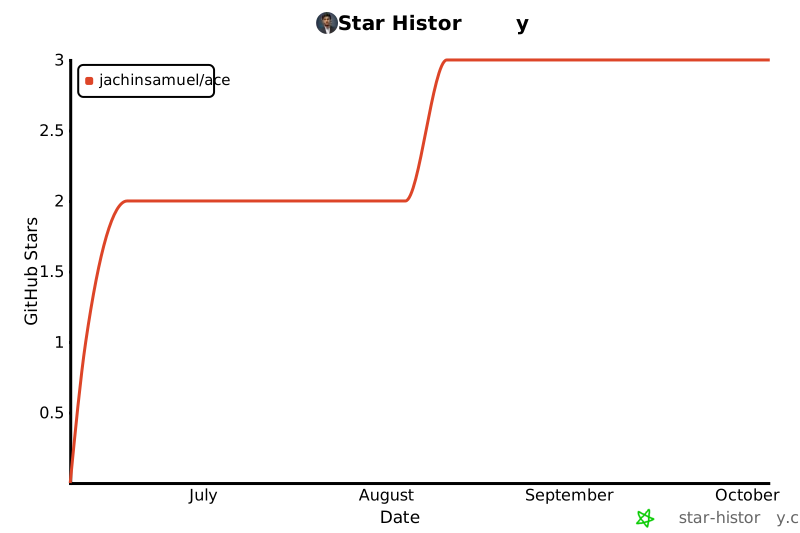
Star History
Contributing
Contributions, bug reports, and feature requests are always welcome! Check out our Contributing Guide and Issue Templates to get started.
License
Distributed under the MIT License. See LICENSE for more details.
1 maintainer

Metadata
1 maintainer
Release files for ace-git-copilot 0.7.5
For a detailed explanation of source distributions (sdists) and built distributions (wheels), please see the package formats documentation.
Source distribution (sdist)
| File | Size | Uploaded | |
|---|---|---|---|
| ace_git_copilot-0.7.5.tar.gz | 115.0 kB | Details |
Built distribution (wheel)
| File | Interpreter | ABI | Platform | Reset |
|---|---|---|---|---|
| ace_git_copilot-0.7.5-py3-none-any.whl | Python 3 | none | any | Details |
Total release size: 206.6 kB
Release files / ace_git_copilot-0.7.5.tar.gz
| Download URL | ace_git_copilot-0.7.5.tar.gz |
|---|---|
| Size | 115.0 kB |
| Tags | Source |
|
SHA-256 checksum How to use checksums |
4ad697c7857341f55e048822f6f8f4eb14546c7bc9fa48ce0d9201e6b8fe45dd
|
|
BLAKE2b-256 checksum How to use checksums |
2da67e26752574ae127567a7d1c4fe1cfcbac0b89d9865b4159325d431de55cb
|
| Upload date | |
|
Uploaded using Trusted Publishing? What is trusted publishing? |
No |
| Uploaded via |
twine/7.0.0 CPython/3.14.3
|
Release files / ace_git_copilot-0.7.5-py3-none-any.whl
| Download URL | ace_git_copilot-0.7.5-py3-none-any.whl |
|---|---|
| Size | 91.6 kB |
| Tags | Python 3 |
|
SHA-256 checksum How to use checksums |
f1cdf224d8c52f55d6e4d3087691e8eef9b6b7cbc6ddb018b4e34fd00c56900e
|
|
BLAKE2b-256 checksum How to use checksums |
bdf58d1ad2ebe63dffc8b098107950ab03c834bb3576ac328b8bb3d9d207b3bb
|
| Upload date | |
|
Uploaded using Trusted Publishing? What is trusted publishing? |
No |
| Uploaded via |
twine/7.0.0 CPython/3.14.3
|














