
ActionDraw
Your whole plan. One canvas.
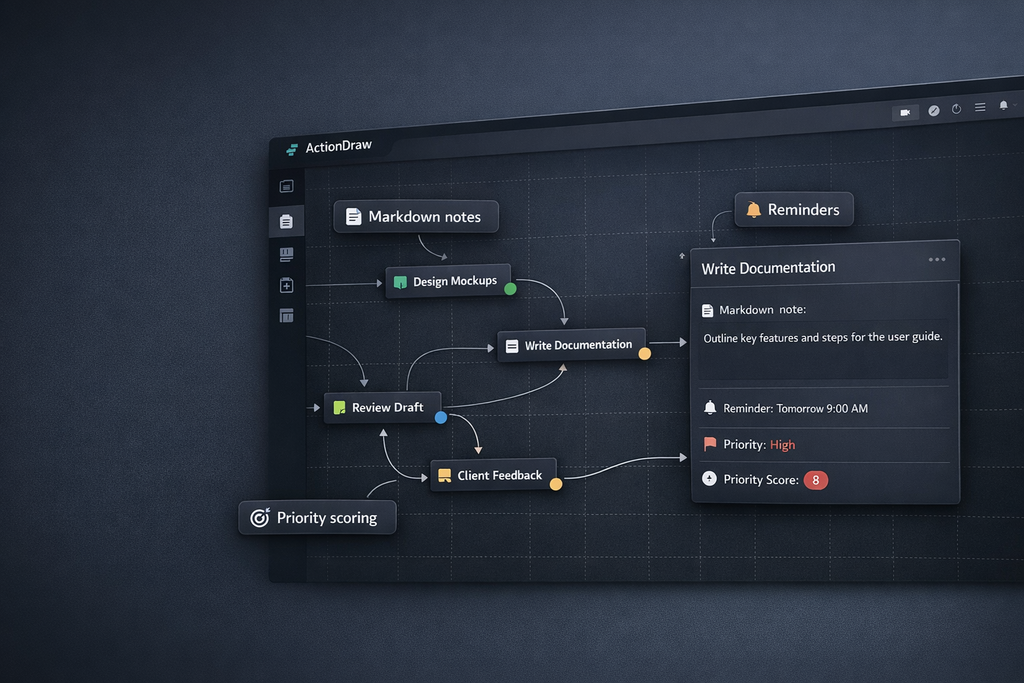
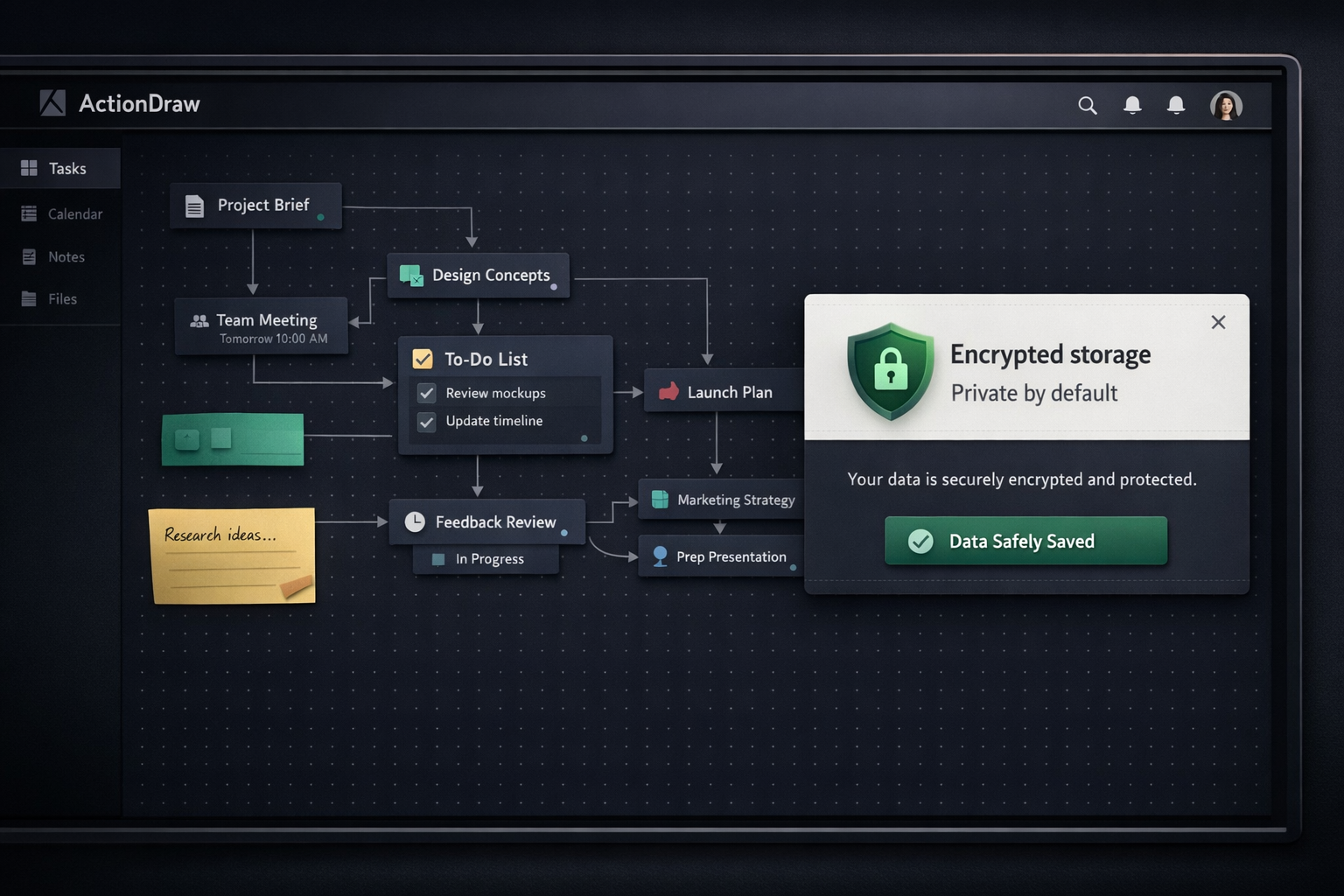
Diagrams, tasks, notes, reminders, priorities, and encrypted storage — in a single desktop app you install with one command.
pip install actiondraw
What you get
- Global mindmap — arrange thoughts and notes around every project tab; click a tab node to open it. The map is saved inside the encrypted project file.
- Visual task diagrams — drag boxes, databases, servers, clouds, and sticky notes onto an infinite canvas
- Live connections — draw arrows between nodes with drag-and-drop; arrowheads and previews update in real time
- Markdown notes — click any node to open a rich markdown editor
- Time tracking & reminders — built-in scheduling so nothing slips
- Priority scoring — rank tasks by impact and effort with an integrated priority plot
- Obstacle & wish planning — dedicated shapes for blockers and goals
- Free drawing — sketch and annotate directly on the canvas
- Action Paint — sketch a scene, place and reorder numbered actions, then add them to the diagram as a connected task chain
- Paste images — drop external graphics right onto the diagram
- Encrypted storage — your data is protected with Argon2id key derivation, with optional YubiKey challenge-response
Quick start
pip install actiondraw    # Install
actiondraw                # Launch the canvas
priorityplot              # Launch standalone priority plot
Configure ntfy in the app under Tools > Notification Settings.... Environment variables PROGRESS_NTFY_TOPIC, PROGRESS_NTFY_SERVER, and PROGRESS_NTFY_TOKEN still work as a fallback.
Requirements
- Python 3.8+
- PySide6 >= 6.6
Links
- Source on GitHub
- Report issues
- MIT License
Project mindmap
Choose Mindmap above the sidebar tabs. Drag nodes onto another node to nest them, or onto its top/bottom edge to reorder. Right-click a tab node to add thoughts or edit notes; a normal click opens the tab. Ctrl+click toggles nodes in the selection without opening tabs; Shift+click selects a range, and Shift+arrow keys extend the selection. Use Alt+Left to return.
In the map, arrow keys select nearby visible nodes and keep them on screen. Tab adds a child to the selected node (including tabs), Ctrl+Enter opens the selected tab, Enter adds a sibling, F2 edits, Space folds, F4 toggles completion, and Ctrl+Z / Ctrl+Y undo and redo. Use the mouse wheel to zoom and drag the background to pan. Deleting a project tab keeps its map node as a thought.
Tabs with child nodes open in a mindmap showing their branch. Use Canvas to return to the tab's canvas and Mindmap to view or start its branch. The sidebar Mindmap opens the full project map. Both views edit the same nodes, so changes and undo/redo are shared. The tab view's root stays in place; open nested tab nodes to view their branches and use Alt+Left to return.
Use Complete in the toolbar or right-click menu, or press F4, to mark selected nodes with a ✓. If all selected nodes are already complete, this clears their marks. Descendants and canvas tasks are unaffected. Marks are saved with the project.
The mindmap reuses the MIT-licensed PyPlane core, bundled with its license and source revision.
To move several branches, select them and press Ctrl+X, select a destination, then press Ctrl+V. Cut branches stay dimmed in place until pasted; Escape cancels the cut. Clicking a tab while a cut is pending selects it as the destination. The move preserves tab links and descendants and can be undone with Ctrl+Z. Cut selections are local to the current project.
1 maintainer

Download files
Download the file for your platform. If you're not sure which to choose, learn more about installing packages.
Source Distribution
Built Distribution
Filter files by name, interpreter, ABI, and platform.
If you're not sure about the file name format, learn more about wheel file names.
Copy a direct link to the current filters
File details
Details for the file actiondraw-0.1.35.tar.gz.
File metadata
- Download URL: actiondraw-0.1.35.tar.gz
- Upload date:
- Size: 254.1 kB
- Tags: Source
- Uploaded using Trusted Publishing? No
- Uploaded via:
twine/7.0.0 CPython/3.13.14
File hashes
| Algorithm | Hash digest | |
|---|---|---|
| SHA256 |
8934303b1361fecf35cf73a01aef2f560f08bc89e483d11d53d62895ba7b031d
|
|
| MD5 |
16e7503acd6f5515ae61d95778fca66b
|
|
| BLAKE2b-256 |
22983e361419e4c2772086ea9570a983bad2de5221222ae36e2e4b252def016e
|
File details
Details for the file actiondraw-0.1.35-py3-none-any.whl.
File metadata
- Download URL: actiondraw-0.1.35-py3-none-any.whl
- Upload date:
- Size: 206.4 kB
- Tags: Python 3
- Uploaded using Trusted Publishing? No
- Uploaded via:
twine/7.0.0 CPython/3.13.14
File hashes
| Algorithm | Hash digest | |
|---|---|---|
| SHA256 |
8e0099ae1c397d995a897b47ff9b290aadde23dec5213fb4c6a4f6c5f3d7331f
|
|
| MD5 |
ff469f0a3015f5ca1d54e7ebc149d925
|
|
| BLAKE2b-256 |
48dd85a1d2303f73d996373cb853aeae8fbdf571082095b0fc8d570f09b69bca
|














