
This release is a pre-release and may not be stable for production use.






Activity Browser
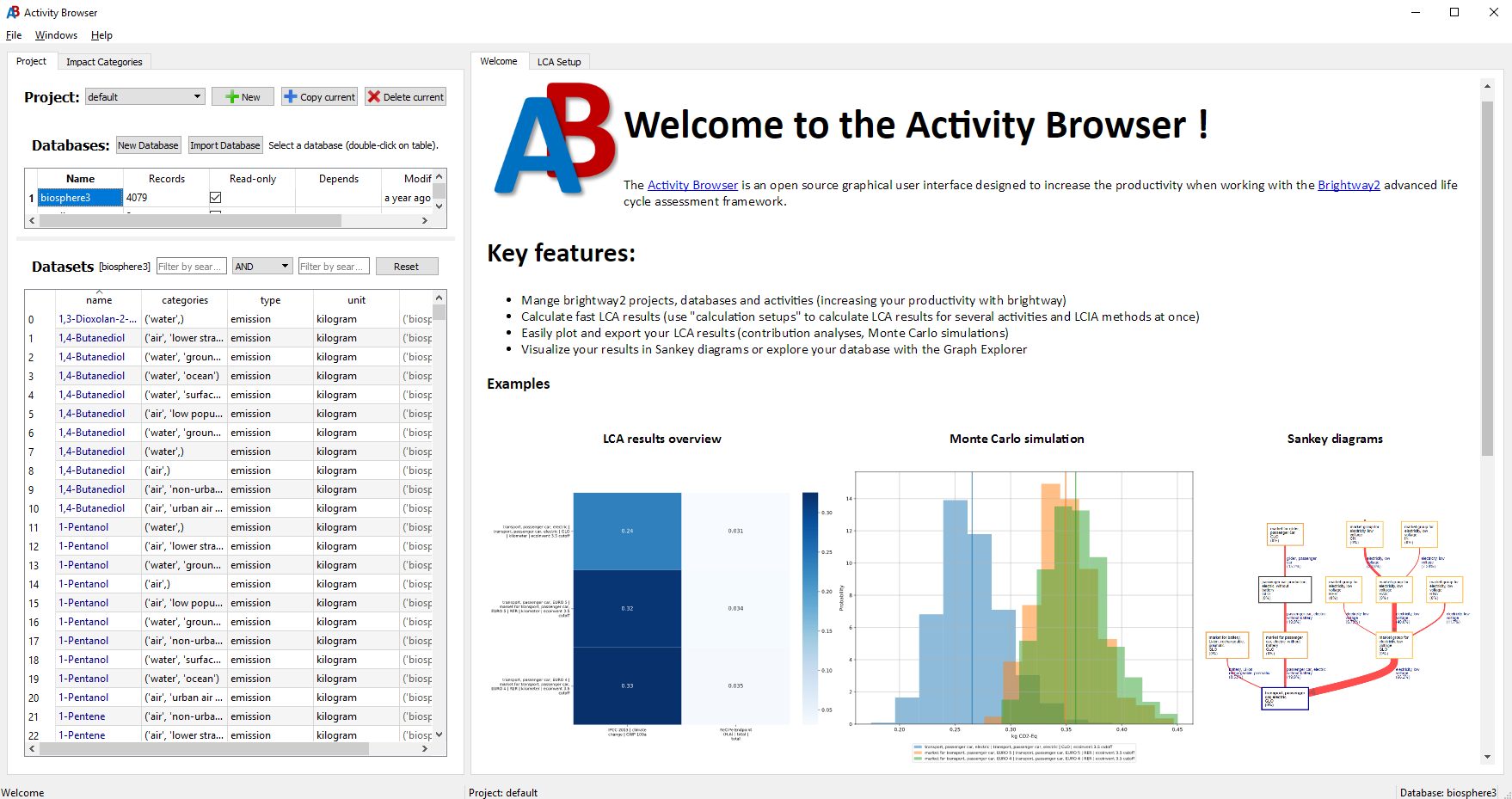
The Activity Browser (AB) is an open source software for Life Cycle Assessment (LCA) that builds on Brightway2.
Some highlights
- Fast LCA calculations: for multiple reference flows, impact categories, and scenarios
- A productivity tool for brightway: model in brightway (python) and see the results in the AB or vice-versa
- Advanced modeling: Use parameters, scenarios (including prospective LCI databases from premise), uncertainties and our Graph Explorer
- Advanced analyses: Contribution analyses, Sankey Diagrams, Monte Carlo, and Global Sensitivity Analysis
- Plugins: Extend the functionality of Activity Browser with Plugins
Contents
Installation
Step-by-step guide
See our Installation Guide wiki page for a step-by-step guide to installing Activity Browser.
The quick way
Or you can install and start the activity-browser like this:
conda create -n ab -c conda-forge activity-browser
conda activate ab
activity-browser
First Steps
See our Getting Started wiki page to learn how to get started using Activity Browser.
Contributing
The Activity Browser is a community project. Your contribution counts!
If you have ideas for improvements to the code or documentation or want to propose new features, please take a look at our contributing guidelines and open issues and/or pull-requests.
If you experience problems or are suffering from a specific bug, please raise an issue here on github.
Developers
Current main developers
- Bernhard Steubing (b.steubing@cml.leidenuniv.nl) (creator)
- Marin Visscher (m.r.visscher@cml.leidenuniv.nl) (main developer)
- Marc van der Meide (m.t.van.der.meide@cml.leidenuniv.nl) (maintainer)
Important contributors
Copyright
- 2016-2023: Bernhard Steubing (Leiden University)
License
You can find the license information for Activity Browser in the license file.
3 maintainers


Metadata
3 maintainers
Release files for activity-browser 3.0.0b202605030007
For a detailed explanation of source distributions (sdists) and built distributions (wheels), please see the package formats documentation.
Source distribution (sdist)
| File | Size | Uploaded | |
|---|---|---|---|
| activity_browser-3.0.0b202605030007.tar.gz | 4.2 MB | Details |
Built distribution (wheel)
| File | Interpreter | ABI | Platform | Reset |
|---|---|---|---|---|
| activity_browser-3.0.0b202605030007-py3-none-any.whl | Python 3 | none | any | Details |
Total release size: 8.4 MB
Release files / activity_browser-3.0.0b202605030007.tar.gz
| Download URL | activity_browser-3.0.0b202605030007.tar.gz |
|---|---|
| Size | 4.2 MB |
| Tags | Source |
|
SHA-256 checksum How to use checksums |
f6def2f55425413d23b1bc9006042d00ddad40925dbe5456133581842b81de67
|
|
BLAKE2b-256 checksum How to use checksums |
b53a12f74760847193fc21ac7d9faa01ffa81c17f862283b14507cabd4847d3c
|
| Upload date | |
|
Uploaded using Trusted Publishing? What is trusted publishing? |
Yes |
| Uploaded via |
twine/6.1.0 CPython/3.13.12
|
Release files / activity_browser-3.0.0b202605030007-py3-none-any.whl
| Download URL | activity_browser-3.0.0b202605030007-py3-none-any.whl |
|---|---|
| Size | 4.3 MB |
| Tags | Python 3 |
|
SHA-256 checksum How to use checksums |
a9994bd209108a21cc27db859554bd87b38b43039a68d4240a7a06706267b4a4
|
|
BLAKE2b-256 checksum How to use checksums |
f3d030beaa9350fd5fd5415cbadf54099f9fa366270f66acabfc8ad7aa25cc1f
|
| Upload date | |
|
Uploaded using Trusted Publishing? What is trusted publishing? |
Yes |
| Uploaded via |
twine/6.1.0 CPython/3.13.12
|














