
Better version of adb-sync for Python3

Project description
⚡adbclone 
A rclone like program to copy files between a computer and an Android device
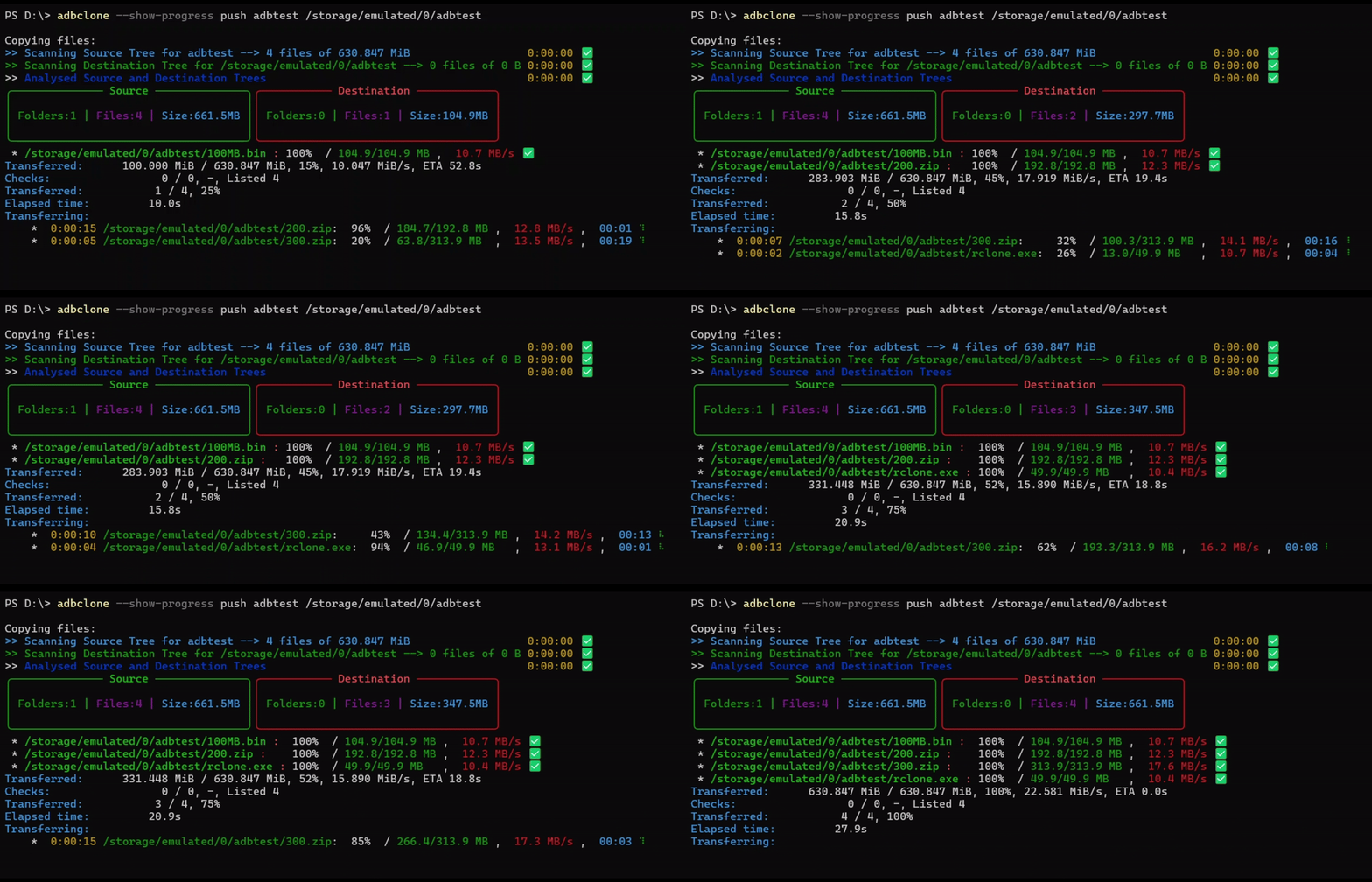
⚡Benefits:
adbclone offers significantly faster and more reliable file transfers for larger files compared to traditional MTP (Media Transfer Protocol)
⚡Installation:
Available on PyPI
pip install adbclone
⚡Usage:
To push from your computer to your phone use
adbclone --show-progress push LOCAL ANDROID
To pull from your phone to your computer use
adbclone --show-progress pull ANDROID LOCAL
Full help is available with $ adbclone --help
⚡Flags:
--show-progressShow progress of transferring files--copy-to-new-folderupdated files will be copied to a new folder to work on later and can be merged--show-treeShow tree of source and destination--delwill delete files and folders on the destination end that are not present on the source end. This does not include exluded files.--delete-excludedwill delete excluded files and folders on the destination end.--excludecan be used many times. Each should be afnmatchpattern relative to the source. These patterns will be ignored unless--delete-excludedis specified.--exclude-fromcan be used many times. Each should be a filename of a file containingfnmatchpatterns relative to the source.
⚡ToDos:
- Add Progress
- Multiple Transfers
- Add more ToDos
⚡Credits:
- GautamKumar(me) for Something
- adb-sync for all the hard-work.
Previous Readme
Better ADB Sync
An rsync-like program to sync files between a computer and an Android device
Installation
Available on PyPI
$ pip install BetterADBSync
QRD
To push from your computer to your phone use
$ adbsync push LOCAL ANDROID
To pull from your phone to your computer use
$ adbsync pull ANDROID LOCAL
Full help is available with $ adbsync --help
Intro
This is a (pretty much from scratch) rewrite of Google's adbsync repo.
The reason for the rewrite is to
- Update the repo to Python 3 codestyle (strings are by default UTF-8, no more b"" and u"", classes don't need to inherit from object, 4 space indentation etc)
- Add in support for
--exclude,--exclude-from,--del,--delete-excludedlikersynchas (this required a complete rewrite of the diffing algorithm)
Additions
--delwill delete files and folders on the destination end that are not present on the source end. This does not include exluded files.--delete-excludedwill delete excluded files and folders on the destination end.--excludecan be used many times. Each should be afnmatchpattern relative to the source. These patterns will be ignored unless--delete-excludedis specified.--exclude-fromcan be used many times. Each should be a filename of a file containingfnmatchpatterns relative to the source.
Possible future TODOs
I am satisfied with my code so far, however a few things could be added if they are ever needed
--backupand--backup-dir-localor--backup-dir-androidto move outdated / to-delete files to another folder instead of deleting
---BEGIN ORIGINAL README.md---
adb-sync
adb-sync is a tool to synchronize files between a PC and an Android device using the ADB (Android Debug Bridge).
Related Projects
Before getting used to this, please review this list of projects that are somehow related to adb-sync and may fulfill your needs better:
- rsync is a file synchronization tool for local (including FUSE) file systems or SSH connections. This can be used even with Android devices if rooted or using an app like SSHelper.
- adbfs is a FUSE file system that uses adb to communicate to the device. Requires a rooted device, though.
- adbfs-rootless is a fork of adbfs that requires no root on the device. Does not play very well with rsync.
- go-mtpfs is a FUSE file system to connect to Android devices via MTP. Due to MTP's restrictions, only a certain set of file extensions is supported. To store unsupported files, just add .txt! Requires no USB debugging mode.
Setup
Android Side
First you need to enable USB debugging mode. This allows authorized computers (on Android before 4.4.3 all computers) to perform possibly dangerous operations on your device. If you do not accept this risk, do not proceed and try using go-mtpfs instead!
On your Android device:
- Go to the Settings app.
- If there is no "Developer Options" menu:
- Select "About".
- Tap "Build Number" seven times.
- Go back.
- Go to "Developer Options".
- Enable "USB Debugging".
PC Side
- Install the Android SDK (the stand-alone Android SDK "for an existing IDE" is sufficient). Alternatively, some Linux distributions come with a package named like "android-tools-adb" that contains the required tool.
- Make sure "adb" is in your PATH. If you use a package from your Linux distribution, this should already be the case; if you used the SDK, you probably will have to add an entry to PATH in your ~/.profile file, log out and log back in.
git clone https://github.com/google/adb-synccd adb-sync- Copy or symlink the adb-sync script somewhere in your PATH. For example:
cp adb-sync /usr/local/bin/
Usage
To get a full help, type:
adb-sync --help
To synchronize your music files from ~/Music to your device, type one of:
adb-sync ~/Music /sdcard
adb-sync ~/Music/ /sdcard/Music
To synchronize your music files from ~/Music to your device, deleting files you removed from your PC, type one of:
adb-sync --delete ~/Music /sdcard
adb-sync --delete ~/Music/ /sdcard/Music
To copy all downloads from your device to your PC, type:
adb-sync --reverse /sdcard/Download/ ~/Downloads
ADB Channel
This package also contains a separate tool called adb-channel, which is a convenience wrapper to connect a networking socket on the Android device to file descriptors on the PC side. It can even launch and shut down the given application automatically!
It is best used as a ProxyCommand for SSH (install
SSHelper
first) using a configuration like:
Host sshelper
Port 2222
ProxyCommand adb-channel tcp:%p com.arachnoid.sshelper/.SSHelperActivity 1
After adding this to ~/.ssh/config, run ssh-copy-id sshelper.
Congratulations! You can now use rsync, sshfs etc. to the host name
sshelper.
Contributing
Patches to this project are very welcome.
Before sending a patch or pull request, we ask you to fill out one of the Contributor License Agreements:
- Google Individual Contributor License Agreement, v1.1
- Google Software Grant and Corporate Contributor License Agreement, v1.1
Disclaimer
This is not an official Google product.
---END ORIGINAL README.md---


Download files
Download the file for your platform. If you're not sure which to choose, learn more about installing packages.
Source Distribution
Built Distribution
Filter files by name, interpreter, ABI, and platform.
If you're not sure about the file name format, learn more about wheel file names.
Copy a direct link to the current filters
File details
Details for the file adbclone-0.0.5.tar.gz.
File metadata
- Download URL: adbclone-0.0.5.tar.gz
- Upload date:
- Size: 32.1 kB
- Tags: Source
- Uploaded using Trusted Publishing? No
- Uploaded via: twine/6.2.0 CPython/3.12.6
File hashes
| Algorithm | Hash digest | |
|---|---|---|
| SHA256 |
00c7938b8cf48009f76f5a1e11b97fdd5fc5f005a65ca60e2ac30a3e2afdbf31
|
|
| MD5 |
92ad66948efa92c57ab2ad1f41dc369b
|
|
| BLAKE2b-256 |
b01e2642ebfb8c0d683fa69c159589eae619b7a3c83c4a2e22143284df26ac19
|
File details
Details for the file adbclone-0.0.5-py3-none-any.whl.
File metadata
- Download URL: adbclone-0.0.5-py3-none-any.whl
- Upload date:
- Size: 31.4 kB
- Tags: Python 3
- Uploaded using Trusted Publishing? No
- Uploaded via: twine/6.2.0 CPython/3.12.6
File hashes
| Algorithm | Hash digest | |
|---|---|---|
| SHA256 |
dbf3ca95b6338c9d61fe9de4b1fc1c1b8f84c39b6ccbbc1b415969f5e5f995d9
|
|
| MD5 |
5894197752c04521044bfce94c94c9aa
|
|
| BLAKE2b-256 |
0c7df150d9ba3a544bd5848e1cd2671d9b141effe308cfe572c76229e7838d5e
|






