
PyQt5 desktop workspace for Android ADB, SSH/serial terminals, SFTP/FTP file transfer, and screen-mirroring integration.

Project description
Adbnik
One desktop workspace for Android debugging, remote shells, and file operations.
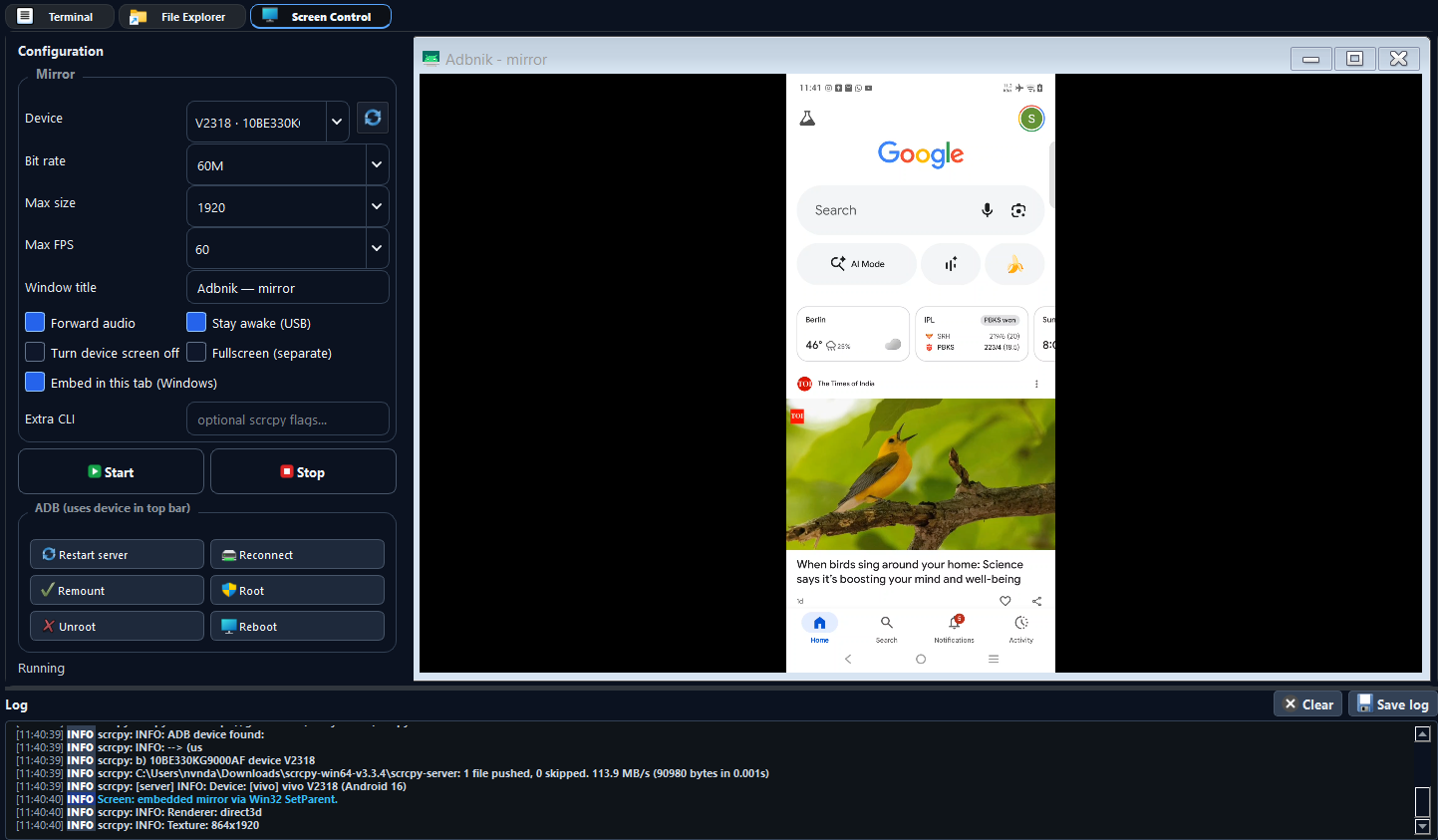
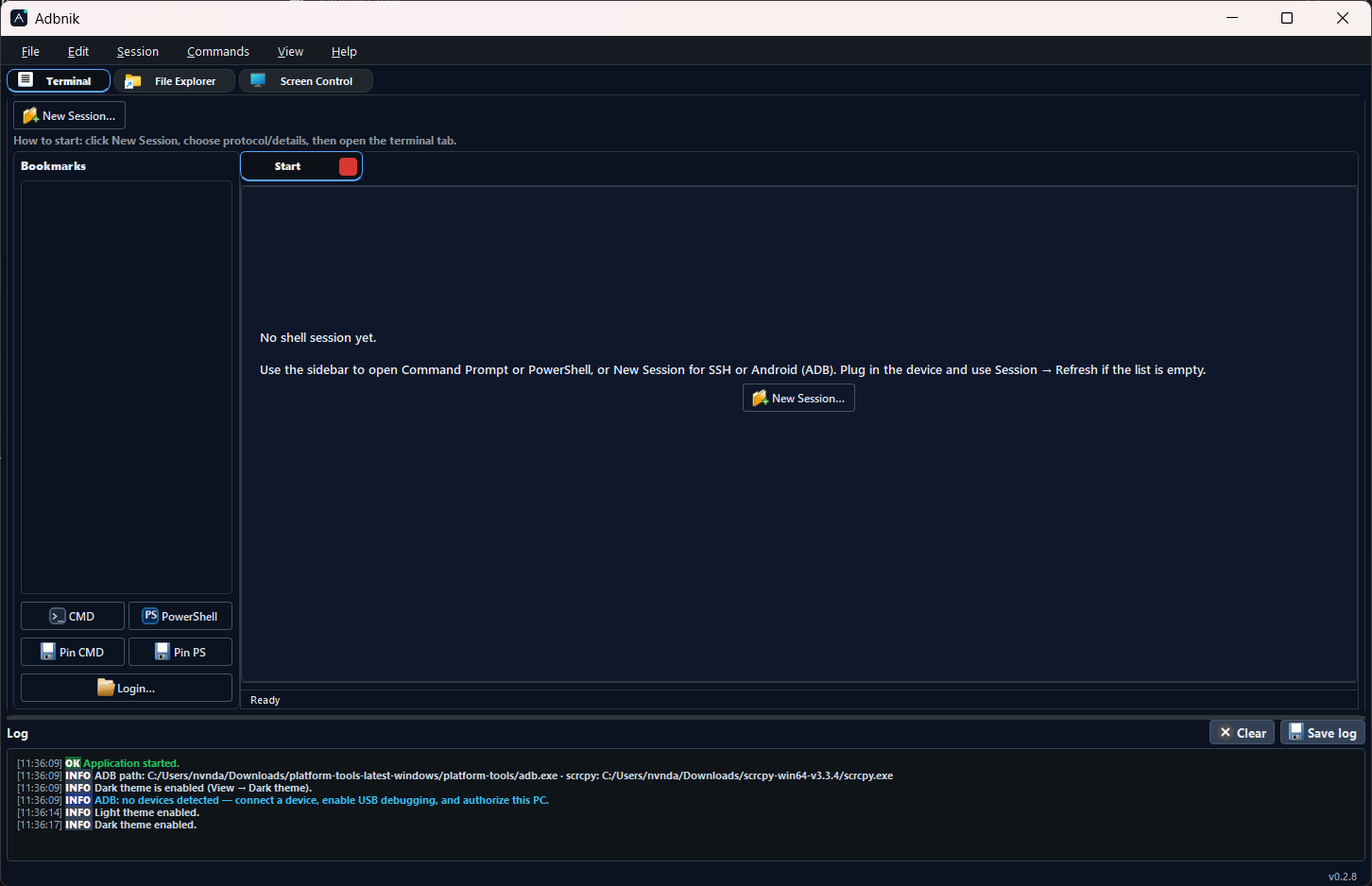
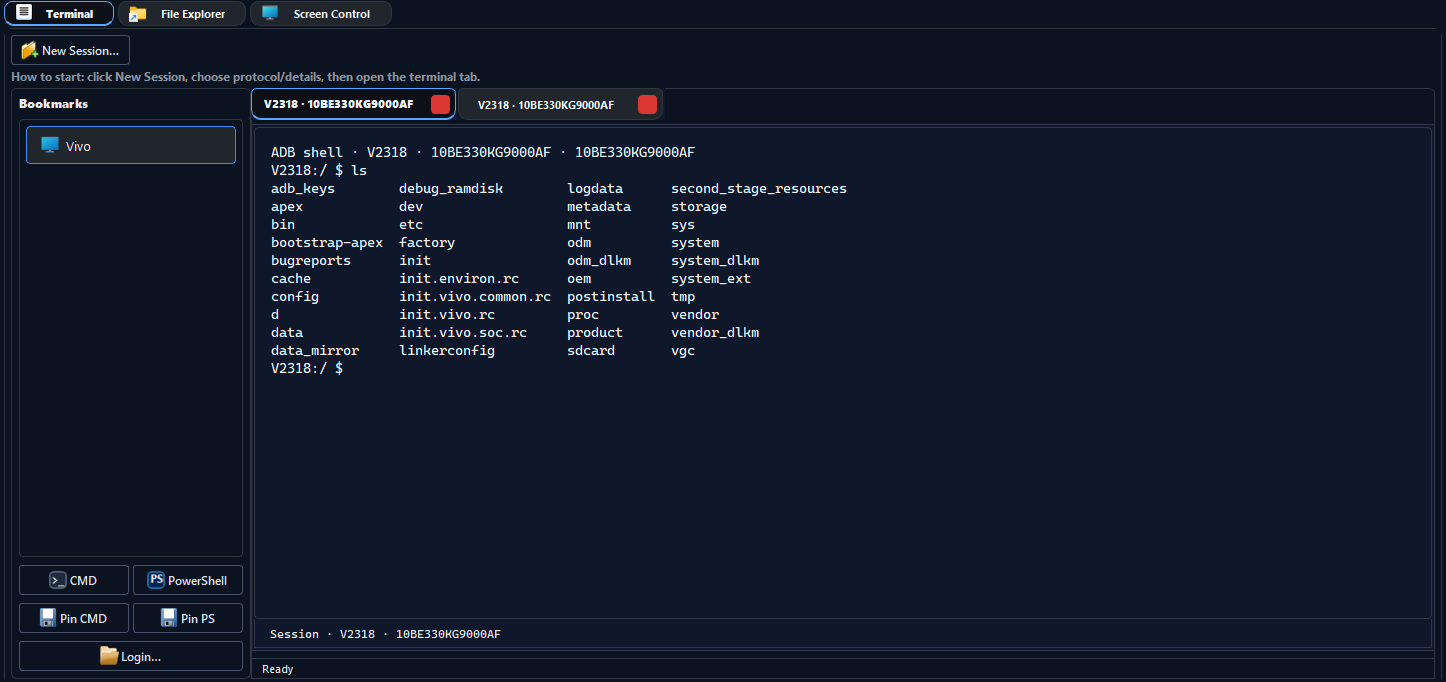
Adbnik is a PyQt5 application that brings ADB workflows, SSH and serial terminals, local ↔ remote file management (Android device, SFTP, FTP), and screen mirroring launchers (e.g. scrcpy) into a single tabbed window. External tools—adb, ssh, scrcpy—are used from your system: install them separately and, if needed, set paths under File → Preferences.
About the name
Adbnik combines ADB (Android Debug Bridge) with -nik, a productive-form suffix familiar from words like technik (technician; someone who works with tools). It signals a utility focused on hands-on device work—not a generic “suite,” but a workstation built around real debugging and transfer tasks.
Capabilities
| Area | Details |
|---|---|
| ADB | Device selection, shell sessions, APK install flow, bookmarks, quick actions |
| SSH | Full-screen terminal via your system OpenSSH client |
| Serial | COM port and baud configuration in the UI |
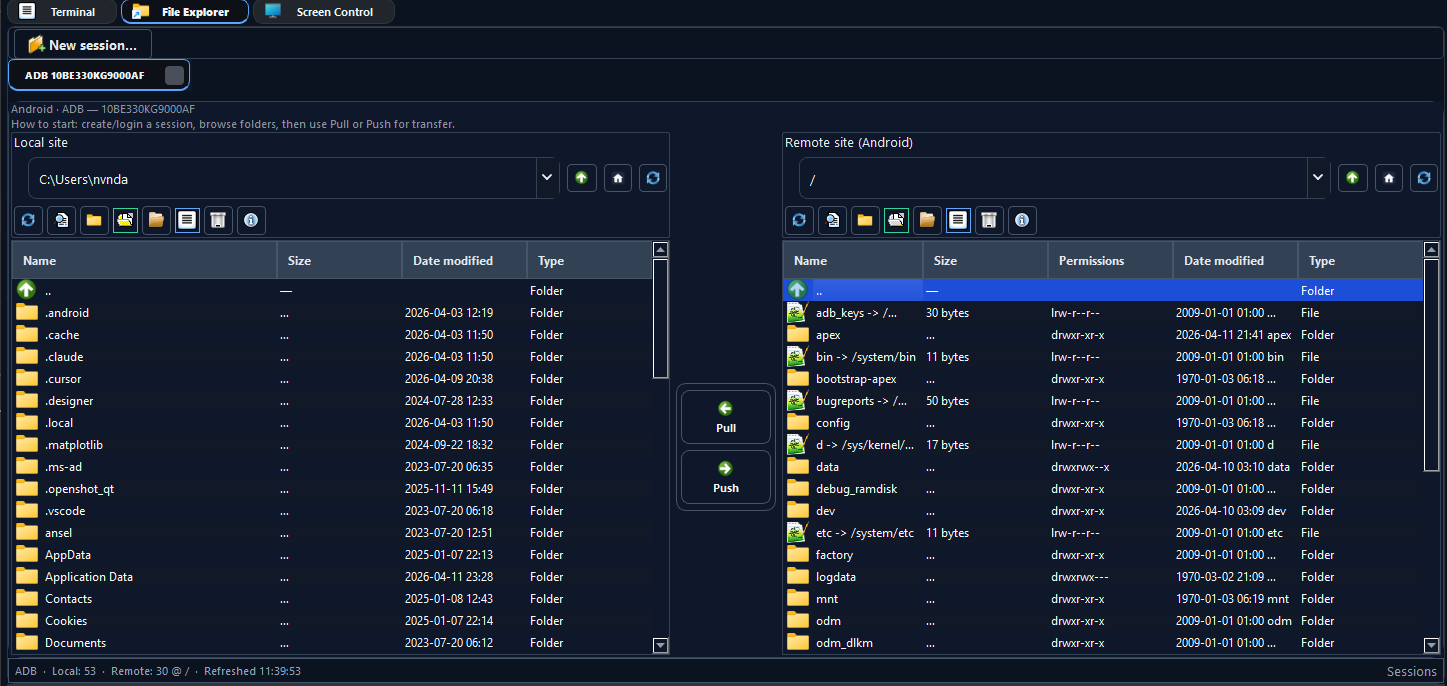
| Files | Dual-pane explorer: local disk ↔ Android / SFTP / FTP |
| Screen | Start and manage mirroring using your chosen executable |
User guide
Step-by-step documentation for the Terminal, File Explorer, and Screen Control tabs (menus, toolbars, keyboard shortcuts, and scrcpy options), plus where to put adb / scrcpy on disk:
https://nvnkennedy.github.io/adbnik/guide/
In the app: Help → User guide (F1) opens the same URL; Help also lists the website, GitHub, and PyPI.
Requirements
- Python 3.9+ (64-bit recommended on Windows)
- Android: USB debugging enabled; platform-tools (
adb) available to the same environment that runs Adbnik - SSH:
sshonPATH(or wherever your shell resolves it) - Mirroring:
scrcpyor another tool—PATHor Preferences - Serial: Port visible to the OS with the correct driver
Installation
Use the same Python interpreter for pip and for launching (avoids broken entry points on Windows):
py -m pip install --upgrade pip
py -m pip install adbnik
py -m adbnik
Pinned interpreter example:
"C:\Path\To\Python\python.exe" -m pip install adbnik
"C:\Path\To\Python\python.exe" -m adbnik
Package index: pypi.org/project/adbnik
Shortcut (Windows)
pip cannot place shortcuts or ask for a folder. After installing, run once on Windows:
adbnik-setup
A folder dialog opens (starting on your Desktop); choose where to put Adbnik.lnk. No extra console window is shown—only the dialogs. The shortcut uses this Python (python -m adbnik) and the same app icon as the window. Icon files are cached under %LOCALAPPDATA%\Adbnik\.
Non-interactive example (e.g. script or batch file, with console output):
adbnik-setup --folder "%USERPROFILE%\Desktop"
First run
- Start the app:
python -m adbnikfrom the environment where the package is installed. - Under File → Preferences, set paths for ADB and scrcpy if they are not on
PATH. - Use the main tabs for Terminal, Files, and Screen as needed.
Preferences are stored in .adbnik.json under your user profile. Legacy .devicedeck.json settings are migrated when you save preferences.
Screenshots
Troubleshooting
ModuleNotFoundError: No module named 'adbnik' — Install and run with the same python.exe:
"C:\Path\To\Python\python.exe" -m pip install --force-reinstall adbnik
"C:\Path\To\Python\python.exe" -m adbnik
On Windows, list interpreters with py -0p.
Resources
| Product site | nvnkennedy.github.io/adbnik — overview and links |
| User guide | nvnkennedy.github.io/adbnik/guide/ — Terminal, File Explorer, Screen Control |
| Source code | github.com/nvnkennedy/adbnik |
| Releases | GitHub Releases |
Building from source
git clone https://github.com/nvnkennedy/adbnik.git
cd adbnik
py -m venv .venv
.venv\Scripts\activate
py -m pip install -e ".[dev]"
py -m pytest tests -q
py -m adbnik
License
MIT — see LICENSE.
Release history Release notifications | RSS feed


Download files
Download the file for your platform. If you're not sure which to choose, learn more about installing packages.
Source Distribution
Built Distribution
Filter files by name, interpreter, ABI, and platform.
If you're not sure about the file name format, learn more about wheel file names.
Copy a direct link to the current filters
File details
Details for the file adbnik-1.3.10.tar.gz.
File metadata
- Download URL: adbnik-1.3.10.tar.gz
- Upload date:
- Size: 547.0 kB
- Tags: Source
- Uploaded using Trusted Publishing? No
- Uploaded via: twine/6.2.0 CPython/3.10.8
File hashes
| Algorithm | Hash digest | |
|---|---|---|
| SHA256 |
25fa5c2433432ac94025f1b606c02cef9fdd0f8a4c6c71ba6198d4c4b9fca3db
|
|
| MD5 |
152f7eb69e5f8eea25c44aab2eeb57de
|
|
| BLAKE2b-256 |
8aa3f646393dea51fb9c9da800e59562fba36ad4eeac5c1e83e8b7ae3d3eff0a
|
File details
Details for the file adbnik-1.3.10-py3-none-any.whl.
File metadata
- Download URL: adbnik-1.3.10-py3-none-any.whl
- Upload date:
- Size: 146.2 kB
- Tags: Python 3
- Uploaded using Trusted Publishing? No
- Uploaded via: twine/6.2.0 CPython/3.10.8
File hashes
| Algorithm | Hash digest | |
|---|---|---|
| SHA256 |
9bea64129daa3bce381186c28f96ee236f8517ed8c1752c0637c0cf52c92762c
|
|
| MD5 |
5818b72710cc3febc25ea33040f8c723
|
|
| BLAKE2b-256 |
1395208b6dbf21d2e566032df4d9daf32a773353e7ff2e273324286cb299dd77
|






