
ADDCOM
addcom is a CLI source code documenter tool which provides coders with an easy way to add comments to their source code files.
Give it a relative/absolute path to your file and it will analyze its contents and add comments using a Large Language Model's chat completion.
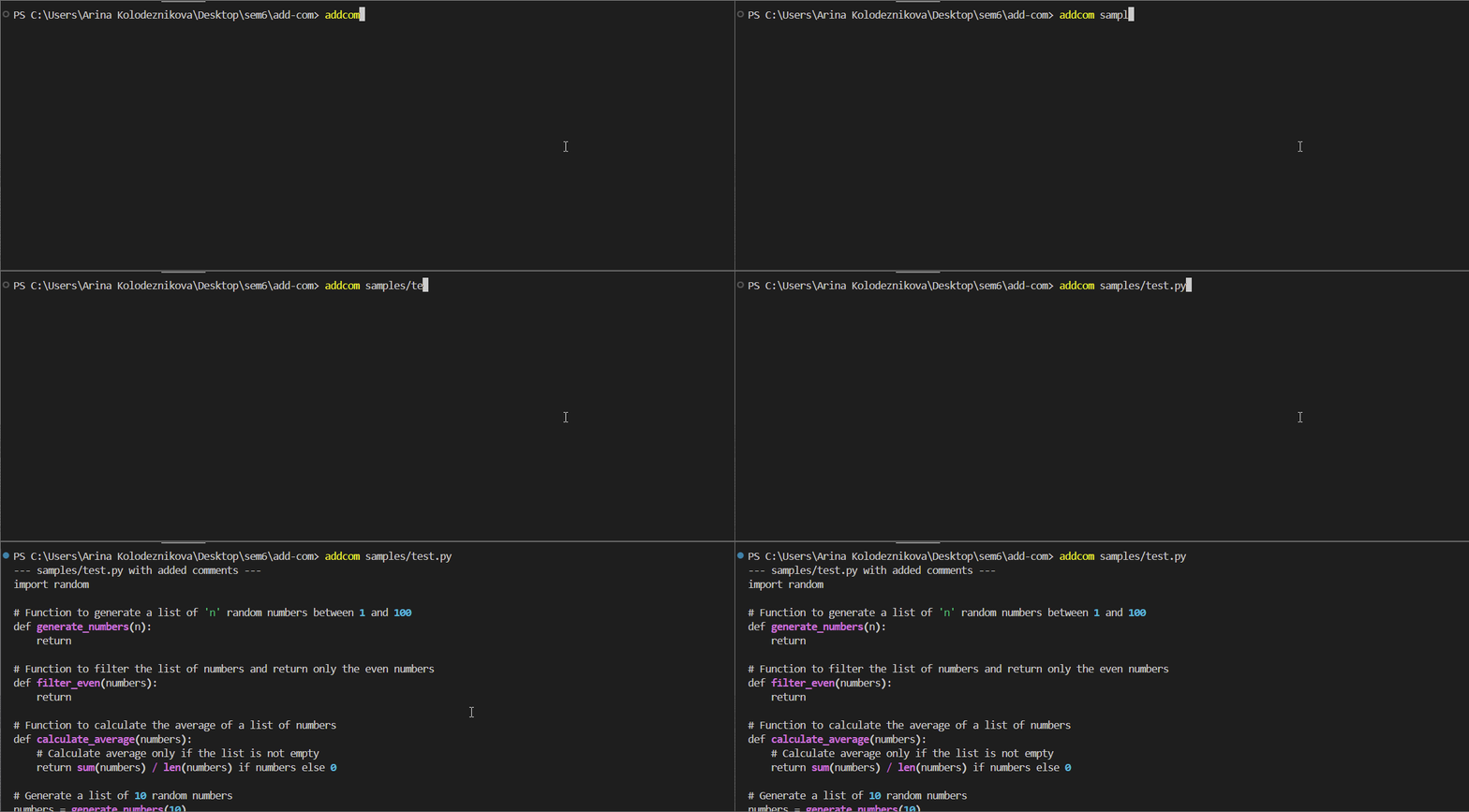
See a demo of the functionality on YouTube: addcom-demo
Setup Instructions
Prerequisites
Make sure Python is installed on your system (you can download it here: https://www.python.org/downloads/).
1. Install the tool using pip
pip install addcom
2. Default: Create an account and generate the API key here: https://console.groq.com/
By default, addcom uses the Groq API endpoint for chat completion. However, you can specify a custom endpoint using the --base-url or -u flag option. (If you do this, make sure to obtain an appropriate API key and specify the model supported by the chosen provider using the --model/ -m option).
3. Set the API key
There are 3 ways to set your API key:
-
You can expose the API key to the terminal:
Command Prompt
set GROQ_API_KEY=your_api_key_here
PowerShell
$env:ADDCOM_API_KEY="your_api_key_here"
Bash
$env:ADDCOM_API_KEY="your_api_key_here"
-
You can provide the key using the
--api-key/-aoption flag:addcom [OPTIONS] FILE_PATH(S) -a "your_api_key"
-
You can set the API key in the
TOMLfile.
4. Run addcom.
addcom [OPTIONS] FILE_PATH(S)...
Configuration via TOML file
You can specify your preferred settings for the CLI tool by creating and editing a TOML configuration file. It will allow you to customize the default options to tailor the tool's behaviour to your needs. Learn more about TOML on the official website.
Important!: This will only work if you put
addcom_config.tomlin your home directory.
The supported arguments as of now are:
model- specify the LLM to be used.stream- allow continous printing of model outputs as they are generated (can be set to "true" or "false").api_key- specify the api_key to be used for the API.context- path to the context file (provide the LLM with the commented file to base the comment style off of)
Windows Path Handling: When specifying the location of the context file, using standard Windows path single backslashes () can cause parsing errors, as tomllib treats those as escape characters. Windows users should specify paths with double backslashes (e.g., context = "examples\commented.py" instead of context = "examples\commented.py").
A sample configuration file config.toml.example is provided in the repository.
Usage
Arguments
You can add comments to one or multiple source code files. Just type addcom and specify the file paths.
addcom examples/sample.py examples/test.py
Options
| Option | Shortcut | Type | Default | |
|---|---|---|---|---|
--help |
FLAG | Show help message | N/A |
|
--version |
-v |
FLAG | See the current tool version | N/A |
--context |
-c |
PATH | Path to example file to provide context for the LLM | None |
--output |
-o |
PATH | Specify an ouput filename to save the commented code | None |
--stream |
-s |
FLAG | Stream the response live as it updates | None |
--api-key |
-a |
TEXT | Provide API key for authentication | None |
--base-url |
-u |
TEXT | Specify base URL for the API | None |
--model |
-o |
TEXT | Specify a LLM to use for comment generation | None |
Notes
Providing CLI options will override the default TOML settings.
--output / -o - If multiple files are specified, the commented source code from all files will be combined and saved into a single output file.
--api-key / -a - As mentioned above, there are 3 ways to provide the API key to the tool, passing the API key using this option will override the API key that was exposed to the terminal/the API key set in the TOML.
--model/ -m - You can find models compatible with the default API endpoint here: https://console.groq.com/docs/models
--base-url / u - If you decide to use a custom API endpoint, make sure to obtain an API key and specify a Large Language Model supported by the API of your choice.
Example: using OpenRouter API as base URL
addcom -u https://openrouter.ai/api/v1 -a "your_api_key" -m meta-llama/llama-3.1-8b-instruct:free examples/test.py
1 maintainer

Metadata
1 maintainer
Release files for addcom 1.0.3
For a detailed explanation of source distributions (sdists) and built distributions (wheels), please see the package formats documentation.
Source distribution (sdist)
| File | Size | Uploaded | |
|---|---|---|---|
| addcom-1.0.3.tar.gz | 7.0 kB | Details |
Built distribution (wheel)
| File | Interpreter | ABI | Platform | Reset |
|---|---|---|---|---|
| addcom-1.0.3-py3-none-any.whl | Python 3 | none | any | Details |
Total release size: 15.4 kB
Release files / addcom-1.0.3.tar.gz
| Download URL | addcom-1.0.3.tar.gz |
|---|---|
| Size | 7.0 kB |
| Tags | Source |
|
SHA-256 checksum How to use checksums |
eeca159dd05983a8b683cf3174252a705095f1bde8df6f9f53c9eefba365efd0
|
|
BLAKE2b-256 checksum How to use checksums |
c1347e3e4f79dcd04e56e51ca8332e35f46ee37dd97751cecf31e0b6b4a2bfce
|
| Upload date | |
|
Uploaded using Trusted Publishing? What is trusted publishing? |
No |
| Uploaded via |
poetry/1.8.3 CPython/3.12.6 Windows/11
|
Release files / addcom-1.0.3-py3-none-any.whl
| Download URL | addcom-1.0.3-py3-none-any.whl |
|---|---|
| Size | 8.4 kB |
| Tags | Python 3 |
|
SHA-256 checksum How to use checksums |
8fac48047eb1abba8753e0b03eafacf4ecfacb3888f532eaf6d8d92b3ac3c03d
|
|
BLAKE2b-256 checksum How to use checksums |
2b45eb0129c416ee4fe49be0d6df3f2b10bf9ce81576c939903a79eec91c5086
|
| Upload date | |
|
Uploaded using Trusted Publishing? What is trusted publishing? |
No |
| Uploaded via |
poetry/1.8.3 CPython/3.12.6 Windows/11
|














