
ADetailer
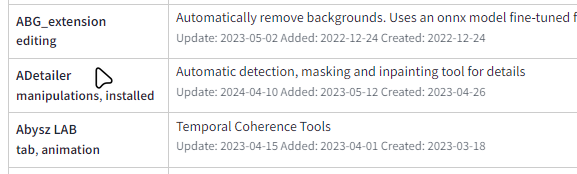
ADetailer is an extension for the stable diffusion webui that does automatic masking and inpainting. It is similar to the Detection Detailer.
Install
You can install it directly from the Extensions tab.
Or
(from Mikubill/sd-webui-controlnet)
- Open "Extensions" tab.
- Open "Install from URL" tab in the tab.
- Enter
https://github.com/Bing-su/adetailer.gitto "URL for extension's git repository". - Press "Install" button.
- Wait 5 seconds, and you will see the message "Installed into stable-diffusion-webui\extensions\adetailer. Use Installed tab to restart".
- Go to "Installed" tab, click "Check for updates", and then click "Apply and restart UI". (The next time you can also use this method to update extensions.)
- Completely restart A1111 webui including your terminal. (If you do not know what is a "terminal", you can reboot your computer: turn your computer off and turn it on again.)
Options
| Model, Prompts | ||
|---|---|---|
| ADetailer model | Determine what to detect. | None = disable |
| ADetailer model classes | Comma separated class names to detect. only available when using YOLO World models | If blank, use default values. default = COCO 80 classes |
| ADetailer prompt, negative prompt | Prompts and negative prompts to apply | If left blank, it will use the same as the input. |
| Skip img2img | Skip img2img. In practice, this works by changing the step count of img2img to 1. | img2img only |
| Detection | ||
|---|---|---|
| Detection model confidence threshold | Only objects with a detection model confidence above this threshold are used for inpainting. | |
| Mask min/max ratio | Only use masks whose area is between those ratios for the area of the entire image. | |
| Mask only the top k largest | Only use the k objects with the largest area of the bbox. | 0 to disable |
If you want to exclude objects in the background, try setting the min ratio to around 0.01.
| Mask Preprocessing | ||
|---|---|---|
| Mask x, y offset | Moves the mask horizontally and vertically by | |
| Mask erosion (-) / dilation (+) | Enlarge or reduce the detected mask. | opencv example |
| Mask merge mode | None: Inpaint each maskMerge: Merge all masks and inpaintMerge and Invert: Merge all masks and Invert, then inpaint |
Applied in this order: x, y offset → erosion/dilation → merge/invert.
Inpainting
Each option corresponds to a corresponding option on the inpaint tab. Therefore, please refer to the inpaint tab for usage details on how to use each option.
ControlNet Inpainting
You can use the ControlNet extension if you have ControlNet installed and ControlNet models.
Support inpaint, scribble, lineart, openpose, tile, depth controlnet models. Once you choose a model, the preprocessor is set automatically. It works separately from the model set by the Controlnet extension.
If you select Passthrough, the controlnet settings you set outside of ADetailer will be used.
Advanced Options
API request example: wiki/REST-API
[SEP], [SKIP], [PROMPT] tokens: wiki/Advanced
Media
-
🎥 どこよりも詳しい After Detailer (adetailer)の使い方 ① 【Stable Diffusion】
-
🎥 どこよりも詳しい After Detailer (adetailer)の使い方 ② 【Stable Diffusion】
Model
| Model | Target | mAP 50 | mAP 50-95 |
|---|---|---|---|
| face_yolov8n.pt | 2D / realistic face | 0.660 | 0.366 |
| face_yolov8s.pt | 2D / realistic face | 0.713 | 0.404 |
| hand_yolov8n.pt | 2D / realistic hand | 0.767 | 0.505 |
| person_yolov8n-seg.pt | 2D / realistic person | 0.782 (bbox) 0.761 (mask) |
0.555 (bbox) 0.460 (mask) |
| person_yolov8s-seg.pt | 2D / realistic person | 0.824 (bbox) 0.809 (mask) |
0.605 (bbox) 0.508 (mask) |
| mediapipe_face_full | realistic face | - | - |
| mediapipe_face_short | realistic face | - | - |
| mediapipe_face_mesh | realistic face | - | - |
The YOLO models can be found on huggingface Bingsu/adetailer.
For a detailed description of the YOLO8 model, see: https://docs.ultralytics.com/models/yolov8/#overview
YOLO World model: https://docs.ultralytics.com/models/yolo-world/
Additional Model
Put your ultralytics yolo model in models/adetailer. The model name should end with .pt.
It must be a bbox detection or segment model and use all label.
How it works
ADetailer works in three simple steps.
- Create an image.
- Detect object with a detection model and create a mask image.
- Inpaint using the image from 1 and the mask from 2.
Development
ADetailer is developed and tested using the stable-diffusion 1.5 model, for the latest version of AUTOMATIC1111/stable-diffusion-webui repository only.
License
ADetailer is a derivative work that uses two AGPL-licensed works (stable-diffusion-webui, ultralytics) and is therefore distributed under the AGPL license.
See Also
1 maintainer

Metadata
1 maintainer
Release files for adetailer 26.2.0
For a detailed explanation of source distributions (sdists) and built distributions (wheels), please see the package formats documentation.
Source distribution (sdist)
| File | Size | Uploaded | |
|---|---|---|---|
| adetailer-26.2.0.tar.gz | 56.2 kB | Details |
Built distribution (wheel)
| File | Interpreter | ABI | Platform | Reset |
|---|---|---|---|---|
| adetailer-26.2.0-py3-none-any.whl | Python 3 | none | any | Details |
Total release size: 82.8 kB
Release files / adetailer-26.2.0.tar.gz
| Download URL | adetailer-26.2.0.tar.gz |
|---|---|
| Size | 56.2 kB |
| Tags | Source |
|
SHA-256 checksum How to use checksums |
14691c4385d090d6642dacd7f3c25b6f485be147797748394f3d4a1101c0b517
|
|
BLAKE2b-256 checksum How to use checksums |
f74d8266b99f03fd3a2ffdd7725384ac967fb81b78a0ae885523ba5207aea3ae
|
| Upload date | |
|
Uploaded using Trusted Publishing? What is trusted publishing? |
Yes |
| Uploaded via |
twine/6.1.0 CPython/3.13.7
|
Provenance
Provenance describes where a file came from. On PyPI, provenance is shared via attestations, which provide a verifiable record of the build or publishing details. View details, limitations and caveats.


PyPI Publish Attestation
PyPI verified that this artifact, at this checksum, originated from the publisher listed below.
Signed by GitHub Actions, verified by PyPI on Feb 5, 2026.
Transparency logRelease files / adetailer-26.2.0-py3-none-any.whl
| Download URL | adetailer-26.2.0-py3-none-any.whl |
|---|---|
| Size | 26.6 kB |
| Tags | Python 3 |
|
SHA-256 checksum How to use checksums |
b5b3fc1e4048c107c9d8545ee9aa2a66f63bc47abdb5eac60c40f00dc252e4fc
|
|
BLAKE2b-256 checksum How to use checksums |
674d7c0fe8fe281eb30842ee296cfa5821f4da844cc495d1e6520afbc3963b22
|
| Upload date | |
|
Uploaded using Trusted Publishing? What is trusted publishing? |
Yes |
| Uploaded via |
twine/6.1.0 CPython/3.13.7
|
Provenance
Provenance describes where a file came from. On PyPI, provenance is shared via attestations, which provide a verifiable record of the build or publishing details. View details, limitations and caveats.
PyPI Publish Attestation
PyPI verified that this artifact, at this checksum, originated from the publisher listed below.
Signed by GitHub Actions, verified by PyPI on Feb 5, 2026.
Transparency log













