
This module is a python implementation of Lorentzian Classification algorithm developed by @jdehorty in pinescript. The original work can be found here - https://www.tradingview.com/script/WhBzgfDu-Machine-Learning-Lorentzian-Classification/
Usage
At the most simplest, you can just do this:
from advanced_ta import LorentzianClassification
.
.
    # df here is the dataframe containing stock data as [['open', 'high', 'low', 'close', 'volume']]. Notice that the column names are in lower case.
    lc = LorentzianClassification(df)
    lc.dump('output/result.csv')
    lc.plot('output/result.jpg')
.
.
For advanced use, you can do:
from advanced_ta import LorentzianClassification
from ta.volume import money_flow_index as MFI
.
.
    # df here is the dataframe containing stock data as [['open', 'high', 'low', 'close', 'volume']]. Notice that the column names are in lower case.
    lc = LorentzianClassification(
        df,
        features=[
            LorentzianClassification.Feature("RSI", 14, 2),  # f1
            LorentzianClassification.Feature("WT", 10, 11),  # f2
            LorentzianClassification.Feature("CCI", 20, 2),  # f3
            LorentzianClassification.Feature("ADX", 20, 2),  # f4
            LorentzianClassification.Feature("RSI", 9, 2),   # f5
            MFI(df['open'], df['high'], df['low'], df['close'], df['volume'], 14) #f6
        ],
        settings=LorentzianClassification.Settings(
            source='close',
            neighborsCount=8,
            maxBarsBack=2000,
            useDynamicExits=False
        ),
        filterSettings=LorentzianClassification.FilterSettings(
            useVolatilityFilter=True,
            useRegimeFilter=True,
            useAdxFilter=False,
            regimeThreshold=-0.1,
            adxThreshold=20,
            kernelFilter = LorentzianClassification.KernelFilter(
                useKernelSmoothing = False
                lookbackWindow = 8
                relativeWeight = 8.0
                regressionLevel = 25
                crossoverLag = 2
            )
        ))
    lc.dump('output/result.csv')
    lc.plot('output/result.jpg')
.
.
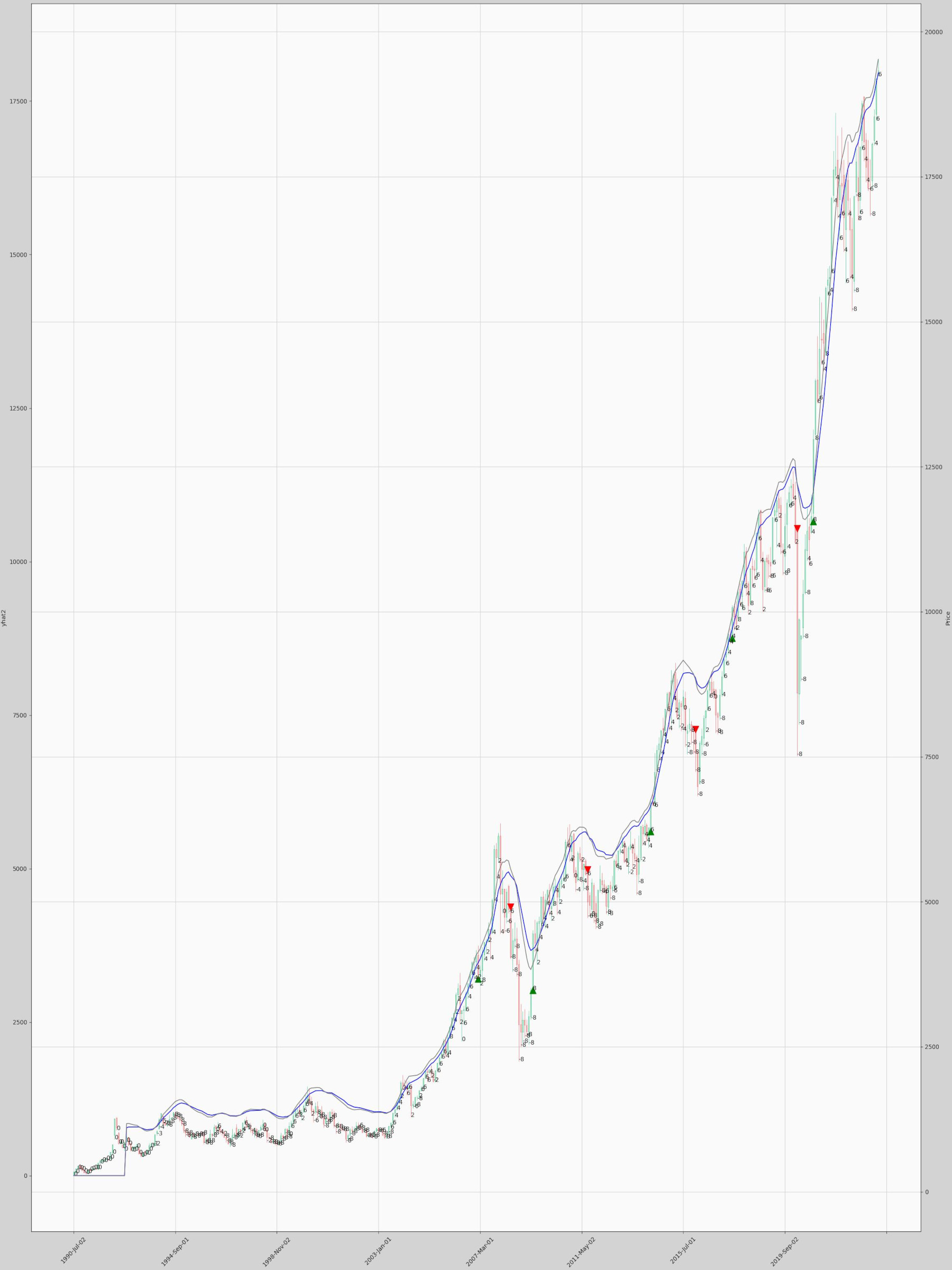
Sample Plot
Generated
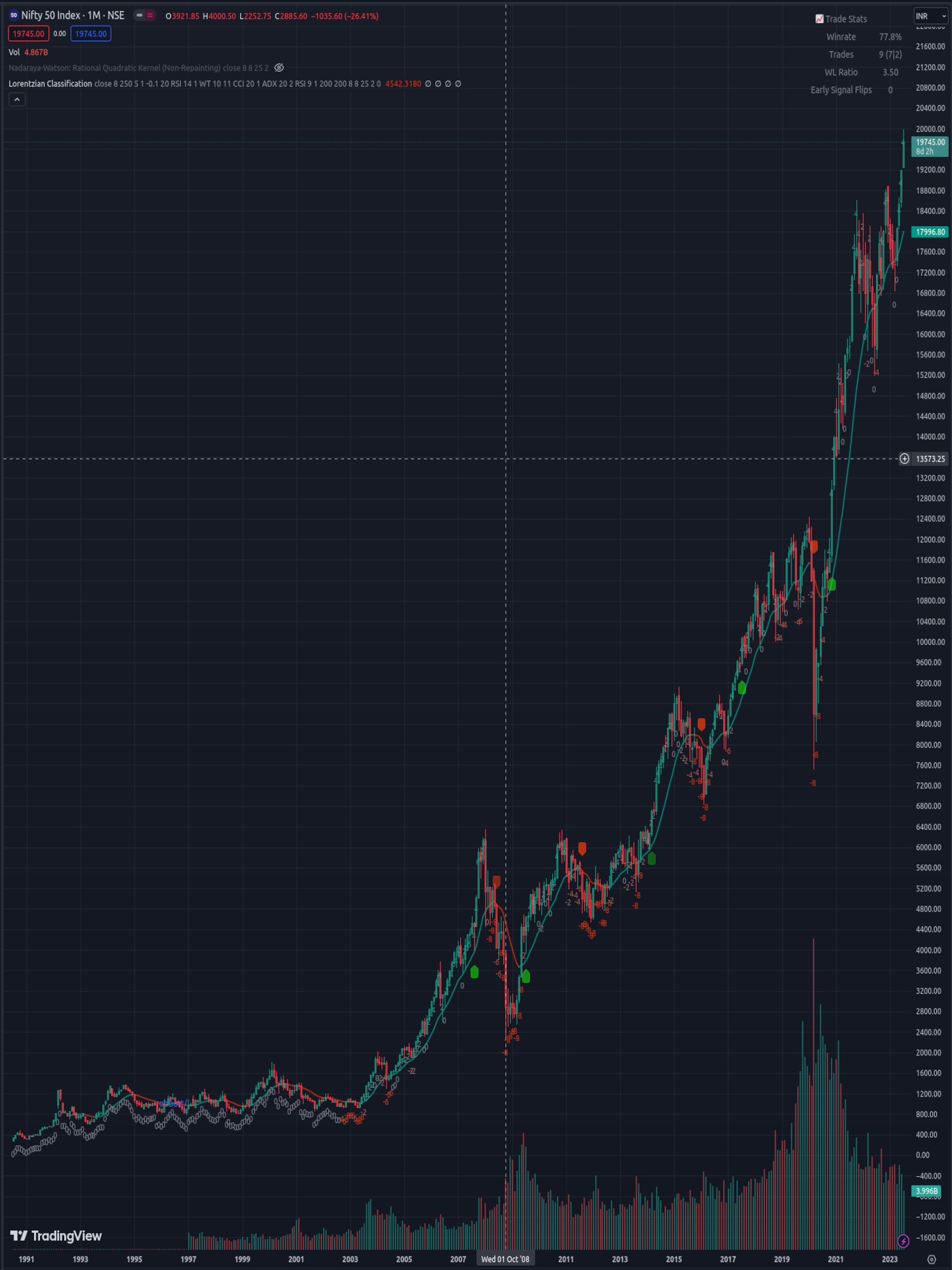
Reference From TradingView
Version History
0.1.8
1 maintainer

Metadata
1 maintainer
Release files for advanced-ta 0.1.8
For a detailed explanation of source distributions (sdists) and built distributions (wheels), please see the package formats documentation.
Source distribution (sdist)
| File | Size | Uploaded | |
|---|---|---|---|
| advanced_ta-0.1.8.tar.gz | 12.9 kB | Details |
Built distribution (wheel)
| File | Interpreter | ABI | Platform | Reset |
|---|---|---|---|---|
| advanced_ta-0.1.8-py3-none-any.whl | Python 3 | none | any | Details |
Total release size: 27.1 kB
Release files / advanced_ta-0.1.8.tar.gz
| Download URL | advanced_ta-0.1.8.tar.gz |
|---|---|
| Size | 12.9 kB |
| Tags | Source |
|
SHA-256 checksum How to use checksums |
c29194cae57de69baa340381bd73377a2c942b0f43c7895b550bdb0384a3647e
|
|
BLAKE2b-256 checksum How to use checksums |
0f7ee759cb4b729a915abf7bd8dae685945f45b61e608af71da47219295a21ca
|
| Upload date | |
|
Uploaded using Trusted Publishing? What is trusted publishing? |
No |
| Uploaded via |
poetry/1.4.0 CPython/3.11.5 Linux/6.6.10-76060610-generic
|
Release files / advanced_ta-0.1.8-py3-none-any.whl
| Download URL | advanced_ta-0.1.8-py3-none-any.whl |
|---|---|
| Size | 14.2 kB |
| Tags | Python 3 |
|
SHA-256 checksum How to use checksums |
e4f8a04d1b9b500c32fb70a55959af40b9cfa155e5d992bc4882e157d8d71312
|
|
BLAKE2b-256 checksum How to use checksums |
a3aa9dec2c31848ae74d527b5712c895ca62e20b97349b575870579e820eb460
|
| Upload date | |
|
Uploaded using Trusted Publishing? What is trusted publishing? |
No |
| Uploaded via |
poetry/1.4.0 CPython/3.11.5 Linux/6.6.10-76060610-generic
|














