
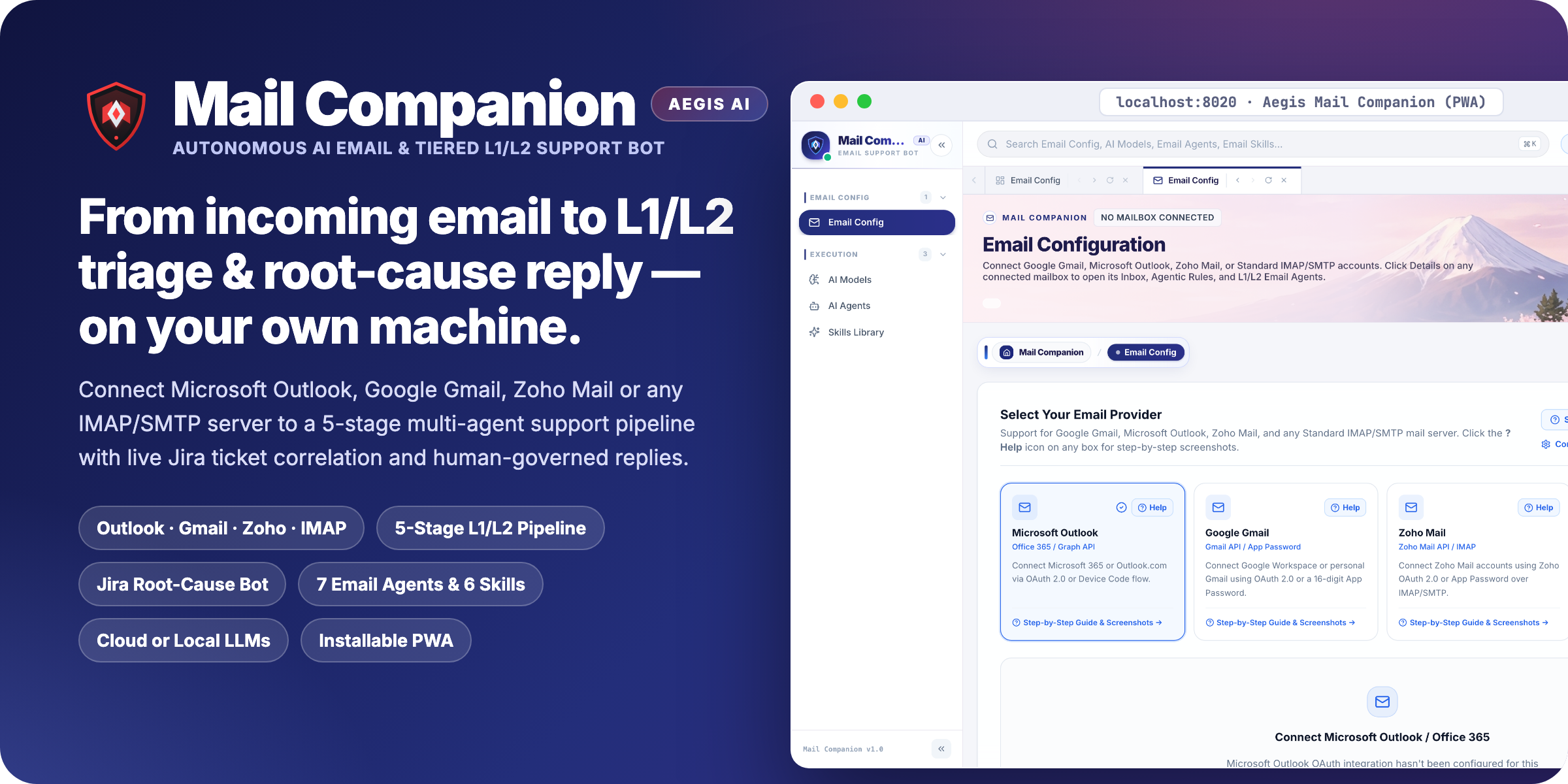









aegis Mail Companion (aegis-mail-companion) — Autonomous AI Email & Tiered L1/L2 Support Bot
Part of the aegis-ai-suite Ecosystem — Multi-Agent · Multi-Provider (Outlook, Gmail, Zoho, IMAP) · Human-Governed · Jira-Correlated · Installable PWA
Aegis Mail Companion is an autonomous, self-hosted AI Email Companion and Tiered L1/L2 Customer & Engineering Support Bot. Connect Microsoft Outlook / Office 365, Google Gmail, Zoho Mail, or any Standard IMAP/SMTP server, configure Cloud or 100% Local LLMs (Ollama, vLLM, OpenAI, Anthropic, Gemini, Groq), and orchestrate 7 specialized Email AI Agents and 6 Email Skills in a single self-contained Python package.
⚡ 30-Second Quick Install & Immediate Browser Launch (macOS · Windows · Linux)
Installing aegis-mail-companion installs all required backend dependencies, the pre-built React + PWA web interface, the 7 Email Agents, and the 6 Email Skills in a single command. Run aegis-mail and it immediately launches in your browser:
# 1. Install the universal Python package from PyPI
pip install aegis-mail-companion

# 2. Configure your PostgreSQL + pgvector database URL (auto-creates database, extensions & all tables on startup)
export EXPORT_AEGIS_EMAIL_COMPANION_DB="postgresql://postgres:password@localhost:5432/aegis_mail_companion"

# 3. Launch the server & immediately open Mail Companion in your browser (http://localhost:8020)
aegis-mail
# (or `python3 -m aegis_mail_companion`)
Automatic Database & Vector RAG Provisioning: When
EXPORT_AEGIS_EMAIL_COMPANION_DB(or--db-url) is set, the first service startup automatically creates the target database (if missing), enablesvector(pgvector) +pg_trgm+pgcryptoextensions, applies all database tables/functions/indexes (kb_files,kb_parents,kb_chunks,projects,connectors,email_accounts, etc.), and saves the connection URL to~/.aegis-mail-companion/settings.json.
Default Sign-In Credentials (Local Workspace)
- URL:
http://localhost:8020(opens automatically in your default browser; click Install App in the top bar to install as a standalone Desktop/Mobile PWA) - Email:
admin@example.com - Password:
admin1234
CLI Options (aegis-mail / aegis-mail-companion)
aegis-mail                                 # Start Mail Companion (:8020) & open browser immediately
aegis-mail --port 8080                     # Run on a custom port (e.g. http://localhost:8080)
aegis-mail --host 0.0.0.0 --port 8020      # Expose on LAN for team access
aegis-mail --no-browser                    # Run server headlessly without opening a browser tab
aegis-mail --update                        # Self-update to the latest release from PyPI via pip
✨ Key Features & Architecture
1. 📬 Multi-Provider Email Connectivity (With Built-in Step-by-Step Visual Setup Guides)
Every provider card includes an interactive ? Help button that opens a right-side step-by-step setup drawer with annotated screenshots and 1-click server presets:
- Microsoft Outlook / Office 365: OAuth 2.0 Web Redirect, Device Code flow, and Sovereign Cloud support (
graph.microsoft.com, US Gov, 21Vianet) via Microsoft Graph API. - Google Gmail: Google Workspace & personal Gmail via 16-digit App Password (
imap.gmail.com:993/smtp.gmail.com:587) or Google Cloud OAuth 2.0. - Zoho Mail: Zoho OAuth 2.0 or Application-Specific Password across all regional data centers (
imap.zoho.com,imappro.zoho.com,.eu,.in,.com.au,.jp). - Standard Mail (IMAP/SMTP): 1-click presets and visual guides for cPanel / Corporate Mail, Apple iCloud Mail, Yahoo Mail, Fastmail, Namecheap PrivateEmail, Rackspace, and GoDaddy / Titan Mail.
- AES-256 / Fernet Encrypted Token Vault: All OAuth refresh tokens and IMAP/SMTP App Passwords are encrypted at rest.
2. 🤖 7 Specialized Email AI Agents (AI Agents Screen)
| Stage | Agent ID | Agent Name | Role & Capabilities |
|---|---|---|---|
| ★ | email_ticket_analysis_agent |
Ticket Analysis Agent | Extracts issue keys (SCRUM-21), fetches live Jira/Project context, performs root-cause analysis, and drafts or auto-sends replies. |
| ⚡ | email_tiered_pipeline_agent |
Tiered L1/L2 Support Pipeline Agent | End-to-end 5-stage orchestrator (Stage 1 → Stage 2 → Stage 3/4 → Stage 5). |
| 1 | email_thread_parser_agent |
Thread Parser & Digest Agent | Strips signatures/disclaimers, orders replies chronologically, and separates historical_context from the immediate_ask. |
| 2 | email_sentiment_triage_agent |
Sentiment & Triage Router Agent | Detects customer frustration, urgency, SLA risk, and churn risk; routes to L1, L2, or HUMAN_ESCALATION. |
| 3 | email_l1_support_agent |
L1 Support Agent (General Support) | Resolves standard inquiries, billing, and FAQs via Knowledge Base RAG; supports high-confidence (>90%) auto-send. |
| 4 | email_l2_support_agent |
L2 Support Agent (Deep Technical) | Parses stack traces, HTTP errors, and logs; cross-references issue trackers to construct technical troubleshooting replies. |
| 5 | email_response_qa_agent |
Response Drafting & QA Agent | Enforces empathy, corporate tone, policy guardrails, and completeness before 1-Click Send. |
3. 🧠 6 Specialized Email Skills (Skills Library Screen)
- Email Thread Digest & Delta Extraction (
email_thread_digest) - Customer Sentiment, Urgency & L1/L2 Triage Routing (
email_sentiment_triage) - L1 General Customer Support & FAQ Resolution (
email_l1_faq_resolution) - L2 Technical Support, Log & Stack-Trace Diagnostics (
email_l2_technical_diagnostics) - Jira & Project Ticket Correlation for Incoming Emails (
email_jira_ticket_correlation) - Support Response QA, Tone Alignment & Policy Guardrails (
email_response_qa_guardrails)
4. 🖥️ Installable Progressive Web App (PWA)
- Includes a Web App Manifest (
manifest.webmanifest) and offline-capable Service Worker (sw.js). - Click Install App in the top navigation bar on Chrome, Edge, Brave, or Safari (
Add to Dock/Add to Home Screen) to run Mail Companion in its own standalone desktop or mobile window with quick-launch shortcuts to Email Config, AI Models, AI Agents, and Skills Library.
🔗 Ecosystem & Links
- Official Documentation & Setup Portal: https://aegis-mail-companion.vercel.app
- PyPI Author Profile: https://pypi.org/user/sachinbosep/
- Full Enterprise Suite (
aegis-ai-suite): https://pypi.org/project/aegis-ai-suite/ - Official Aegis Portal: https://aegis-help.nilswa.com
1 maintainer

Metadata
1 maintainer
Release files for aegis-mail-companion 1.0.17
For a detailed explanation of source distributions (sdists) and built distributions (wheels), please see the package formats documentation.
Built distribution (wheel)
| File | Interpreter | ABI | Platform | Actions Reset |
|---|---|---|---|---|
| aegis_mail_companion-1.0.17-py3-none-any.whl | Python 3 | none | any | Details for aegis_mail_companion-1.0.17-py3-none-any.whl |
Release files / aegis_mail_companion-1.0.17-py3-none-any.whl
| Download URL | aegis_mail_companion-1.0.17-py3-none-any.whl |
|---|---|
| Size | 34.8 MB |
| Tags | Python 3 |
|
SHA-256 checksum How to use checksums |
13621601f69db0f3139fca609b89f4288e4eac53be874a74aac77f6734ed5f16
|
|
BLAKE2b-256 checksum How to use checksums |
15400937af7b922a6ab331658ed220e219466fb039d7f5f990caa9f92baf2048
|
| Upload date | |
|
Uploaded using Trusted Publishing? What is trusted publishing? |
No |
| Uploaded via |
twine/7.0.0 CPython/3.12.15
|
Security for aegis-mail-companion 1.0.17
Provenance
Provenance describes where a file came from. On PyPI, provenance is shared via attestations, which provide a verifiable record of the build or publishing details. View details, limitations and caveats.
No provenance found
None of the files in this release were uploaded with provenance metadata.
A note on package security
PyPI is a repository for distributing packages, not a service for auditing them. While third-party security researchers and our staff do their best to detect and remove malicious packages, PyPI cannot guarantee the quality, security or suitability of any given package.
To learn more about protecting yourself from malicious actors, visit our package security documentation.














