

Aegize
Infrastructure for autonomous AI agents.


Aegize is the runtime layer between autonomous AI agents and the tools they use.
It provides identity, policy enforcement, permissions, approval workflows, audit logging, observability, and runtime governance for every AI action.
Every agent action must have identity, permission, policy enforcement, and audit.
Architecture

See it in action
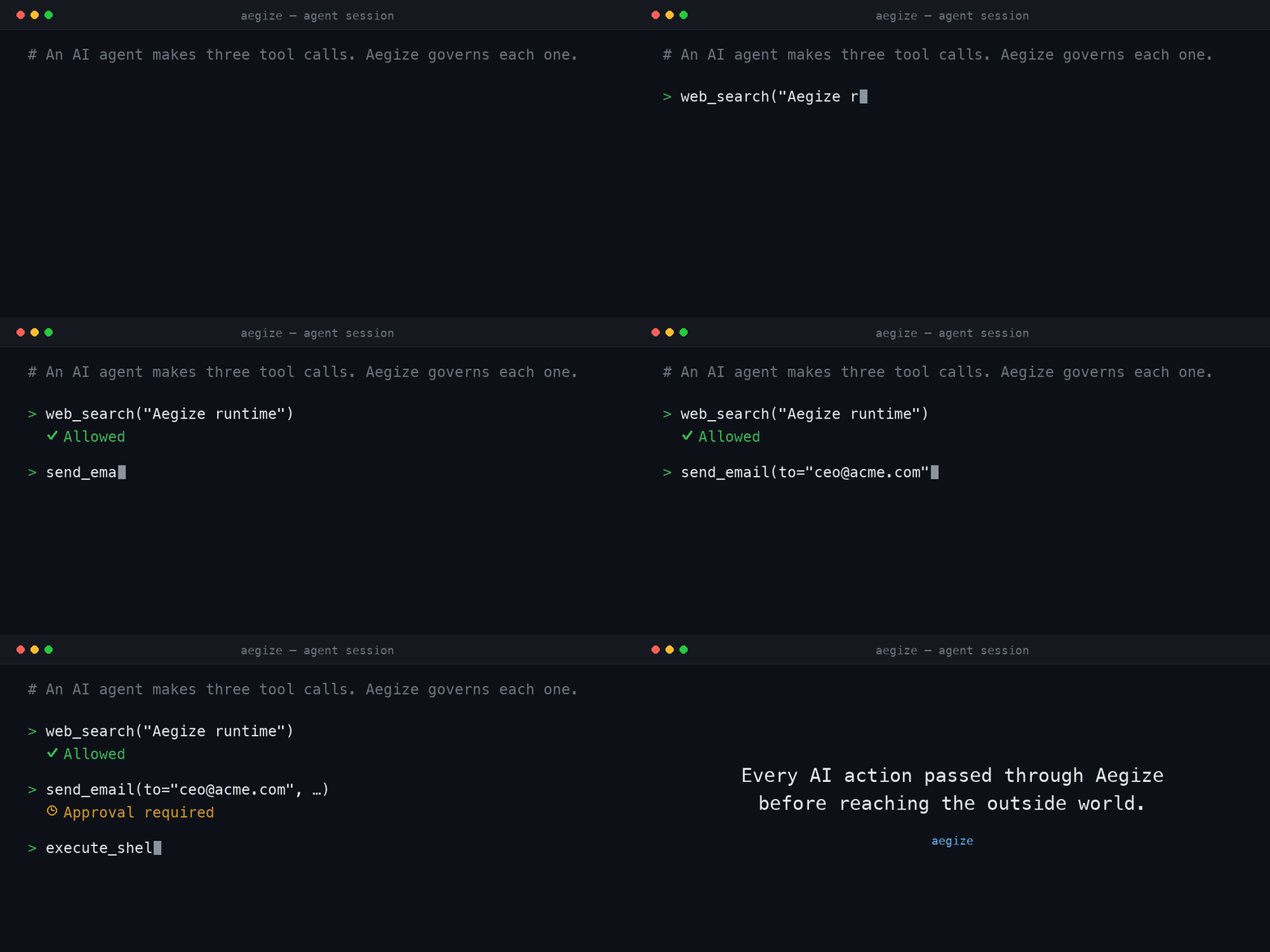
One agent attempts three tool calls. Aegize allows the web search, holds the email for approval, blocks the shell command, and writes an audit record for every attempt.
$ python examples/demo_story.py

[1] web_search.search   query='Aegize runtime'
    ALLOWED  -> results for 'Aegize runtime'

[2] email.send          to='ceo@example.com'
    APPROVAL REQUIRED  -> held for human review (not executed)
               reason: approval required for tool 'email'

[3] shell.execute       cmd='rm -rf /var/data'
    DENIED  -> blocked before execution
               reason: denied by rule for tool 'shell'

Audit trail:
    allowed              web_search   search
    execution_succeeded  web_search   search
    approval_required    email        send
    denied               shell        execute

3 actions attempted · 1 allowed · 1 awaiting approval · 1 denied · 4 audit records written
The gated and denied calls never reach the underlying functions. See Demo to run it yourself.
Why Aegize?
AI systems are moving from answering questions to taking actions — running shells, sending email, moving money, calling internal APIs. A model that only returns text is easy to contain. An agent that acts is not: it needs an identity, scoped permissions, approvals for high-impact operations, and a record of everything it did.
That governance layer is usually missing today, and the model's own judgment stands in for it. Aegize is the runtime infrastructure that fills the gap, so organizations can let agents take actions without giving up control or visibility. Security is one capability this provides; operability, reviewability, and confidence in deployment are the rest.
Project Vision
Every meaningful AI action should pass through trusted runtime infrastructure before reaching the outside world.
What Aegize provides
AgentIdentity— a durable identity for each agent (owner, environment, metadata).PermissionPolicy— a YAML policy engine that returnsallow,deny, orrequire_approval.GuardedTool/@guarded_tool— the enforcement point: wrap any callable so it is identified, permissioned, gated, and audited.AuditLog— an append-only JSONL record of every attempt and outcome.- Typed, dependency-light, and easy to extend. One runtime dependency (PyYAML).
Install
pip install aegize
With the MCP policy gateway (see MCP gateway):
pip install "aegize[mcp]"                      # in a Python 3.10+ environment
uv tool install --python 3.12 "aegize[mcp]"    # on any machine (isolated; uv
                                               # fetches the interpreter itself)
The gateway runs as a separate process, so your project's own Python version
does not matter — only the gateway's interpreter needs to be 3.10+ (the MCP
SDK's floor), and an isolated tool install (uv tool install / pipx)
provides that anywhere.
Or from source (for development):
git clone https://github.com/gggaswint/aegize.git
cd aegize
pip install -e ".[dev]"
Quickstart
from aegize import AgentIdentity, PermissionPolicy, GuardedTool, AuditLog

agent = AgentIdentity(
    agent_id="research_bot",
    name="Research Bot",
    owner="Geoffrey",
    environment="dev",
)

policy = PermissionPolicy.from_yaml("aegize.yaml")
audit = AuditLog("audit.jsonl")

def web_search(query: str) -> str:
    return f"searched: {query}"

safe_web_search = GuardedTool(
    tool_name="web_search",
    operation="search",
    func=web_search,
    agent=agent,
    policy=policy,
    audit_log=audit,
    risk_level="low",
)

result = safe_web_search("Aegize runtime")
If the policy allows the action, the function runs and two audit records are
written (authorization + result). If not, Aegize raises PolicyDenied or
ApprovalRequired and the function never executes.
from aegize import PolicyDenied, ApprovalRequired

try:
    safe_web_search("Aegize runtime")
except ApprovalRequired as exc:
    # route to a human approval workflow
    ...
except PolicyDenied as exc:
    # blocked outright
    ...
Decorator quickstart (v0.2)
You don't have to wrap every function by hand. Declare a tool once with
@guarded_tool, bundle your agent/policy/audit into a GuardContext, and bind
them together when you have a context.
from aegize import (
    AgentIdentity, PermissionPolicy, AuditLog,
    GuardContext, guarded_tool, guard, ApprovalRequired,
)

@guarded_tool(tool_name="email", operation="send", risk_level="high")
def send_email(to: str, body: str) -> str:
    ...  # your real implementation

ctx = GuardContext(
    agent=AgentIdentity(agent_id="research_bot", name="Research Bot", owner="Geoffrey"),
    policy=PermissionPolicy.from_yaml("aegize.yaml"),
    audit_log=AuditLog("audit.jsonl"),
)

# Bind to a context -> a plain, signature-preserving callable you can register.
guarded_send = guard(send_email, context=ctx)
# e.g. server.add_tool(guarded_send)   # MCP / any tool registry

try:
    guarded_send("ceo@example.com", "Q3 numbers")
except ApprovalRequired:
    ...  # gated for human approval; send_email never ran
guard() returns a callable that preserves the original __name__,
docstring, and signature, so tool registries (including MCP servers) that
introspect functions keep working.
Default context. Inside a with ctx: block (or after ctx.activate()),
decorated tools can be called directly:
with ctx:
    send_email("ceo@example.com", "Q3 numbers")  # uses the active context
Per-call metadata. Pass guard_metadata= to any guarded call to attach
context for policy decisions (e.g. a path for an allowlist) and the audit log.
It is stripped before your function runs:
guarded_read("report", guard_metadata={"path": "./safe_data/report.txt"})
Both styles are fully supported — use GuardedTool(...) directly when you want
explicit objects, or the decorator when you want ergonomics. They share the same
enforcement and audit code.
Policy YAML
Policies are per-agent. Each agent has allow, require_approval, and deny
sections. Evaluation order is deny → require_approval → allow → default-deny,
so an explicit deny always wins and anything unlisted is denied.
agents:
  research_bot:
    allow:
      - tool: web_search
        operations: ["search"]
        risk_level_max: medium      # block this rule above 'medium' risk
      - tool: file_reader
        operations: ["read"]
        paths:
          - "./safe_data/**"        # only inside the allowlisted path

    require_approval:
      - tool: email
        operations: ["send"]
      - tool: shell
        operations: ["execute"]

    deny:
      - tool: payments
        operations: ["charge"]
      - tool: shell
        operations: ["rm", "delete"]
Rule fields:
| Field | Applies to | Meaning |
|---|---|---|
tool |
all | Tool name to match. |
operations |
all | Operations the rule covers. Omit to match every operation. |
risk_level_max |
allow |
Highest risk this rule permits (low…critical). |
paths |
allow |
Glob allowlist; a string argument must match one of these. |
Path matching: when a rule has
paths, Aegize checks the string arguments of the call (andmetadata["path"]) against the glob patterns. A call with no matching path is denied.
Policy tests
A policy is only as trustworthy as the behavior you can prove it has. Aegize ships a small CLI to assert that a policy makes the decisions you expect — before it ever gates a real agent. Write the expectations as YAML:
# policy_tests.yaml
tests:
  - name: web search is allowed
    agent: research_bot
    tool: web_search
    operation: search
    expect: allow

  - name: charging a card is denied
    agent: research_bot
    tool: payments
    operation: charge
    expect: deny

  - name: reading outside the allowlist is denied
    agent: research_bot
    tool: file_reader
    operation: read
    metadata: { path: "/etc/passwd" }
    expect: deny
Run them against a policy file:
aegize policy test examples/aegize.yaml examples/policy_tests.yaml
PASS  web search is allowed  (expected allow)
PASS  charging a card is denied  (expected deny)
PASS  reading outside the allowlist is denied  (expected deny)

3 passed, 0 failed
The command only evaluates policy — it never executes a tool. It exits 0
when every case passes, 1 when any decision doesn't match, and 2 when a file
is missing or malformed, so it drops straight into CI as a policy regression
gate. Each case takes:
| Field | Required | Meaning |
|---|---|---|
agent |
yes | The acting agent_id to evaluate. |
tool |
yes | Tool name. |
operation |
yes | Operation name. |
expect |
yes | Expected decision: allow, deny, or require_approval. |
name |
no | Label shown in the report (defaults to test #N). |
risk_level |
no | low…critical (default low); exercises risk_level_max rules. |
metadata |
no | Extra call context, e.g. { path: ... } for paths allowlists. |
This is the first step of the policy-as-code lifecycle explored in RFC 0008.
MCP gateway (aegize-mcp)
Put Aegize in front of any local stdio MCP server — no changes to the server, no changes to the host. The gateway launches the real server as a subprocess, mirrors its tools, and routes every tool call through the Aegize runtime; only allowed calls are forwarded (RFC 0009).
MCP Host  ──stdio──►  Aegize MCP Gateway  ──stdio──►  Upstream MCP server
(Claude Code, …)      (identity · policy ·            (any local stdio server)
                       approval · audit)
pip install "aegize[mcp]"     # requires Python 3.10+

# See what the upstream server exposes (for writing the policy):
aegize-mcp inspect -- npx -y some-mcp-server

# Serve the host, guarding the upstream:
aegize-mcp proxy \
  --policy ./aegize.yaml \
  --agent-id claude-code \
  --owner you \
  --environment development \
  --audit-log ./aegize-mcp-audit.jsonl \
  -- \
  npx -y some-mcp-server
Everything after -- is the upstream server's command. Policies use the
normal Aegize model with MCP tool names and operation: "call":
agents:
  claude-code:
    allow:
      - tool: searchDocs
        operations: ["call"]
    require_approval:
      - tool: createSession
        operations: ["call"]
    deny:
      - tool: deployProduction
        operations: ["call"]
Guarantees carry over unchanged: default deny, deny wins, denied and
approval-gated calls never reach the upstream server, and every attempt is
audited (decision before forwarding, outcome after). Sensitive-looking argument
values (passwords, tokens, keys…) are redacted from audit summaries — and for
credential-bearing tool names (e.g. setCredential), every value is; a SHA-256
argument hash keeps calls correlatable.
Keeping the policy current as the upstream server evolves is a one-command story — default deny means new upstream tools are blocked until listed, and the tooling makes that visible instead of silent:
# Print a full-coverage policy skeleton (every tool gated behind approval):
aegize-mcp inspect --emit-policy --agent-id claude-code -- npx -y some-mcp-server

# Diff a policy against the live tool list; exits non-zero on drift (CI-able):
aegize-mcp check --policy ./aegize.yaml --agent-id claude-code -- npx -y some-mcp-server

# Snapshot the tool surface as deterministic JSON — diff it in CI to catch
# tool renames/removals/schema changes (useful even without any policy):
aegize-mcp inspect --json -- npx -y some-mcp-server > tool-surface.json
The gateway also logs uncovered tools to stderr at startup
("N discovered tool(s) … will be default-denied: …"), so drift is
diagnosable straight from the host's MCP logs.
Current scope, stated plainly: local stdio servers only (remote HTTP
proxying is not yet supported), and require_approval is a hard gate — the
call is refused and recorded; a durable approval workflow is future work
(RFC 0004). A worked end-to-end setup lives
in examples/mcp/extentos/.
Audit log
Every attempt is appended to a JSONL file — one self-contained JSON object per
line, easy to tail, grep, or ship to a SIEM. A single allowed call:
{"timestamp": "2026-06-27T18:00:00+00:00", "event": "allowed", "agent_id": "research_bot", "tool_name": "web_search", "operation": "search", "risk_level": "low", "input_summary": "'Aegize runtime'", "reason": "allowed by rule for tool 'web_search'"}
{"timestamp": "2026-06-27T18:00:00+00:00", "event": "execution_succeeded", "agent_id": "research_bot", "tool_name": "web_search", "operation": "search", "risk_level": "low", "result_summary": "'searched: Aegize runtime'"}
Events: allowed, denied, approval_required, execution_succeeded,
execution_failed. The authorization decision is always written before the
function runs; the result is written after. Reading the log back is one call:
for record in audit.read_all():
    print(record["event"], record["tool_name"], record["operation"])
Demo
The 60-second story — one agent, three tool calls, three outcomes, all audited:
python examples/demo_story.py
It runs the See it in action flow above against
examples/demo_policy.yaml and prints the path to
the audit log it wrote.
Examples
More runnable scripts live in examples/:
python examples/basic_allow.py      # allowed web_search runs
python examples/denied_shell.py     # denied shell command is blocked
python examples/approval_email.py   # email send raises ApprovalRequired
python examples/decorator_usage.py  # @guarded_tool + GuardContext (v0.2)
python examples/demo_story.py       # the full allow / approve / deny story
Enforcement guarantees
- Default deny. No matching
allowrule means the action is denied. - Deny wins. An explicit
denyoverridesrequire_approvalandallow. - Gated actions never execute.
denyandrequire_approvalraise before the wrapped function is called. - Audit-first. The decision is recorded before any execution is attempted; the result is recorded after.
Project documents
The operating documents for Aegize — useful for contributors and for understanding where the project is headed.
Direction
- Vision — the thesis, the problem, and the long-term ambition.
- Roadmap — from the current SDK to runtime governance.
- Architecture — primitives, runtime flow, and trust model.
Operating
- Principles — the engineering and product tie-breakers.
- Anti-goals — what Aegize is deliberately not.
- Brand — positioning, messaging, and visual language.
Process & record
- Decisions — the record of why things are the way they are.
- Open questions — unresolved product and architecture questions.
- RFCs — how significant changes are proposed and recorded.
- Launch checklist — what's done and what's left to launch.
- Next steps — the focused two-week execution plan.
- CLAUDE.md — operating instructions for AI coding sessions.
Roadmap
@guarded_tooldecorator +GuardContextergonomics.- Policy schema validation and a
aegize lintCLI. - First-class adapters for popular agent frameworks (a thin MCP registration
helper on top of the v0.2
guard()callable). - Pluggable approval backends (Slack, webhook, queue) for
require_approval. - Pluggable audit sinks (stdout, syslog, S3, SIEM) beyond local JSONL.
- Per-environment policy overlays (
dev/staging/prod). - Rate limits and budget/quota controls per agent and tool.
- Signed, tamper-evident audit logs.
Development
pip install -e ".[dev]"
pytest          # run the test suite
ruff check .    # lint
CI runs the same pytest + ruff checks on every push and pull request across
Python 3.9–3.12.
Contributing
Contributions are welcome. See CONTRIBUTING.md for the dev setup, the project's scope and design principles, and the bar for a mergeable change.
Before making major changes, read CLAUDE.md and the project documents in
docs/. They are the source of truth for Aegize's direction, positioning, and design. (python scripts/context_check.pyconfirms they're present.)
Reporting vulnerabilities
Aegize governs what agents are allowed to do, so we treat weaknesses in it seriously. Please report vulnerabilities privately — see SECURITY.md. Do not open a public issue for a suspected vulnerability.
License
MIT — see LICENSE.
1 maintainer

Metadata
1 maintainer
Release files for aegize 0.4.2
For a detailed explanation of source distributions (sdists) and built distributions (wheels), please see the package formats documentation.
Source distribution (sdist)
| File | Size | Uploaded | |
|---|---|---|---|
| aegize-0.4.2.tar.gz | 58.0 kB | Details |
Built distribution (wheel)
| File | Interpreter | ABI | Platform | Reset |
|---|---|---|---|---|
| aegize-0.4.2-py3-none-any.whl | Python 3 | none | any | Details |
Total release size: 101.0 kB
Release files / aegize-0.4.2.tar.gz
| Download URL | aegize-0.4.2.tar.gz |
|---|---|
| Size | 58.0 kB |
| Tags | Source |
|
SHA-256 checksum How to use checksums |
31fb43e738f05d65445702c4f2c864cab47e84c108925377a2e8a25f77873493
|
|
BLAKE2b-256 checksum How to use checksums |
b614584a1231b44649dde18babe548981c1ab11a31a6d2100ddfd8ad3027b334
|
| Upload date | |
|
Uploaded using Trusted Publishing? What is trusted publishing? |
Yes |
| Uploaded via |
twine/7.0.0 CPython/3.13.14
|
Provenance
Provenance describes where a file came from. On PyPI, provenance is shared via attestations, which provide a verifiable record of the build or publishing details. View details, limitations and caveats.


PyPI Publish Attestation
PyPI verified that this artifact, at this checksum, originated from the publisher listed below.
Signed by GitHub Actions, verified by PyPI on Aug 5, 2026.
Transparency logRelease files / aegize-0.4.2-py3-none-any.whl
| Download URL | aegize-0.4.2-py3-none-any.whl |
|---|---|
| Size | 43.1 kB |
| Tags | Python 3 |
|
SHA-256 checksum How to use checksums |
2aa6a9c030c2522af8fc1b79c091444cfa71e2b351f481b845564ebd7d2f8bf2
|
|
BLAKE2b-256 checksum How to use checksums |
a461118618ab4855377b1724205456491acf13a9d60be44049af967e7537f235
|
| Upload date | |
|
Uploaded using Trusted Publishing? What is trusted publishing? |
Yes |
| Uploaded via |
twine/7.0.0 CPython/3.13.14
|
Provenance
Provenance describes where a file came from. On PyPI, provenance is shared via attestations, which provide a verifiable record of the build or publishing details. View details, limitations and caveats.
PyPI Publish Attestation
PyPI verified that this artifact, at this checksum, originated from the publisher listed below.
Signed by GitHub Actions, verified by PyPI on Aug 5, 2026.
Transparency log













