
Apache AGE MCP Server

Project description
AGE-MCP-Server


Apache AGE MCP Server
Apache AGE™ is a PostgreSQL Graph database compatible with PostgreSQL's distributed assets and leverages graph data structures to analyze and use relationships and patterns in data.
Azure Database for PostgreSQL is a managed database service that is based on the open-source Postgres database engine.
Introducing support for Graph data in Azure Database for PostgreSQL (Preview).
Table of Contents
- Prerequisites
- Install
- Usage with Claude
- Usage with Visual Studio Code Insiders
- Write Operations
- Release Notes
- For More Information
- License
Prerequisites
- Python 3.13 and above
- This module runs on psycopg
- Enable the Apache AGE extension in your Azure Database for PostgreSQL instance. Login Azure Portal, go to 'server parameters' blade, and check 'AGE" on within 'azure.extensions' and 'shared_preload_libraries' parameters. See, above blog post for more information.
- Load the AGE extension in your PostgreSQL database.
CREATE EXTENSION IF NOT EXISTS age CASCADE;
- Claude Download from Claude Desktop Client or,
brew install claude
- Visual Studio Code Insiders Download from Visual Studio Code or,
brew intall visual-studio-code
Install
- with brew
brew tap rioriost/age-mcp-server
brew install age-mcp-server
- with uv
uv init your_project
cd your_project
uv venv
source .venv/bin/activate
uv add age-mcp-server
- with python venv on macOS / Linux
mkdir your_project
cd your_project
python3 -m venv .venv
source .venv/bin/activate
python3 -m pip install age-mcp-server
- with python venv on Windows
mkdir your_project
cd your_project
python -m venv venv
.\venv\Scripts\activate
python -m pip install age-mcp-server
Usage with Claude
-
on macOS
claude_desktop_config.jsonis located in~/Library/Application Support/Claude/. -
on Windows You need to create a new
claude_desktop_config.jsonunder%APPDATA%\Claude. -
Homebrew on macOS
Homebrew installs age-mcp-server into $PATH.
{
  "mcpServers": {
    "age-manager": {
      "command": "age-mcp-server",
      "args": [
        "--pg-con-str",
        "host=your_server.postgres.database.azure.com port=5432 dbname=postgres user=your_username password=your_password",
      ]
    }
  }
}
- uv / Pyhon venv
On macOS:
{
  "mcpServers": {
    "age-manager": {
      "command": "/Users/your_username/.local/bin/uv",
      "args": [
        "--directory",
        "/path/to/your_project",
        "run",
        "age-mcp-server",
        "--pg-con-str",
        "host=your_server.postgres.database.azure.com port=5432 dbname=postgres user=your_username password=your_password",
      ]
    }
  }
}
On Windows:
{
  "mcpServers": {
    "age-manager": {
      "command": "C:\\Users\\USER\\.local\\bin\\uv.exe",
      "args": [
        "--directory",
        "C:\\path\\to\\your_project",
        "run",
        "age-mcp-server",
        "--pg-con-str",
        "host=your_server.postgres.database.azure.com port=5432 dbname=postgres user=your_username password=your_password",
      ]
    }
  }
}
If you need to hide the password or to use Entra ID, you can set --pg-con-str as follows.
{
  "mcpServers": {
    "age-manager": {
        ...
        "--pg-con-str",
        "host=your_server.postgres.database.azure.com port=5432 dbname=postgres user=your_username",
        ...
      ]
    }
  }
}
And, you need to set PGPASSWORD env variable, or to install Azure CLI and sign into Azure with your Azure account.
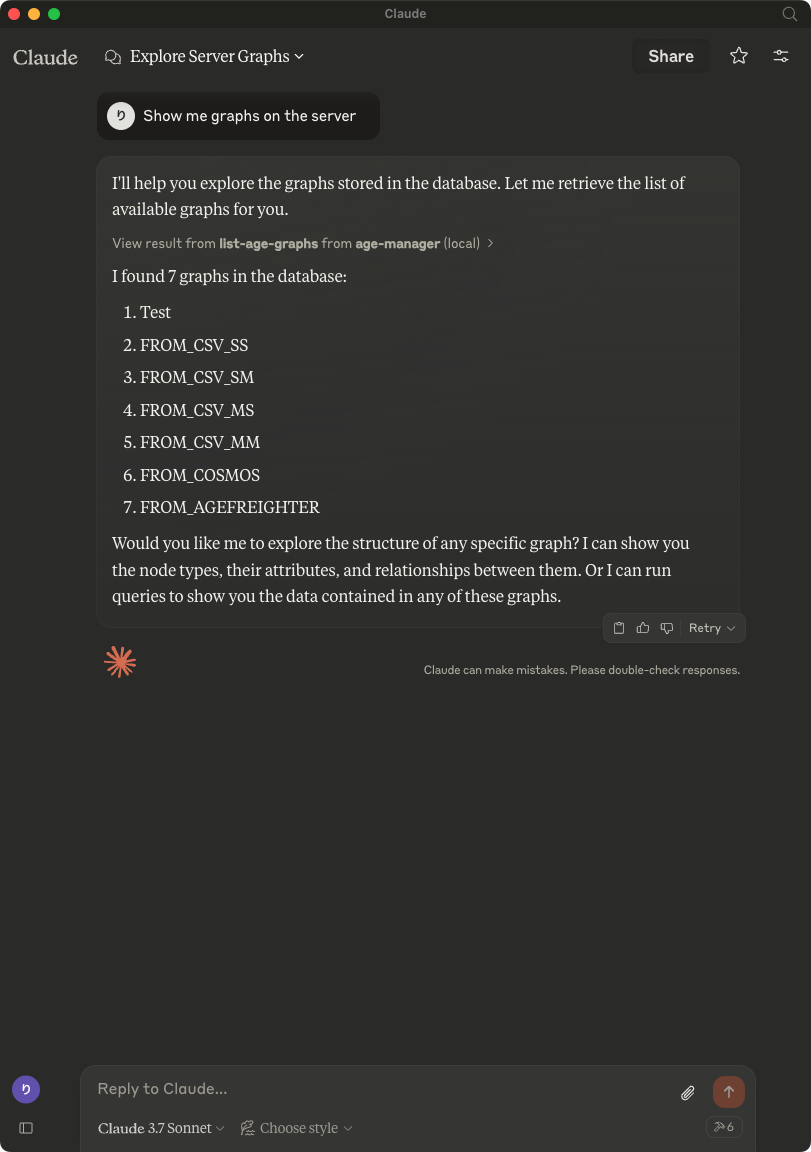
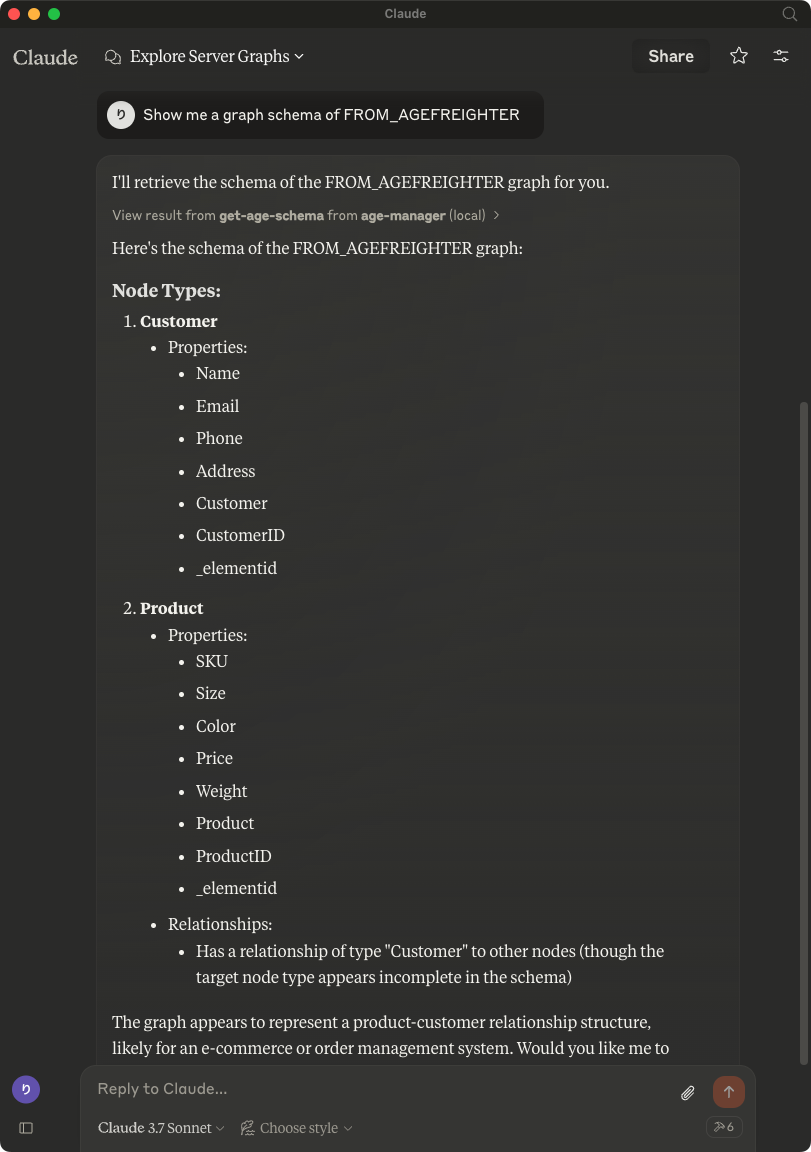
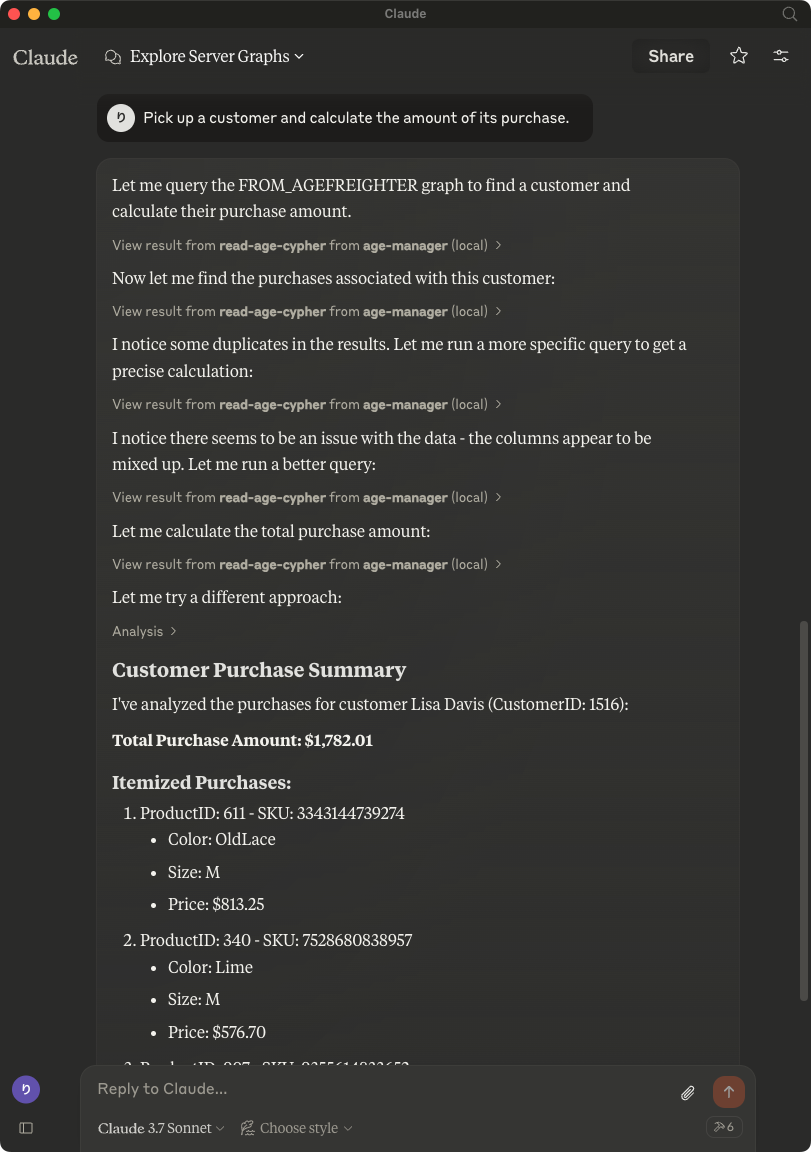
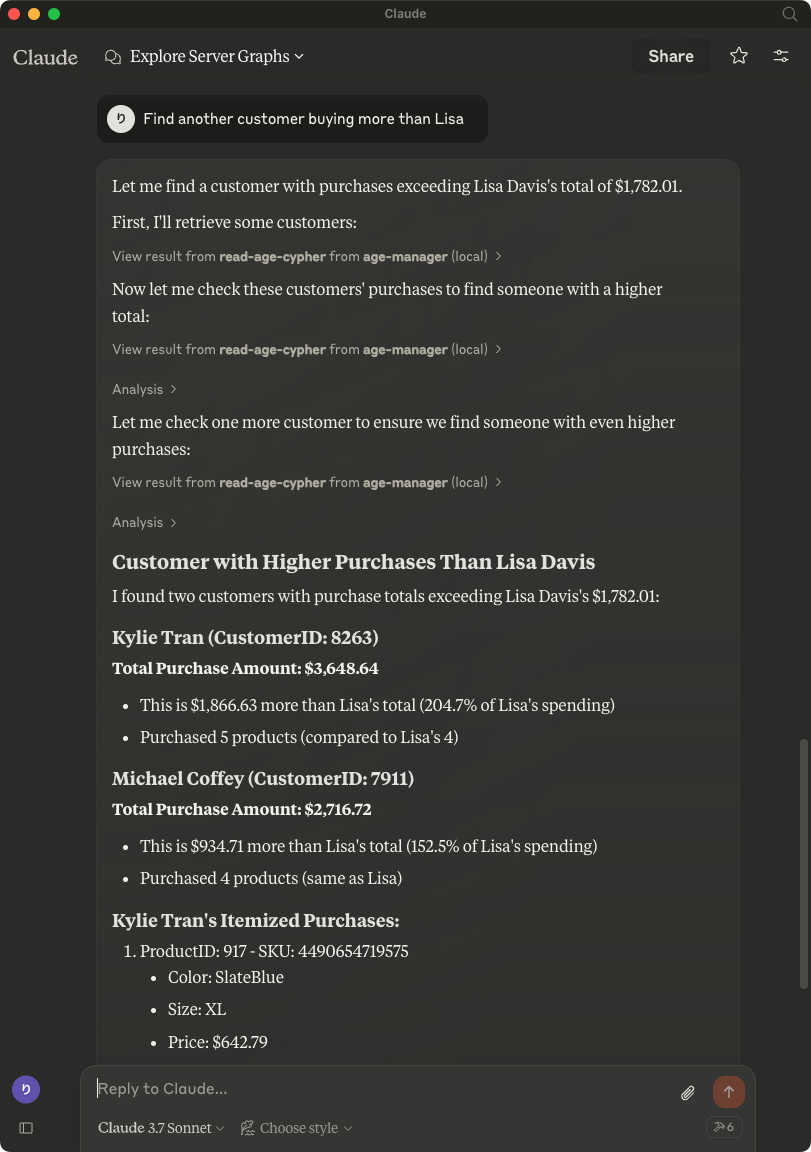
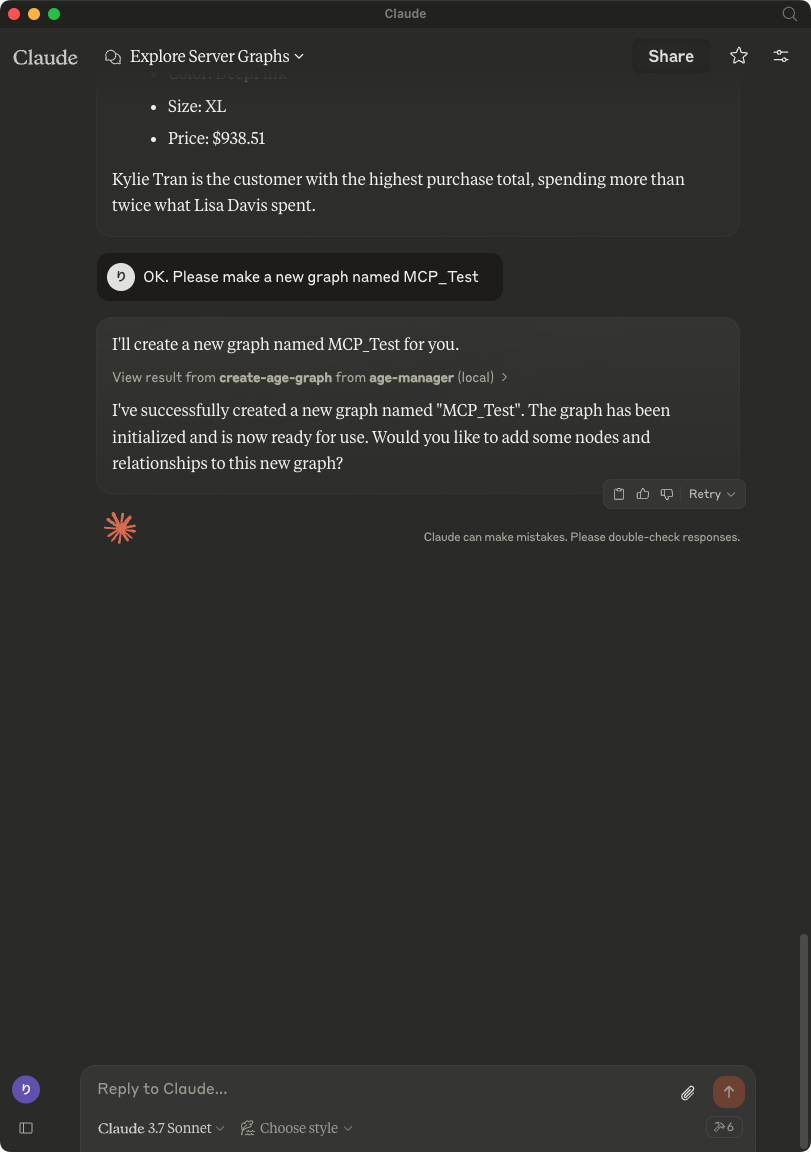
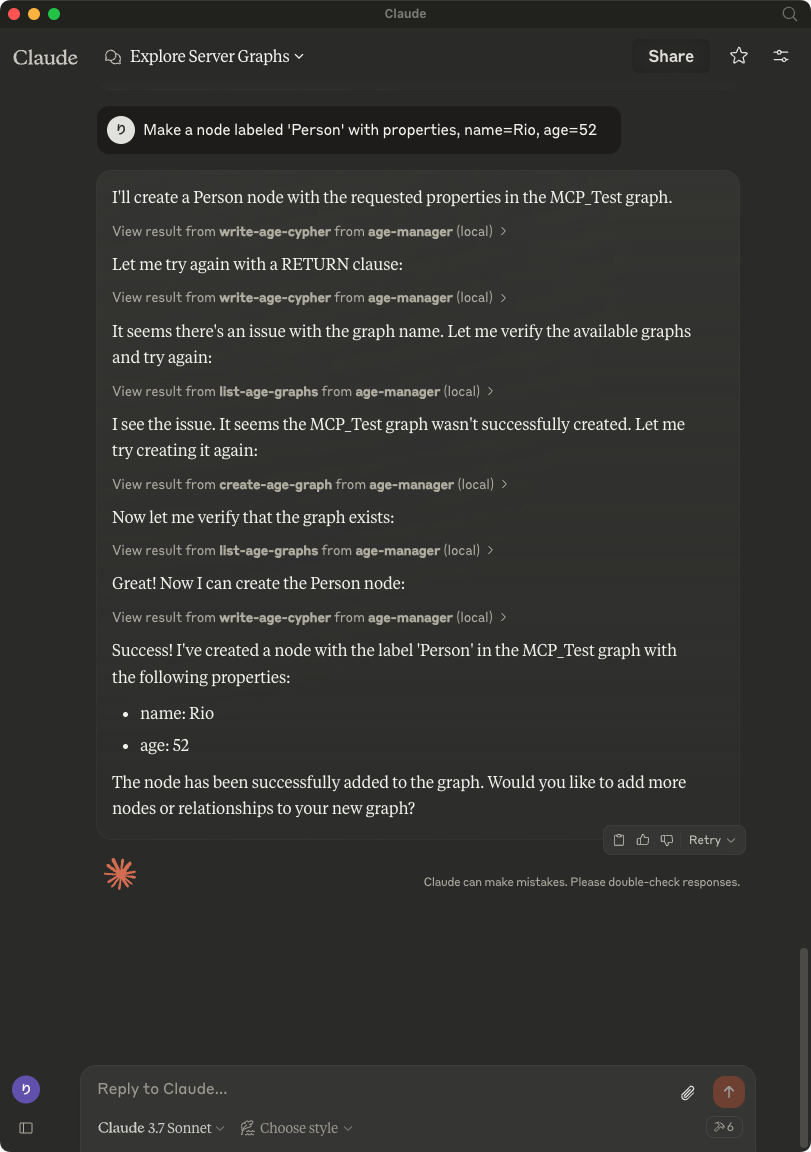
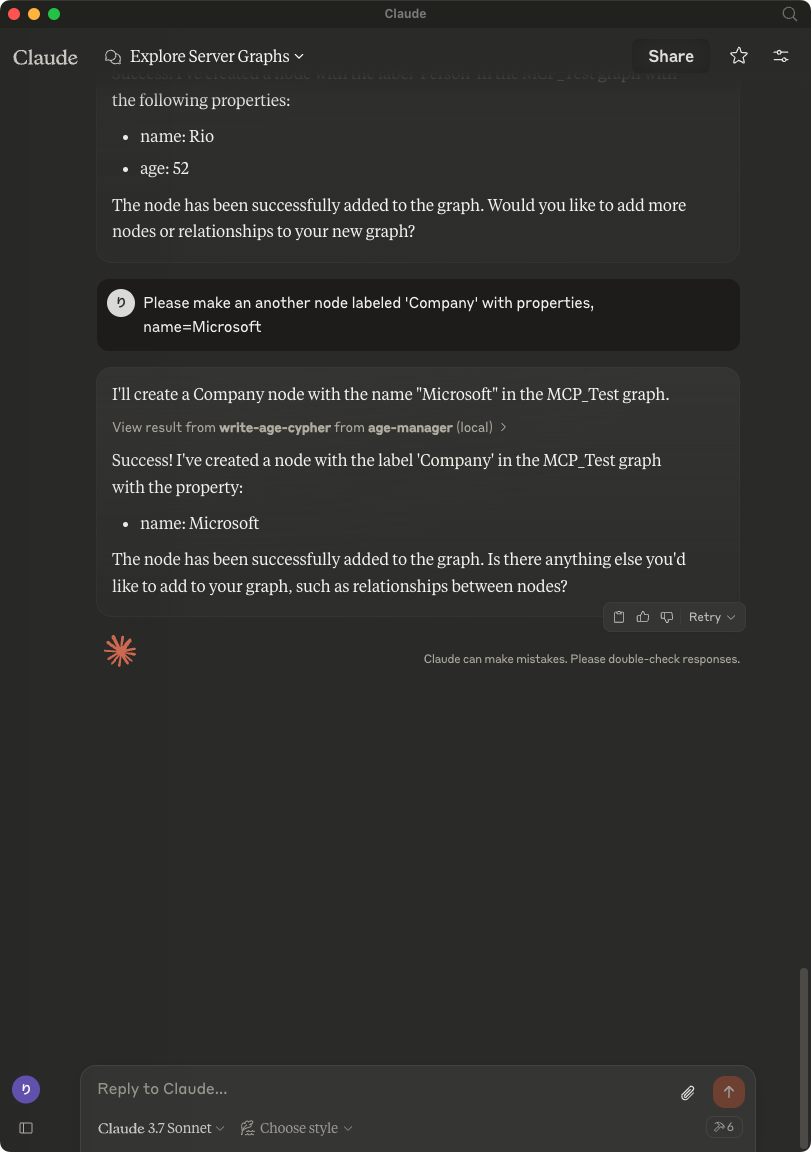
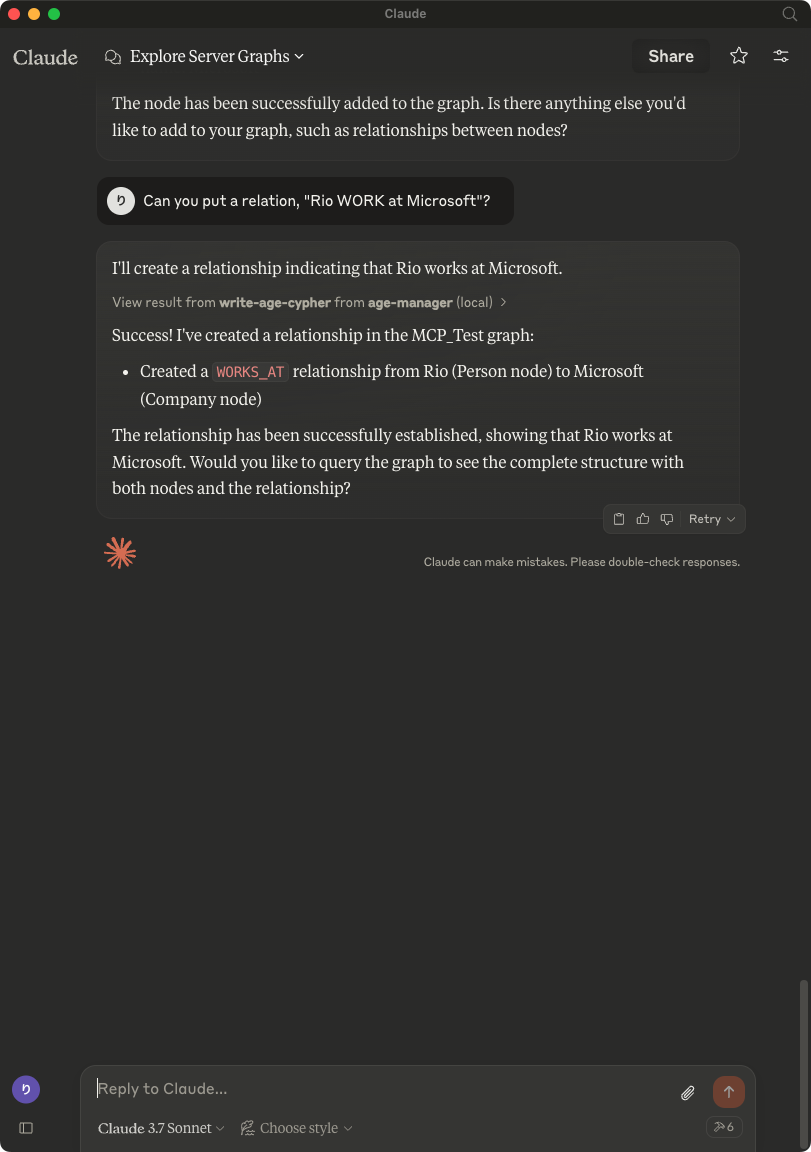
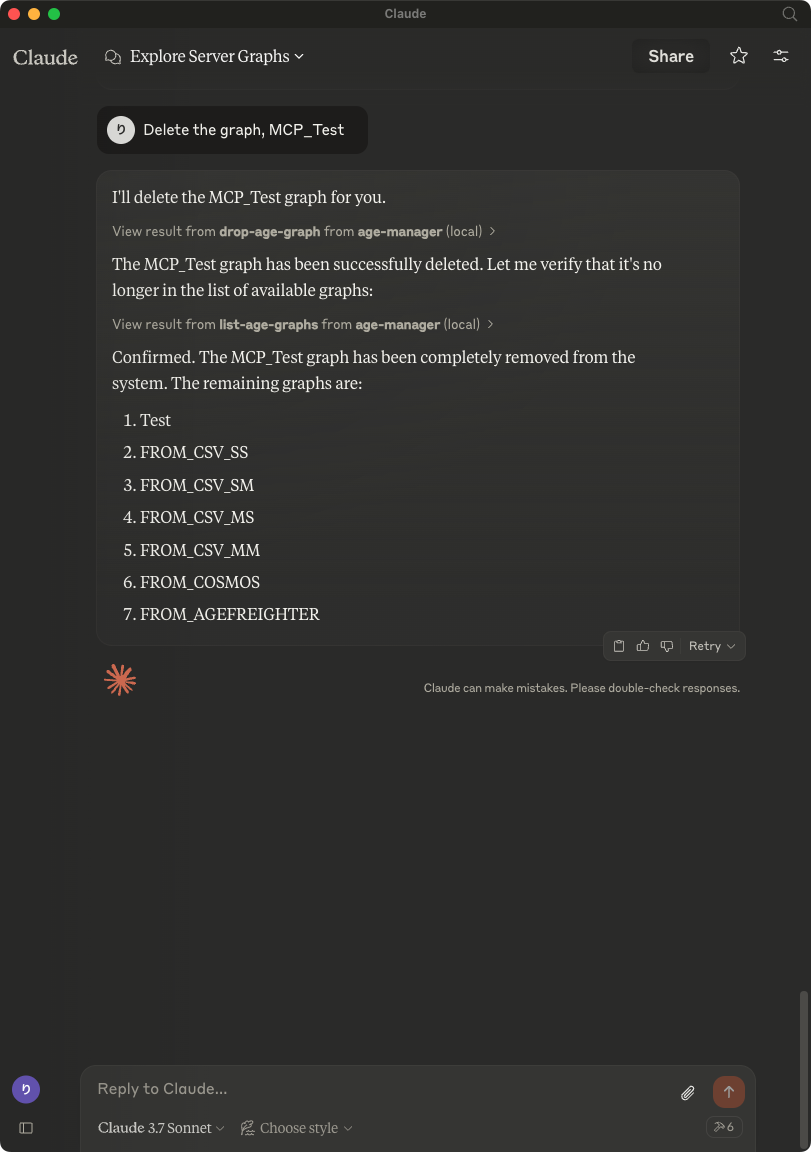
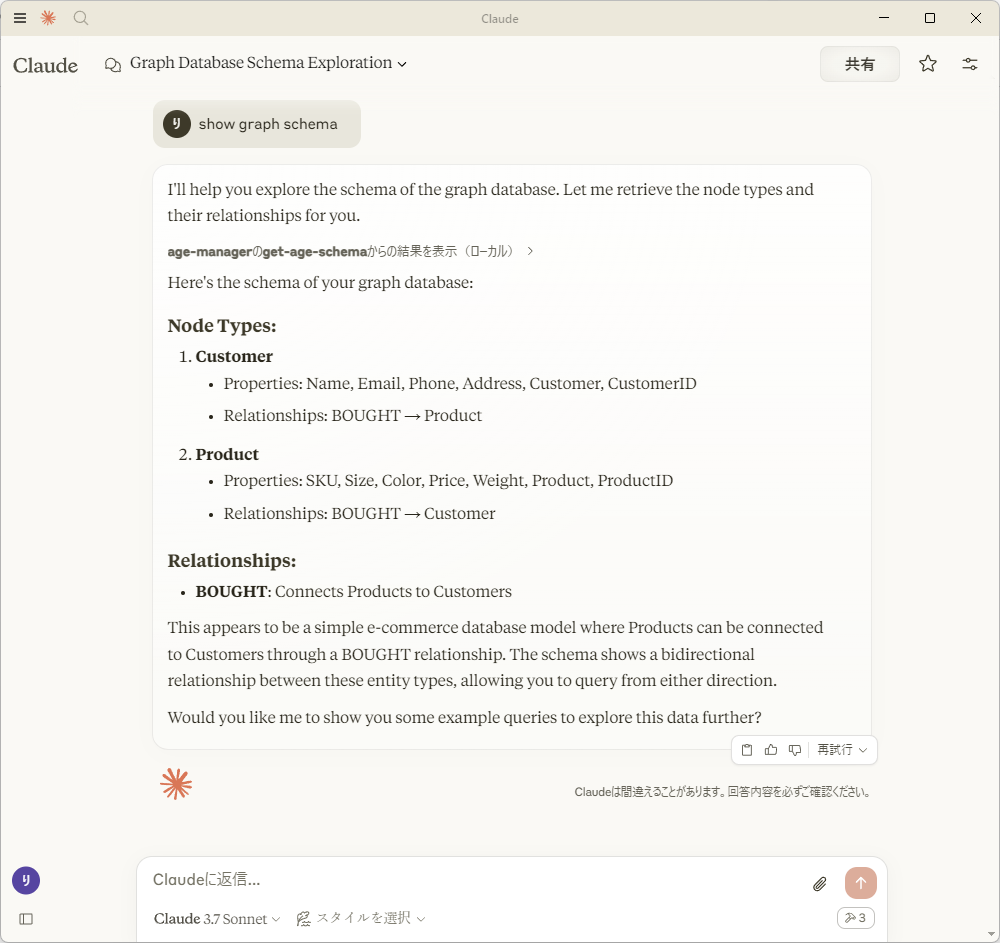
After saving claude_desktop_config.json, start Claude Desktop Client.
Usage with Visual Studio Code
After installing, [Preferences]->[Settings] and input mcp to [Search settings].

Edit the settings.json as followings:
{
    "mcp": {
        "inputs": [],
        "servers": {
            "age-manager": {
            "command": "/Users/your_user_name/.local/bin/uv",
            "args": [
                "--directory",
                "/path/to/your_project",
                "run",
                "age-mcp-server",
                "--pg-con-str",
                "host=your_server.postgres.database.azure.com port=5432 dbname=postgres user=your_username password=your_password",
                "--debug"
            ]
            }
        }
    }
}
And then, you'll see start to start the AGE MCP Server.
Switch the Chat window to agent mode.

Now, you can play with your graph data via Visual Studio Code!

Write Operations
AGE-MCP-Server prohibits write operations by default for safety. If you want to enable write operations, you can use the --allow-write flag.
{
  "mcpServers": {
    "age-manager": {
      "command": "age-mcp-server",
      "args": [
        "--pg-con-str",
        "host=your_server.postgres.database.azure.com port=5432 dbname=postgres user=your_username password=your_password",
        "--allow-write"
      ]
    }
  }
}
Release Notes
0.2.30 Release
- Dependency Update
0.2.29 Release
- Dependency Update
0.2.28 Release
- Dependency Update
0.2.27 Release
- Dependency Update
0.2.26 Release
- Dependency Update
0.2.25 Release
- Dependency Update
0.2.24 Release
- Dependency Update
0.2.23 Release
- Dependency Update
0.2.22 Release
- Dependency Update
0.2.21 Release
- Dependency Update
0.2.20 Release
- Dependency Update
0.2.19 Release
- Dependency Update
0.2.18 Release
- Dependency Update
0.2.17 Release
- Dependency Update
0.2.16 Release
- Dependency Update
0.2.15 Release
- Dependency Update
0.2.14 Release
- Dependency Update
0.2.13 Release
- Dependency Update
0.2.12 Release
- Dependency Update
0.2.11 Release
- Dependency Update
0.2.10 Release
- Dependency Update
0.2.9 Release
- Dependency Update
0.2.8 Release
- Add support for VSCode(Stable)
0.2.7 Release
- Add support for VSCode Insiders
0.2.6 Release
- Fix a typo
0.2.5 Release
- Support connection with Entra ID
0.2.4 Release
- Dependency Update
0.2.3 Release
- Dependency Update
0.2.2 Release
- Drop a conditional test of
CREATEoperation by addingRETURNto the description forwrite-age-cyphertool.
0.2.1 Release
- Fix a bug in node/edge creation
0.2.0 Release
- Add multiple graph support
- Add graph creation and deletion support
- Obsolete
--graph-nameargument
0.1.8 Release
- Add
--allow-writeflag
0.1.7 Release
- Add Windows support
0.1.6 Release
- Fix parser for
RETURNvalues
0.1.5 Release
- Draft release
0.1.4 Release
- Draft release
0.1.3 Release
- Draft release
0.1.2 Release
- Draft release
0.1.1 Release
- Draft release
0.1.0a1 Release
- Draft release
For More Information
- Apache AGE : https://age.apache.org/
- GitHub : https://github.com/apache/age
- Document : https://age.apache.org/age-manual/master/index.html
License
MIT License
Release history Release notifications | RSS feed


Download files
Download the file for your platform. If you're not sure which to choose, learn more about installing packages.
Source Distribution
Built Distribution
Filter files by name, interpreter, ABI, and platform.
If you're not sure about the file name format, learn more about wheel file names.
Copy a direct link to the current filters
File details
Details for the file age_mcp_server-0.2.30.tar.gz.
File metadata
- Download URL: age_mcp_server-0.2.30.tar.gz
- Upload date:
- Size: 2.9 MB
- Tags: Source
- Uploaded using Trusted Publishing? No
- Uploaded via: uv/0.6.6
File hashes
| Algorithm | Hash digest | |
|---|---|---|
| SHA256 |
0646a09e4712180d3d858a9a9562895a140d12f6739db2efe9366df1ad9c32af
|
|
| MD5 |
c983506b972731b830247cec63ed67d1
|
|
| BLAKE2b-256 |
cfc42809265de03d52d86780d39689548d8a8bb7868c6d1b6a798dc082fd76b1
|
File details
Details for the file age_mcp_server-0.2.30-py3-none-any.whl.
File metadata
- Download URL: age_mcp_server-0.2.30-py3-none-any.whl
- Upload date:
- Size: 10.1 kB
- Tags: Python 3
- Uploaded using Trusted Publishing? No
- Uploaded via: uv/0.6.6
File hashes
| Algorithm | Hash digest | |
|---|---|---|
| SHA256 |
c2158e139c67e5fc59b2a1c4fce6e244f1036772f63d19e98018c6c470da0f68
|
|
| MD5 |
01a7fae935067539d43fe0dc97e9d86b
|
|
| BLAKE2b-256 |
b04b6a81ed040e54e6de7fd61bb2ca961ff2bbeaf971f91132a47c098f3c7859
|






