
Clau-Decode
Browse, search, and analyze your AI coding assistant chat history — entirely local, entirely private.




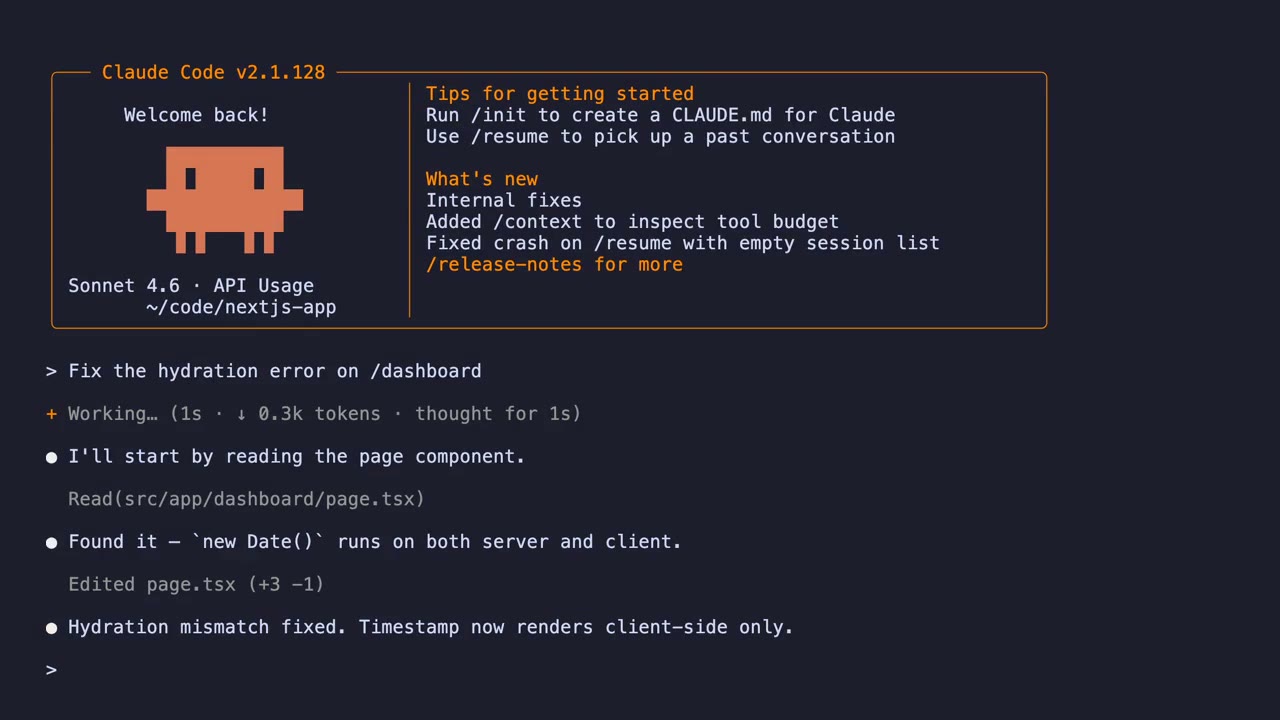
Why Clau-Decode?
Your AI coding assistant writes a small mountain of JSONL session files into
~/.claude/projects/ — useful, but unreadable and impossible to search by hand.
Clau-Decode reads those files locally, indexes them into SQLite, and serves a
fast browser UI with full-text search, conversation rendering, analytics, and a
recap engine.
Quickstart
# Install as an isolated tool — its own virtualenv, on your PATH, nothing
# touches your system Python. Use whichever you already have:
uv tool install git+https://github.com/Comradery64/Clau-Decode.git
# or:
pipx install git+https://github.com/Comradery64/Clau-Decode.git

clau-decode                 # opens http://localhost:4242

# update later — re-pull the latest from main (git installs need --force;
# plain `upgrade`/`reinstall` won't fetch new commits):
uv tool install --force git+https://github.com/Comradery64/Clau-Decode.git
# or:
pipx install --force git+https://github.com/Comradery64/Clau-Decode.git
Requires Python 3.10+. The wheel ships the pre-built frontend, so no Node.js is needed — only for development. All data stays on your machine — no telemetry.
Just trying it out? Run without installing:
uvx --from git+https://github.com/Comradery64/Clau-Decode.git clau-decodePrefer not to install? Run it straight from a clone — see Development. Advanced:pip installworks too, but only inside an activated virtualenv — never your system/Homebrew Python (PEP 668 will block it, and a global install can shadow other checkouts).
Troubleshooting: existing clone won't pull
This repo's history has been rewritten. If an old clone fails to update (e.g. fatal: refusing to merge unrelated histories, or diverged-branch errors), reset it to the new history:
git fetch origin && git reset --hard origin/main
Features
Session browser
- Conversations grouped by project, with star and archive
- Sort by recent, oldest, or alphabetical
- Hover preview before opening a session
Search
Cmd+Kglobal search across every session — content, tool use, file paths, thinking blocks- Inline live-search bar on the home page for quick lookups
- Results show highlighted excerpts and jump directly to the matching message
Conversation viewer
- Rendered markdown with code syntax highlighting
- Tool-use blocks showing files read, commands run, edits made
- Thinking blocks revealing the model's reasoning
- Sidechain branches for sub-agent conversations
Cmd+Oexpand/collapse all tool + thinking blocksCmd+Etoggle full tool output without truncation
Native terminal view
- Decoded / Native / Split modes — read the rendered conversation, watch the live
claudeterminal, or both side by side - Live terminal powered by xterm.js with full scrollback — scroll all the way back to the first prompt, just like a real terminal
- Correct wide-character and emoji widths (Unicode 11), with the in-app font picker
- Intent-based spawn — a terminal starts only when you open Native/Split or focus the composer; browsing or switching sessions starts nothing
- The most-recent terminal is kept alive across navigation for instant return, and per-session view memory preserves your scroll position when flipping Decoded↔Native
- PTY ownership detection with a take-over banner when another
claudealready owns the session
Home dashboard
- One headline insight banner when something surprising happens (a big week, a major model shift, a heavily-used tool)
- 30-day activity heatmap and 7-day sparklines next to top-line counts
- Featured "Pick up where you left off" card, with an "awaiting you" marker on threads waiting for your reply
- Most-touched files (click to open in the file viewer)
- Clickable project strip filters the sidebar
File viewer
- Slides in as a resizable split pane on the right; the sidebar collapses automatically and restores when you close it
- Drag the left edge to resize — the width persists across sessions
- Word-wrapped source — no horizontal scrolling for long lines
- Markdown files render formatted by default, with a one-click toggle to raw source
- In-place editing with
Cmd+Sto save, dirty-state indicator, and confirm-on-discard - Sandboxed to session-related directories; refuses binary or oversized writes
Analytics
- Daily, weekly, and per-session token + cost breakdowns
- Cost estimation with live pricing data
- Model usage breakdown and trends
- Tool usage statistics
- File touch analysis
- Optimization tips (repeated reads, oversized results, cache hit rates)
Live updates
- File watcher tails session files in real time
- UI auto-refreshes when new messages arrive
- Notification bell for unread updates
Sending messages
- Send messages to any session directly from the web UI
- Drives the local
claudeCLI in interactive TUI mode through a hidden PTY, so messages use subscription-backed interactive behavior - Lazy spawn on chat-input focus; idle PTYs auto-kill after 5 minutes
- Login required on the host (the web UI doesn't surface OAuth)
Export
- Export any conversation as JSON or Markdown — includes token counts and cost estimates
Multi-profile support
- Switch between separate config directories (e.g. multiple Claude installations or sandboxes)
- Each profile has its own data paths and color
- Click the avatar in the bottom-left to switch
Themes
- Light, dark, and system theme
- Dark mode is tuned for long sessions — neutral surfaces, accent reserved for primary actions and live signals
Usage
CLI
| Flag | Description | Default |
|---|---|---|
--path PATH |
Add a scan path (repeatable) | auto-detected |
--port PORT |
Override the listening port | 4242 |
--host HOST |
Bind host | 127.0.0.1 |
--expose |
Bind to 0.0.0.0 (accessible on the local network) |
off |
--no-open |
Don't open the browser on startup | opens browser |
--enable-edit |
Enable message editing + deletion (creates a backup before every write) | off |
--force-refresh |
Clear the cache and force a full rescan | off |
--since YYYYMMDD |
Only include sessions on or after this date | all |
--version |
Print version and exit |
--exposemakes your chat history visible to anyone on the same network. Use it on trusted networks only.
Subcommands:
| Command | Description |
|---|---|
clau-decode |
Launch the web UI (default) |
clau-decode scan |
Rescan and print summary |
clau-decode today |
Show today's token usage and cost |
clau-decode stats |
Print statistical metrics |
clau-decode tips |
Print optimization tips |
Keyboard shortcuts
| Shortcut | Action |
|---|---|
Cmd+K |
Open global search |
Cmd+O |
Expand/collapse all tool + thinking blocks |
Cmd+E |
Toggle full tool results |
Cmd+S |
Save (in file editor) |
Cmd+I |
Toggle chat panel |
Cmd+B |
Toggle sidebar |
Cmd+, / Shift+Cmd+, |
Open settings |
Cmd+/ |
Open keyboard-shortcuts menu |
Esc |
Close dialog / search |
Configuration
Settings are saved to ~/.config/clau-decode/config.json. Edit them in the UI,
or directly:
{
  "data_paths": ["~/.claude"],
  "theme": "system",
  "auto_open_browser": true,
  "port": 4242,
  "edit_enabled": false
}
The session index lives at ~/.local/share/clau-decode/index.db (durable, so it
survives cache clears). To force a full rescan, run clau-decode --force-refresh —
prefer this over deleting the DB, which also discards stars, archives, and custom
titles.
Architecture
Clau-Decode is a local-first FastAPI server that scans your AI coding assistant's JSONL session files into a SQLite index, serves a React + TypeScript SPA, and drives the Claude CLI through a hidden PTY for in-app sessions.
See ARCHITECTURE.md for a system diagram and deeper notes.
Development
git clone https://github.com/Comradery64/Clau-Decode
cd Clau-Decode

# Install backend deps (into an isolated .venv) + build the frontend
make dev                      # = uv sync && build frontend

# Run the app from source — in the project venv, so it always runs THIS
# checkout (no global install, no shadowing):
uv run clau-decode --no-open
# equivalently, as a module from the checkout root:
uv run python -m clau_decode --no-open
# (make run wraps this)

# Run tests
make test

# Rebuild the frontend only
make frontend
Requires Python 3.10+, uv, and Node.js 20+ for
frontend development.
GitHub Actions runs lint, type-check, and the Python + frontend test suites on
every PR — see .github/workflows/ci.yml.
Contributing
Pull requests are welcome. Please read CONTRIBUTING.md for
the dev setup, code style, and commit conventions, and our
Code of Conduct.
Security
If you discover a security issue, please follow the responsible disclosure
process in SECURITY.md — do not open a public issue.
Related docs
ARCHITECTURE.md— system diagram and component overviewCONTRIBUTING.md— dev setup and PR guidelinesCODE_OF_CONDUCT.md— community expectationsSECURITY.md— responsible disclosureCHANGELOG.md— release notes
Acknowledgements
Clau-Decode is inspired by, and built around the file format of, Claude and Claude Code from Anthropic. This project is not affiliated with, endorsed by, or sponsored by Anthropic, PBC. Claude and Claude Code are trademarks of Anthropic, PBC; all references in this project are nominative.
A personal note from the author — I didn't write the code in this repository or build any of the underlying tools. I sat at my computer, typed into it, and kept asking it for more. The actual line-by-line authoring was done by AI coding assistants — Anthropic's Claude (Sonnet and Opus) and Z.ai's GLM-5.1, with the latter doing a substantial share of the heavy lifting alongside them. They aren't in the lists below because they're AI models rather than libraries, but they deserve named credit here. The projects, products, and people below did the rest of the real work that made Clau-Decode possible:
Backend (Python)
- FastAPI — HTTP API framework
- Uvicorn — ASGI server
- Pydantic — data validation and settings
- aiosqlite — async SQLite driver
- SQLite — embedded database, including the FTS5 full-text search extension
- watchfiles — filesystem change notifications
- anyio and httpx — async primitives and HTTP client
- Hatch and hatch-vcs — packaging and version management
- uv — Python project and tool runner
- pytest, pytest-asyncio, and pytest-cov — testing
Frontend (Web)
- React and React DOM — UI runtime
- TypeScript — typed JavaScript
- Vite — bundler / dev server
- Vitest and @testing-library — unit / component testing
- Zustand — state management
- react-markdown, remark-gfm, and rehype-highlight — Markdown rendering and code highlighting
- highlight.js — syntax highlighter behind rehype-highlight
- Apache ECharts — analytics charts
- OverlayScrollbars — custom scrollbars
- xterm.js — browser terminal renderer for the Native view, with
@xterm/addon-fit(viewport sizing) and@xterm/addon-unicode11(Unicode 11 wide-character widths) - clsx — conditional class names
- Node.js and npm — JS runtime and package manager
Fonts (bundled — SIL Open Font License 1.1)
The Native view ships these monospace fonts so the in-app font picker works on any machine (a browser terminal can only paint fonts the browser has). Each is © its respective authors and redistributed under OFL-1.1; the full copyright notices and license text live in frontend/src/assets/fonts/LICENSES.md.
- Monaspace (Argon) — GitHub
- Source Code Pro — Adobe
- Fira Code — Nikita Prokopov & the Fira Code authors
- JetBrains Mono — JetBrains
- Libertinus Mono — The Libertinus Project authors
- Xanh Mono — Yellow Type Foundry
- JuliaMono — cormullion
- Spline Sans Mono — Sorkin Type
- Ioskeley Mono — Ahmed Hatem (an Iosevka custom build)
Demo reel pipeline
- VHS — terminal recording as code (with ttyd under the hood)
- chafa — image-to-ANSI rendering, used to embed pixel-art into the terminal welcome banner
- ImageMagick — image autocrop and text-on-color rendering for the outro card
- FFmpeg — video concat, audio mixing, sidechain ducking, and final mux
- testreel — programmatic Chromium recording for the web-app segment
- Playwright — browser automation underlying testreel
- tmux — terminal multiplexer (optional, for multi-pane VHS scenes)
- Methodology reference: saas-product-demo-video — the SaaS demo-reel skill that inspired our soundtrack-splice and beat-alignment approach
Tooling and platforms
- Homebrew — package management for the demo-reel toolchain on macOS
- GitHub Actions — CI / type-check / test runners
- Ruff and pre-commit — code style and pre-commit hooks
- Editorconfig — consistent indentation across editors
Every project listed above is independently licensed by its respective authors; check each project's repository for terms. If we've missed an attribution, please open an issue.
License
This project is licensed under the Functional Source License, Version 1.1, with the Apache 2.0 Future License (FSL-1.1-Apache-2.0).
In short:
- Free for personal use, internal business use, modification, and forking.
- You may not use it to build a competing commercial product or service.
- Each release automatically converts to Apache 2.0 two years after publication.
1 maintainer

Download files
Download the file for your platform. If you're not sure which to choose, learn more about installing packages.
Source Distribution
Built Distribution
Filter files by name, interpreter, ABI, and platform.
If you're not sure about the file name format, learn more about wheel file names.
Copy a direct link to the current filters
File details
Details for the file agent_decoder-0.3.2.tar.gz.
File metadata
- Download URL: agent_decoder-0.3.2.tar.gz
- Upload date:
- Size: 4.8 MB
- Tags: Source
- Uploaded using Trusted Publishing? Yes
- Uploaded via:
twine/7.0.0 CPython/3.13.14
File hashes
| Algorithm | Hash digest | |
|---|---|---|
| SHA256 |
9c0a44b7cfc7488072c4ab2394115ae5b40952740677867b9dba697ede0b6475
|
|
| MD5 |
db19340cc77efea091da2f2d6bcead06
|
|
| BLAKE2b-256 |
a12f49279cd35540df59746533d1bafed86fecb0ccb6f97e1888a5d9cec1009a
|
Provenance
The following attestation bundles were made for agent_decoder-0.3.2.tar.gz:
Publisher:
publish.yml on Comradery64/Clau-Decode
-
Statement:
-
Statement type:
https://in-toto.io/Statement/v1 -
Predicate type:
https://docs.pypi.org/attestations/publish/v1 -
Subject name:
agent_decoder-0.3.2.tar.gz -
Subject digest:
9c0a44b7cfc7488072c4ab2394115ae5b40952740677867b9dba697ede0b6475 - Sigstore transparency entry: 2755198731
- Sigstore integration time:
-
Permalink:
Comradery64/Clau-Decode@251e1588f553fa9a769be3f229b4a71d5cd6f149 -
Branch / Tag:
refs/tags/v0.3.2 - Owner: https://github.com/Comradery64
-
Access:
public
-
Token Issuer:
https://token.actions.githubusercontent.com -
Runner Environment:
github-hosted -
Publication workflow:
publish.yml@251e1588f553fa9a769be3f229b4a71d5cd6f149 -
Trigger Event:
push
-
Statement type:
File details
Details for the file agent_decoder-0.3.2-py3-none-any.whl.
File metadata
- Download URL: agent_decoder-0.3.2-py3-none-any.whl
- Upload date:
- Size: 2.4 MB
- Tags: Python 3
- Uploaded using Trusted Publishing? Yes
- Uploaded via:
twine/7.0.0 CPython/3.13.14
File hashes
| Algorithm | Hash digest | |
|---|---|---|
| SHA256 |
79556992276eb1cd3e8736c5ccd570936507633265f50ea93782fd62a146965f
|
|
| MD5 |
c11f7e9241cb0a3f8afdbbe1870a5305
|
|
| BLAKE2b-256 |
c599aa3eaf49b15e0a2673422e11b33e0c49e34a605a07b4cc5691614a02d1dc
|
Provenance
The following attestation bundles were made for agent_decoder-0.3.2-py3-none-any.whl:
Publisher:
publish.yml on Comradery64/Clau-Decode
-
Statement:
-
Statement type:
https://in-toto.io/Statement/v1 -
Predicate type:
https://docs.pypi.org/attestations/publish/v1 -
Subject name:
agent_decoder-0.3.2-py3-none-any.whl -
Subject digest:
79556992276eb1cd3e8736c5ccd570936507633265f50ea93782fd62a146965f - Sigstore transparency entry: 2755198737
- Sigstore integration time:
-
Permalink:
Comradery64/Clau-Decode@251e1588f553fa9a769be3f229b4a71d5cd6f149 -
Branch / Tag:
refs/tags/v0.3.2 - Owner: https://github.com/Comradery64
-
Access:
public
-
Token Issuer:
https://token.actions.githubusercontent.com -
Runner Environment:
github-hosted -
Publication workflow:
publish.yml@251e1588f553fa9a769be3f229b4a71d5cd6f149 -
Trigger Event:
push
-
Statement type:













