
agent-hygiene
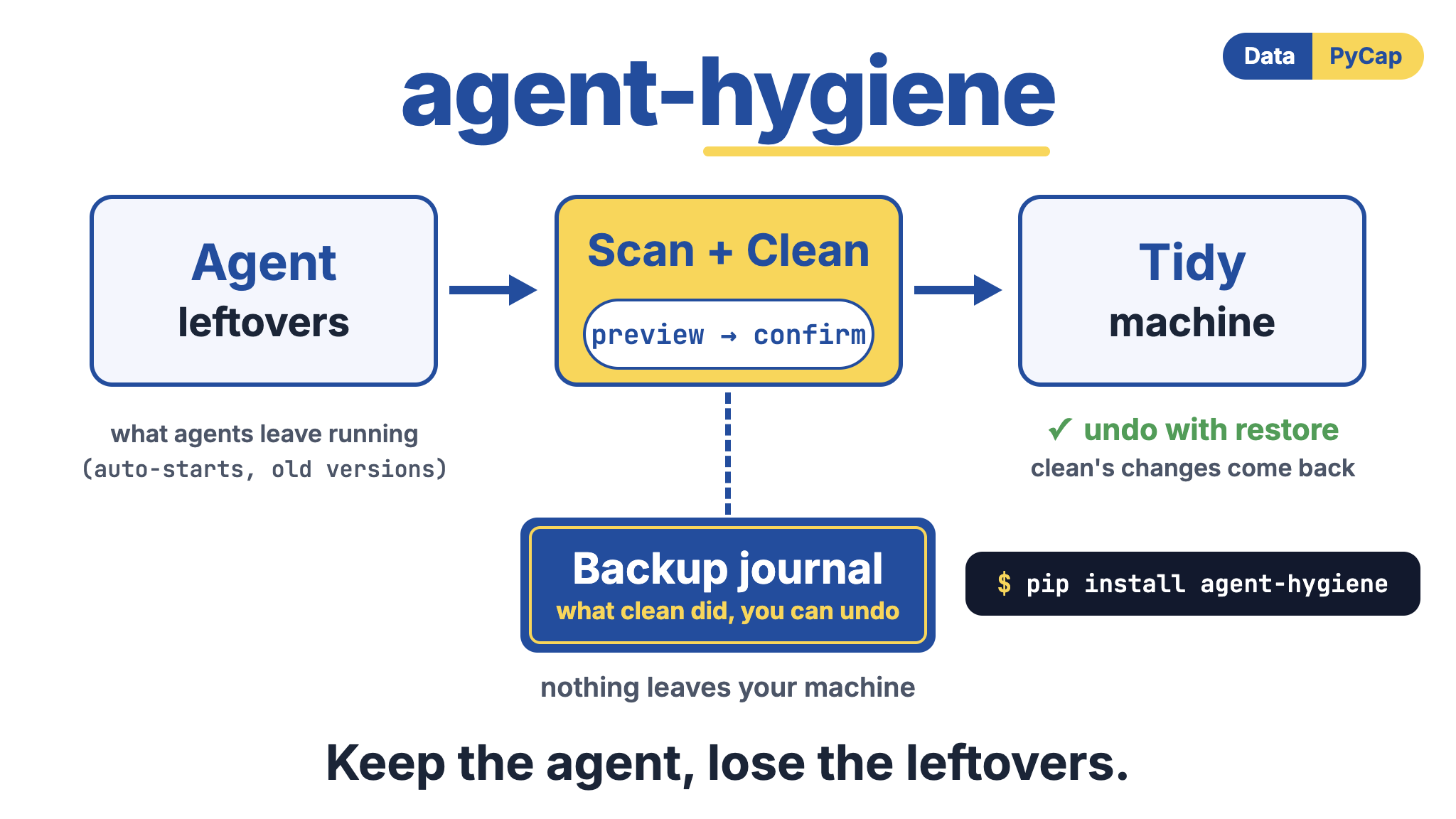
A small local CLI for macOS and Linux that shows what coding-agent CLIs (Codex, Claude Code, Cursor Agent, Gemini CLI, Copilot CLI, OpenCode, Devin, Aider) leave behind on your machine, and cleans it up safely.
Agent CLIs can leave auto-starting background processes, self-updaters, and old version
folders that pile up, and some keep running after you quit. agent-hygiene is read-only
by default, and every change it makes is reversible.
Think of it as Task Manager + the Startup tab + "Programs and Features", scoped to agents.
Example output from one machine. The disk sizes were measured on that machine; they are not a typical total, and yours will differ a lot depending on which agents you use and how often they update. The process row shows how a leftover Codex updater is reported.
$ agent-hygiene scan

Agents
======
agent   present  disk    versions  stale  self-update  auto-start  install
------  -------  ------  --------  -----  -----------  ----------  -------
claude  yes      246 MB  1         0      on           n/a         ~/.local/bin/claude
codex   yes      595 MB  2         0      on           on          ~/.local/bin/codex
cursor  yes      561 MB  2         0      n/a          n/a         -
gemini  yes      121 MB  0         0      on           n/a         -

Processes
=========
agent   pid    ppid  tty  uptime  rss                    command                                          parent
------  -----  ----  ---  ------  -----  ----------------  -----------------------------------------------  -------------
codex   51234  1     ??   3h10m   21 MB  LEFTOVER updater  …/codex app-server daemon pid-update-loop        /sbin/launchd

total agent disk use: 1.5 GB   stale versions: 0 B   auto-start entries: 0   leftover processes: 1
Install
Requires Python 3.9+ (preinstalled on macOS with the Command Line Tools and on most Linux distributions). No third-party dependencies.
pip install agent-hygiene          # or: pipx install agent-hygiene
# or run straight from a checkout:
python3 -m agent_hygiene scan
Commands
scan — the inventory (read-only)
Finds every agent's footprint:
- folders such as
~/.codex,~/.claude,~/.cursor,~/.gemini, data dirs under~/.local/share, and global installs from npm, pnpm, bun, volta, nvm, fnm, pipx and uv; - auto-start entries: macOS LaunchAgents, systemd user units and timers, user crontab lines,
and auto-start settings such as Codex's
daemon_auto_start; - running processes with their parent process, flagged
LEFTOVERwhen the session that started them has ended (re-parented to pid 1, or tosystemd --user/ launchd on a desktop), agent background servers flaggeddaemon/updater, plus their open sockets (lsof/ss); - disk use for each agent and each installed version, with old versions marked
staleand versions a live process still runs from markedin use.
agent-hygiene scan                 # table
agent-hygiene scan --json          # machine-readable
agent-hygiene scan --agent cursor  # one agent
Command lines are printed with API keys and tokens redacted.
clean — the fixes (preview, then confirm)
clean always prints a preview first and asks for confirmation. With no flags it does every
reversible fix; pass flags to pick:
| flag | what it does | undo |
|---|---|---|
--autostart |
unloads LaunchAgents / disables systemd user units / comments out cron lines, turns off auto-start settings, and stops agent background servers | plist, crontab and settings files are backed up; restore puts them back, re-enables, and starts a stopped server again |
--self-update |
turns off the agent's self-updater setting (e.g. DISABLE_AUTOUPDATER for Claude Code, general.disableAutoUpdate for Gemini) |
the settings file is backed up byte-for-byte |
--prune [--keep N] |
moves old version folders to a trash dir, keeping the newest N (default 2), never the current version and never one a live process runs from | restore renames them back |
--kill |
terminates leftover processes whose session already ended | not reversible, so it is never on by default |
Codex background daemon
Since Codex CLI 0.157 an interactive session starts a background app-server that outlives the
terminal, plus a separate hourly updater. clean handles all of it:
- writes
daemon_auto_start = falseunder[features]in~/.codex/config.toml(the rest of the file, comments included, is left as it was); - writes
updater.autoUpdateEnabled = falsein~/.codex/app-server-daemon/settings.json; - prunes old releases under
~/.codex/packages/*/releases, keeping thecurrentone; - stops the daemon with
codex app-server daemon stop(so in-flight work can drain), then ends the updater, but only processes whose program lives inside~/.codex. A program that is merely named codex is never touched.
agent-hygiene clean                     # preview everything reversible, then confirm
agent-hygiene clean --prune --keep 1    # only prune, keep the newest one
agent-hygiene clean --dry-run           # preview only
agent-hygiene clean --yes               # no prompt (scripts)
Pruned versions are renamed into ~/.agent-hygiene/backups/<id>/trash/, which is instant
and keeps them on disk so restore is exact. Disk space is reclaimed when you decide:
agent-hygiene purge                     # delete trashed versions from all pending backups
agent-hygiene purge --older-than 7      # only trash older than a week
Both clean and purge check again, right before moving or deleting a version, that no
process is running from it; a busy version is left in place and reported.
restore — undo
agent-hygiene restore --list            # show backups
agent-hygiene restore                   # undo the most recent clean
agent-hygiene restore 20261013-221500   # undo a specific one
Actions are reversed in reverse order. After clean + restore, the file tree is identical
(the test suite asserts this with a content hash of the whole home directory).
run -- <agent> — the wrapper
Launches the agent in its own process group (and, on Linux with systemd, a transient
systemd-run --user --scope cgroup). When the agent exits:
- everything it started is sent SIGTERM, then SIGKILL after a grace period — including
children that detached into their own session, as long as they started during the run
and their program lives inside that agent's own folders (a name match is never enough,
so
run -- sleep 5cannot touch an unrelated program calledcodex); - files it created or modified outside its own folders are listed;
- a JSON report is written to
~/.agent-hygiene/runs/.
agent-hygiene run -- claude
agent-hygiene run -- codex --model o3
agent-hygiene run --watch . --grace 5 -- cursor-agent
The agent keeps the terminal (interactive TUIs work; Ctrl-C goes to the agent, not the wrapper) and its exit code is passed through.
policy — team rules
An optional JSON file lets a team enforce the same rules in CI or onboarding scripts.
policy check exits 1 when anything violates it.
agent-hygiene policy init               # writes agent-hygiene.policy.json
agent-hygiene policy check              # finds ./agent-hygiene.policy.json, ~/.config/agent-hygiene/policy.json, or $AGENT_HYGIENE_POLICY
agent-hygiene clean --policy team.json  # prune with the policy's keep_versions
{
  "keep_versions": 2,
  "max_disk_per_agent": "5GB",
  "max_disk_total": "20GB",
  "allowed_autostarts": ["com.example.allowed.*", "codex:features.daemon_auto_start"],
  "allow_self_update": false,
  "allow_leftover_processes": false,
  "agents": { "codex": { "keep_versions": 1, "max_disk": "2GB" } }
}
Privacy and security
- Nothing leaves your machine. No network calls, telemetry, analytics or update checks; a test fails the build if a networking module is ever imported.
- Only your own processes.
scanreads processes owned by the current user, never other accounts on the machine. - Secrets are redacted from every command line it prints or logs: API-key and token flags,
*_KEY=/*_TOKEN=variables,Bearerheaders,user:password@URLs, and known key formats (OpenAI, Anthropic, Cursor, GitHub, GitLab, Slack, Google, AWS, npm, PyPI, JWTs). - Private state.
~/.agent-hygiene(backups and run logs) is created owner-only (0700), because a settings backup can contain the same API keys as the original file. - Tamper-resistant undo.
restoreonly moves files that live inside the backup folder,purgerefuses a trash folder that has been replaced by a symlink, and files are written through fresh temp files rather than predictable names. - Careful with processes.
--killre-checks that a pid still runs the same command before signalling it, andrunmatches tracked children by pid and command, so a reused pid is never killed. Anything matched outside the agent's own process tree must also be running a program from the agent's own folders, judged by the path the kernel reports rather than the process's self-reported name. - Restore runs only the agent's own program. Restarting a stopped daemon refuses any binary that is not inside the agent's folders, even if the backup manifest was edited.
- No surprises from cloned repos.
cleanignores policy files in the current directory; pass--policy FILEor use~/.config/agent-hygiene/policy.json. - Not as root.
clean,restore,purgeandrunrefuse to run undersudo. - Zero third-party dependencies, and no
shell=Trueanywhere.
Report a vulnerability privately through GitHub's "Report a vulnerability" button on the repository's Security tab.
What it will not do
- No hosted sandbox;
runis a local process supervisor, not an isolation boundary. - No security claims. A process that really wants to hide can.
- No Windows in version 1.
- It never touches system-wide LaunchAgents or units that need
sudo; it reports them and skips.
Adding an agent
Every agent is one AgentSpec entry in agent_hygiene/agents.py: home and data dirs,
package names, version-folder roots, the symlink that marks the current version, regexes for
process and auto-start matching, the settings keys (JSON or TOML) that switch off
self-update or auto-start, and, for agents that leave a server running, how to stop it.
Development
python3 -m unittest discover -s tests -t .
Tests run against a fake $HOME and never touch your real agent installs. The run tests
spawn real background processes to prove that nothing survives the wrapper.
License
MIT. See LICENSE. Releases 0.1.0 to 0.1.2 were published under GPL-3.0-or-later and stay under that license; 0.2.0 and later are MIT.
1 maintainer

Metadata
1 maintainer
Release files for agent-hygiene 0.2.0
For a detailed explanation of source distributions (sdists) and built distributions (wheels), please see the package formats documentation.
Source distribution (sdist)
| File | Size | Uploaded | |
|---|---|---|---|
| agent_hygiene-0.2.0.tar.gz | 62.0 kB | Details |
Built distribution (wheel)
| File | Interpreter | ABI | Platform | Reset |
|---|---|---|---|---|
| agent_hygiene-0.2.0-py3-none-any.whl | Python 3 | none | any | Details |
Total release size: 113.3 kB
Release files / agent_hygiene-0.2.0.tar.gz
| Download URL | agent_hygiene-0.2.0.tar.gz |
|---|---|
| Size | 62.0 kB |
| Tags | Source |
|
SHA-256 checksum How to use checksums |
e050289733cabcfee8e9fe57b19de2bb3d209b9e1f76a75768e7f84593c76cf4
|
|
BLAKE2b-256 checksum How to use checksums |
8568405d9184d0a7ed0e0f3fcc6ed723af68614f78e7f6212f716f5128abc511
|
| Upload date | |
|
Uploaded using Trusted Publishing? What is trusted publishing? |
No |
| Uploaded via |
twine/6.2.0 CPython/3.9.6
|
Release files / agent_hygiene-0.2.0-py3-none-any.whl
| Download URL | agent_hygiene-0.2.0-py3-none-any.whl |
|---|---|
| Size | 51.3 kB |
| Tags | Python 3 |
|
SHA-256 checksum How to use checksums |
e075947b46586adac7f0ec7e909cebb4b4f5407bf36e2a8bc6a2a01fe5498aae
|
|
BLAKE2b-256 checksum How to use checksums |
be62463403f761a41bdf3ae93f7a969542a497244213fdb0ec22d8b23b0d0077
|
| Upload date | |
|
Uploaded using Trusted Publishing? What is trusted publishing? |
No |
| Uploaded via |
twine/6.2.0 CPython/3.9.6
|














