
Agent-friendly Markdown-to-PDF CLI with HTML preview and JSON diagnostics
Verified details
These details have been verified by PyPIProject links
GitHub Statistics
Maintainers

Project description
mdtopdf: Agent-friendly Markdown-to-PDF CLI
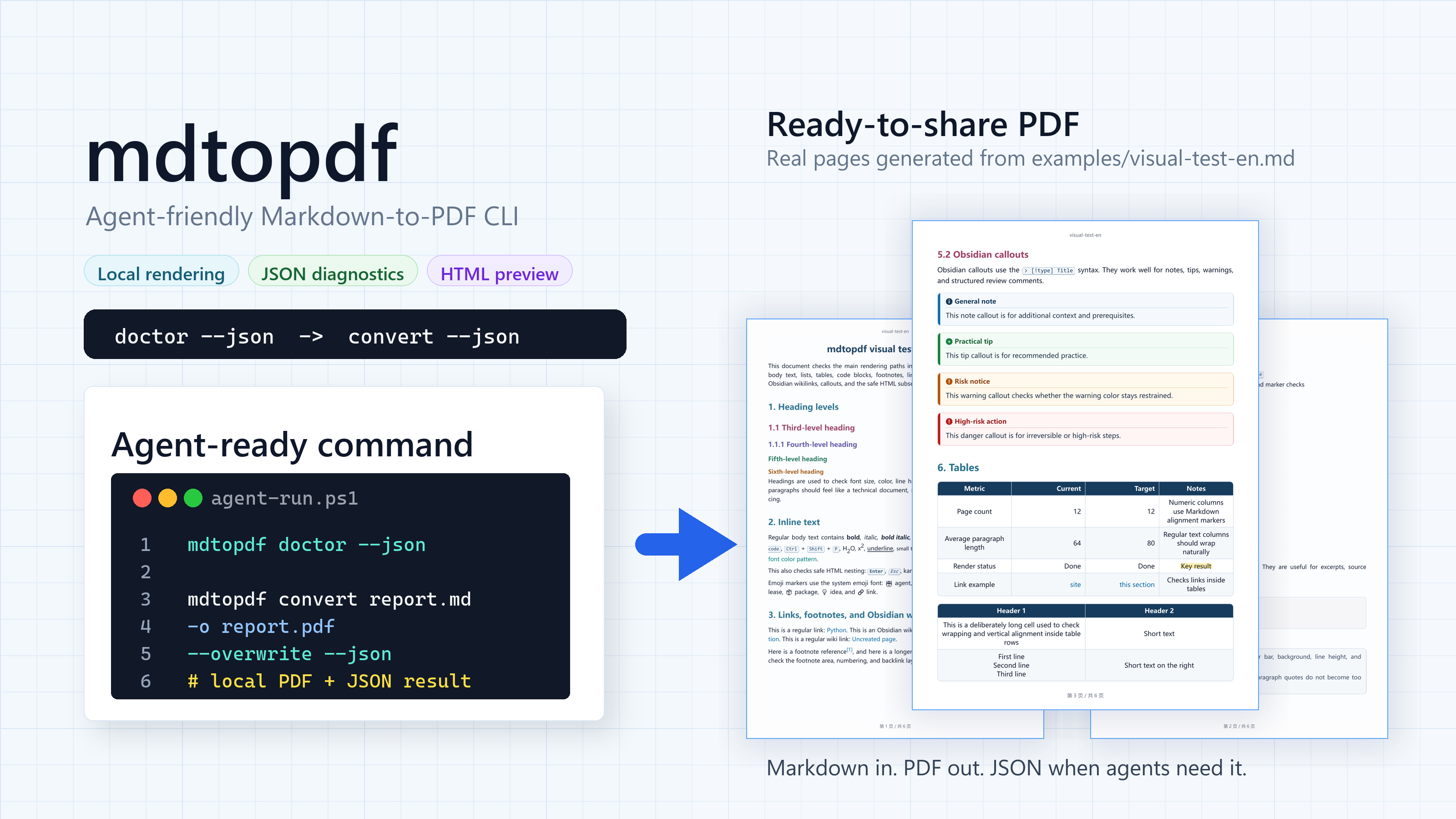
Agents write Markdown. People need PDFs. mdtopdf handles the step in between.
Local rendering, HTML preview, and JSON diagnostics give agents and scripts a stable document output path.









One command gives agents a controlled Markdown-to-PDF path.
Why it works for agents
Agents are good at writing Markdown. The problem is the handoff: PDFs exported
through ad hoc paths rarely share the same style. mdtopdf gives the user a
command-line interface where the style can be defined up front.
- Agent-friendly -
mdtopdf --helpis an interface description an agent can read. - JSON when it matters - conversion, HTML preview, environment checks, and theme listing can return machine-readable output.
- Local files in, local files out - no browser dependency, no upload step, no remote rendering service.
- More than plain Markdown - Obsidian links, highlights, frontmatter, comments, and callouts are rendered.
Quick start
Install from PyPI:
python -m pip install agent-markdown-pdf
The PyPI distribution is agent-markdown-pdf; it installs the mdtopdf command.
Check the machine:
mdtopdf doctor --json
Convert a file:
mdtopdf convert report.md -o report.pdf --overwrite
Try the bundled visual test document:
git clone https://github.com/ABClize/mdtopdf.git
cd mdtopdf
python -m pip install -e .[dev]
mdtopdf html examples/visual-test-en.md -o visual-test-en.html --overwrite
mdtopdf convert examples/visual-test-en.md -o visual-test-en.pdf --overwrite --json
The same visual test is also available in Chinese at
examples/visual-test-cn.md.
Agent workflow
mdtopdf doctor --json
mdtopdf convert report.md -o report.pdf --overwrite --json
Use HTML preview when layout needs a quick look:
mdtopdf html report.md -o report.html --overwrite --json
mdtopdf convert report.md -o report.pdf --overwrite --json
convert --json returns the input path, output path, file size, theme, and
render method. If conversion fails in JSON mode, the error is structured enough
for an agent to show the command, explain the likely cause, and retry after a
fix.
Visual output
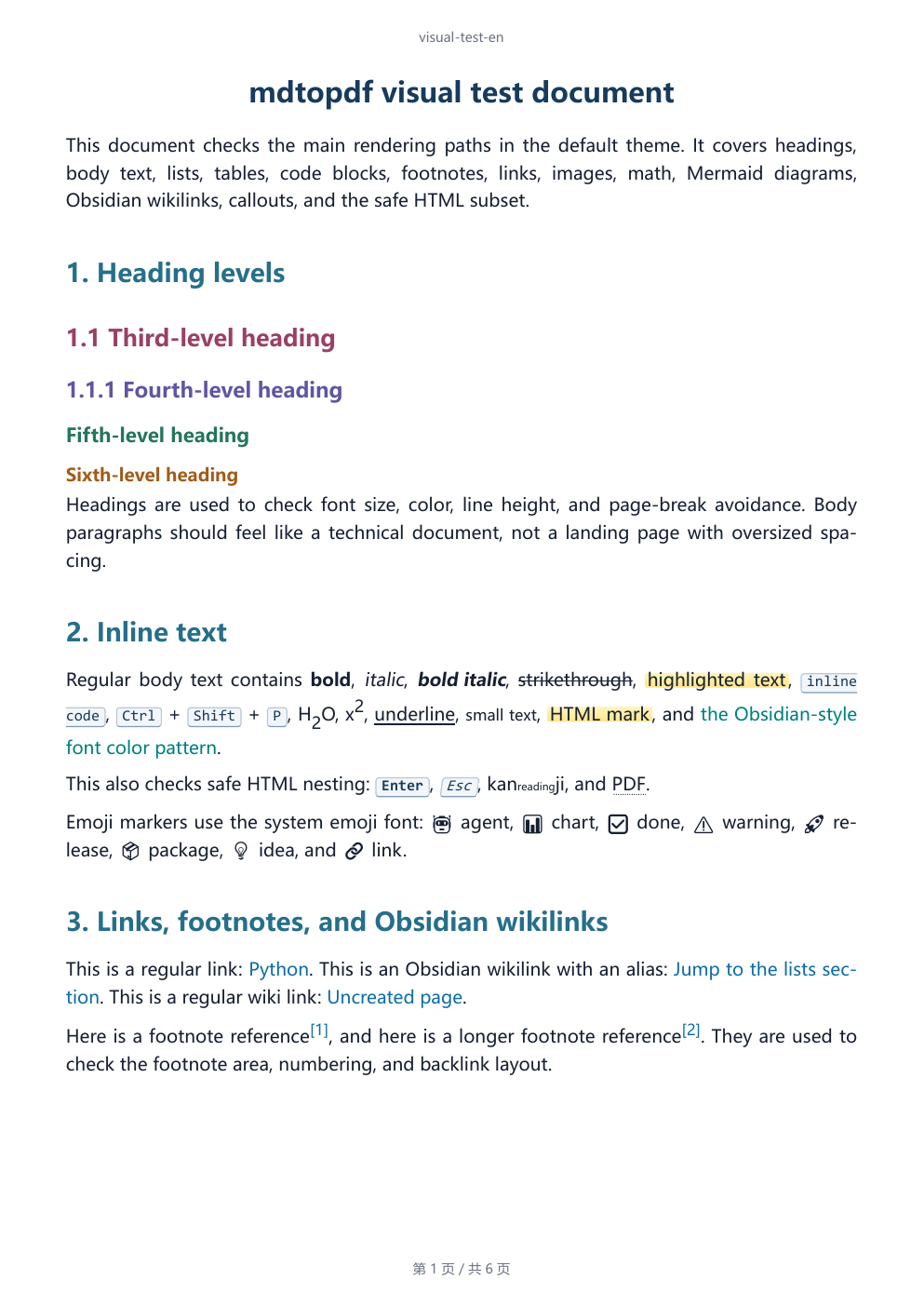
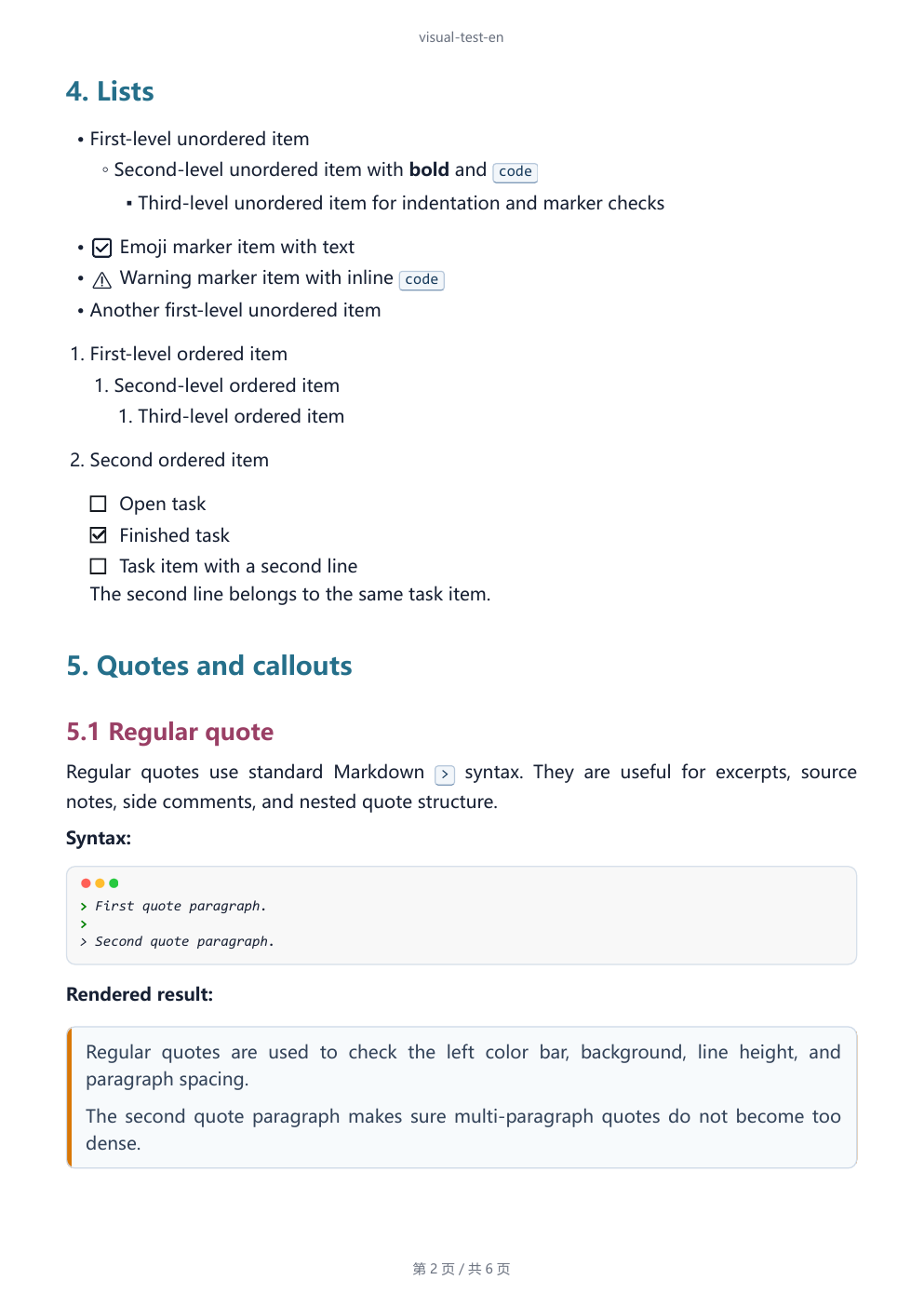
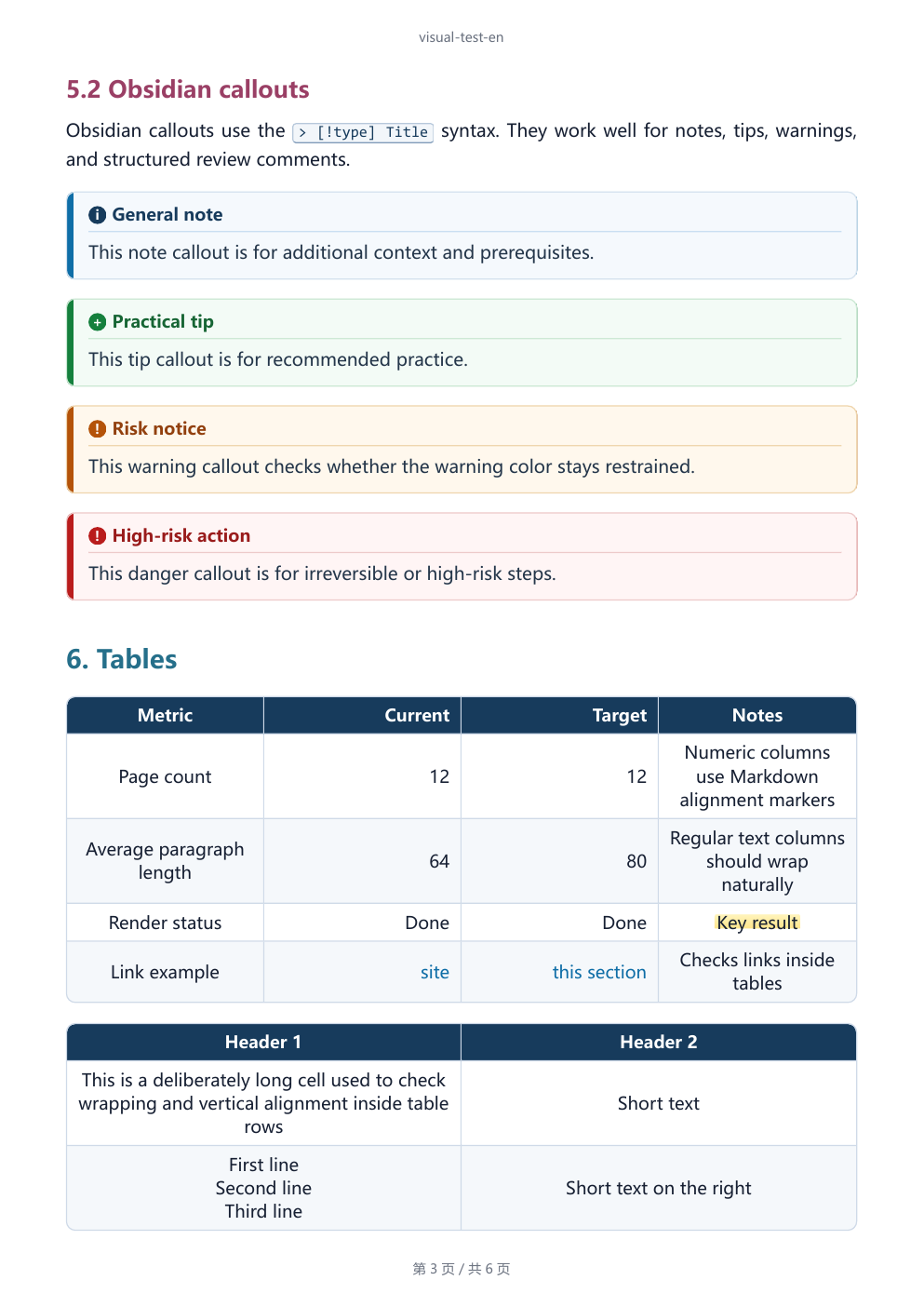
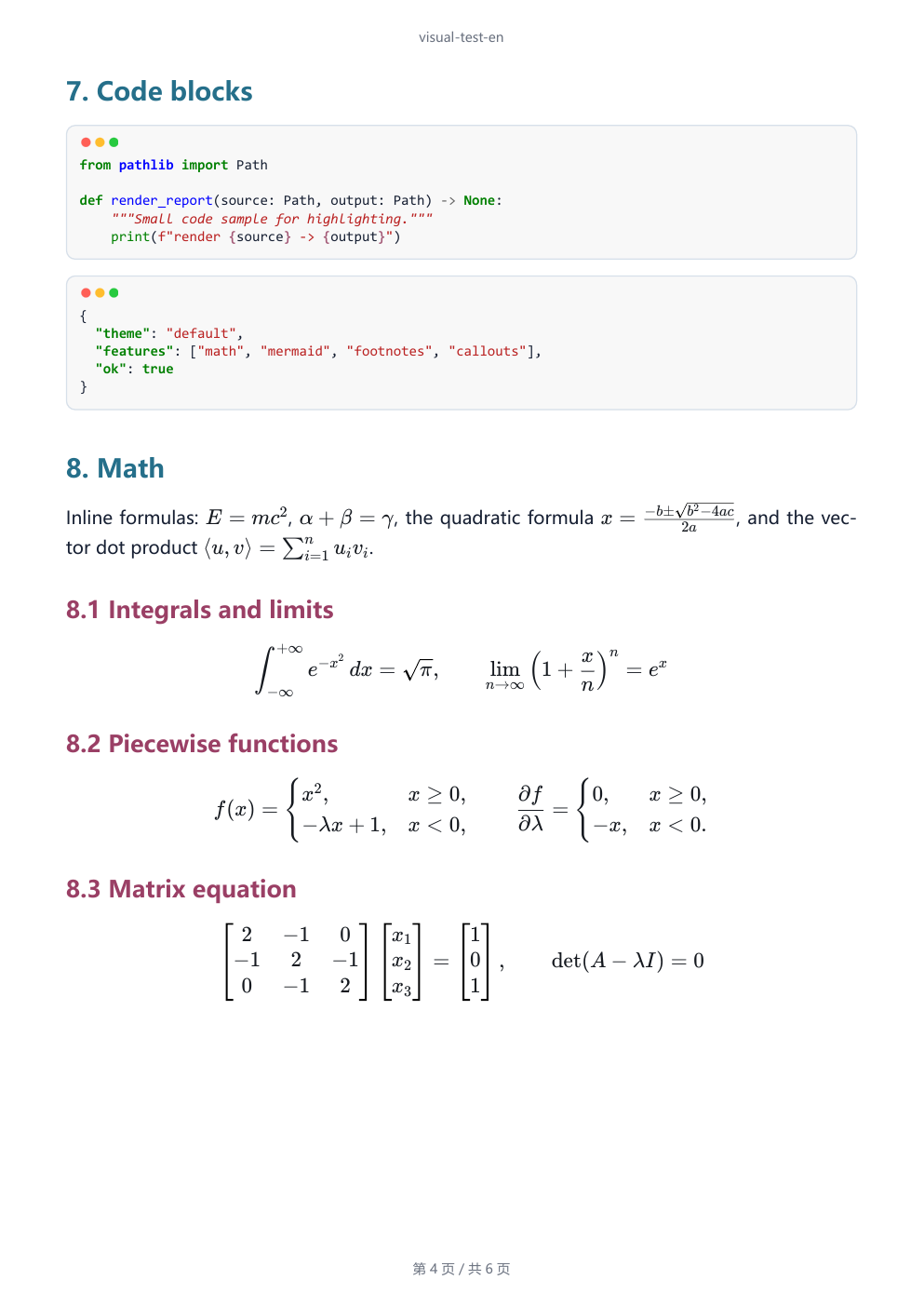
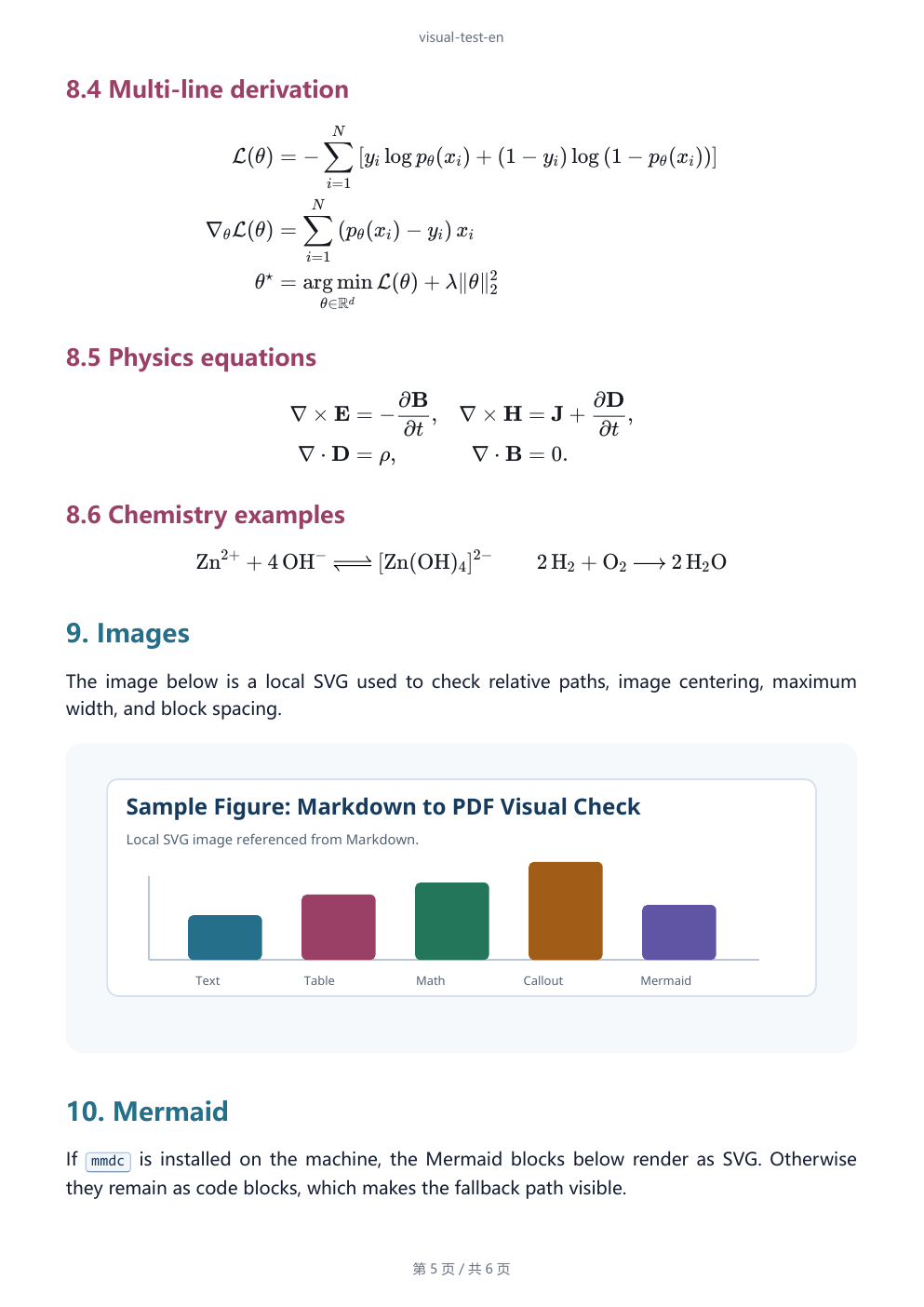
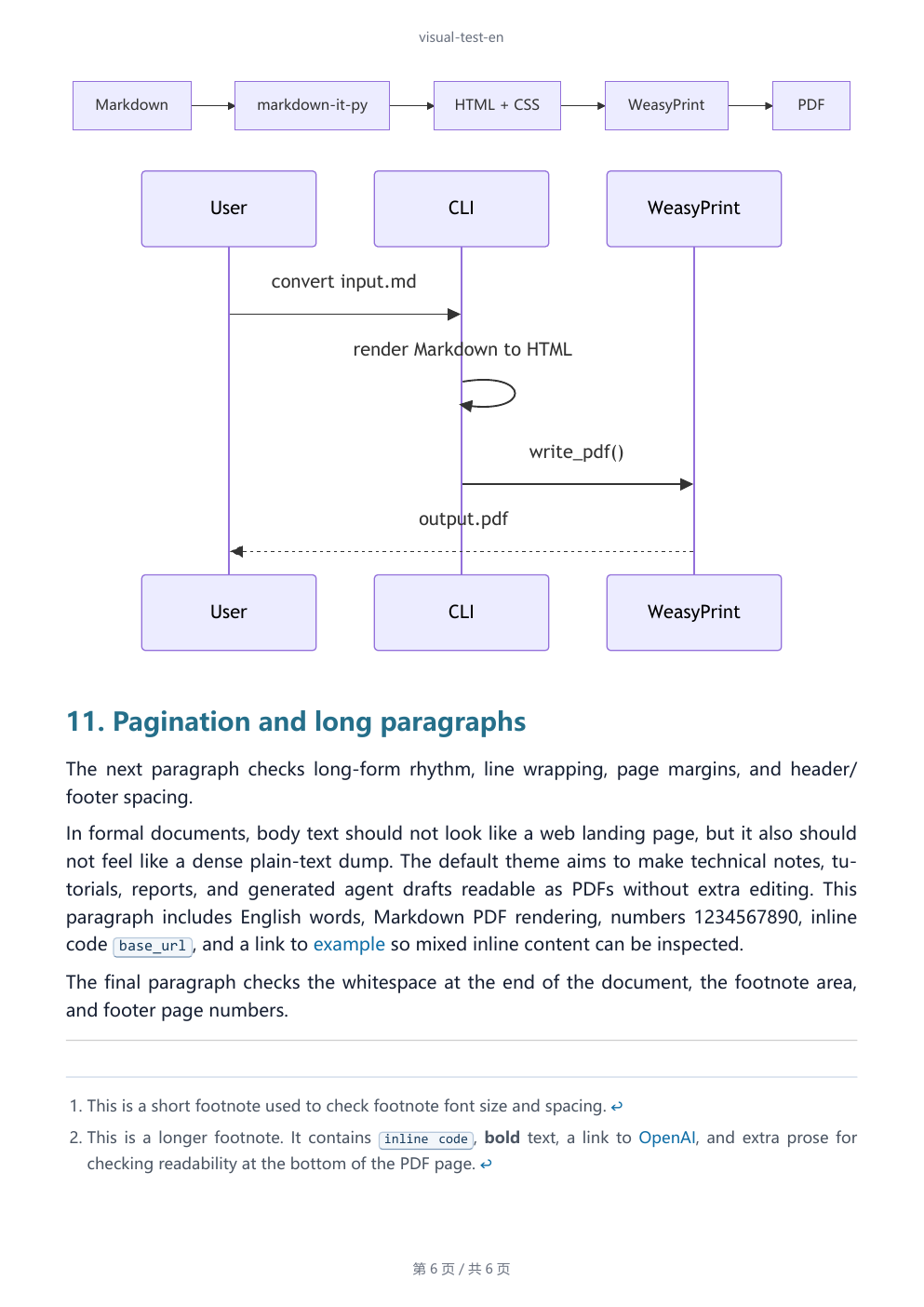
The gallery below is rendered from the final PDF produced by
examples/visual-test-en.md. It shows the actual pages an agent can hand back
to a user: headings, callouts, tables, code, math, images, Mermaid, and
pagination.
| Page 1 | Page 2 |
|---|---|
 |
 |
| Page 3 | Page 4 |
 |
 |
| Page 5 | Page 6 |
 |
 |
How it works
Markdown -> markdown-it-py HTML -> theme/custom CSS -> WeasyPrint PDF
Mermaid rendering is optional. If a local mmdc command exists, Mermaid blocks
render to SVG. If it is missing, conversion still succeeds and Mermaid blocks
remain visible as highlighted code.
Features
| Feature | Notes |
|---|---|
| JSON output | --json is available for conversion, HTML preview, doctor, and theme listing. |
| Environment checks | doctor --json checks Python imports, native WeasyPrint libraries, Windows DLL paths, and Mermaid availability. |
| Local rendering | Markdown, CSS, math, Mermaid SVG generation, and PDF export stay on the machine. |
| HTML preview | Generate standalone HTML before PDF export for fast visual inspection. |
| Obsidian compatibility | Wikilinks, aliases, frontmatter hiding, comments, highlights, and typed callouts. |
| Document Markdown | Tables, task lists, footnotes, heading anchors, fenced code, and Pygments highlighting. |
| KaTeX math | Inline and block TeX render with bundled KaTeX assets, without a CDN. |
| Safe HTML default | Common inline document tags are allowed; unsafe raw HTML stays escaped unless opted in. |
| Python API | Convert Markdown strings or files from your own code. |
Commands
Render a PDF:
mdtopdf convert report.md -o report.pdf
mdtopdf convert report.md -o report.pdf --overwrite
Preview HTML:
mdtopdf html report.md -o report.html --overwrite
Set document metadata and page chrome:
mdtopdf convert report.md -o report.pdf --title "Report"
mdtopdf convert report.md -o report.pdf --header "Report" --footer "Draft"
mdtopdf convert report.md -o report.pdf --no-header --no-footer
Use extra CSS or resource lookup paths:
mdtopdf convert report.md -o report.pdf --css print.css
mdtopdf convert report.md -o report.pdf --base-url assets
mdtopdf convert report.md -o report.pdf --resource-dir attachments
Return JSON:
mdtopdf --json convert report.md -o report.pdf --overwrite
mdtopdf doctor --json
mdtopdf themes list --json
Allow raw HTML only for trusted local Markdown:
mdtopdf convert trusted.md -o trusted.pdf --unsafe-html
Python API
from mdtopdf import (
    markdown_file_to_html,
    markdown_file_to_pdf,
    markdown_to_html,
    markdown_to_pdf,
)

rendered = markdown_to_html("# Report\n\n==highlight==")
print(rendered.html)

markdown_to_pdf("# Report\n\nBody", "report.pdf", title="Report", overwrite=True)
markdown_file_to_html("report.md", output_path="report.html", overwrite=True)
markdown_file_to_pdf("report.md", output_path="report.pdf", overwrite=True)
Markdown support
mdtopdf supports:
- CommonMark
- Tables
- Strikethrough
- Task lists
- Footnotes
- Heading anchors
- Fenced code blocks with Pygments highlighting
- Obsidian-style
==highlight==marks - Obsidian-style
[[target|alias]]wikilinks - Obsidian-style
%%comment%%comments outside code - Obsidian/YAML frontmatter hiding at the start of the file
- Obsidian-style callouts such as
> [!note] Title - Safe inline HTML tags such as
<br>,<kbd>,<mark>,<sup>, and<sub> - TeX math through
$inline$,$$block$$, and commonamsmathenvironments - Mermaid diagrams through local
mmdc, when installed
Raw HTML is disabled by default except for the safe subset above. For trusted
local Markdown, pass --unsafe-html.
Mermaid diagrams
Install a persistent local renderer:
npm install -g @mermaid-js/mermaid-cli
mdtopdf does not call Mermaid.ink and does not download Mermaid CLI through
npx during conversion. Run mdtopdf doctor --json to check whether Mermaid
rendering is available.
Platform notes
mdtopdf requires Python 3.10+ and installs its Python dependencies from PyPI:
click, markdown-it-py, mdit-py-plugins, pygments, latex2mathml,
matplotlib, mini-racer, and weasyprint.
WeasyPrint also needs native libraries such as Pango, GLib, and Cairo. Linux and macOS package managers usually provide them through system packages.
On Windows, install the native libraries separately. A common MSYS2 setup is:
winget install MSYS2.MSYS2
Then install Pango from an MSYS2 MINGW64 shell:
pacman -S mingw-w64-x86_64-pango
Finally, point WeasyPrint at the DLL directory from PowerShell. Adjust the path if MSYS2 is installed somewhere else:
setx WEASYPRINT_DLL_DIRECTORIES "C:\msys64\mingw64\bin"
Run this after installation:
mdtopdf doctor --json
Development
git clone https://github.com/ABClize/mdtopdf.git
cd mdtopdf
python -m pip install -e .[dev]
python -m pytest tests/ -q
Build and check the package:
python -m build
python -m twine check dist/*
License
Apache-2.0. Bundled KaTeX assets are distributed under the MIT license; see
mdtopdf/vendor/katex/LICENSE.
Project details
Verified details
These details have been verified by PyPIProject links
GitHub Statistics
Maintainers


Download files
Download the file for your platform. If you're not sure which to choose, learn more about installing packages.
Source Distribution
Built Distribution
Filter files by name, interpreter, ABI, and platform.
If you're not sure about the file name format, learn more about wheel file names.
Copy a direct link to the current filters
File details
Details for the file agent_markdown_pdf-0.1.0.tar.gz.
File metadata
- Download URL: agent_markdown_pdf-0.1.0.tar.gz
- Upload date:
- Size: 1.0 MB
- Tags: Source
- Uploaded using Trusted Publishing? Yes
- Uploaded via: twine/6.1.0 CPython/3.13.12
File hashes
| Algorithm | Hash digest | |
|---|---|---|
| SHA256 |
ecaf218d785712d18a217b50e136697fd7becc062f4d55f7657170a4f7820fd7
|
|
| MD5 |
dc1c8d4ba5fde06a63fdca5e8baf2c22
|
|
| BLAKE2b-256 |
8918797e76f63261942be13e836269468c057aec7bc8ae434abfaa781aebc509
|
Provenance
The following attestation bundles were made for agent_markdown_pdf-0.1.0.tar.gz:
Publisher:
release.yml on ABClize/mdtopdf
-
Statement:
-
Statement type:
https://in-toto.io/Statement/v1 -
Predicate type:
https://docs.pypi.org/attestations/publish/v1 -
Subject name:
agent_markdown_pdf-0.1.0.tar.gz -
Subject digest:
ecaf218d785712d18a217b50e136697fd7becc062f4d55f7657170a4f7820fd7 - Sigstore transparency entry: 1892670294
- Sigstore integration time:
-
Permalink:
ABClize/mdtopdf@1de1325485ce2f18d5ce5f9f901552a18528933b -
Branch / Tag:
refs/tags/v0.1.0 - Owner: https://github.com/ABClize
-
Access:
public
-
Token Issuer:
https://token.actions.githubusercontent.com -
Runner Environment:
github-hosted -
Publication workflow:
release.yml@1de1325485ce2f18d5ce5f9f901552a18528933b -
Trigger Event:
push
-
Statement type:
File details
Details for the file agent_markdown_pdf-0.1.0-py3-none-any.whl.
File metadata
- Download URL: agent_markdown_pdf-0.1.0-py3-none-any.whl
- Upload date:
- Size: 1.0 MB
- Tags: Python 3
- Uploaded using Trusted Publishing? Yes
- Uploaded via: twine/6.1.0 CPython/3.13.12
File hashes
| Algorithm | Hash digest | |
|---|---|---|
| SHA256 |
1715fc4ab34b840593d071d6514f9b370ef0defba230ace711e38c16917091a9
|
|
| MD5 |
363ca9871f3132138cdf4ea49b192171
|
|
| BLAKE2b-256 |
f96d98b92d770bf496104cd422a927a9ed9f8bf070292b0802f4695d1bdf6979
|
Provenance
The following attestation bundles were made for agent_markdown_pdf-0.1.0-py3-none-any.whl:
Publisher:
release.yml on ABClize/mdtopdf
-
Statement:
-
Statement type:
https://in-toto.io/Statement/v1 -
Predicate type:
https://docs.pypi.org/attestations/publish/v1 -
Subject name:
agent_markdown_pdf-0.1.0-py3-none-any.whl -
Subject digest:
1715fc4ab34b840593d071d6514f9b370ef0defba230ace711e38c16917091a9 - Sigstore transparency entry: 1892670375
- Sigstore integration time:
-
Permalink:
ABClize/mdtopdf@1de1325485ce2f18d5ce5f9f901552a18528933b -
Branch / Tag:
refs/tags/v0.1.0 - Owner: https://github.com/ABClize
-
Access:
public
-
Token Issuer:
https://token.actions.githubusercontent.com -
Runner Environment:
github-hosted -
Publication workflow:
release.yml@1de1325485ce2f18d5ce5f9f901552a18528933b -
Trigger Event:
push
-
Statement type:






