
Agent Skill Kit (ASK)
Write an agent skill once. Deploy it to Claude Code, Codex, Gemini CLI, Cursor and Antigravity — in each tool's native format.
Agent Skill Kit is a command-line package manager for AI agent skills. You define a skill once in a standard format; the ask CLI transforms it into the layout and file format each agent expects, then installs it globally or per-project. It also lints skills against per-agent token budgets and audits your library for skills that compete for the same prompts.
📖 Documentation & skill reference · Interactive command builder
brew tap NavanithanS/Agent-Skill-Kit && brew install agent-skill-kit
ask copy claude --skill ask-unit-test-generation
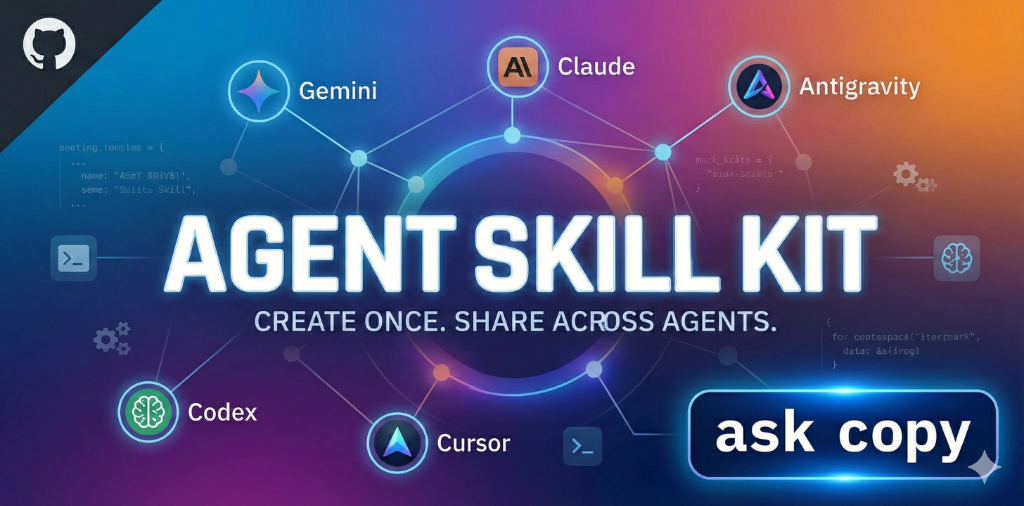
Create once. Share across agents. See CHANGELOG.md for release notes.
🧠 Why Agent Skill Kit?
Managing instructions for multiple AI agents is tedious. You often have to:
- Copy
.cursorrulesto.codex.md. - Manually sync
~/instructions.mdwith project-specific prompts. - Format skills differently for Gemini (
SKILL.md) vs Claude (Slash Commands).
ASK solves this by treating skills as reusable packages.
- Define Once: Write a skill in a standard format.
- Deploy Anywhere: ASK transforms and copies the skill to the correct location and format for each agent.
- Sync: Keep all your agents updated with a single command.
🚀 Features
- Multi-Agent Support: Native support for Gemini, Claude Code, OpenAI Codex, Antigravity, and Cursor.
- Interactive Wizard:
ask wizardguides you through copy, purge, sync, and update with a step-by-step UI. - Docs Site: Command Builder + Skill Browser at navanithans.github.io/Agent-Skill-Kit/docs/.
- Skill Dependencies: Automatically resolves and installs dependent skills.
- Universal Source of Truth: Skills stored in
.agents/skills/and symlinked to each agent — update once, propagate everywhere. - Dynamic Discovery: Automatically discovers available agents in the
agents/directory. - Safe Copy: Never overwrites silently. Prompts to use existing, overwrite, rename, or skip on conflict.
- Local & Global: Choose between Project-Local (per-repo) or Global (user-wide) deployment.
- Skill Linting: Token analysis and schema validation with
ask skill lint. - Trigger/Collision Audit:
ask testflags skills that compete for the same prompts before they confuse your agent. - MCP Server:
ask mcp serveexposes your library so agents can discover and pull skills at runtime. - Manifest Generation: Auto-generate
manifest.jsonfor skill routing. - Extensible: Add support for any new AI agent in seconds via
ask add-agent. - LLM Wiki Integration: Dedicated
wiki/directory andllm-wiki.mdpattern which enables your AI agents to build and maintain a persistent, compounding knowledge base.
📚 Skill library
All skills, with a link to each one's reference page. Full index: browse the skill library.
| Skill | Category | What it does |
|---|---|---|
ask-bug-finder |
coding | Best practices for systematic bug hunting and debugging |
ask-code-reviewer |
coding | An AI code reviewer that provides constructive feedback on code changes. |
ask-commit-assistance |
coding | Assist with code review and staging. NEVER automatically commits. |
ask-component-scaffolder |
coding | Standardizes UI component creation by generating a consistent folder structure and files. |
ask-conceptual-integrity-sentinel |
coding | Principal-level engineering agent that audits repositories for architectural drift, bloated abstractions, and "dead code." |
ask-db-migration-assistant |
coding | Ensures safe database schema updates by requiring migration and rollback scripts before execution. |
ask-docker-expert |
coding | Expert guidance on Docker, Docker Compose, and container optimization. Focuses on multi-stage builds and security. |
ask-effective-llm-coder |
coding | Guides the agent in effective LLM-assisted coding using best practices for declarative workflows, simplicity, tenacity, and iterative refinement. |
ask-explaining-code |
coding | Explains code, diffs and agent changes step by step with analogies: STE prose, diagrams of how modules connect, or a self-contained HTML explainer. |
ask-fastapi-architect |
coding | Expert scaffolding for FastAPI projects. Enforces Pydantic V2, Async Database patterns, and Dependency Injection. |
ask-flutter-architect |
coding | Senior Flutter skill using FVM. Enforces project-specific standards: Provider, Layer-First Architecture, Stream-based Services, and strict coding conventions. |
ask-flutter-mechanic |
coding | Maintenance skill for Flutter projects using FVM. Handles clean builds, iOS/Android specific fixes, asset generation, and release protocols. |
ask-impact-sentinel |
coding | Guidelines for impact analysis, breaking change detection, strategic database design, and comprehensive database indexing review. |
ask-laravel-architect |
coding | Senior scaffolding skill. Handles SQL vs Mongo (Jenssegers/Official), SoftDeletes, and strict API standards. |
ask-laravel-mechanic |
coding | Senior maintenance skill. Enforces "Zero Data Loss" policies and handles Mongo/SQL debugging. |
ask-nextjs-architect |
coding | Expert scaffolding for Next.js 14+ (App Router). Enforces Server Components, Server Actions, and SEO best practices. |
ask-owasp-security-review |
coding | Conduct a thorough static security review of code, identifying vulnerabilities aligned with OWASP Top 10 risks, with severity ratings and remediation suggestions. |
ask-python-refactor |
coding | Best practices and guidelines for Python code refactoring |
ask-readme-gardener |
coding | Keeps documentation in sync with code by updating the README.md when features or APIs are added. |
ask-refactoring-readability |
coding | Refactor code to enhance readability, following principles like DRY, meaningful names, and modularization. |
ask-security-sentinel |
coding | Pre-flight security checker. Scans for exposed secrets and vulnerable patterns properly. |
ask-shadcn-architect |
coding | Strictly enforces shadcn/ui patterns, imports, and CLI usage when creating or modifying React UI components. |
ask-shadcn-mechanic |
coding | Expert maintenance skill for shadcn/ui. Handles component customization, responsive layout debugging, and Form/Zod wiring while strictly enforcing UI/UX design integrity. |
ask-ste-writing |
coding | Rewrites wordy docs, runbooks, PR descriptions and summaries in ~80% ASD-STE100, a controlled language: short sentences, active voice, plain words. |
ask-unit-test-generation |
coding | Automates creation of comprehensive unit tests for functions or classes, emphasizing coverage of edge cases and assertions. |
ask-vue-architect |
coding | Expert scaffolding for Vue 3. Specialized for Laravel Inertia stacks, but supports Nuxt/Vite. Enforces Composition API & TypeScript. |
ask-vue-mechanic |
coding | Expert maintenance skill for Vue 3 within Laravel Inertia. Fixes navigation reloads, prop mismatches, and reactivity issues. |
ask-adr-logger |
planning | Automatically records Architectural Decision Records (ADRs) when a significant technical decision is made. |
ask-brainstorm |
planning | Explores user intent, requirements, and design before implementation. Required before any creative work. |
ask-buildmaster |
planning | Smart Epic Orchestration Agent - Acts as PM + Tech Lead + Delivery Manager for epic planning, execution, and delivery. |
ask-hold-code |
planning | Planning-mode lock that prevents code generation until the user explicitly approves implementation. |
ask-project-memory |
planning | Maintains a 'Project Brain' by recording architectural decisions and tech stack choices in a memory file. |
ask-solution-architect |
planning | Master Ideation and Strategic Architecture skill. Executes professional, multi-perspective ideation sessions utilizing SCAMPER, Six Hats, and Design Thinking. |
ask-add-agent |
tooling | How to add support for new AI code editors to Agent Skill Kit |
ask-ast-mapper |
tooling | Read-only subagent designed to generate lightweight AST (Abstract Syntax Tree) dependency maps. |
ask-context-janitor |
tooling | Aggressive token optimizer and context summarizer for AI orchestrators |
ask-parallel-auditor |
tooling | Orchestrator skill that splits a target repository into chunks and runs multiple audit subagents in parallel. |
ask-pdf-processing |
tooling | PDF text extraction, form filling, and merging using pypdf and pdfplumber |
ask-skill-capture |
tooling | Meta-skill. Analyzes the current session's lessons and saves them as a permanent reusable skill. |
ask-skill-creator |
tooling | Teaches AI agents how to create skills for Agent Skill Kit |
ask-smart-booking-test |
tooling | An advanced autonomous testing skill for verifying end-to-end booking flows. Specializes in Flights, Movies, and Tours with integrated Payment Gateway testing. |
ask-system-architect-prime |
tooling | Principal Software Architect for repository audits, complexity analysis, and actionable refactoring recommendations |
ask-wiki-init |
tooling | Scaffolds the LLM Wiki pattern into any project — a persistent, compounding knowledge base maintained by AI agents. |
📦 Installation
From PyPI (recommended)
pip install agent-skill-kit
Homebrew (macOS / Linux)
brew tap NavanithanS/Agent-Skill-Kit
brew trust navanithans/agent-skill-kit
brew install agent-skill-kit
The
brew truststep is required. Current Homebrew refuses to load formulae from third-party taps until you explicitly trust them, failing with "Refusing to load formula … from untrusted tap". Review the formula before trusting it, as you should with any third-party tap.
If ask --version reports an unexpected version after installing, another copy
is shadowing it on your PATH (a pip-installed one in an active virtualenv or
conda environment is the usual cause). Check with type -a ask, and run
/opt/homebrew/bin/ask --version to test the Homebrew install specifically.
From Source (Development)
# Clone the repository
git clone https://github.com/NavanithanS/Agent-Skill-Kit.git
cd Agent-Skill-Kit

# Install in editable mode
pip install -e .
Upgrading an Existing Installation
When a new version (like v0.4.0) is released, you must upgrade the CLI and then sync the new skills down to your local AI agents.
# 1. Upgrade the CLI
pip install --upgrade agent-skill-kit  # If using PyPI
brew upgrade agent-skill-kit           # If using Homebrew

# 2. Sync the new skills to your agents
ask update
🛠 Usage
0. Interactive Wizard ⭐
The easiest way to use ASK — let the wizard guide you.
ask wizard
Guides you through four actions:
| # | Action | What it does |
|---|---|---|
| 1 | copy | Select skills + agent + scope → install |
| 2 | purge | Select an agent → remove all ask-* skills |
| 3 | sync | Sync every skill to every agent |
| 4 | update | Update all installed skills to latest |
1. Copy Skills to an Agent
The primary way to use ASK — Deploy skills to your AI agents.
Interactive Mode (Recommended):
ask copy
The wizard guides you through:
- Stack detection — auto-suggests skills for your project (Laravel, Vue, Next.js, Flutter, FastAPI)
- Search/filter — type to narrow the skill list before selecting
- Skill selection — numbered table with descriptions and categories
- Agent selection — compatible agents highlighted for your chosen skill
- Destination — local (project) or global (user-wide)
- Conflict scan — all conflicts resolved upfront in one batch prompt
Quick Mode (with flags):
# Copy specific skill (fuzzy name matching — partial names work)
ask copy gemini --skill bug-finder
ask copy claude --skill fastapi-arch    # resolves → ask-fastapi-architect

# Copy all compatible skills to an agent
ask copy claude --all
2. List Available Skills
View your library of skills, including descriptions and supported agents.
# List all skills
ask list

# Search for skills
ask list --search "docker"

# Filter by category or agent
ask list --category coding --agent claude
3. Manage Rules (ask rules compile)
Easily manage rule files (.cursorrules, CLAUDE.md, .agent/rules/) by compiling them from a single central Universal Truth directory!
# Place your `.md` snippets in .agents/rules/ or ~/.agents/rules/
ask rules compile
4. Interactive Purge (ask purge)
Safely delete ask-* skills from selected target agents (or the entire Universal directory) with interactive selection prompts.
ask purge
5. Validate Library
Check your skill library for errors, missing metadata, or circular dependencies.
ask validate
6. Create a New Skill
AI-Assisted (Recommended): Simply ask your AI agent to create a skill for you:
Create a new skill for Docker best practices

Make a skill that teaches REST API design

create new skill: explaining-code
Purpose: Explains code using analogies, ASCII diagrams, and step-by-step walkthroughs. Triggered by queries like "How does this work?"
Instructions emphasize conversational tone, multiple analogies, and highlighting common misconceptions.
Prerequisites: Deploy ask-skill-creator to your agent first (see Tooling Skills).
Manual CLI (Alternative): Launch the interactive wizard to generate a standardized skill template.
ask create skill
7. Sync All Skills
Synchronize your entire skill library to all supported agents at once.
ask sync all
8. Update Skills
Keep your installed skills up-to-date with the latest versions from the repository.
ask update
Features:
- Version Checks: Compares installed version vs source.
- Interactive: Select which skills to update (or use
--yesto update all). - Safe: Automatic backup (
SKILL.md.bak) created before overwriting. - Dependencies are not added:
ask updaterefreshes skills you already have. If an updated skill gains a newdepends_on(for example,ask-explaining-code1.1.0 now usesask-ste-writing), install it withask copy <agent> --skill <dependency>.
9. Add Support for New Agents
Want to use Windsurf or Aider? Use the scaffold wizard:
ask add-agent
This creates the necessary adapter code, making the new agent available instantly.
10. Skill Development Tools (New in v0.2.0)
# Lint skills for token limits and schema compliance
ask skill lint

# View token usage report
ask skill profile

# Generate manifest.json for routing
ask skill compile
11. Evaluate Skills (ask test)
Validation checks that a skill is well-formed; ask test checks that skills don't fight each other for the same prompts — the silent killer of a growing library.
# Offline trigger/collision audit (no API key, CI-friendly)
ask test

# Audit a single skill
ask test ask-laravel-architect

# Fail the build on collisions/misses (opt-in CI gate)
ask test --strict

# Machine-readable output
ask test --json
Each skill declares paraphrased user prompts in tests/evals.yaml:
should_fire:
  - "set up a new laravel api with mongodb models"
The audit ranks each prompt against the whole library (TF-IDF) and flags collisions — similar skills competing for the same prompt. It's a fast lexical pre-screen, not a model of how an agent semantically routes; live-model behavioral evals (ask test --behavior) are planned.
12. Run as an MCP Server (ask mcp)
Expose your skill library to any MCP-capable agent so it can discover and pull skills at runtime — no pre-deployment required. Read-only by design (it never writes to your filesystem).
# Start the server (stdio)
ask mcp serve

# Inspect the exposed tools without starting a server
ask mcp tools

# Dry-run a search to preview what an agent would see
ask mcp probe "scaffold a fastapi service with async db"
Tools exposed: list_skills, search_skills, get_skill. Example client config:
{
  "mcpServers": {
    "agent-skill-kit": { "command": "ask", "args": ["mcp", "serve"] }
  }
}
Install the optional dependency with pip install "agent-skill-kit[mcp]".
🎯 Supported Agents
| Agent | Local Path (Project) | Global Path (User) | Format |
|---|---|---|---|
| Antigravity | .agent/skills/ |
~/.gemini/antigravity/skills/ |
SKILL.md (YAML) |
| Gemini CLI | .gemini/skills/ |
~/.gemini/skills/ |
SKILL.md (YAML) |
| Claude Code | .claude/commands/ |
~/.claude/commands/ |
Markdown Command |
| Codex | codex.md |
~/.codex/instructions/ |
Markdown |
| Cursor | .cursor/rules/ |
~/.cursor/rules/ |
Markdown Rules |
� Available Skills
ASK comes with a curated collection of skills to boost your AI agent's capabilities. Each skill provides specialized instructions and best practices.
Planning Skills
| Skill | Description | Use Cases |
|---|---|---|
| adr-logger | Automates creation of Architectural Decision Records | • Recording tech decisions • Documenting context & consequences • Maintaining decision history |
| hold-code | Enforces a strict planning-mode lock | • Reviewing design documents • Waiting for explicit user approval • Preventing premature code generation |
| brainstorm | Guidelines for exploring user intent and requirements | • Defining user intent • Gathering requirements • Exploring design options |
| project-memory | Maintains a 'Project Brain' of decisions | • Avoiding re-discussions • Checking past decisions • Recording new choices |
| buildmaster | Smart Epic Orchestration Agent | • Epic discovery & scoping • Ticket decomposition • Execution tracking & handoff |
| solution-architect | Master Ideation and Strategic Architecture | • Multi-perspective ideation • Designing robust systems • Structured output via frameworks |
Coding Skills
| Skill | Description | Use Cases |
|---|---|---|
| bug-finder | Best practices for systematic bug hunting and debugging | • Debugging complex issues • Isolating bugs • Using debugging tools |
| code-reviewer | AI code reviewer providing constructive feedback | • Code quality checks • Security & performance review • Learning best practices |
| effective-llm-coder | Guides agent in declarative, simple, tenacious coding | • Declarative workflows • Simplicity & tenacity • Iterative refinement |
| commit-assistance | Assist with code review, staging, and committing | • Pre-commit review • Meaningful commit messages • Staging files |
| explaining-code | Explains code, diffs and agent changes as prose, diagrams or an HTML explainer | • Understanding complex code • Reviewing what an agent changed • Visualizing flow |
| flutter-architect | Senior Flutter skill using FVM | • Layer-First Architecture • Stream-based Services • Strict coding conventions |
| flutter-mechanic | Maintenance skill for Flutter projects using FVM | • Clean Build Protocol • iOS/Android fixes • Release protocols |
| laravel-architect | Senior scaffolding skill for Laravel (SQL/Mongo) | • Logic Layer separation • Hybrid SQL/Mongo Relations • Test-Driven Scaffolding |
| laravel-mechanic | Senior maintenance skill for database safety | • Zero Data Loss protocol • N+1 Query prevention • Queue debugging & forensics |
| owasp-security-review | Static code analysis aligned with OWASP Top 10 | • Security scanning • Identifying vulnerabilities • Compliance checks |
| python-refactor | Guidelines for Python code refactoring | • Improving code quality • Refactoring legacy code • Python best practices |
| refactoring-readability | Improves code structure for clarity | • Renaming vars/functions • Reducing complexity • Improving readability |
| impact-sentinel | Guidelines for impact analysis and database design | • Breaking change detection • Strategic DB design • Safe optimization |
| unit-test-generation | Automates creation of comprehensive unit tests | • Generating new tests • Covering edge cases • Improving coverage |
| vue-architect | Expert scaffolding for Vue 3 (Inertia/Nuxt) | • Component blueprints • Stack detection • Best practices enforcement |
| vue-mechanic | Expert maintenance skill for Vue 3 (Inertia) | • Fixing navigation reloads • Debugging prop mismatches • Solving reactivity issues |
| component-scaffolder | Standardizes UI component creation | • Consistent folder structure • Typed props • Auto-generating tests |
| db-migration-assistant | Ensures safe database schema updates | • Drafting migrations • Creating rollback scripts • Preventing data loss |
| readme-gardener | Keeps documentation in sync with code | • Updating API docs • Documenting new features • Maintaining README accuracy |
| shadcn-architect | Enforces shadcn/ui patterns and consistency | • Preventing style bloat • Enforcing import rules • Promoting accessibility |
| shadcn-mechanic | Expert maintenance for shadcn/ui components | • Customizing variants (CVA) • Debugging form validation • Fixing Tailwind layout limits |
| ste-writing | Writes in ~80% ASD-STE100 Simplified Technical English | • Clearer PR descriptions and docs • Runbooks for non-native readers • Checking drafts with check_ste.py |
| security-sentinel | Pre-flight security checker for secrets/vulns | • Blocking commits with secrets • Detecting SQL injection • Flagging unsafe Blade usage |
| nextjs-architect | Expert scaffolding for Next.js 14+ (App Router) | • Server Components • Server Actions • Metadata API |
| fastapi-architect | Expert scaffolding for FastAPI projects | • Pydantic V2 • Async SQLAlchemy • Dep Injection |
| docker-expert | Expert guidance on Docker & Containers | • Multi-stage builds • Security best practices • Image optimization |
| conceptual-integrity-sentinel | Audits repositories for architectural drift and bloat | • Detecting complexity bloat • Identifying dead code • Enforcing simplicity |
Tooling Skills (Meta-Skills)
📚 ask-wiki-init
Description: Scaffolds the LLM Wiki pattern into any project — a persistent, compounding knowledge base maintained by AI agents.
How to Use:
ask copy antigravity --skill ask-wiki-init
Use Cases:
- Bootstrapping a
wiki/directory to track project decisions. - Establishing an agent-managed knowledge base.
- Defining LLM schema rules and source of truth protocols.
🧹 ask-context-janitor
Description: Aggressive token optimizer and context summarizer for reducing large text files, logs, or agent outputs.
How to Use:
ask copy antigravity --skill ask-context-janitor
Use Cases:
- Summarizing massive
.logfiles from build errors. - Digesting large
ARCHITECTURAL_AUDIT.mdfiles orgit diffoutputs. - Acting as a data-reducer for multi-agent workflows.
�️ ask-ast-mapper
Description: Read-only subagent for generating lightweight AST dependency maps and structural overviews of directories.
How to Use:
ask copy antigravity --skill ask-ast-mapper
Use Cases:
- Quickly mapping dependencies of a directory without reading every file.
- Generating a lightweight JSON structure of imports and class methods.
- Acting as a reconnaissance subagent for heavier architectural agents.
⚡ ask-parallel-auditor
Description: Orchestrator skill that splits a target repository into chunks and runs multiple audit subagents in parallel to bypass context limits.
How to Use:
ask copy antigravity --skill ask-parallel-auditor
Use Cases:
- Running repository-wide security scans or complexity audits.
- Delegating task subsets to identical subagents (e.g.,
ask-owasp-security-review). - Bypassing the token limit of single-agent workflows.
�🛠️ ask-skill-creator
Description: Teaches AI agents how to create skills for Agent Skill Kit
How to Use:
# Deploy to all agents so they can create skills
ask sync all
Use Cases:
- AI-Assisted Skill Creation: Let your AI agent create new skills by simply asking
"Create a skill for API design best practices" - Standardizing skill structure and format
- Automating skill scaffolding
- Building your custom skill library
- Teaching AI agents the skill creation workflow
Example Workflow:
- Deploy this skill to your agent:
ask copy gemini --skill ask-skill-creator - Ask your agent: "Create a skill called 'ask-docker-best-practices' for containerization guidelines"
- The agent generates the skill files automatically
🎯 ask-add-agent
Description: How to add support for new AI code editors to Agent Skill Kit
How to Use:
# Deploy to help your agent add new editor support
ask copy antigravity --skill ask-add-agent
Use Cases:
- Extending ASK: Add support for new AI editors (Windsurf, Aider, etc.)
- Creating custom agent adapters
- Understanding the agent adapter architecture
- Contributing new agent support to the project
Example Workflow:
- Deploy this skill to your agent
- Run the wizard:
ask add-agent - Or ask your agent to help: "Add support for Windsurf editor"
- The agent follows the documented process to create the adapter
📄 ask-pdf-processing
Description: Handle PDF text extraction, form filling, and merging
How to Use:
ask copy antigravity --skill ask-pdf-processing
Use Cases:
- Extracting text from PDF documents
- Processing PDF forms
- Merging multiple PDFs
- PDF automation workflows
🧠 ask-skill-capture
Description: Meta-skill. Analyzes the current session's lessons and saves them as a permanent reusable skill.
How to Use:
# Deploy to your agent (e.g., Antigravity, Gemini)
ask copy antigravity --skill ask-skill-capture
Use Cases:
- Chat-to-Code: Turn "messy" chat context into a structured skill
- Constraint Capture: Permanently save rules like "Always use FVM" or "Don't use Tailwind"
- Workflow Automation: Save a successful debugging sequence as a reusable protocol
- Team Scaling: Share tacit knowledge with your team via git-committed skills
Example Workflow:
- You struggle through a task and finally get it right
- You say: "Capture this as a skill called 'ask-deployment-protocol'"
- The agent analyzes the conversation and generates the
SKILL.md - You verify and save it
🏗️ ask-system-architect-prime
Description: Principal Software Architect for repository audits, complexity analysis, and actionable refactoring recommendations
How to Use:
ask copy antigravity --skill ask-system-architect-prime
Use Cases:
- Full Repository Audit: Analyze architecture, complexity, security, and test coverage
- Performance Investigation: Identify N+1 queries, blocking I/O, and bottlenecks
- Security Review: Scan for hardcoded secrets and vulnerabilities
- Test Coverage Analysis: Map source files to test suites and identify gaps
Example Workflow:
- Deploy this skill to your agent
- Ask: "Audit this repository for architectural flaws"
- The agent generates an
ARCHITECTURAL_AUDIT.mdwith health score, burn list, and recommendations
🚀 Quick Start with Skills
# Guided wizard (new in v0.6.0)
ask wizard

# Or use the docs site Command Builder — no terminal needed
# → https://navanithans.github.io/Agent-Skill-Kit/docs/

# View all available skills
ask list

# Deploy a specific skill to an agent
ask copy gemini --skill ask-bug-finder --global

# Deploy all compatible skills to an agent
ask copy claude --all

# Sync all skills to all agents
ask sync all

# Create your own skill (interactive)
ask create skill
�📐 Skill Format
Each skill is a directory containing:
skill.yaml: Metadata (name, description, tags, supported agents).README.md: The actual prompt/instructions for the AI.
# skill.yaml
name: ask-bug-finder
version: 1.0.0
category: coding
agents:
  - gemini
  - claude
  - cursor
depends_on:
  - ask-code-reviewer  # Automatically installed when bug-finder is installed
SKILL.md Format (v2.0)
As of v0.2.0, SKILL.md files use a token-optimized format:
---
name: ask-example
description: Brief description
triggers: ["trigger phrase 1", "trigger phrase 2"]
---

<critical_constraints>
❌ NO forbidden actions
✅ MUST required actions
</critical_constraints>

<heuristics>
- condition → action
</heuristics>
🧩 Design Principles
- Universal Definition: Skills are defined in a neutral format that can be adapted to any agent.
- Local-First, Global-Ready: Prioritize project-specific skills (checked into git) while supporting user-wide global skills.
- Safe by Default: The CLI will never silently overwrite an existing skill. It always asks.
- Agentic Workflow: The toolkit includes skills (
skill-creator) specifically designed to help AI agents help you build more skills.
🗂 Repository Structure
agent-skill-kit/
├── ask/                     # CLI Source Code
│   ├── commands/            # copy, sync, purge, wizard, create, …
│   └── utils/               # adapter loader, filesystem helpers
├── agents/                  # Adapters for each AI agent
│   ├── gemini/
│   ├── claude/
│   ├── codex/
│   ├── antigravity/
│   └── cursor/
├── skills/                  # The Skill Library (38 skills)
│   ├── coding/
│   ├── planning/
│   ├── tooling/
│   └── manifest.json        # Auto-generated by ask skill compile
├── wiki/                    # Persistent LLM-maintained Knowledge Base
│   ├── index.md             # Top-level content catalog
│   ├── log.md               # Chronological activity log
│   └── SCHEMA.md            # Structural conventions
├── docs/                    # GitHub Pages site
│   └── index.html           # Generated by scripts/generate_site.py
└── scripts/
    └── generate_site.py     # Static site generator
🤝 Contributing
Contributions are welcome!
- Create a Skill: Use
ask create skilland submit a PR with your best prompts. - Add an Agent: Use
ask add-agent, test it, and submit the new adapter.
License
MIT
1 maintainer

Metadata
1 maintainer
Release files for agent-skill-kit 0.10.1
For a detailed explanation of source distributions (sdists) and built distributions (wheels), please see the package formats documentation.
Source distribution (sdist)
| File | Size | Uploaded | Provenance | Actions |
|---|---|---|---|---|
| agent_skill_kit-0.10.1.tar.gz | 1.2 MB | Without provenance | Details for agent_skill_kit-0.10.1.tar.gz |
Built distribution (wheel)
| File | Interpreter | ABI | Platform | Actions Reset |
|---|---|---|---|---|
| agent_skill_kit-0.10.1-py3-none-any.whl | Python 3 | none | any | Details for agent_skill_kit-0.10.1-py3-none-any.whl |
Total release size: 1.5 MB
Release files / agent_skill_kit-0.10.1.tar.gz
| Download URL | agent_skill_kit-0.10.1.tar.gz |
|---|---|
| Size | 1.2 MB |
| Tags | Source |
|
SHA-256 checksum How to use checksums |
794de51f585c2ec555c4a6e75d374bc9fd0ee78c42fb39227389f0a263c6882e
|
|
BLAKE2b-256 checksum How to use checksums |
e7495475b4f5088added5ce2d2921a2cb85c6dda353ed9785a2564de5d41a753
|
| Upload date | |
|
Uploaded using Trusted Publishing? What is trusted publishing? |
No |
| Uploaded via |
twine/7.0.0 CPython/3.12.14
|
Release files / agent_skill_kit-0.10.1-py3-none-any.whl
| Download URL | agent_skill_kit-0.10.1-py3-none-any.whl |
|---|---|
| Size | 305.7 kB |
| Tags | Python 3 |
|
SHA-256 checksum How to use checksums |
cc16a0988a9c00376cec5c98b168f95401844f0a1137c5e81b19b5f9c0cea915
|
|
BLAKE2b-256 checksum How to use checksums |
9097d38748ac61b5a37dd56c7bdfe3a92dd80563e0c2dc26199d312fa7eba4ba
|
| Upload date | |
|
Uploaded using Trusted Publishing? What is trusted publishing? |
No |
| Uploaded via |
twine/7.0.0 CPython/3.12.14
|
Security for agent-skill-kit 0.10.1
Provenance
Provenance describes where a file came from. On PyPI, provenance is shared via attestations, which provide a verifiable record of the build or publishing details. View details, limitations and caveats.
No provenance found
None of the files in this release were uploaded with provenance metadata.
A note on package security
PyPI is a repository for distributing packages, not a service for auditing them. While third-party security researchers and our staff do their best to detect and remove malicious packages, PyPI cannot guarantee the quality, security or suitability of any given package.
To learn more about protecting yourself from malicious actors, visit our package security documentation.














