
     _                    _      ____ _                 _   _
    / \   __ _  ___ _ __ | |_   / ___| |__   __ _ _ __ | |_(_)
   / _ \ / _` |/ _ \ '_ \| __| | |   | '_ \ / _` | '_ \| __| |
  / ___ \ (_| |  __/ | | | |_  | |___| | | | (_| | | | | |_| |
 /_/   \_\__, |\___|_| |_|\__|  \____|_| |_|\__,_|_| |_|\__|_|
         |___/
                  ━━  A u t o n o m o u s   C o d e r  ━━
A multi-agent AI coding system with built-in RAG — local or cloud, CLI or API.
Plans. Codes. Reviews. Tests. Understands your codebase.




pipx install agentchanti   # or: pip install agentchanti
agentchanti --help
Full installation options (venv, editable, convenience scripts) are further down.
Quick-Start Demo

Full 7-minute walkthrough on YouTube — installation, configuration step-by-step, main features, and a first end-to-end task run (recorded against v0.1.1):
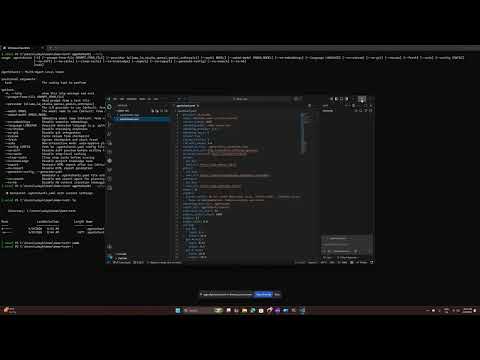
What is AgentChanti?
AgentChanti ships with a built-in RAG system. Before any agent writes code, it automatically retrieves the most relevant functions, classes, and docs from your codebase and injects them as context — so even a local 7B model running in Ollama understands your project structure and coding conventions. Teams can add internal docs, architecture decisions, and coding standards to the Global KB, and every agent on every run picks them up automatically.
AgentChanti is a command-line tool and Python library that takes a plain English description of a coding task and autonomously builds the software for you using a team of specialized AI agents:
| Agent | Role |
|---|---|
| Planner | Breaks your task into numbered, actionable steps |
| Coder | Writes clean, idiomatic code for each step |
| Reviewer | Checks code for bugs, style issues, and correctness |
| Tester | Generates and runs unit tests to verify everything works |
Supports local LLMs (Ollama, LM Studio) and cloud providers (OpenAI, Google Gemini, Anthropic Claude).
Agent Loop (v0.3)
When the provider supports native tool calling (Ollama with llama3.1/qwen2.5-coder+, OpenAI, Anthropic), CODE and TEST steps run as a bounded tool-calling loop: the model reads files, edits, runs commands and tests, observes the real output, and self-corrects — capped at agent_loop_max_turns (default 8) so cost stays predictable. A step only counts as done once its verification command actually passes. Failed shell commands and failed steps get one bounded recovery loop instead of hard-failing the pipeline.
This is on by default; set agent_loop: false in .agentchanti.yaml to use the classic generate→review→retry pipeline, which also remains the automatic fallback for models without tool support. A/B benchmarks (see benchmarks/) show parity on success rate with ~14% fewer tokens.
Beyond the CLI — Use It as a Service
AgentChanti ships as both a CLI and a Python library, so it can be embedded directly into any service:
# Inside a Flask endpoint — trigger the full agent pipeline on a PR event
from agentchanti import run_task

@app.route("/pr-review", methods=["POST"])
def on_pull_request():
    result = run_task(task="Generate unit tests for the changed files", auto=True)
    return {"status": result.status, "files": result.files_written}
The plugin system (StepPlugin base class) lets teams extend the pipeline with custom steps beyond code generation:
| Example Plugin | What It Does |
|---|---|
| PR test generator | Auto-generates tests when a PR is opened |
| Image validator | Validates assets against design specs using a vision model |
| Deployment gate | Runs lint, security scan, or compliance checks before deploy |
| Custom linter | Enforces team-specific coding standards as a pipeline step |
Plugins are discovered automatically from your config or via setuptools entry points — no changes to the core pipeline needed.
Built-in RAG — Any LLM Understands Your Codebase
AgentChanti includes a 4-phase RAG system that automatically indexes your project and injects relevant context into every agent prompt — so even a small local model running offline has deep awareness of your internal code and docs:
- Code graph — tree-sitter parses your codebase into a symbol graph (functions, classes, imports, call edges) across 11 languages
- Semantic search — every function and class is embedded into a local SQLite vector store; agents retrieve the most relevant symbols before writing any code
- Global KB — add your internal docs, ADRs, and coding standards; every agent picks them up automatically
- Error dictionary — maps known error patterns to fixes so agents self-correct without extra LLM calls
All storage is local SQLite — no cloud vector database required. Works fully offline with local LLMs.
RAG Architecture
AgentChanti uses a 4-phase Retrieval-Augmented Generation (RAG) system to give every agent deep awareness of your codebase. Before any code is written, the system automatically indexes your project and injects the most relevant context into each LLM prompt.
┌──────────────────────────────────────────────────────────────┐
│                     Your Coding Task                         │
└──────────────────┬───────────────────────────────────────────┘
                   ▼
┌──────────────────────────────────────────────────────────────┐
│  Phase 1: Code Graph        Tree-sitter AST parsing          │
│  ───────────────────        Classes, functions, imports,      │
│                             call edges → NetworkX graph       │
├──────────────────────────────────────────────────────────────┤
│  Phase 2: Semantic KB       Embed symbols → SQLite vectors   │
│  ────────────────────       Cosine similarity search          │
│                             Graph-enriched results            │
├──────────────────────────────────────────────────────────────┤
│  Phase 3: Global KB         Error-fix dictionary (regex)     │
│  ──────────────────         Coding patterns, ADRs             │
│                             Behavioral instructions           │
├──────────────────────────────────────────────────────────────┤
│  Phase 4: Context Builder   Intent detection (error/review)  │
│  ────────────────────────   Retrieve → rank → budget (4000t) │
│                             Inject into agent prompt          │
└──────────────────┬───────────────────────────────────────────┘
                   ▼
┌──────────────────────────────────────────────────────────────┐
│              Planner / Coder / Reviewer / Tester             │
└──────────────────────────────────────────────────────────────┘
| Phase | What It Does | Storage |
|---|---|---|
| Code Graph | Parses AST with tree-sitter (11 languages), builds a directed graph of symbols and call edges | graph.pkl + index.db |
| Semantic KB | Embeds functions/classes into vectors, enables natural-language search over your code | vectors.db (SQLite) |
| Global KB | Maps error patterns to fixes, stores coding best practices and behavioral rules | global_kb.db (SQLite) |
| Context Builder | Assembles retrieved context per-step with token budgeting and priority ranking | In-memory |
Additional capabilities:
- Project Orientation -- auto-detects language, framework, test runner, and directory structure; injects as a grounding block in every prompt
- Runtime Watcher -- monitors file changes during execution and triggers incremental re-indexing in the background
- Smart Startup -- < 10ms for unchanged projects; incremental or full re-index only when needed
All storage is local SQLite -- no external vector database required. See documentation.md for the full technical deep-dive.
Getting Started
Prerequisites
-
Python 3.10+ (python.org)
-
Git (git-scm.com)
-
A local LLM server or a cloud API key
Installation
Option 1: pipx (recommended for end users)
pipx installs CLI tools into isolated environments and puts them on
your PATH — no virtualenv to activate, no pip install polluting
your global site-packages.
pipx install agentchanti
agentchanti --help
To upgrade later: pipx upgrade agentchanti. To install pre-release
builds straight from main: pipx install git+https://github.com/udaykanthr/agentchanti.git.
Option 2: Clone and install (for contributors / latest code)
git clone https://github.com/udaykanthr/agentchanti.git
cd agentchanti

python3 -m venv .venv
source .venv/bin/activate        # Linux/macOS
.venv\Scripts\activate           # Windows

python -m pip install -e ".[dev]"   # includes pytest + ruff for tests
agentchanti --help
Option 3: Convenience scripts
If you'd rather not type the venv steps yourself, the repo ships helper scripts that do the same thing:
git clone https://github.com/udaykanthr/agentchanti.git
cd agentchanti

# Linux / macOS
chmod +x install.sh && ./install.sh

# Windows
./install.bat

source .venv/bin/activate        # Linux/macOS
.venv\Scripts\activate           # Windows
Why no
curl | bashinstaller? AgentChanti is a Python package, not a single static binary. The standard Python tooling (pipx,pip) already handles isolated installs, version pinning, and upgrades — wrapping that in a shell script downloaded over HTTPS would add an attack surface without adding any value.
Usage
agentchanti "<task description>" [options]
Quick Examples
# With Ollama
agentchanti "Create a Flask REST API with CRUD" --provider ollama --model deepseek-coder-v2:16b

# With OpenAI
OPENAI_API_KEY="sk-..." agentchanti "Build a CLI tool" --provider openai --model gpt-4o-mini

# With Gemini
GEMINI_API_KEY="..." agentchanti "Build a REST API" --provider gemini --model gemini-2.5-flash

# With Claude
ANTHROPIC_API_KEY="sk-ant-..." agentchanti "Build a CLI tool" --provider anthropic --model claude-sonnet-4

# Non-interactive (CI/scripts)
agentchanti "Generate unit tests" --auto --no-git --no-report
All Options
| Flag | Description | Default |
|---|---|---|
"task" |
The coding task to perform (required) | — |
--prompt-from-file |
Read task description from a file | — |
--provider |
ollama, lm_studio, openai, gemini, anthropic |
lm_studio |
--model |
Model name | deepseek-coder-v2-lite-instruct |
--embed-model |
Embedding model name | nomic-embed-text |
--language |
Override auto-detected language | auto-detect |
--config |
Path to .agentchanti.yaml config file |
auto-discover |
--auto |
Non-interactive mode (auto-approve plan) | off |
--no-embeddings |
Disable semantic embeddings | off |
--no-stream |
Disable streaming responses | off |
--no-git |
Disable git checkpoint/rollback | off |
--no-diff |
Disable diff preview before writing | off |
--no-cache |
Disable step-level caching | off |
--clear-cache |
Clear step cache before running | off |
--no-knowledge |
Disable project knowledge base | off |
--no-search |
Disable web search agent | off |
--no-kb |
Disable KB context injection | off |
--report / --no-report |
Enable/disable HTML report | on |
--resume |
Force resume from checkpoint | off |
--fresh |
Ignore checkpoint, start fresh | off |
--generate-yaml |
Generate .agentchanti.yaml and exit |
off |
Knowledge Base Commands
Manage the project knowledge base via agentchanti kb:
agentchanti kb embed                 # Embed symbols into the vector store
agentchanti kb search "query"        # Semantic search over KB
agentchanti kb query find-callers X  # Find all callers of a function
agentchanti kb error-lookup "msg"    # Look up error fixes
agentchanti kb health                # Show KB health report
agentchanti kb update                # Pull global KB updates
See documentation.md for the full list of KB commands.
Documentation
For full documentation including architecture details, configuration reference, library API, plugin system, and troubleshooting, see documentation.md.
Contributing
Contributions are welcome! Feel free to open issues or submit pull requests.
- Fork the repository
- Create a feature branch (
git checkout -b feature/my-feature) - Run the tests:
python -m pytest tests/ -v - Commit and push
- Open a pull request
License
MIT License. See LICENSE for details.
Disclaimer
This is a personal project by Uday Kanth. It is not affiliated with, endorsed by, sponsored by, or in any way officially connected with my current or past employer(s), or any of their subsidiaries, clients, or affiliates. All opinions, code, and design decisions in this project are my own and do not represent the views or intellectual property of any organization I am or have been associated with. This project was built entirely on my own time using my own resources.
1 maintainer

Release files for agentchanti 0.8.4
For a detailed explanation of source distributions (sdists) and built distributions (wheels), please see the package formats documentation.
Source distribution (sdist)
| File | Size | Uploaded | |
|---|---|---|---|
| agentchanti-0.8.4.tar.gz | 1.0 MB | Details |
Built distribution (wheel)
| File | Interpreter | ABI | Platform | Reset |
|---|---|---|---|---|
| agentchanti-0.8.4-py3-none-any.whl | Python 3 | none | any | Details |
Total release size: 2.0 MB
Release files / agentchanti-0.8.4.tar.gz
| Download URL | agentchanti-0.8.4.tar.gz |
|---|---|
| Size | 1.0 MB |
| Tags | Source |
|
SHA-256 checksum How to use checksums |
9fa2f53808673e6ad623a35e556617b3e25b76678cd0d8a1c50d80a0dc9b632f
|
|
BLAKE2b-256 checksum How to use checksums |
272f0ac8c3522ea91ac59670a82d8bff884f58ad39def272e491b26827e59c4a
|
| Upload date | |
|
Uploaded using Trusted Publishing? What is trusted publishing? |
Yes |
| Uploaded via |
twine/7.0.0 CPython/3.13.14
|
Provenance
Provenance describes where a file came from. On PyPI, provenance is shared via attestations, which provide a verifiable record of the build or publishing details. View details, limitations and caveats.


PyPI Publish Attestation
PyPI verified that this artifact, at this checksum, originated from the publisher listed below.
Signed by GitHub Actions, verified by PyPI on Sep 16, 2026.
Transparency logRelease files / agentchanti-0.8.4-py3-none-any.whl
| Download URL | agentchanti-0.8.4-py3-none-any.whl |
|---|---|
| Size | 998.9 kB |
| Tags | Python 3 |
|
SHA-256 checksum How to use checksums |
a02f759449c58c379ddacbcc4d55349c9827395bfef16ce38d06bf4844aa3ddd
|
|
BLAKE2b-256 checksum How to use checksums |
4ad3c7d994d27e4e355518dc26f8df785505a5435f1d6beed41a4d574b28e64f
|
| Upload date | |
|
Uploaded using Trusted Publishing? What is trusted publishing? |
Yes |
| Uploaded via |
twine/7.0.0 CPython/3.13.14
|
Provenance
Provenance describes where a file came from. On PyPI, provenance is shared via attestations, which provide a verifiable record of the build or publishing details. View details, limitations and caveats.
PyPI Publish Attestation
PyPI verified that this artifact, at this checksum, originated from the publisher listed below.
Signed by GitHub Actions, verified by PyPI on Sep 16, 2026.
Transparency log













